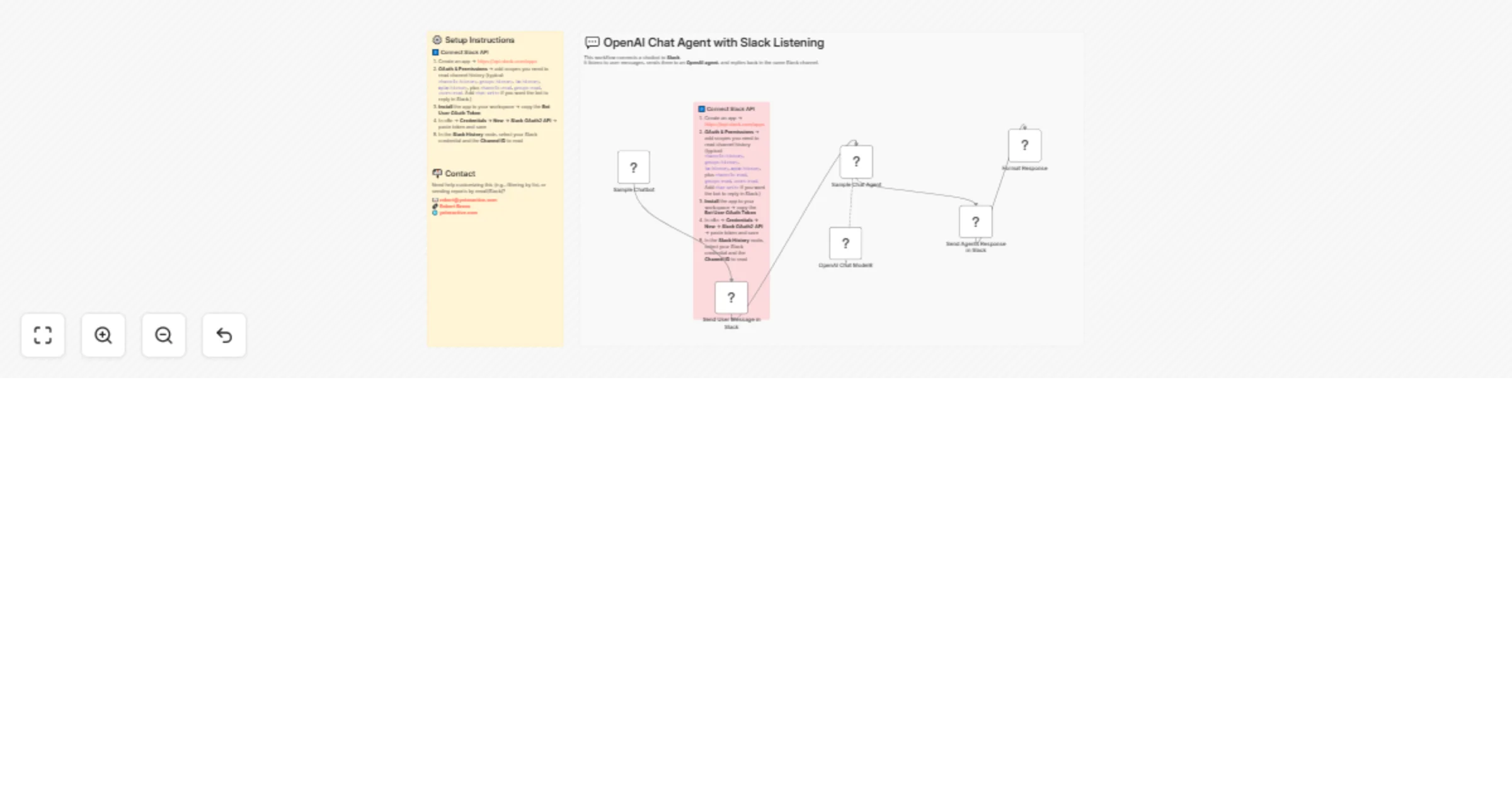
Create a Slack chatbot with GPT-4o for automated responses

Workflow preview

Workflow preview
100%
Create a Slack chatbot with GPT-4o for automated responses preview
Open on n8n.io

Important notice

This workflow is provided as-is. Please review and test before using in production.

1. Workflow Overview

‍ Description This workflow integrates Slack with an OpenAI Chat Agent to create a fully interactive chatbot inside your Slack workspace. It works in a bidirectional loop : 1. A user sends a me...

Best for

  • AI Chatbot automation workflows
  • Multimodal AI automation workflows
  • intermediate n8n builders looking for reusable templates

Tools used

@n8n/n8n-nodes-langchain.lmchatopenai, n8n-nodes-base.stickynote, n8n-nodes-base.slack, @n8n/n8n-nodes-langchain.agent, n8n-nodes-base.code, @n8n/n8n-nodes-langchain.chattrigger

Source and attribution

This workflow is cataloged by N8N Workflows and links back to its original n8n.io source page by Robert Breen.

Original n8n.io source

1.1 Workflow description

Title
Create a Slack chatbot with GPT-4o for automated responses
Workflow name
Create a Slack chatbot with GPT-4o for automated responses

🧑‍💻 Description

This workflow integrates Slack with an OpenAI Chat Agent to create a fully interactive chatbot inside your Slack workspace.

It works in a bidirectional loop:

  1. A user sends a message in Slack.
  2. The workflow captures the message and logs it back into Slack (so you can monitor what’s being passed into the agent).
  3. The message is sent to an OpenAI-powered agent (e.g., GPT-4o).
  4. The agent generates a response.
  5. The response is formatted and posted back to Slack in the same channel or DM thread.

This allows you to monitor, test, and interact with the agent directly from Slack.

📌 Use Cases

  • Team Support Bot: Provide quick AI-generated answers to FAQs in Slack.
  • E-commerce Example: The default prompt makes the bot act like a store assistant, but you can swap in your own domain knowledge.
  • Conversation Monitoring: Log both user and agent messages in Slack for visibility and review.
  • Custom AI Agents: Extend with RAG, external APIs, or workflow automations for specialized tasks.

⚙️ Setup Instructions

1️⃣ OpenAI Setup

  1. Sign up at OpenAI.
  2. Generate an API key from the API Keys page.
  3. In n8nCredentials → New → OpenAI → paste your key and save.
  4. In the OpenAI Chat node, select your credential and configure the system prompt.
    • Example included: “You are an ecommerce bot. Help the user as if you were working for a mock store.”
    • You can edit this prompt to fit your use case (support bot, HR assistant, knowledge retriever, etc.).

2️⃣ Slack Setup

  1. Go to Slack API Apps → click Create New App.
  2. Under OAuth & Permissions, add the following scopes:
    • Read: channels:history, groups:history, im:history, mpim:history, channels:read, groups:read, users:read.
    • Write: chat:write.
  3. Install the app to your workspace → copy the Bot User OAuth Token.
  4. In n8nCredentials → New → Slack OAuth2 API → paste the token and save.
  5. In the Slack nodes (e.g., Send User Message in Slack, Send Agent’s Response in Slack), select your credential and specify the Channel ID or User ID to send/receive messages.

🎛️ Customization Guidance

  • Change Agent Behavior: Update the system message in the Chat Agent node.
  • Filter Channels: Limit listening to a specific channel by adjusting the Slack node’s Channel ID.
  • Format Responses: The Format Response node shows how to structure agent replies before posting back to Slack.
  • Extend Workflows: Add integrations with databases, CRMs, or APIs for dynamic data-driven responses.

🔄 Workflow Flow (Simplified)

Slack User Message → Send User Message in Slack → Chat Agent → Format Response → Send Agent Response in Slack


📬 Contact

Need help customizing this workflow (e.g., multi-channel listening, advanced AI logic, or external integrations)?

📧 [email protected]
🔗 Robert Breen
🌐 ynteractive.com

1.2 Logical Blocks

This catalog entry is organized from the workflow JSON. The node-level section below shows the executable blocks available for review before importing the template.

2. Block-by-Block Analysis

Block 1 - OpenAI Chat Model8

Type / Role
@n8n/n8n-nodes-langchain.lmChatOpenAi - lmChatOpenAi
Config choices
Version 1.2

Block 2 - Sticky Note61

Type / Role
n8n-nodes-base.stickyNote - stickyNote
Config choices
Version 1

Block 3 - Sticky Note20

Type / Role
n8n-nodes-base.stickyNote - stickyNote
Config choices
Version 1

Block 4 - Send User Message in Slack

Type / Role
n8n-nodes-base.slack - slack
Config choices
Version 2.3

Block 5 - Sample Chat Agent

Type / Role
@n8n/n8n-nodes-langchain.agent - agent
Config choices
Version 2.2

Block 6 - Send Agents Response in Slack

Type / Role
n8n-nodes-base.slack - slack
Config choices
Version 2.3

Block 7 - Format Response

Type / Role
n8n-nodes-base.code - code
Config choices
Version 2

Block 8 - Sticky Note66

Type / Role
n8n-nodes-base.stickyNote - stickyNote
Config choices
Version 1

Block 9 - Sample Chatbot

Type / Role
@n8n/n8n-nodes-langchain.chatTrigger - chatTrigger
Config choices
Version 1.3

3. Summary Table

Workflow Create a Slack chatbot with GPT-4o for automated responses
Complexity intermediate
Nodes 9
Categories AI Chatbot, Multimodal AI
Author Robert Breen
Published 22 Aug 2025

4. Reproducing the Workflow from Scratch

  1. 1. Download the workflow JSON

    Use the JSON export at /data/workflows/7734/7734.json as the source template for this automation.

  2. 2. Import the template into n8n

    Open n8n, import the downloaded JSON, and review each node before activating the workflow.

  3. 3. Configure credentials and variables

    Replace placeholder credentials, API keys, webhook URLs, account IDs, and environment-specific values with your own settings.

  4. 4. Test with sample data

    Run the workflow manually or in a staging workspace, inspect node output, and confirm downstream systems receive the expected data.

  5. 5. Activate and monitor

    Enable the workflow only after testing, then monitor executions, errors, and rate limits during the first production runs.

5. General Notes & Resources

Review imported nodes carefully before activation. This catalog entry is intended to help you inspect the workflow structure, understand required services, and find related templates faster.

Node names, credentials, schedules, webhook paths, and external service limits may need adjustment for your workspace.

Frequently asked questions

What does Create a Slack chatbot with GPT-4o for automated responses do?

‍ Description This workflow integrates Slack with an OpenAI Chat Agent to create a fully interactive chatbot inside your Slack workspace. It works in a bidirectional loop : 1. A user sends a me...

What do I need before importing this workflow?

Review the workflow JSON, configure any required credentials in n8n, and test the automation in a safe workspace before using it in production.

Can I customize this workflow?

Yes. Use the block-by-block analysis and the downloadable JSON to inspect each node, then adjust credentials, prompts, schedules, filters, or destinations for your AI Chatbot, Multimodal AI use case.