Create a Business Model Canvas and infographic image with Gemini

Workflow preview

Workflow preview
100%
Create a Business Model Canvas and infographic image with Gemini preview
Open on n8n.io

1. Workflow Overview

Generate a complete Business Model Canvas from a guided interview form. AI analyzes responses and creates a professional infographic image of all 9 canvas elements. ※ The form is hosted by n8n, so ...

Best for

  • Content Creation automation workflows
  • Multimodal AI automation workflows
  • advanced n8n builders looking for reusable templates

Tools used

n8n-nodes-base.formtrigger, n8n-nodes-base.form, n8n-nodes-base.stickynote, @n8n/n8n-nodes-langchain.lmchatawsbedrock, @n8n/n8n-nodes-langchain.googlegemini, n8n-nodes-base.if, n8n-nodes-base.code, @n8n/n8n-nodes-langchain.agent

Source and attribution

This workflow is cataloged by N8N Workflows and links back to its original n8n.io source page by Ryosuke Mori.

Original n8n.io source

1.1 Workflow description

Title
Create a Business Model Canvas and infographic image with Gemini
Workflow name
Create a Business Model Canvas and infographic image with Gemini

Generate a complete Business Model Canvas from a guided interview form. AI analyzes responses and creates a professional infographic image of all 9 canvas elements.

※ The form is hosted by n8n, so end users only interact with a simple web form. All AI processing happens behind the scenes.

Who is this template for?

This template is designed for:

  • Business consultants and coaches who want to offer BMC generation as a workshop tool
  • Educators and trainers teaching business model concepts
  • Startup accelerators and incubators supporting entrepreneurs
  • Anyone running n8n who wants to provide a self-service BMC generator

End User Experience

Users who access the form URL:

  • No account registration required
  • No software installation needed
  • Simply answer the guided questions and receive a generated Business Model Canvas
  • Works on any device with a web browser
  1. AI analyzes and enriches the responses to generate all 9 BMC elements:
  • Customer Segments
  • Value Propositions
  • Channels
  • Customer Relationships
  • Revenue Streams
  • Key Resources
  • Key Activities
  • Key Partners
  • Cost Structure
  1. Validates input quality to ensure meaningful business content (rejects gibberish or unrelated answers)

  2. Generates a professional infographic image of the complete Business Model Canvas


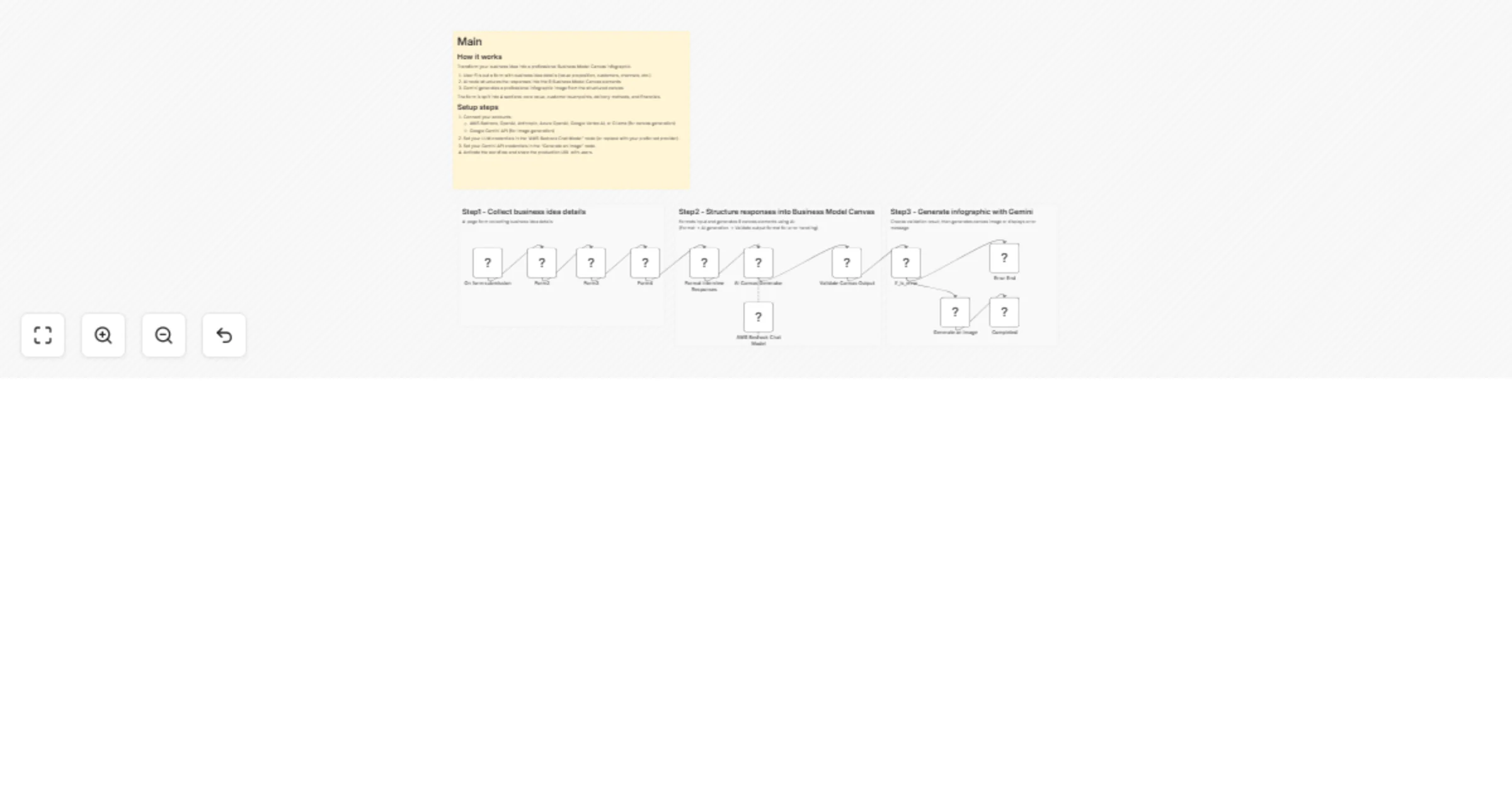
How it works

Transform your business idea into a professional Business Model Canvas infographic.

  1. User fills out a form with business idea details (value proposition, customers, channels, etc.)
  2. AI node structures the responses into the 9 Business Model Canvas elements
  3. Gemini generates a professional infographic image from the structured canvas

The form is split into 4 sections: core value, customer touchpoints, delivery methods, and financials.

Step-by-step:

  1. On form submission - User completes Phase 1 (Core business concept)
  2. Form2 - Phase 2 questions (Customer touchpoints)
  3. Form3 - Phase 3 questions (Internal resources)
  4. Form4 - Phase 4 questions (Revenue and costs)
  5. Format Interview Responses - Aggregates all form data into structured format
  6. AI Canvas Generator - AI agent analyzes responses and generates the 9 BMC elements
  7. Validate Canvas Output - Checks if AI output is valid or contains error
  8. If_is_error - Routes to error page or continues to image generation
  9. Generate an image - Creates professional infographic using Gemini
  10. Completed - Displays the generated Business Model Canvas image

Setup steps

Required Credentials

1. LLM for AI Canvas Generator (Customizable)

This template uses AWS Bedrock (Claude) by default, but you can replace it with any LLM provider supported by n8n:

Provider Node to Use
AWS Bedrock (default) AWS Bedrock Chat Model
OpenAI OpenAI Chat Model
Anthropic API Anthropic Chat Model
Azure OpenAI Azure OpenAI Chat Model
Google Vertex AI Google Vertex AI Chat Model
Ollama (self-hosted) Ollama Chat Model

Simply disconnect the default "AWS Bedrock Chat Model" node and connect your preferred LLM node to the "AI Canvas Generator" agent.

2. Google Gemini API (for image generation)
  • Google AI Studio API Key
  • Model: gemini-3-pro-image-preview (or current image generation model)

> Note: Image generation currently requires Gemini. If you don't need the infographic output, you can remove the image generation step and display the text-based BMC instead.

Configuration Steps

  1. Import the workflow into n8n
  2. Configure AWS Bedrock credentials in the "AWS Bedrock Chat Model" node
  3. Configure Google Gemini API credentials in the "Generate an image" node
  4. (Optional) Customize form questions to match your needs
  5. Activate the workflow
  6. Share the Production URL with users

Customization Options

  • Form Questions: Edit the form nodes to add/modify interview questions
  • AI Prompt: Modify the system message in "AI Canvas Generator" to change how the AI interprets responses
  • Image Style: Adjust the prompt in "Generate an image" to change the visual style
  • Error Messages: Customize error messages in the validation logic

Nodes Used

Node Purpose
Form Trigger Collects Phase 1 responses
Form (x3) Collects Phases 2-4 responses
Code (x2) Formats data and validates output
AI Agent Generates Business Model Canvas text
AWS Bedrock Chat Model LLM for AI Agent
Google Gemini Generates infographic image
IF Routes based on validation result
Form (Completion) Displays final result or error

Example Use Case

Scenario: A business consultant runs a startup workshop

  1. Participants access the form URL on their devices
  2. They answer guided questions about their business idea (5-10 minutes)
  3. AI processes their responses and generates a complete BMC
  4. Participants receive a professional infographic they can use in pitch decks

Notes

  • Processing time: Approximately 30-60 seconds (depends on AI response time)
  • The workflow validates inputs to prevent processing of test/gibberish data
  • Image generation requires a Gemini model with image output capability
  • Form responses are not stored – each submission is processed independently

1.2 Logical Blocks

This catalog entry is organized from the workflow JSON. The node-level section below shows the executable blocks available for review before importing the template.

2. Block-by-Block Analysis

Block 1 - On form submission

Type / Role
n8n-nodes-base.formTrigger - formTrigger
Config choices
Version 2.5

Block 2 - Form4

Type / Role
n8n-nodes-base.form - form
Config choices
Version 2.5

Block 3 - Form3

Type / Role
n8n-nodes-base.form - form
Config choices
Version 2.5

Block 4 - Form2

Type / Role
n8n-nodes-base.form - form
Config choices
Version 2.5

Block 5 - Sticky Note

Type / Role
n8n-nodes-base.stickyNote - stickyNote
Config choices
Version 1

Block 6 - AWS Bedrock Chat Model

Type / Role
@n8n/n8n-nodes-langchain.lmChatAwsBedrock - lmChatAwsBedrock
Config choices
Version 1.1

Block 7 - Generate an image

Type / Role
@n8n/n8n-nodes-langchain.googleGemini - googleGemini
Config choices
Version 1.1

Block 8 - If_is_error

Type / Role
n8n-nodes-base.if - if
Config choices
Version 2.3

Block 9 - Sticky Note1

Type / Role
n8n-nodes-base.stickyNote - stickyNote
Config choices
Version 1

Block 10 - Format Interview Responses

Type / Role
n8n-nodes-base.code - code
Config choices
Version 2

Block 11 - AI Canvas Generator

Type / Role
@n8n/n8n-nodes-langchain.agent - agent
Config choices
Version 3.1

Block 12 - Validate Canvas Output

Type / Role
n8n-nodes-base.code - code
Config choices
Version 2

Block 13 - Sticky Note2

Type / Role
n8n-nodes-base.stickyNote - stickyNote
Config choices
Version 1

Block 14 - Error End

Type / Role
n8n-nodes-base.form - form
Config choices
Version 2.5

Block 15 - Completed

Type / Role
n8n-nodes-base.form - form
Config choices
Version 2.5

Block 16 - Sticky Note3

Type / Role
n8n-nodes-base.stickyNote - stickyNote
Config choices
Version 1

3. Summary Table

Workflow Create a Business Model Canvas and infographic image with Gemini
Complexity advanced
Nodes 16
Categories Content Creation, Multimodal AI
Author Ryosuke Mori
Published 20 Jan 2026

4. Reproducing the Workflow from Scratch

  1. 1. Download the workflow JSON

    Use the JSON export at /data/workflows/12833/12833.json as the source template for this automation.

  2. 2. Import the template into n8n

    Open n8n, import the downloaded JSON, and review each node before activating the workflow.

  3. 3. Configure credentials and variables

    Replace placeholder credentials, API keys, webhook URLs, account IDs, and environment-specific values with your own settings.

  4. 4. Test with sample data

    Run the workflow manually or in a staging workspace, inspect node output, and confirm downstream systems receive the expected data.

  5. 5. Activate and monitor

    Enable the workflow only after testing, then monitor executions, errors, and rate limits during the first production runs.

5. General Notes & Resources

Review imported nodes carefully before activation. This catalog entry is intended to help you inspect the workflow structure, understand required services, and find related templates faster.

Node names, credentials, schedules, webhook paths, and external service limits may need adjustment for your workspace.

Frequently asked questions

What does Create a Business Model Canvas and infographic image with Gemini do?

Generate a complete Business Model Canvas from a guided interview form. AI analyzes responses and creates a professional infographic image of all 9 canvas elements. ※ The form is hosted by n8n, so ...

What do I need before importing this workflow?

Review the workflow JSON, configure any required credentials in n8n, and test the automation in a safe workspace before using it in production.

Can I customize this workflow?

Yes. Use the block-by-block analysis and the downloadable JSON to inspect each node, then adjust credentials, prompts, schedules, filters, or destinations for your Content Creation, Multimodal AI use case.