Block 1 - Sticky Note3
- Type / Role
- n8n-nodes-base.stickyNote - stickyNote
- Config choices
- Version 1


 Early Deal
This workflow is provided as-is. Please review and test before using in production.
Categorize and Label Existing Gmail Emails Automatically with GPT 4o mini Who's it for This workflow is perfect for individuals or teams who want to sort and label existing emails in their Gm...
n8n-nodes-base.stickynote, @n8n/n8n-nodes-langchain.agent, n8n-nodes-base.filter, n8n-nodes-base.switch, n8n-nodes-base.gmail, n8n-nodes-base.manualtrigger, @n8n/n8n-nodes-langchain.outputparserstructured, @n8n/n8n-nodes-langchain.lmchatopenai
This workflow is cataloged by N8N Workflows and links back to its original n8n.io source page by Arlin Perez.
Original n8n.io sourceThis workflow is perfect for individuals or teams who want to sort and label existing emails in their Gmail inbox 🗃️ using AI. Ideal for cleaning up unlabeled emails in bulk — no coding required!
For sorting incoming emails messages in your gmail inbox, please use this free workflow: Categorize and Label Incoming Gmail Emails Automatically with GPT-4o mini
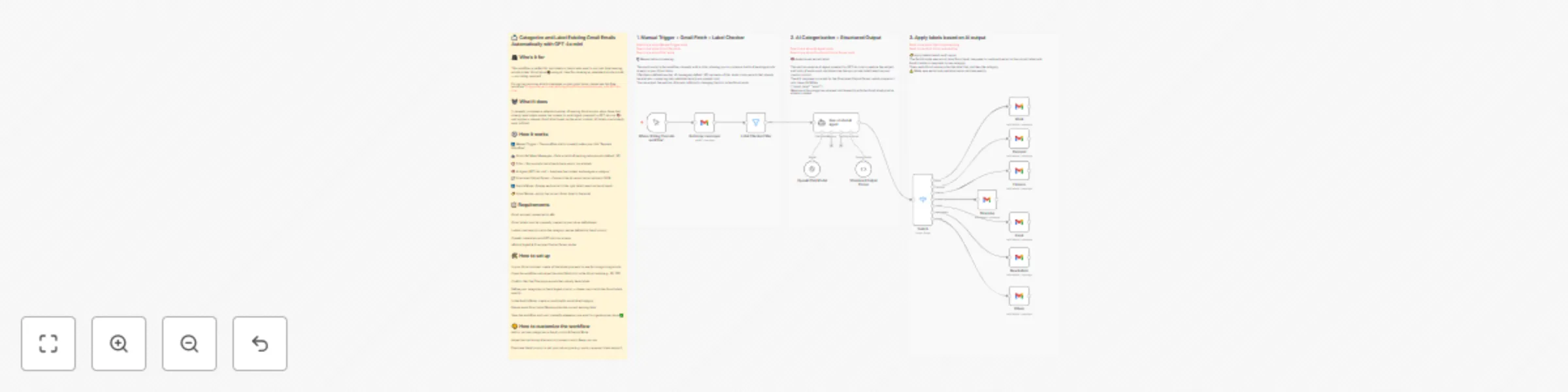
It manually processes a selected number of existing Gmail emails, skips those that already have labels, sends the content to an AI Agent powered by GPT-4o mini 🧠, and applies a relevant Gmail label based on the email content. All labels must already exist in Gmail.
▶️ Manual Trigger – The workflow starts manually when you click "Execute Workflow".
📥 Gmail Get Many Messages – Pulls a batch of existing inbox emails (default: 50).
🚫 Filter – Skips emails that already have one or more labels.
🧠 AI Agent (GPT-4o mini) – Analyzes the content and assigns a category.
🧾 Structured Output Parser – Converts the AI output into structured JSON.
🔀 Switch Node – Routes each email to the right label based on the AI result.
🏷️ Gmail Nodes – Apply the correct Gmail label to the email.
Gmail account connected to n8n
Gmail labels must be manually created in your inbox beforehand
Labels must exactly match the category names defined in the AI prompt
OpenAI credentials with GPT-4o mini access
n8n's AI Agent & Structured Output Parser nodes
In your Gmail account, create all the labels you want to use for categorizing emails
Open the workflow and adjust the email fetch limit in the Gmail node (e.g., 50, 100)
Confirm that the Filter skips emails that already have labels
Define your categories in the AI Agent prompt — these must match the Gmail labels exactly
In the Switch Node, create a condition for each label/category
Ensure each Gmail Label Node applies the correct existing label
Save the workflow and run it manually whenever you want to organize your inbox ✅
Add or remove categories in the AI prompt & Switch Node
Adjust the batch size of emails to process more or fewer per run
Fine-tune the AI prompt to suit your inbox type (e.g., work, personal, client support)
This catalog entry is organized from the workflow JSON. The node-level section below shows the executable blocks available for review before importing the template.
| Workflow | Categorize and label existing Gmail emails automatically with GPT-4o mini |
|---|---|
| Complexity | advanced |
| Nodes | 18 |
| Categories | Personal Productivity, AI Summarization |
| Author | Arlin Perez |
| Published | 15 Jul 2025 |
Use the JSON export at /data/workflows/6031/6031.json as the source template for this automation.
Open n8n, import the downloaded JSON, and review each node before activating the workflow.
Replace placeholder credentials, API keys, webhook URLs, account IDs, and environment-specific values with your own settings.
Run the workflow manually or in a staging workspace, inspect node output, and confirm downstream systems receive the expected data.
Enable the workflow only after testing, then monitor executions, errors, and rate limits during the first production runs.
Review imported nodes carefully before activation. This catalog entry is intended to help you inspect the workflow structure, understand required services, and find related templates faster.
Node names, credentials, schedules, webhook paths, and external service limits may need adjustment for your workspace.
Categorize and Label Existing Gmail Emails Automatically with GPT 4o mini Who's it for This workflow is perfect for individuals or teams who want to sort and label existing emails in their Gm...
Review the workflow JSON, configure any required credentials in n8n, and test the automation in a safe workspace before using it in production.
Yes. Use the block-by-block analysis and the downloadable JSON to inspect each node, then adjust credentials, prompts, schedules, filters, or destinations for your Personal Productivity, AI Summarization use case.