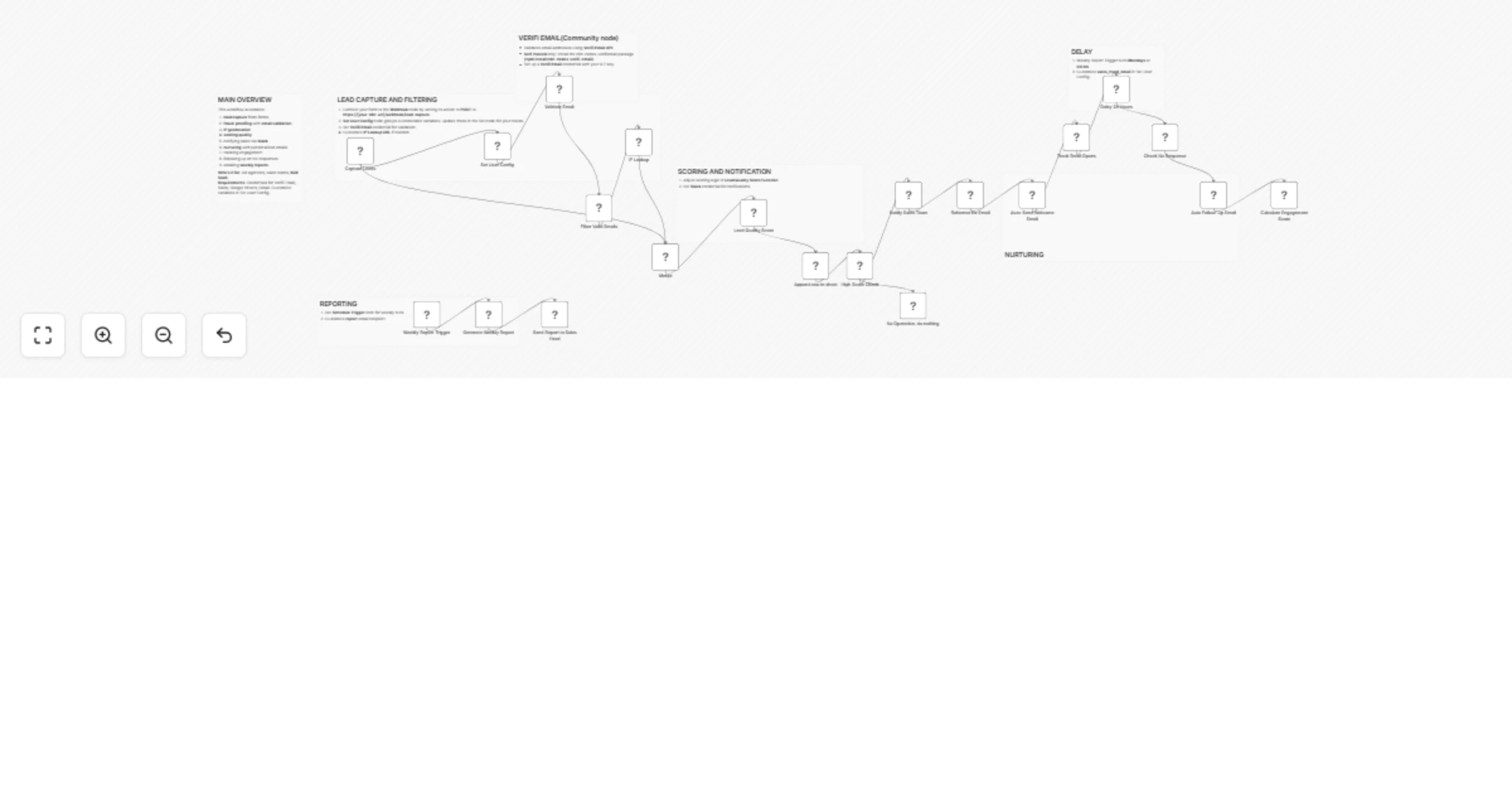
Capture and nurture fraud-proof leads with AI scoring, sheets tracking & multi-channel alerts

Workflow preview

Workflow preview
100%
Capture and nurture fraud-proof leads with AI scoring, sheets tracking & multi-channel alerts preview
Open on n8n.io

Important notice

This workflow is provided as-is. Please review and test before using in production.

1. Workflow Overview

1. Who's It For Ad agencies needing automated lead capture . Sales teams fighting fraud and scoring leads. B2B SaaS companies nurturing prospects . Marketing pros boosting sales pipelines . 2. How ...

Best for

  • AI Summarization automation workflows
  • advanced n8n builders looking for reusable templates

Tools used

n8n-nodes-base.webhook, n8n-nodes-base.httprequest, n8n-nodes-base.if, n8n-nodes-base.code, n8n-nodes-base.googlesheets, n8n-nodes-base.merge, n8n-nodes-base.noop, n8n-nodes-base.slack

Source and attribution

This workflow is cataloged by N8N Workflows and links back to its original n8n.io source page by Jitesh Dugar.

Original n8n.io source

1.1 Workflow description

Title
Capture and nurture fraud-proof leads with AI scoring, sheets tracking & multi-channel alerts
Workflow name
Capture and nurture fraud-proof leads with AI scoring, sheets tracking & multi-channel alerts

1. Who's It For

  • Ad agencies needing automated lead capture.
  • Sales teams fighting fraud and scoring leads.
  • B2B SaaS companies nurturing prospects.
  • Marketing pros boosting sales pipelines.

2. How It Works

  • Captures leads via Webhook from forms.
  • Validates emails with Verifi Email node.
  • Checks IP for fraud using IP Lookup.
  • Scores leads (0-100) with Function node.
  • Logs data in Google Sheets.
  • Alerts sales via Slack for high scores.
  • Sends welcome email via Gmail.
  • Tracks email opens for engagement.
  • Follows up after 24 hours if unopened.
  • Updates engagement scores.
  • Generates weekly report (leads, scores, avg.).
  • Emails report to sales head.
  • Offers: fraud-proofing, AI scoring, nurturing, reporting.

3. How to Set Up

  • 1. Link form to Webhook (POST to https://[your-n8n-url]/webhook/lead-capture).
  • 2. Install Verifi Email node (npm install n8n-nodes-verifiemail) on self-hosted n8n.
  • 3. Add credentials: Verifi Email, Slack, Gmail, Google Sheets.
  • 4. Set up Set User Config (e.g., score, channel, email).
  • 5. Adjust Weekly Report cron (default: Mondays 00:00 IST).
  • 6. Test with sample data (e.g., {"email": "[email protected]", "ip": "8.8.8.8"}).

Requirements

  • Self-hosted n8n (for Verifi Email).
  • Credentials: Verifi Email key, Slack token, Gmail, Google Sheets.
  • Node.js and npm for installation.
  • Form to send data to Webhook.

Core Features

  • Fraud Detection: Email and IP validation.
  • Lead Scoring: AI-driven quality assessment.
  • Automated Nurturing: Personalized emails.
  • Real-Time Alerts: Slack notifications.
  • Weekly Reporting: Performance insights.

Use Cases & Applications

  • Sales Teams: Streamline lead follow-ups.
  • Marketing: Enhance campaign tracking.
  • B2B SaaS: Automate prospect nurturing.
  • Agencies: Deliver client-ready reports.

Key Benefits

  • Efficiency: Automates manual tasks.
  • Accuracy: Reduces fraud with validation.
  • Scalability: Handles multiple leads.
  • Insight: Weekly performance data.

Customization Options

  • Adjust scoring in Function node.
  • Edit email templates in Gmail.
  • Add attachments via File node.
  • Change cron schedule.
  • Integrate CRM with HTTP Request.

Important Disclaimers

  • For educational use only.
  • Validate with your risk tolerance.
  • Seek professional advice before use.
  • Account for market volatility.

1.2 Logical Blocks

This catalog entry is organized from the workflow JSON. The node-level section below shows the executable blocks available for review before importing the template.

2. Block-by-Block Analysis

Block 1 - Capture Leads

Type / Role
n8n-nodes-base.webhook - webhook
Config choices
Version 2.1

Block 2 - IP Lookup

Type / Role
n8n-nodes-base.httpRequest - httpRequest
Config choices
Version 4.2

Block 3 - Filter Valid Emails

Type / Role
n8n-nodes-base.if - if
Config choices
Version 2.2

Block 4 - Lead Quality Score

Type / Role
n8n-nodes-base.code - code
Config choices
Version 2

Block 5 - Append row in sheet

Type / Role
n8n-nodes-base.googleSheets - googleSheets
Config choices
Version 4.7

Block 6 - Merge

Type / Role
n8n-nodes-base.merge - merge
Config choices
Version 3.2

Block 7 - High Score Check

Type / Role
n8n-nodes-base.if - if
Config choices
Version 2.2

Block 8 - No Operation, do nothing

Type / Role
n8n-nodes-base.noOp - noOp
Config choices
Version 1

Block 9 - Notify Sales Team

Type / Role
n8n-nodes-base.slack - slack
Config choices
Version 2.3

Block 10 - Auto-Send Welcome Email

Type / Role
n8n-nodes-base.gmail - gmail
Config choices
Version 2.1

Block 11 - Reformat for Email

Type / Role
n8n-nodes-base.set - set
Config choices
Version 3.4

Block 12 - Track Email Opens

Type / Role
n8n-nodes-base.set - set
Config choices
Version 3.4

Block 13 - Check No Response

Type / Role
n8n-nodes-base.if - if
Config choices
Version 2.2

Block 14 - Auto Follow-Up Email

Type / Role
n8n-nodes-base.gmail - gmail
Config choices
Version 2.1

Block 15 - Calculate Engagement Score

Type / Role
n8n-nodes-base.code - code
Config choices
Version 2

Block 16 - Weekly Report Trigger

Type / Role
n8n-nodes-base.scheduleTrigger - scheduleTrigger
Config choices
Version 1.2

Block 17 - Generate Weekly Report

Type / Role
n8n-nodes-base.code - code
Config choices
Version 2

Block 18 - Sticky Note

Type / Role
n8n-nodes-base.stickyNote - stickyNote
Config choices
Version 1

Block 19 - Sticky Note1

Type / Role
n8n-nodes-base.stickyNote - stickyNote
Config choices
Version 1

Block 20 - Sticky Note2

Type / Role
n8n-nodes-base.stickyNote - stickyNote
Config choices
Version 1

Block 21 - Sticky Note3

Type / Role
n8n-nodes-base.stickyNote - stickyNote
Config choices
Version 1

Block 22 - Validate Email

Type / Role
n8n-nodes-verifiemail.verifiEmail - verifiEmail
Config choices
Version 1

Block 23 - Delay 24 Hours

Type / Role
n8n-nodes-base.wait - wait
Config choices
Version 1.1

Block 24 - Send Report to Sales Head

Type / Role
n8n-nodes-base.gmail - gmail
Config choices
Version 2.1

Showing the first 24 of 28 workflow blocks. Download the JSON for the full node graph.

3. Summary Table

Workflow Capture and nurture fraud-proof leads with AI scoring, sheets tracking & multi-channel alerts
Complexity advanced
Nodes 28
Categories AI Summarization
Author Jitesh Dugar
Published 23 Sept 2025

4. Reproducing the Workflow from Scratch

  1. 1. Download the workflow JSON

    Use the JSON export at /data/workflows/8879/8879.json as the source template for this automation.

  2. 2. Import the template into n8n

    Open n8n, import the downloaded JSON, and review each node before activating the workflow.

  3. 3. Configure credentials and variables

    Replace placeholder credentials, API keys, webhook URLs, account IDs, and environment-specific values with your own settings.

  4. 4. Test with sample data

    Run the workflow manually or in a staging workspace, inspect node output, and confirm downstream systems receive the expected data.

  5. 5. Activate and monitor

    Enable the workflow only after testing, then monitor executions, errors, and rate limits during the first production runs.

5. General Notes & Resources

Review imported nodes carefully before activation. This catalog entry is intended to help you inspect the workflow structure, understand required services, and find related templates faster.

Node names, credentials, schedules, webhook paths, and external service limits may need adjustment for your workspace.

Frequently asked questions

What does Capture and nurture fraud-proof leads with AI scoring, sheets tracking & multi-channel alerts do?

1. Who's It For Ad agencies needing automated lead capture . Sales teams fighting fraud and scoring leads. B2B SaaS companies nurturing prospects . Marketing pros boosting sales pipelines . 2. How ...

What do I need before importing this workflow?

Review the workflow JSON, configure any required credentials in n8n, and test the automation in a safe workspace before using it in production.

Can I customize this workflow?

Yes. Use the block-by-block analysis and the downloadable JSON to inspect each node, then adjust credentials, prompts, schedules, filters, or destinations for your AI Summarization use case.