Block 1 - Fetch User Memory2
- Type / Role
- n8n-nodes-base.mongoDb - mongoDb
- Config choices
- Version 1.1


 Early Deal
This workflow is provided as-is. Please review and test before using in production.
How it works This workflow creates a multi talented AI assistant named Simran that interacts with users via Telegram. It can handle text and voice messages, understand the user's intent, and perfor...
n8n-nodes-base.mongodb, @n8n/n8n-nodes-langchain.chainllm, n8n-nodes-base.code, n8n-nodes-base.if, n8n-nodes-base.switch, @n8n/n8n-nodes-langchain.lmchatgooglegemini, @n8n/n8n-nodes-langchain.agent, @n8n/n8n-nodes-langchain.memorymongodbchat
This workflow is cataloged by N8N Workflows and links back to its original n8n.io source page by Iniyavan JC.
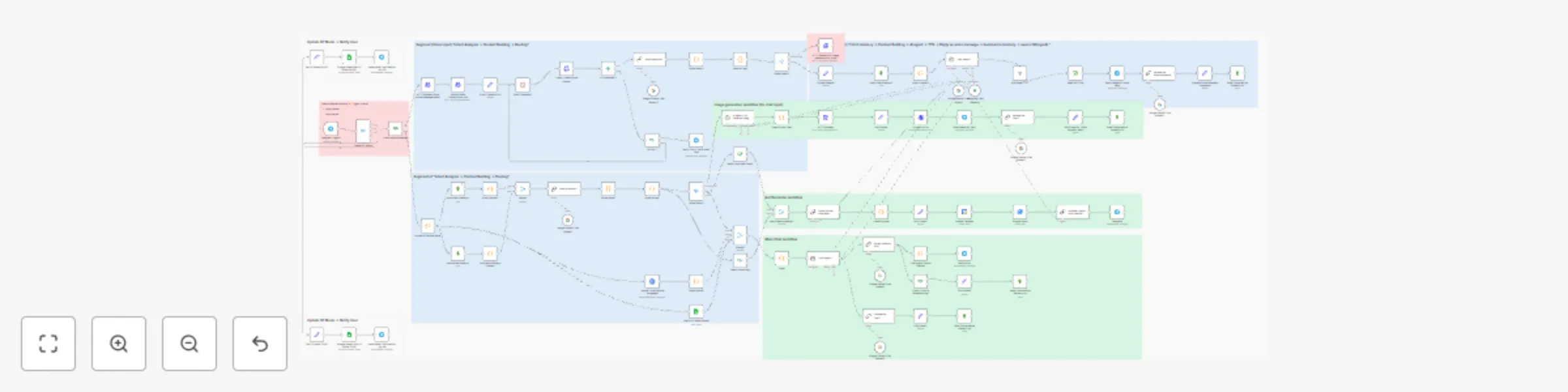
Original n8n.io sourceThis workflow creates a multi-talented AI assistant named Simran that interacts with users via Telegram. It can handle text and voice messages, understand the user's intent, and perform various tasks. Step 1: Receive & Transcribe Input The workflow triggers on any new Telegram message. If it's a voice message, it uses AssemblyAI to transcribe it into text; otherwise, it processes the incoming text directly. Step 2: Understand User Intent Using a Large Language Model (LLM), the workflow analyzes the user's message to determine their goal, categorizing it as a general chat, a request to generate an image, a command to set a reminder, or a request to remember a specific piece of information. Step 3: Fetch Context & Route The assistant retrieves past conversation summaries from a MongoDB database to maintain context. Based on the user's intent, the workflow routes the task to the appropriate path. Step 4: Execute the Task Chat: Generates a response using an AI agent whose personality can be toggled between a standard assistant and a "Girlfriend Mode." It also analyzes the user's mood to tailor the response. Generate Image: Creates a detailed prompt and uses an image generation API to create and send a picture. Set Reminder: Parses the natural language request, creates an event in Google Calendar and a task in Google Tasks, and sends a confirmation. Remember Info: Saves specific user-provided information to a dedicated memory collection in MongoDB. Step 5: Respond and Save Memory The final output (text, voice message, or image) is sent back to the user on Telegram. The workflow then summarizes the interaction and saves it to the database to ensure continuity in future conversations.
Estimated Set up time: 20 - 30 minutes.
This catalog entry is organized from the workflow JSON. The node-level section below shows the executable blocks available for review before importing the template.
Showing the first 24 of 95 workflow blocks. Download the JSON for the full node graph.
| Workflow | Build a multi-modal Telegram AI assistant with Gemini, voice & image generation |
|---|---|
| Complexity | advanced |
| Nodes | 95 |
| Categories | Personal Productivity, AI Chatbot |
| Author | Iniyavan JC |
| Published | 14 Jul 2025 |
Use the JSON export at /data/workflows/6003/6003.json as the source template for this automation.
Open n8n, import the downloaded JSON, and review each node before activating the workflow.
Replace placeholder credentials, API keys, webhook URLs, account IDs, and environment-specific values with your own settings.
Run the workflow manually or in a staging workspace, inspect node output, and confirm downstream systems receive the expected data.
Enable the workflow only after testing, then monitor executions, errors, and rate limits during the first production runs.
Review imported nodes carefully before activation. This catalog entry is intended to help you inspect the workflow structure, understand required services, and find related templates faster.
Node names, credentials, schedules, webhook paths, and external service limits may need adjustment for your workspace.
How it works This workflow creates a multi talented AI assistant named Simran that interacts with users via Telegram. It can handle text and voice messages, understand the user's intent, and perfor...
Review the workflow JSON, configure any required credentials in n8n, and test the automation in a safe workspace before using it in production.
Yes. Use the block-by-block analysis and the downloadable JSON to inspect each node, then adjust credentials, prompts, schedules, filters, or destinations for your Personal Productivity, AI Chatbot use case.