Block 1 - >15d
- Type / Role
- n8n-nodes-base.if - if
- Config choices
- Version 2.2


 Early Deal
This workflow automatically creates daily backups of all n8n workflows and stores them in Google Drive, using the n8n API to export workflows and a scheduled retention policy to keep storage organi...
n8n-nodes-base.if, n8n-nodes-base.scheduletrigger, n8n-nodes-base.stickynote, n8n-nodes-base.googledrive, n8n-nodes-base.converttofile, n8n-nodes-base.httprequest, n8n-nodes-base.wait, n8n-nodes-base.code
This workflow is cataloged by N8N Workflows and links back to its original n8n.io source page by Evilasio Ferreira.
Original n8n.io sourceThis workflow automatically creates daily backups of all n8n workflows and stores them in Google Drive, using the n8n API to export workflows and a scheduled retention policy to keep storage organized.
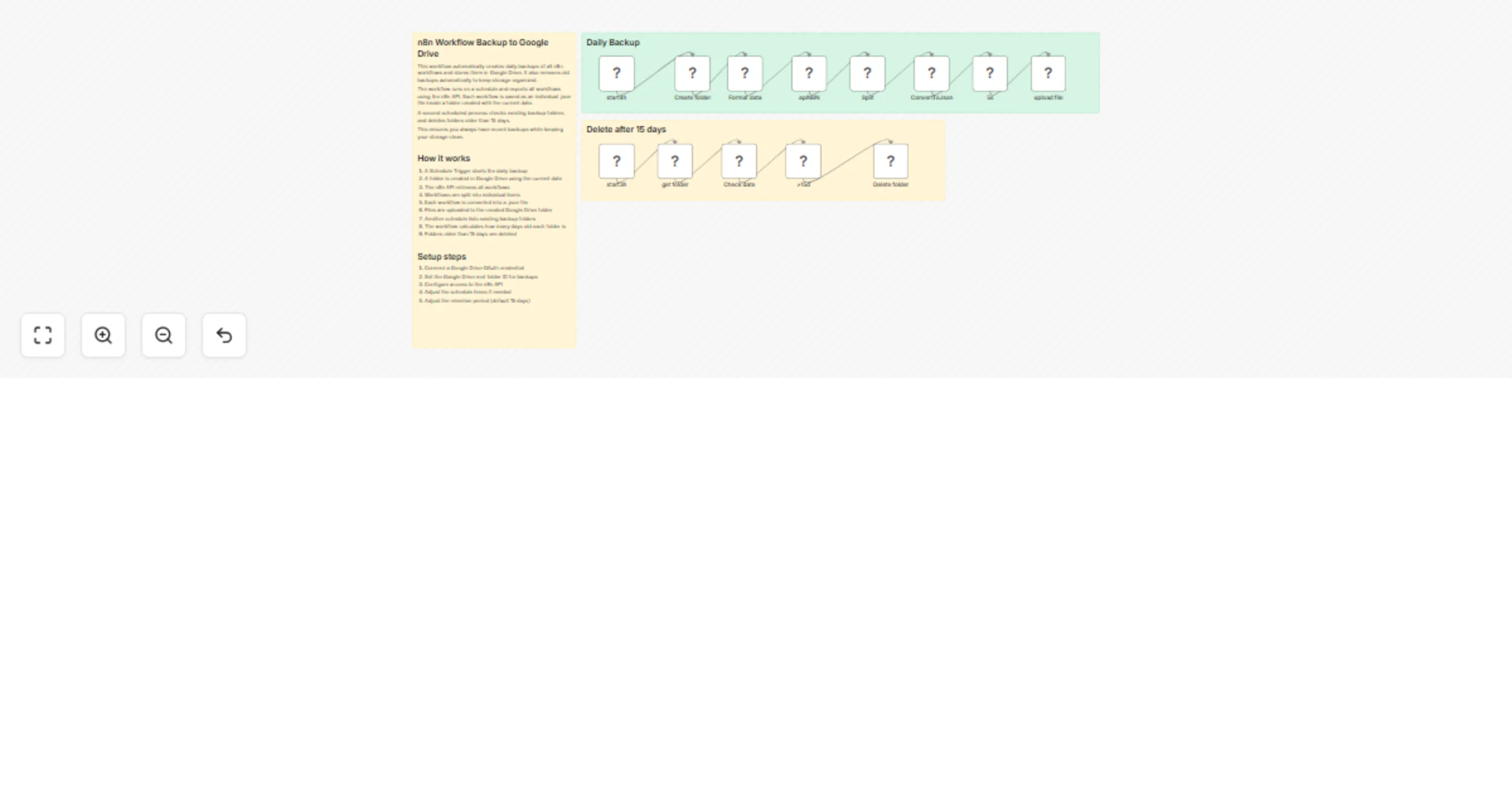
The automation runs in two stages: backup and cleanup.
Daily Backup Process
A Schedule Trigger runs at a defined time each day.
The workflow creates a folder in Google Drive using the current date.
It calls the n8n API to retrieve the list of all workflows.
Each workflow is processed individually and converted into a .json file.
The files are uploaded to the daily backup folder in Google Drive.
This ensures that every workflow is safely stored and versioned by date.
Automatic Cleanup
A second scheduled process maintains storage hygiene:
The workflow lists all backup folders in the Google Drive root directory.
It checks the folder creation date.
Any folder older than the defined retention period (default 15 days) is automatically deleted.
This prevents unnecessary storage usage while keeping recent backups easily accessible.
Key Features
Automated daily workflow backups
Uses n8n API to export workflows
Files stored in Google Drive
Automatic retention cleanup
Fully documented with sticky notes inside the workflow
Uses secure credentials (no hardcoded API keys)
Setup
Configuration takes only a few minutes:
Connect a Google Drive OAuth credential
Define the Google Drive root folder ID for backups
Configure n8n API credentials securely
Adjust:
Backup schedule
Retention period (default 15 days)
Once configured, the workflow will run automatically, creating daily backups and removing old ones without manual intervention.
This catalog entry is organized from the workflow JSON. The node-level section below shows the executable blocks available for review before importing the template.
| Workflow | Back up workflows to Google Drive daily with automatic cleanup |
|---|---|
| Complexity | advanced |
| Nodes | 16 |
| Categories | DevOps |
| Author | Evilasio Ferreira |
| Published | 04 Mar 2026 |
Use the JSON export at /data/workflows/13866/13866.json as the source template for this automation.
Open n8n, import the downloaded JSON, and review each node before activating the workflow.
Replace placeholder credentials, API keys, webhook URLs, account IDs, and environment-specific values with your own settings.
Run the workflow manually or in a staging workspace, inspect node output, and confirm downstream systems receive the expected data.
Enable the workflow only after testing, then monitor executions, errors, and rate limits during the first production runs.
Review imported nodes carefully before activation. This catalog entry is intended to help you inspect the workflow structure, understand required services, and find related templates faster.
Node names, credentials, schedules, webhook paths, and external service limits may need adjustment for your workspace.
This workflow automatically creates daily backups of all n8n workflows and stores them in Google Drive, using the n8n API to export workflows and a scheduled retention policy to keep storage organi...
Review the workflow JSON, configure any required credentials in n8n, and test the automation in a safe workspace before using it in production.
Yes. Use the block-by-block analysis and the downloadable JSON to inspect each node, then adjust credentials, prompts, schedules, filters, or destinations for your DevOps use case.