Block 1 - When Executed by Another Workflow
- Type / Role
- n8n-nodes-base.executeWorkflowTrigger - executeWorkflowTrigger
- Config choices
- Version 1.1


 Early Deal
Back up n8n workflows to Google Drive automatically This workflow provides a robust solution for backing up your n8n workflows to Google Drive. It is designed to handle backups for multiple n8n ins...
n8n-nodes-base.executeworkflowtrigger, n8n-nodes-base.merge, n8n-nodes-base.splitout, n8n-nodes-base.converttofile, n8n-nodes-base.executeworkflow, n8n-nodes-base.n8n, n8n-nodes-base.googledrive, n8n-nodes-base.set
This workflow is cataloged by N8N Workflows and links back to its original n8n.io source page by CryoZeroLabs.
Original n8n.io sourceBack up n8n workflows to Google Drive automatically This workflow provides a robust solution for backing up your n8n workflows to Google Drive. It is designed to handle backups for multiple n8n instances centrally and leverages Google Drive's native file versioning to keep your history clean. 🚀
✨ Key Features 🔄 Smart Version Control: Instead of creating a new file for every backup, this workflow checks if the file exists and updates it. This utilizes Google Drive's built-in "Manage Versions" feature, allowing you to rollback changes without cluttering your folder.
🌍 Multi-Instance Support: Easily backup workflows from multiple n8n servers (e.g., Development, Production) in one go.
⚡ Efficiency: Filters out inactive or archived workflows to save resources.
🧩 Self-Contained Logic: Uses a recursive design to process workflows efficiently.
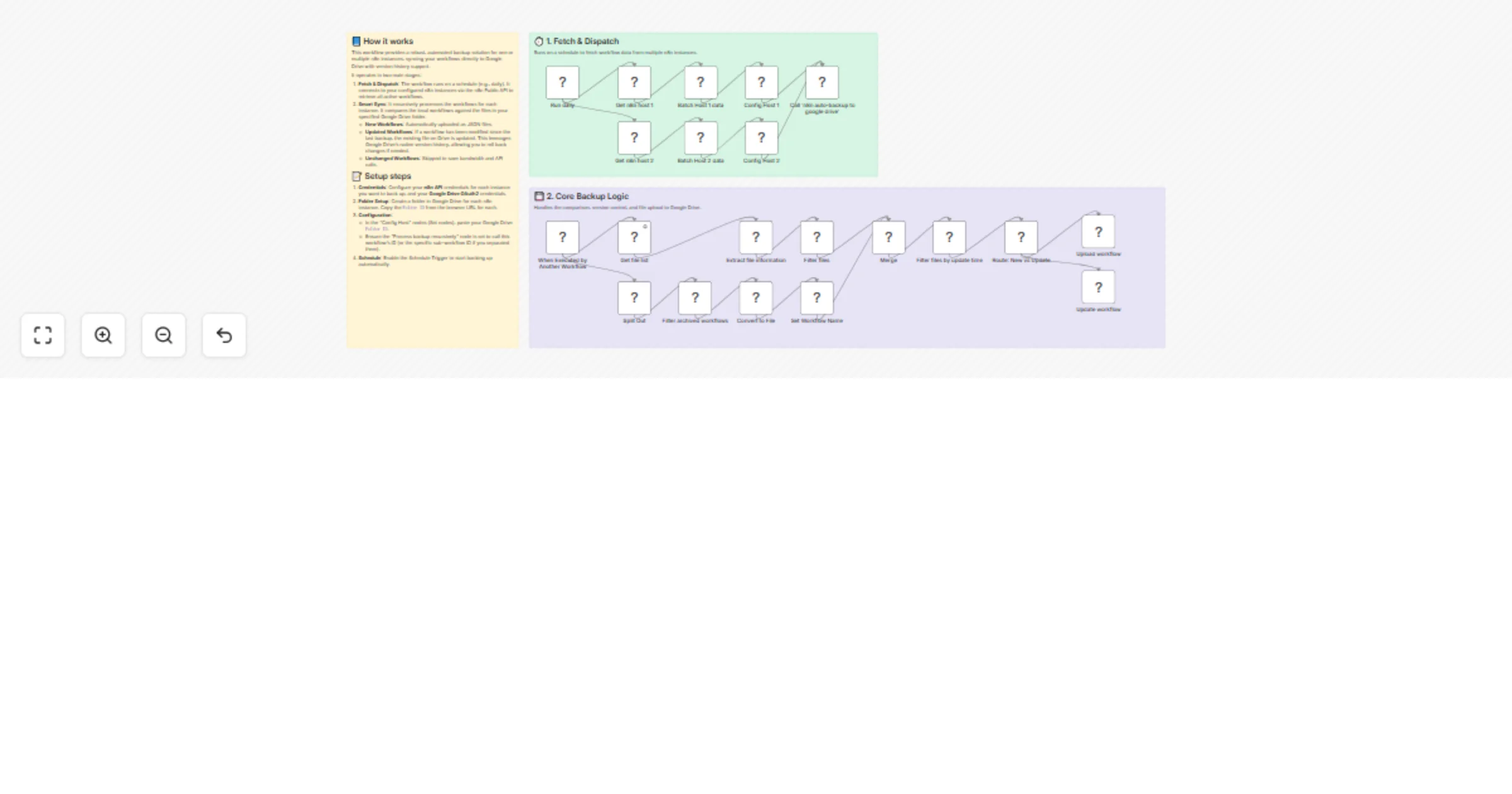
⚙️ How It Works The workflow operates in two main stages:
Fetch & Dispatch:
Run daily: The workflow triggers on a schedule.
Fetch workflows: It connects to your configured n8n instances via the n8n Public API to retrieve all active workflows.
It then batches the data and configures the target folders for each host.
Core Backup Logic:
Process backup recursively: The workflow calls itself to process the list.
Drive Comparison: It lists files in the target Google Drive folder and compares them with the n8n workflows.
Smart Sync:
🆕 New: If the workflow doesn't exist on Drive, it uploads a new file.
♻️ Update: If the workflow exists but has been modified, it updates the existing file (preserving the file ID and history).
📝 Setup Instructions
Set up n8n API credentials for each instance you want to backup.
Open the nodes named Config Host 1 (and Config Host 2, etc.).
Replace the value for targetFloderId with your actual Google Drive Folder ID.
Open the node named Process backup recursively.
Ensure the Workflow ID field is pointing to this workflow's ID (you can select it from the list after saving the workflow for the first time).
🛠️ Requirements n8n Service Account or API Key.
Google Cloud Console Project with Google Drive API enabled.
This catalog entry is organized from the workflow JSON. The node-level section below shows the executable blocks available for review before importing the template.
| Workflow | Back up workflows from multiple n8n instances to Google Drive |
|---|---|
| Complexity | advanced |
| Nodes | 24 |
| Categories | DevOps |
| Author | CryoZeroLabs |
| Published | 16 Jan 2026 |
Use the JSON export at /data/workflows/12747/12747.json as the source template for this automation.
Open n8n, import the downloaded JSON, and review each node before activating the workflow.
Replace placeholder credentials, API keys, webhook URLs, account IDs, and environment-specific values with your own settings.
Run the workflow manually or in a staging workspace, inspect node output, and confirm downstream systems receive the expected data.
Enable the workflow only after testing, then monitor executions, errors, and rate limits during the first production runs.
Review imported nodes carefully before activation. This catalog entry is intended to help you inspect the workflow structure, understand required services, and find related templates faster.
Node names, credentials, schedules, webhook paths, and external service limits may need adjustment for your workspace.
Back up n8n workflows to Google Drive automatically This workflow provides a robust solution for backing up your n8n workflows to Google Drive. It is designed to handle backups for multiple n8n ins...
Review the workflow JSON, configure any required credentials in n8n, and test the automation in a safe workspace before using it in production.
Yes. Use the block-by-block analysis and the downloadable JSON to inspect each node, then adjust credentials, prompts, schedules, filters, or destinations for your DevOps use case.