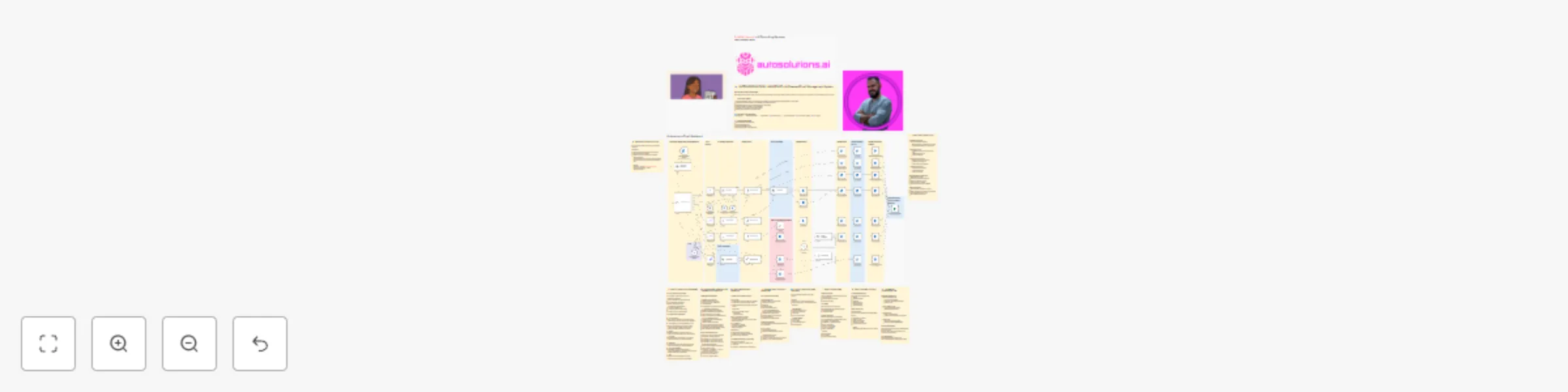
Autonomous email management with GPT-5-mini & human-in-the-loop for Outlook

Workflow preview

Workflow preview
100%
Autonomous email management with GPT-5-mini & human-in-the-loop for Outlook preview
Open on n8n.io

Important notice

This workflow is provided as-is. Please review and test before using in production.

1. Workflow Overview

Autonomous Email Assistant AI Powered Inbox Management Transform Your Email Workflow with Intelligent Automation This advanced n8n workflow creates a fully autonomous email assistant that p...

Best for

  • AI Chatbot automation workflows
  • advanced n8n builders looking for reusable templates

Tools used

n8n-nodes-base.stickynote, @n8n/n8n-nodes-langchain.chainllm, n8n-nodes-base.microsoftoutlooktrigger, @n8n/n8n-nodes-langchain.informationextractor, @n8n/n8n-nodes-langchain.textclassifier, n8n-nodes-base.microsoftoutlook, n8n-nodes-base.microsoftexcel, n8n-nodes-base.set

Source and attribution

This workflow is cataloged by N8N Workflows and links back to its original n8n.io source page by Didac Fernandez.

Original n8n.io source

1.1 Workflow description

Title
Autonomous email management with GPT-5-mini & human-in-the-loop for Outlook
Workflow name
Autonomous email management with GPT-5-mini & human-in-the-loop for Outlook

πŸ€– Autonomous Email Assistant - AI-Powered Inbox Management

> Transform Your Email Workflow with Intelligent Automation

This advanced n8n workflow creates a fully autonomous email assistant that processes incoming emails through AI-powered classification, generates contextually-aware responses in your personal brand voice, and automatically organizes your inbox.

Perfect for: Professionals managing high email volumes who want to maintain response quality while saving hours each week.


🎯 What This Workflow Does

The Autonomous Email Assistant monitors your Outlook inbox and intelligently processes every incoming email through a sophisticated multi-stage pipeline:

  • 🏷️ Smart Classification - Automatically categorizes emails into 7 distinct types (Commercial/Spam, Internal, Meeting, Newsletter, Notifications, Urgent, Other)
  • ✍️ AI Response Generation - Creates draft responses tailored to the email type, maintaining your unique communication style
  • πŸ“… Meeting Automation - Checks your calendar availability and handles meeting requests automatically
  • ⚑ Priority Handling - Sends Slack notifications for urgent emails requiring immediate attention
  • πŸ“‚ Inbox Organization - Files processed emails into categorized folders with AI tagging
  • πŸ“Š Comprehensive Logging - Records all processed emails and responses in Excel for audit trails

✨ Key Features

πŸ” Dual Classification System

  • Primary LLM classifier for fast categorization
  • Secondary text classifier for validation
  • 7 predefined categories with smart routing logic

🎨 Brand Voice Integration

  • Maintains consistent communication style across all responses
  • Customizable writing patterns and key phrases
  • Professional tone with configurable formality levels

πŸ“† Intelligent Meeting Handler

  • Calendar integration with availability checking
  • Automatic event creation for confirmed meetings
  • Suggests alternative times when unavailable
  • Maintains 15-minute buffers between meetings
  • Respects working hours (8:30 AM - 5:00 PM)

πŸ‘€ Human-in-the-Loop for Critical Emails

  • Slack notifications for urgent messages
  • Approval workflow with feedback incorporation
  • Draft responses for review before sending

πŸ“₯ Complete Inbox Management

  • Auto-marking as read
  • AI category tagging for tracking
  • Organized folder archiving by email type
  • Excel logging for analytics and compliance

πŸ› οΈ Workflow Requirements

πŸ” Required Credentials

  • Microsoft Outlook OAuth2 - Email access, calendar permissions
  • Microsoft Excel 365 - For logging workbook
  • OpenRouter API - GPT-5-mini model recommended
  • Slack OAuth2 - Optional, for urgent notifications

πŸ’» Technical Stack

Component Technology
AI Model OpenRouter GPT-5-mini
Email Provider Microsoft Outlook
Data Storage Microsoft Excel 365
Notifications Slack
Polling Interval Every minute (configurable)

βš™οΈ How It Works

Stage 1️⃣: Email Ingestion

Microsoft Outlook Trigger monitors inbox β†’ Information Extractor pulls sender details

Stage 2️⃣: Classification

Dual AI classifiers determine email category β†’ Routes to appropriate handler

Stage 3️⃣: Response Generation

  • General emails β†’ emailReplier
  • Meeting requests β†’ AI Agent with calendar tools
  • Urgent emails β†’ urgentReplier + Slack notification
  • Others β†’ Context-aware handler

Stage 4️⃣: Brand Voice Application

All responses pass through brand voice nodes for style consistency

Stage 5️⃣: Organization

βœ… Mark as read
🏷️ Apply AI category tag
πŸ“ Archive to appropriate folder
πŸ“ Log to Excel


πŸŽ›οΈ Customization Options

πŸ“‹ Adjust Classification Categories

Modify the Virtual Postman categories to match your specific needs. Add industry-specific classifications or merge existing ones.

✏️ Personalize Brand Voice

The embedded brand voice prompts can be completely customized:

  • Update key phrases and sign-offs
  • Adjust sentence length preferences
  • Modify formality and tone
  • Add company-specific terminology

βš™οΈ Configure Response Behaviors

  • Change meeting scheduling preferences
  • Update working hours
  • Modify urgent email criteria
  • Adjust buffer times between meetings

πŸ”” Notification Preferences

  • Switch Slack to email notifications
  • Add multiple notification channels
  • Customize urgency thresholds

πŸ’Ό Use Cases

Role Benefits
🎯 Busy Executives Handle routine correspondence while maintaining personal touch
🎧 Customer Support First-line response generation with consistent brand voice
πŸ’° Sales Teams Automated meeting scheduling and follow-up management
πŸ“Š Project Managers Internal communication routing and priority handling
πŸ’‘ Consultants Client communication management across multiple projects

πŸš€ Setup Guide

  1. Import Workflow - Import the JSON into your n8n instance
  2. Configure Credentials - Add all four required OAuth2 connections
  3. Create Excel Workbook - Set up "Email Automator" workbook with specified columns
  4. Create Outlook Folders - Add the 7 category folders to your Outlook
  5. Customize Brand Voice - Update the brand voice prompts with your writing style
  6. Test Classification - Send test emails to verify category routing
  7. Activate Workflow - Enable the workflow to start processing

⚠️ Important Notes

  • ⚑ All urgent emails require human approval before sending
  • πŸ“ Most responses are saved as drafts for review
  • πŸ“Š Comprehensive Excel logging enables quality assurance
  • 🏷️ AI tagging allows easy identification of automated processing
  • πŸ“… Calendar integration respects existing commitments

πŸ”’ Data Privacy & Security

This workflow processes emails locally within your n8n instance. Email content is sent to OpenRouter for AI processing. Review OpenRouter's data policies and ensure compliance with your organization's data handling requirements.


πŸ“œ Version History

v1.0 - Initial Release

  • 7-category classification system
  • Brand voice integration
  • Meeting automation
  • Excel logging
  • Slack notifications

πŸ’¬ Support & Community

For questions, customization help, or to share improvements, visit the n8n community forum. This workflow is designed to be highly customizable - adapt it to your specific needs!


Created by: Didac Fernandez Girona | AutoSolutions.ai - AI Consulting Services

Tags: email automation AI assistant outlook calendar management brand voice inbox organization meeting scheduler

1.2 Logical Blocks

This catalog entry is organized from the workflow JSON. The node-level section below shows the executable blocks available for review before importing the template.

2. Block-by-Block Analysis

Block 1 - Sticky Note

Type / Role
n8n-nodes-base.stickyNote - stickyNote
Config choices
Version 1

Block 2 - Sticky Note2

Type / Role
n8n-nodes-base.stickyNote - stickyNote
Config choices
Version 1

Block 3 - Sticky Note3

Type / Role
n8n-nodes-base.stickyNote - stickyNote
Config choices
Version 1

Block 4 - Sticky Note4

Type / Role
n8n-nodes-base.stickyNote - stickyNote
Config choices
Version 1

Block 5 - Sticky Note5

Type / Role
n8n-nodes-base.stickyNote - stickyNote
Config choices
Version 1

Block 6 - Sticky Note6

Type / Role
n8n-nodes-base.stickyNote - stickyNote
Config choices
Version 1

Block 7 - Sticky Note7

Type / Role
n8n-nodes-base.stickyNote - stickyNote
Config choices
Version 1

Block 8 - Sticky Note8

Type / Role
n8n-nodes-base.stickyNote - stickyNote
Config choices
Version 1

Block 9 - Sticky Note9

Type / Role
n8n-nodes-base.stickyNote - stickyNote
Config choices
Version 1

Block 10 - Sticky Note10

Type / Role
n8n-nodes-base.stickyNote - stickyNote
Config choices
Version 1

Block 11 - Sticky Note11

Type / Role
n8n-nodes-base.stickyNote - stickyNote
Config choices
Version 1

Block 12 - Sticky Note12

Type / Role
n8n-nodes-base.stickyNote - stickyNote
Config choices
Version 1

Block 13 - Sticky Note13

Type / Role
n8n-nodes-base.stickyNote - stickyNote
Config choices
Version 1

Block 14 - Sticky Note1

Type / Role
n8n-nodes-base.stickyNote - stickyNote
Config choices
Version 1

Block 15 - Sticky Note14

Type / Role
n8n-nodes-base.stickyNote - stickyNote
Config choices
Version 1

Block 16 - Sticky Note15

Type / Role
n8n-nodes-base.stickyNote - stickyNote
Config choices
Version 1

Block 17 - Sticky Note16

Type / Role
n8n-nodes-base.stickyNote - stickyNote
Config choices
Version 1

Block 18 - Sticky Note17

Type / Role
n8n-nodes-base.stickyNote - stickyNote
Config choices
Version 1

Block 19 - Sticky Note18

Type / Role
n8n-nodes-base.stickyNote - stickyNote
Config choices
Version 1

Block 20 - Sticky Note19

Type / Role
n8n-nodes-base.stickyNote - stickyNote
Config choices
Version 1

Block 21 - Sticky Note20

Type / Role
n8n-nodes-base.stickyNote - stickyNote
Config choices
Version 1

Block 22 - Sticky Note21

Type / Role
n8n-nodes-base.stickyNote - stickyNote
Config choices
Version 1

Block 23 - Sticky Note22

Type / Role
n8n-nodes-base.stickyNote - stickyNote
Config choices
Version 1

Block 24 - Sticky Note23

Type / Role
n8n-nodes-base.stickyNote - stickyNote
Config choices
Version 1

Showing the first 24 of 79 workflow blocks. Download the JSON for the full node graph.

3. Summary Table

Workflow Autonomous email management with GPT-5-mini & human-in-the-loop for Outlook
Complexity advanced
Nodes 79
Categories AI Chatbot
Author Didac Fernandez
Published 30 Sept 2025

4. Reproducing the Workflow from Scratch

  1. 1. Download the workflow JSON

    Use the JSON export at /data/workflows/9128/9128.json as the source template for this automation.

  2. 2. Import the template into n8n

    Open n8n, import the downloaded JSON, and review each node before activating the workflow.

  3. 3. Configure credentials and variables

    Replace placeholder credentials, API keys, webhook URLs, account IDs, and environment-specific values with your own settings.

  4. 4. Test with sample data

    Run the workflow manually or in a staging workspace, inspect node output, and confirm downstream systems receive the expected data.

  5. 5. Activate and monitor

    Enable the workflow only after testing, then monitor executions, errors, and rate limits during the first production runs.

5. General Notes & Resources

Review imported nodes carefully before activation. This catalog entry is intended to help you inspect the workflow structure, understand required services, and find related templates faster.

Node names, credentials, schedules, webhook paths, and external service limits may need adjustment for your workspace.

Frequently asked questions

What does Autonomous email management with GPT-5-mini & human-in-the-loop for Outlook do?

Autonomous Email Assistant AI Powered Inbox Management Transform Your Email Workflow with Intelligent Automation This advanced n8n workflow creates a fully autonomous email assistant that p...

What do I need before importing this workflow?

Review the workflow JSON, configure any required credentials in n8n, and test the automation in a safe workspace before using it in production.

Can I customize this workflow?

Yes. Use the block-by-block analysis and the downloadable JSON to inspect each node, then adjust credentials, prompts, schedules, filters, or destinations for your AI Chatbot use case.