Block 1 - Generate Blog with Gemini
- Type / Role
- @n8n/n8n-nodes-langchain.agent - agent
- Config choices
- Version 2


 Early Deal
This workflow is provided as-is. Please review and test before using in production.
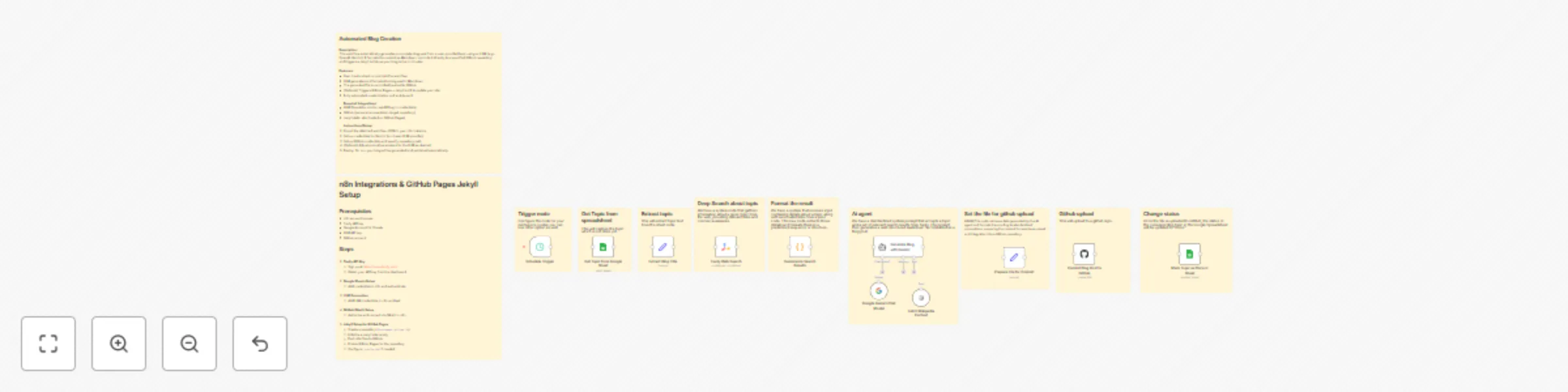
Use Case This n8n workflow automates the creation and publication of technical blog posts based on a list of topics stored in Google Sheets. It fetches context using Tavily and Wikipedia , gener...
@n8n/n8n-nodes-langchain.agent, @n8n/n8n-nodes-langchain.toolwikipedia, n8n-nodes-base.set, @n8n/n8n-nodes-langchain.lmchatgooglegemini, n8n-nodes-base.code, n8n-nodes-base.github, @tavily/n8n-nodes-tavily.tavily, n8n-nodes-base.scheduletrigger
This workflow is cataloged by N8N Workflows and links back to its original n8n.io source page by Saswat Saubhagya Rout.
Original n8n.io sourceThis n8n workflow automates the creation and publication of technical blog posts based on a list of topics stored in Google Sheets. It fetches context using Tavily and Wikipedia, generates Markdown-formatted content with Gemini AI, commits it to a GitHub repository, and updates a Jekyll-powered blog — all without manual intervention.
Ideal for developers, bloggers, or content teams who want to streamline technical content creation and publishing.
Tavily APIGoogle Sheets OAuth2Google Palm/Gemini AIGitHub OAuth2Title, status, row_numberstatus to blank for topics to be picked up._posts/ path_config.yml, GitHub Pages)| Node | Function |
|---|---|
| Schedule Trigger | Triggers the flow at a set interval |
| Google Sheets (Get Topic) | Fetches the next incomplete blog topic |
| Extract Topic | Parses topic text from the sheet |
| Tavily Search | Gathers up-to-date content related to the topic |
| Wikipedia Tool | Optionally adds more context or images |
| Summarize Results | Formats the context for the AI |
| Gemini AI Agent (LangChain) | Generates a Markdown blog post with YAML front matter |
| Set File Parameters | Prepares the filename, content, and commit message |
| GitHub Commit | Uploads the .md file to the _posts/ directory |
| Update Google Sheet | Marks topic as done after successful commit |
This workflow uses the following community nodes:
@tavily/n8n-nodes-tavily.tavily – for deep search> ⚠️ Ensure these are installed and enabled in your n8n instance.
Schedule Trigger to daily at a fixed time to keep content flowing.---
title: "How LLMs Are Changing Web Development"
date: "2025-07-25"
categories: [webdev, AI]
tags: [LLM, Gemini, n8n, automation]
excerpt: "Learn how LLMs like Gemini are transforming how we generate and deploy developer content."
author: "Saswat Saubhagya"
---
## Table of Contents
- [Introduction](#introduction)
- [Understanding LLMs](#understanding-llms)
- [Use Cases in Web Development](#use-cases-in-web-development)
- [Challenges](#challenges)
- [Conclusion](#conclusion)
...
This catalog entry is organized from the workflow JSON. The node-level section below shows the executable blocks available for review before importing the template.
| Workflow | Automated blog generation with Gemini AI, GitHub & Jekyll publishing |
|---|---|
| Complexity | advanced |
| Nodes | 22 |
| Categories | Content Creation, Multimodal AI |
| Author | Saswat Saubhagya Rout |
| Published | 24 Jul 2025 |
Use the JSON export at /data/workflows/6357/6357.json as the source template for this automation.
Open n8n, import the downloaded JSON, and review each node before activating the workflow.
Replace placeholder credentials, API keys, webhook URLs, account IDs, and environment-specific values with your own settings.
Run the workflow manually or in a staging workspace, inspect node output, and confirm downstream systems receive the expected data.
Enable the workflow only after testing, then monitor executions, errors, and rate limits during the first production runs.
Review imported nodes carefully before activation. This catalog entry is intended to help you inspect the workflow structure, understand required services, and find related templates faster.
Node names, credentials, schedules, webhook paths, and external service limits may need adjustment for your workspace.
Use Case This n8n workflow automates the creation and publication of technical blog posts based on a list of topics stored in Google Sheets. It fetches context using Tavily and Wikipedia , gener...
Review the workflow JSON, configure any required credentials in n8n, and test the automation in a safe workspace before using it in production.
Yes. Use the block-by-block analysis and the downloadable JSON to inspect each node, then adjust credentials, prompts, schedules, filters, or destinations for your Content Creation, Multimodal AI use case.