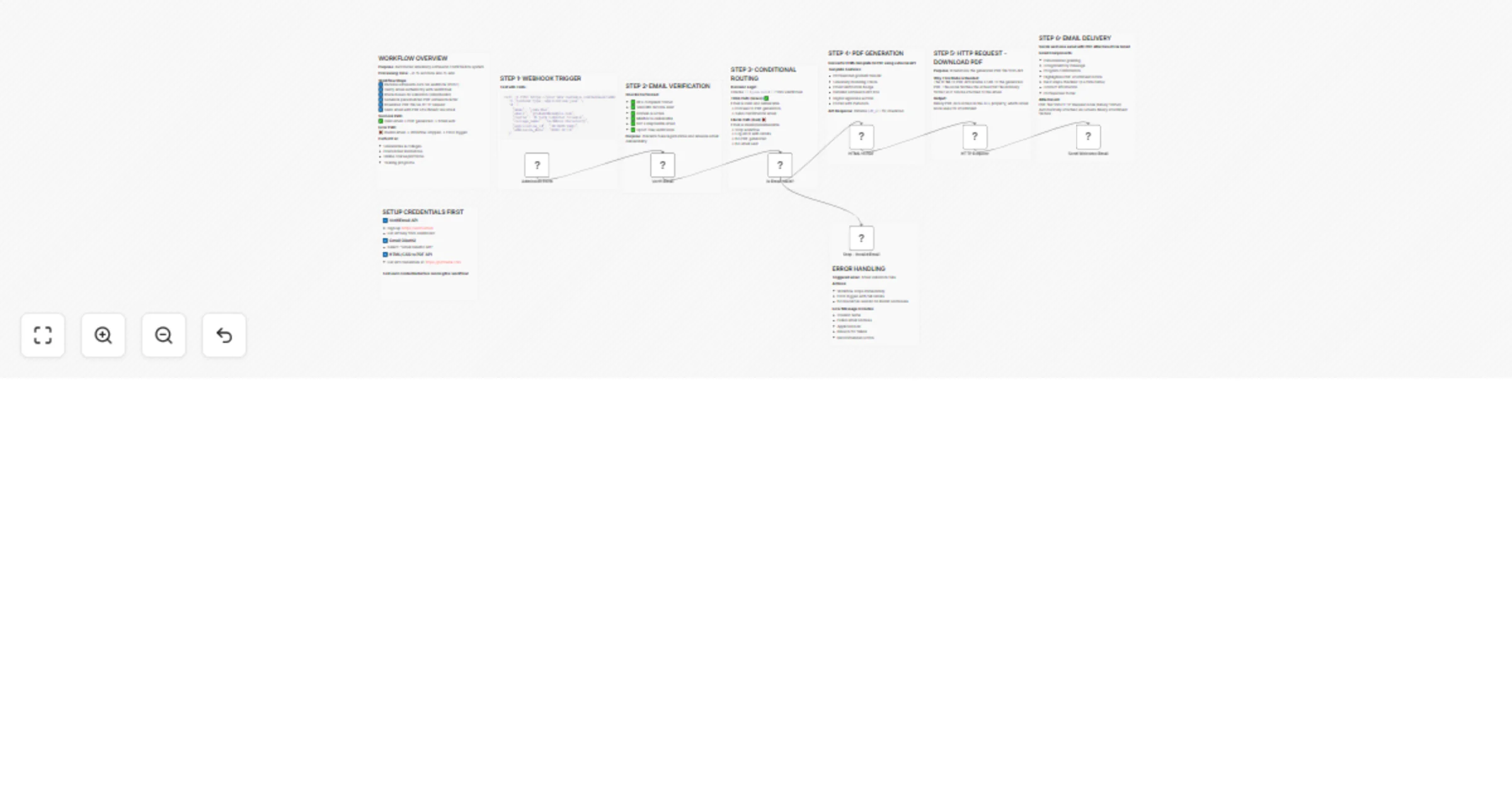
Automate university admission process with Email verification, PDF generation & Gmail

Workflow preview

Workflow preview
100%
Automate university admission process with Email verification, PDF generation & Gmail preview
Open on n8n.io

Important notice

This workflow is provided as-is. Please review and test before using in production.

1. Workflow Overview

University Admission Confirmation & Welcome Kit A robust n8n workflow template that automates the university admission process for colleges, universities, and educational programs. This workflow va...

Best for

  • Document Extraction automation workflows
  • advanced n8n builders looking for reusable templates

Tools used

n8n-nodes-base.stickynote, n8n-nodes-base.stopanderror, n8n-nodes-verifiemail.verifiemail, n8n-nodes-htmlcsstopdf.htmlcsstopdf, n8n-nodes-base.httprequest, n8n-nodes-base.gmail, n8n-nodes-base.if, n8n-nodes-base.webhook

Source and attribution

This workflow is cataloged by N8N Workflows and links back to its original n8n.io source page by Jitesh Dugar.

Original n8n.io source

1.1 Workflow description

Title
Automate university admission process with Email verification, PDF generation & Gmail
Workflow name
Automate university admission process with Email verification, PDF generation & Gmail

University Admission Confirmation & Welcome Kit

A robust n8n workflow template that automates the university admission process for colleges, universities, and educational programs.
This workflow validates student emails, generates professional PDF admission letters, sends personalized welcome emails, and handles errors efficiently — all in under 15 seconds per submission.

Perfect for streamlining student onboarding with professional communication.


Overview

This workflow automates the process of handling new admission submissions by:

  • Verifying student emails in real-time
  • Generating university-branded admission confirmation PDFs
  • Sending personalized welcome emails
  • Logging invalid entries and preventing spam

Key Features

Email Verification & Fraud Prevention

  • Real-time email validation using VerifiEmail API
  • Checks RFC compliance, MX records, disposable emails, and spoofed addresses
  • Rejects invalid emails before processing
  • Prevents fake registrations and ensures deliverability

Automated PDF Generation

  • Creates branded, print-ready admission letters using PDFMunk
  • Includes student details, program information, and verification badge
  • Professional design with gradient headers and university branding
  • Dynamic data integration for personalized documents

Smart Email Notifications

  • Student Welcome Email: Personalized confirmation with PDF attachment
  • Invalid Email Alerts: Notifies admissions team of failed validations
  • Responsive Design: Mobile-friendly, clear next steps

Intelligent Routing

  • Conditional logic based on validation results
  • Valid emails → generate PDF + send email
  • Invalid emails → log and stop workflow
  • Saves API usage and execution time

Error Handling

  • Comprehensive error detection for validation and API failures
  • Detailed logging for invalid addresses
  • Stops on failure to avoid unnecessary processing
  • Sends admin alerts with actionable info

Perfect For

  • Universities & Colleges (Undergraduate & Postgraduate Admissions)
  • Online Education Platforms (MOOCs, Certifications)
  • Training & Vocational Programs
  • Study Abroad Agencies
  • Scholarship & Fellowship Applications
  • Continuing Education Departments

Workflow Statistics

Metric Detail
Total Nodes 15
Complexity ⭐⭐ Medium
Processing Time 8–15 seconds per submission
Setup Time 10–15 minutes
Code Required ❌ No code (No-code solution)
Maintenance Minimal (Set & forget)

Requirements

Required Services & APIs

Service Purpose Signup
VerifiEmail API Email validation verifi.email
PDFMunk API PDF generation pdfmunk.com
Gmail Email notifications Google Cloud Console

Optional Integrations

  • Google Forms or Typeform (data source)
  • Google Sheets (admission tracking)
  • Slack (team notifications)
  • CRM (Salesforce, HubSpot, etc.)

What Gets Created

PDF Admission Letter

  • Generated using PDFMunk API
  • Includes:
    • University-branded header & gradient design
    • Email verification badge
    • Student details (Name, Course, Application ID)
    • Admission date & program info
    • Professional footer & signature

Email Notifications

1. Student Welcome Email
  • Personalized greeting + attached PDF
  • Next steps checklist (enrollment, orientation, etc.)
  • Mobile-responsive design
2. Invalid Email Alert (Admin)
  • Sent to [email protected]
  • Includes failure reasons, student name, and application ID
  • Actionable follow-up steps

Quick Start Guide

1️⃣ Import Template

  • Copy workflow JSON
  • In n8n → Workflows → Import from Clipboard
  • Paste and import

2️⃣ Configure Credentials (10 minutes)

A. VerifiEmail API
  • Sign up → get API key → add under VerifiEmail account
B. PDFMunk API
  • Sign up → get API key → add under HtmlcsstopdfApi account
C. Gmail OAuth2
  • Create project in Google Cloud Console
  • Enable Gmail API → OAuth 2.0 credentials
  • Add under Gmail account in n8n

3️⃣ Update Email Addresses

  • Welcome Email Node: [email protected]
  • Invalid Alert Node: admissions team email
  • Update branding details in email + PDF templates

4️⃣ Test the Workflow

curl -X POST https://your-n8n.com/webhook/admission-form \
-H "Content-Type: application/json" \
-d '{
  "name": "John Doe",
  "email": "[email protected]",
  "course": "B.Tech Computer Science",
  "college_name": "TechNova University",
  "application_id": "TN-2025-0451",
  "admission_date": "2025-10-12"
}'

5️⃣ Activate Workflow

Toggle ON in n8n (top-right corner).


🧠 Detailed Setup Instructions

Step 1: VerifiEmail Configuration

  • Sign up → get API key
  • Add in VerifiEmail Node credentials
  • Test with sample email

Step 2: PDFMunk Setup

  • Sign up → get API key
  • Add in HTML to PDF Node
  • Test with sample execution

Step 3: Gmail Configuration

  • Enable Gmail API
  • Add OAuth 2.0 credentials
  • Authenticate with Gmail account
  • Test sending an email

Step 4: Webhook Setup

  • Copy webhook URL from “Webhook - Admission Form” node
  • Connect your form platform (Google Form, Typeform, etc.)
  • Ensure JSON payload includes: name, email, course, college_name, application_id, admission_date

Step 5: Test & Validate

  • Valid email: Check PDF generation + welcome email
  • Invalid email: Confirm admin alert sent
  • ⚠️ Missing data: Review error logs

🔄 Workflow Diagram

Start
 ↓
Webhook Trigger
 ↓
Email Verification (VerifiEmail API)
 ↓
Conditional Check (Valid?)
 ↙️              ↘️
TRUE             FALSE
 ↓                ↓
Generate PDF     Log Error
 ↓                ↓
Send Welcome Email   End
 ↓
Done ✅

Processing Flow Details

Stage Time
Webhook → Data capture ~0s
Email Verification ~2–3s
PDF Generation ~4–6s
Email Delivery ~2–3s
Total (Valid Email) 8–15s ⚡
Invalid Email Path 3–5s 🚀

Customization Options

Easy Customizations

  • Email Templates: Update HTML & university branding
  • PDF Template: Modify HTML (colors, fonts, fields)
  • Error Messages: Customize admin alerts

Advanced Customizations

  • Add Tracking: Google Sheets or CRM
  • Multi-Language Support: Generate localized PDFs
  • Extra Notifications: Slack or SMS for staff
  • CRM Integration: Auto-push student data to Salesforce

Troubleshooting

Issue Cause Solution
Email marked invalid API key or quota issue Check VerifiEmail dashboard
PDF not generated HTML error or expired API key Validate HTML + check PDFMunk
Email not sent OAuth expired Re-auth Gmail credential
Webhook inactive URL incorrect or workflow off Activate + test via curl

Performance & Scalability

Metric Current Capacity
Concurrent Submissions 10–20
Daily Volume 500–1000
PDF Size 100–500 KB
Storage Temporary (email attachment only)

Scaling Up

  • Upgrade API tiers for high-volume admissions
  • Add queue system or DB logging
  • Validate large payloads & compress data

Security & Privacy

  • All API calls via HTTPS
  • OAuth2 for Gmail authentication
  • No student data stored post-execution
  • Encrypted verification process

Compliance

  • GDPR compliant (minimal retention)
  • Secure credential storage in n8n
  • Full audit via execution logs

License

This template is provided as-is for commercial and personal use under the MIT License.


1.2 Logical Blocks

This catalog entry is organized from the workflow JSON. The node-level section below shows the executable blocks available for review before importing the template.

2. Block-by-Block Analysis

Block 1 - Sticky Note - Webhook Info

Type / Role
n8n-nodes-base.stickyNote - stickyNote
Config choices
Version 1

Block 2 - Sticky Note - Credentials Setup

Type / Role
n8n-nodes-base.stickyNote - stickyNote
Config choices
Version 1

Block 3 - Sticky Note - VerifiEmail Info

Type / Role
n8n-nodes-base.stickyNote - stickyNote
Config choices
Version 1

Block 4 - Sticky Note - IF Condition Info

Type / Role
n8n-nodes-base.stickyNote - stickyNote
Config choices
Version 1

Block 5 - Stop - Invalid Email

Type / Role
n8n-nodes-base.stopAndError - stopAndError
Config choices
Version 1

Block 6 - Sticky Note - Error Path Info

Type / Role
n8n-nodes-base.stickyNote - stickyNote
Config choices
Version 1

Block 7 - Sticky Note - PDF Generation Info

Type / Role
n8n-nodes-base.stickyNote - stickyNote
Config choices
Version 1

Block 8 - Sticky Note - Gmail Info

Type / Role
n8n-nodes-base.stickyNote - stickyNote
Config choices
Version 1

Block 9 - Sticky Note - Workflow Overview

Type / Role
n8n-nodes-base.stickyNote - stickyNote
Config choices
Version 1

Block 10 - Verifi Email

Type / Role
n8n-nodes-verifiemail.verifiEmail - verifiEmail
Config choices
Version 1

Block 11 - HTML to PDF

Type / Role
n8n-nodes-htmlcsstopdf.htmlcsstopdf - htmlcsstopdf
Config choices
Version 1

Block 12 - HTTP Request

Type / Role
n8n-nodes-base.httpRequest - httpRequest
Config choices
Version 4.2

Block 13 - Sticky Note - HTTP Request Info

Type / Role
n8n-nodes-base.stickyNote - stickyNote
Config choices
Version 1

Block 14 - Send Welcome Email

Type / Role
n8n-nodes-base.gmail - gmail
Config choices
Version 2

Block 15 - Is Email Valid?

Type / Role
n8n-nodes-base.if - if
Config choices
Version 1

Block 16 - Admission Form

Type / Role
n8n-nodes-base.webhook - webhook
Config choices
Version 1.1

3. Summary Table

Workflow Automate university admission process with Email verification, PDF generation & Gmail
Complexity advanced
Nodes 16
Categories Document Extraction
Author Jitesh Dugar
Published 12 Oct 2025

4. Reproducing the Workflow from Scratch

  1. 1. Download the workflow JSON

    Use the JSON export at /data/workflows/9504/9504.json as the source template for this automation.

  2. 2. Import the template into n8n

    Open n8n, import the downloaded JSON, and review each node before activating the workflow.

  3. 3. Configure credentials and variables

    Replace placeholder credentials, API keys, webhook URLs, account IDs, and environment-specific values with your own settings.

  4. 4. Test with sample data

    Run the workflow manually or in a staging workspace, inspect node output, and confirm downstream systems receive the expected data.

  5. 5. Activate and monitor

    Enable the workflow only after testing, then monitor executions, errors, and rate limits during the first production runs.

5. General Notes & Resources

Review imported nodes carefully before activation. This catalog entry is intended to help you inspect the workflow structure, understand required services, and find related templates faster.

Node names, credentials, schedules, webhook paths, and external service limits may need adjustment for your workspace.

Frequently asked questions

What does Automate university admission process with Email verification, PDF generation & Gmail do?

University Admission Confirmation & Welcome Kit A robust n8n workflow template that automates the university admission process for colleges, universities, and educational programs. This workflow va...

What do I need before importing this workflow?

Review the workflow JSON, configure any required credentials in n8n, and test the automation in a safe workspace before using it in production.

Can I customize this workflow?

Yes. Use the block-by-block analysis and the downloadable JSON to inspect each node, then adjust credentials, prompts, schedules, filters, or destinations for your Document Extraction use case.