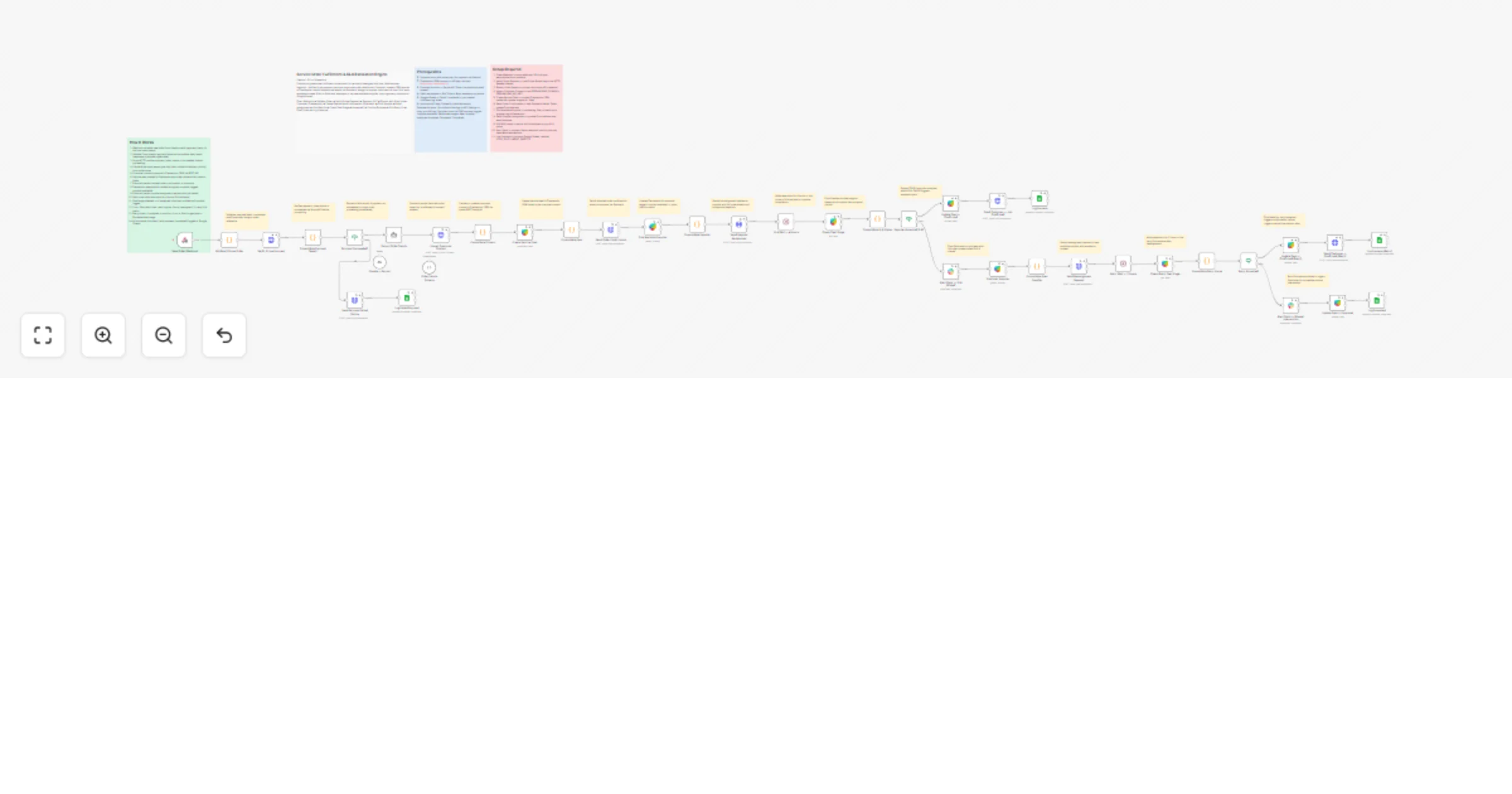
Automate service order fulfillment with Claude, Freshworks CRM and SLA escalation

Workflow preview

Workflow preview
100%
Automate service order fulfillment with Claude, Freshworks CRM and SLA escalation preview
Open on n8n.io

1. Workflow Overview

How it works Fully automates your service order pipeline from incoming booking to supplier confirmation — with built in SLA enforcement and automatic escalation if a supplier goes silent. Rec...

Best for

  • CRM automation workflows
  • AI Summarization automation workflows
  • advanced n8n builders looking for reusable templates

Tools used

n8n-nodes-base.stickynote, n8n-nodes-base.webhook, n8n-nodes-base.code, n8n-nodes-base.httprequest, n8n-nodes-base.if, n8n-nodes-base.googlesheets, @n8n/n8n-nodes-langchain.agent, @n8n/n8n-nodes-langchain.lmchatanthropic

Source and attribution

This workflow is cataloged by N8N Workflows and links back to its original n8n.io source page by Kumar SmartFlow Craft.

Original n8n.io source

1.1 Workflow description

Title
Automate service order fulfillment with Claude, Freshworks CRM and SLA escalation
Workflow name
Automate service order fulfillment with Claude, Freshworks CRM and SLA escalation

🚀 How it works

Fully automates your service order pipeline from incoming booking to supplier confirmation — with built-in SLA enforcement and automatic escalation if a supplier goes silent.

  • 📥 Receives orders via webhook from your booking form or website
  • 💳 Verifies payment against Stripe before processing anything
  • 🤖 Extracts and structures order details (service type, address, date, priority) using Claude AI
  • 👤 Upserts the customer contact and creates a deal in Freshworks CRM automatically
  • 📧 Sends branded confirmation emails to the customer and assigned supplier via Postmark
  • ⏱️ Enforces a 4-hour supplier acceptance SLA — escalates automatically if no response
  • 🔁 Reassigns to a backup supplier and retries for 2 hours before flagging for manual review
  • 🚨 Alerts your team on Slack if manual intervention is required
  • 📊 Logs every outcome (confirmed, reassigned, escalated) to Google Sheets for full audit trail

🛠️ Set up steps

Estimated setup time: ~30 minutes

  1. Webhook — copy the webhook URL and point it from your booking form or website checkout
  2. Stripe — add your Stripe secret key to the HTTP Request node; set the correct payment_intent field name from your payload
  3. Claude (Anthropic) — connect your Anthropic API credential; claude-sonnet-4-6 or higher recommended
  4. Freshworks CRM — connect your Freshworks credential; set your domain in the HTTP Request upsert node (e.g. yourcompany.freshsales.io)
  5. Postmark — add your Postmark Server Token to the HTTP Request nodes; update the sender email address
  6. Slack — connect Slack OAuth2; set your ops/dispatch channel in the alert nodes (e.g. #dispatch-alerts)
  7. Google Sheets — connect Google Sheets OAuth2; set your spreadsheet ID and sheet name in the log nodes
  8. Follow the sticky notes inside the workflow — each section has a one-liner setup guide

📋 Prerequisites

  • Stripe account with payment intents enabled
  • Anthropic API key (Claude API access)
  • Freshworks CRM account (Growth plan or higher for API access)
  • Postmark account with a verified sender domain
  • Slack workspace with a bot or OAuth2 app
  • Google Sheets spreadsheet set up as your audit log

Custom Workflow Request with Personal Dashboard

[email protected]

https://www.smartflowcraft.com/contact

More free templates

https://www.smartflowcraft.com/n8n-templates

1.2 Logical Blocks

This catalog entry is organized from the workflow JSON. The node-level section below shows the executable blocks available for review before importing the template.

2. Block-by-Block Analysis

Block 1 - Overview

Type / Role
n8n-nodes-base.stickyNote - stickyNote
Config choices
Version 1

Block 2 - Prerequisites

Type / Role
n8n-nodes-base.stickyNote - stickyNote
Config choices
Version 1

Block 3 - Setup Required

Type / Role
n8n-nodes-base.stickyNote - stickyNote
Config choices
Version 1

Block 4 - How It Works

Type / Role
n8n-nodes-base.stickyNote - stickyNote
Config choices
Version 1

Block 5 - New Order Webhook

Type / Role
n8n-nodes-base.webhook - webhook
Config choices
Version 2

Block 6 - Validate note

Type / Role
n8n-nodes-base.stickyNote - stickyNote
Config choices
Version 1

Block 7 - Validate & Parse Order

Type / Role
n8n-nodes-base.code - code
Config choices
Version 2

Block 8 - Stripe note

Type / Role
n8n-nodes-base.stickyNote - stickyNote
Config choices
Version 1

Block 9 - Verify Stripe Payment

Type / Role
n8n-nodes-base.httpRequest - httpRequest
Config choices
Version 4.2

Block 10 - Consolidate Payment Result

Type / Role
n8n-nodes-base.code - code
Config choices
Version 2

Block 11 - Payment check note

Type / Role
n8n-nodes-base.stickyNote - stickyNote
Config choices
Version 1

Block 12 - Payment Succeeded?

Type / Role
n8n-nodes-base.if - if
Config choices
Version 2.2

Block 13 - Send Payment Failed Notice

Type / Role
n8n-nodes-base.httpRequest - httpRequest
Config choices
Version 4.2

Block 14 - Log Failed Payment

Type / Role
n8n-nodes-base.googleSheets - googleSheets
Config choices
Version 4.5

Block 15 - Extract note

Type / Role
n8n-nodes-base.stickyNote - stickyNote
Config choices
Version 1

Block 16 - Extract Order Details

Type / Role
@n8n/n8n-nodes-langchain.agent - agent
Config choices
Version 1.8

Block 17 - Claude — Extract

Type / Role
@n8n/n8n-nodes-langchain.lmChatAnthropic - lmChatAnthropic
Config choices
Version 1.3

Block 18 - Order Details Schema

Type / Role
@n8n/n8n-nodes-langchain.outputParserStructured - outputParserStructured
Config choices
Version 1.2

Block 19 - Upsert note

Type / Role
n8n-nodes-base.stickyNote - stickyNote
Config choices
Version 1

Block 20 - Upsert Customer Contact

Type / Role
n8n-nodes-base.httpRequest - httpRequest
Config choices
Version 4.2

Block 21 - Consolidate Contact

Type / Role
n8n-nodes-base.code - code
Config choices
Version 2

Block 22 - Deal note

Type / Role
n8n-nodes-base.stickyNote - stickyNote
Config choices
Version 1

Block 23 - Create Service Deal

Type / Role
n8n-nodes-base.freshworksCrm - freshworksCrm
Config choices
Version 1

Block 24 - Consolidate Deal

Type / Role
n8n-nodes-base.code - code
Config choices
Version 2

Showing the first 24 of 60 workflow blocks. Download the JSON for the full node graph.

3. Summary Table

Workflow Automate service order fulfillment with Claude, Freshworks CRM and SLA escalation
Complexity advanced
Nodes 60
Categories CRM, AI Summarization
Author Kumar SmartFlow Craft
Published 18 Mar 2026

4. Reproducing the Workflow from Scratch

  1. 1. Download the workflow JSON

    Use the JSON export at /data/workflows/14164/14164.json as the source template for this automation.

  2. 2. Import the template into n8n

    Open n8n, import the downloaded JSON, and review each node before activating the workflow.

  3. 3. Configure credentials and variables

    Replace placeholder credentials, API keys, webhook URLs, account IDs, and environment-specific values with your own settings.

  4. 4. Test with sample data

    Run the workflow manually or in a staging workspace, inspect node output, and confirm downstream systems receive the expected data.

  5. 5. Activate and monitor

    Enable the workflow only after testing, then monitor executions, errors, and rate limits during the first production runs.

5. General Notes & Resources

Review imported nodes carefully before activation. This catalog entry is intended to help you inspect the workflow structure, understand required services, and find related templates faster.

Node names, credentials, schedules, webhook paths, and external service limits may need adjustment for your workspace.

Frequently asked questions

What does Automate service order fulfillment with Claude, Freshworks CRM and SLA escalation do?

How it works Fully automates your service order pipeline from incoming booking to supplier confirmation — with built in SLA enforcement and automatic escalation if a supplier goes silent. Rec...

What do I need before importing this workflow?

Review the workflow JSON, configure any required credentials in n8n, and test the automation in a safe workspace before using it in production.

Can I customize this workflow?

Yes. Use the block-by-block analysis and the downloadable JSON to inspect each node, then adjust credentials, prompts, schedules, filters, or destinations for your CRM, AI Summarization use case.