Block 1 - Sticky Note1
- Type / Role
- n8n-nodes-base.stickyNote - stickyNote
- Config choices
- Version 1


 Early Deal
This workflow is provided as-is. Please review and test before using in production.
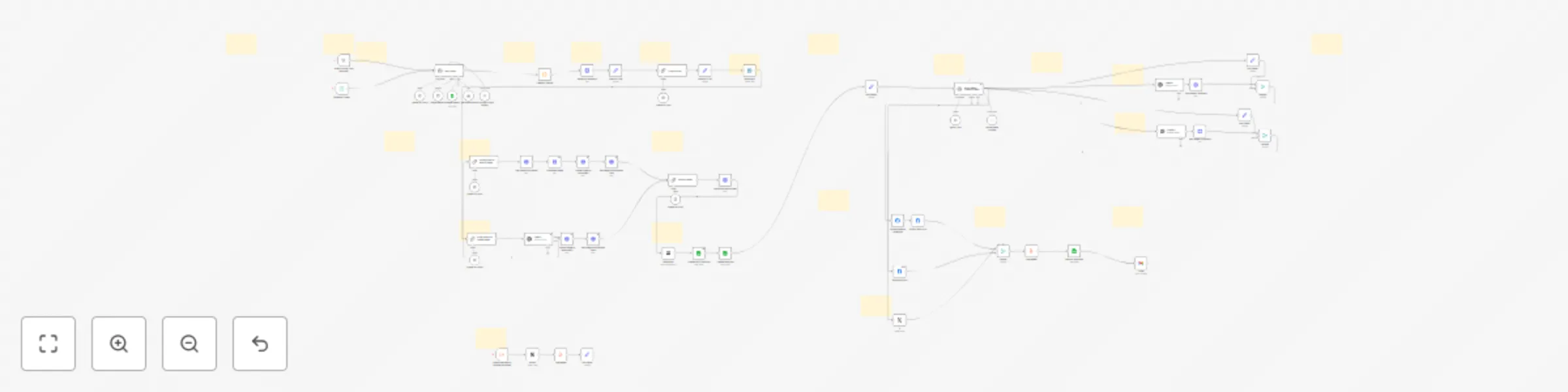
AI Blog & Social Media Publisher – Fully Automated Workflow This workflow is ideal for individuals, marketers, agencies, and brands who want to effortlessly automate the entire blogging and soci...
n8n-nodes-base.stickynote, n8n-nodes-base.manualtrigger, n8n-nodes-base.executeworkflowtrigger, n8n-nodes-base.notion, n8n-nodes-base.aggregate, n8n-nodes-base.set, @n8n/n8n-nodes-langchain.lmchatopenai, @n8n/n8n-nodes-langchain.chainllm
This workflow is cataloged by N8N Workflows and links back to its original n8n.io source page by LukaszB.
Original n8n.io sourceThis workflow is ideal for individuals, marketers, agencies, and brands who want to effortlessly automate the entire blogging and social media process—from idea generation to promotion. Its primary goal is to consistently deliver engaging, SEO-optimized blog posts directly to WordPress, accompanied by professionally crafted social media content ready for Instagram, Facebook, and X (Twitter).
No writers, editors, designers, or social media managers required. Save countless hours and resources while boosting your brand's online presence.
-Automated Blog Topic Generation: Instantly generates unique, high-value blog ideas tailored to your brand. -SEO Content Creation: Produces comprehensive, 2000–2500 word articles optimized for search engines. -Real-Time Research: Integrates Perplexity AI to ensure factually accurate, authoritative content. -Visual Content Generation: Creates custom, AI-generated featured images via GPT-4, with automatic fallback to Pexels. -WordPress Publishing: Automatically publishes articles directly to WordPress with complete formatting (HTML), meta descriptions, featured images, and proper categorization. -Social Media Automation: Generates and schedules engaging, platform-specific posts for Instagram, Facebook, and X, complete with relevant hashtags, calls-to-action, and links. -Detailed Logging & Reporting: Logs every step transparently into Google Sheets and optionally sends publication reports to Gmail.
When activated, the workflow checks your content calendar in Google Sheets to avoid duplicate topics. It generates fresh, brand-aligned blog ideas, conducts live research, and creates complete, ready-to-publish articles. It then automatically designs and sources appropriate visuals, publishes content seamlessly to WordPress, and prepares engaging social media posts optimized for each platform.
-Connect your APIs: OpenAI, WordPress, Google Sheets, Gmail, and optionally Pexels. -Replace placeholders (WordPress URLs, Google Sheets ID/tab, workflow IDs). -Customize AI prompts with your brand’s tone, keywords, and CTAs for personalized content. -Configure scheduling to automate daily, weekly, or custom publishing intervals.
-Modular workflow design for easy customization and scalability. -Comprehensive Markdown and PDF setup guides included. -Bonus: Reference placeholders and quick-edit Sticky Notes for effortless adjustments.
This catalog entry is organized from the workflow JSON. The node-level section below shows the executable blocks available for review before importing the template.
Showing the first 24 of 79 workflow blocks. Download the JSON for the full node graph.
| Workflow | Automate SEO blog creation + social media with GPT-4, Perplexity and WordPress |
|---|---|
| Complexity | advanced |
| Nodes | 79 |
| Categories | Content Creation, Multimodal AI |
| Author | LukaszB |
| Published | 15 May 2025 |
Use the JSON export at /data/workflows/4082/4082.json as the source template for this automation.
Open n8n, import the downloaded JSON, and review each node before activating the workflow.
Replace placeholder credentials, API keys, webhook URLs, account IDs, and environment-specific values with your own settings.
Run the workflow manually or in a staging workspace, inspect node output, and confirm downstream systems receive the expected data.
Enable the workflow only after testing, then monitor executions, errors, and rate limits during the first production runs.
Review imported nodes carefully before activation. This catalog entry is intended to help you inspect the workflow structure, understand required services, and find related templates faster.
Node names, credentials, schedules, webhook paths, and external service limits may need adjustment for your workspace.
AI Blog & Social Media Publisher – Fully Automated Workflow This workflow is ideal for individuals, marketers, agencies, and brands who want to effortlessly automate the entire blogging and soci...
Review the workflow JSON, configure any required credentials in n8n, and test the automation in a safe workspace before using it in production.
Yes. Use the block-by-block analysis and the downloadable JSON to inspect each node, then adjust credentials, prompts, schedules, filters, or destinations for your Content Creation, Multimodal AI use case.