Automate sales meeting prep with AI & APIFY sent to WhatsApp

Workflow preview

Workflow preview
100%
Automate sales meeting prep with AI &  APIFY sent to WhatsApp preview
Open on n8n.io

Important notice

This workflow is provided as-is. Please review and test before using in production.

1. Workflow Overview

This n8n template builds a meeting assistant that compiles timely reminders of upcoming meetings filled with email history and recent LinkedIn activity of other people on the invite. This is then d...

Best for

  • CRM automation workflows
  • AI Summarization automation workflows
  • advanced n8n builders looking for reusable templates

Tools used

n8n-nodes-base.gmail, n8n-nodes-base.set, n8n-nodes-base.googlecalendar, @n8n/n8n-nodes-langchain.lmchatopenai, @n8n/n8n-nodes-langchain.informationextractor, n8n-nodes-base.executeworkflowtrigger, n8n-nodes-base.whatsapp, n8n-nodes-base.stickynote

Source and attribution

This workflow is cataloged by N8N Workflows and links back to its original n8n.io source page by Jimleuk.

Original n8n.io source

1.1 Workflow description

Title
Automate sales meeting prep with AI & APIFY sent to WhatsApp
Workflow name
Automate sales meeting prep with AI & APIFY sent to WhatsApp

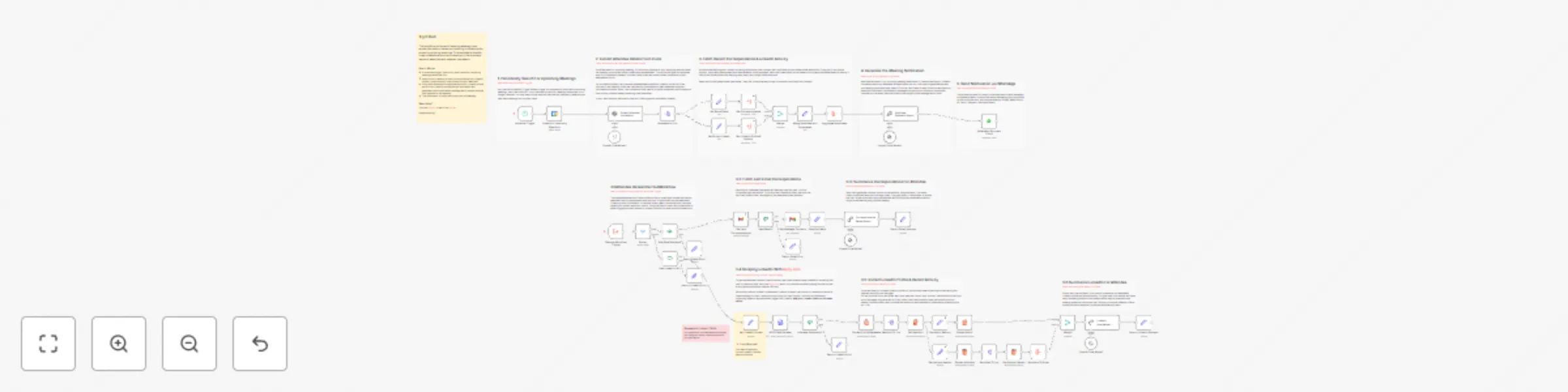
This n8n template builds a meeting assistant that compiles timely reminders of upcoming meetings filled with email history and recent LinkedIn activity of other people on the invite. This is then discreetly sent via WhatsApp ensuring the user is always prepared, informed and ready to impress!

How it works

  • A scheduled trigger fires hourly to check for upcoming personal meetings.
  • When found, the invite is analysed by an AI agent to pull email and LinkedIn details of the other invitees.
  • 2 subworkflows are then triggered for each invitee to (1) search for last email correspondence with them and (2) scrape their LinkedIn profile + recent activity for social updates.
  • Using both available sources, another AI agent is used to summarise this information and generate a short meeting prep message for the user.
  • The notification is finally sent to the user's WhatsApp, allowing them ample time to review.

How to use

  • There are a lot of moving parts in this template so in it's current form, it's best to use this for personal rather than team calendars.
  • The LinkedIn scraping method used in this workflow requires you to paste in your LinkedIn cookies from your browser which essentially let's n8n impersonate you. You can retrieve this from dev console or ask someone technical for help!

Note: It may be wise to switch to other LinkedIn scraping approaches which do not impersonate your own account for production.

Requirements

  • OpenAI for LLM
  • Gmail for Email
  • Google Calendar for upcoming events
  • WhatsApp Business account for notifications

Customising this workflow

  • Try adding information sources which are relevant to you and your invitees. Such as company search, other social media sites etc.
  • Create an on-demand version which doesn't rely on the scheduled trigger. Sometimes you want to know prepare for meetings hours or days in advance where this could help immensely.

1.2 Logical Blocks

This catalog entry is organized from the workflow JSON. The node-level section below shows the executable blocks available for review before importing the template.

2. Block-by-Block Analysis

Block 1 - Get Message Contents

Type / Role
n8n-nodes-base.gmail - gmail
Config choices
Version 2.1

Block 2 - Simplify Emails

Type / Role
n8n-nodes-base.set - set
Config choices
Version 3.4

Block 3 - Check For Upcoming Meetings

Type / Role
n8n-nodes-base.googleCalendar - googleCalendar
Config choices
Version 1.2

Block 4 - OpenAI Chat Model2

Type / Role
@n8n/n8n-nodes-langchain.lmChatOpenAi - lmChatOpenAi
Config choices
Version 1

Block 5 - Extract Attendee Information

Type / Role
@n8n/n8n-nodes-langchain.informationExtractor - informationExtractor
Config choices
Version 1

Block 6 - Execute Workflow Trigger

Type / Role
n8n-nodes-base.executeWorkflowTrigger - executeWorkflowTrigger
Config choices
Version 1

Block 7 - OpenAI Chat Model

Type / Role
@n8n/n8n-nodes-langchain.lmChatOpenAi - lmChatOpenAi
Config choices
Version 1

Block 8 - Get Last Correspondence

Type / Role
n8n-nodes-base.gmail - gmail
Config choices
Version 2.1

Block 9 - OpenAI Chat Model1

Type / Role
@n8n/n8n-nodes-langchain.lmChatOpenAi - lmChatOpenAi
Config choices
Version 1

Block 10 - OpenAI Chat Model3

Type / Role
@n8n/n8n-nodes-langchain.lmChatOpenAi - lmChatOpenAi
Config choices
Version 1

Block 11 - WhatsApp Business Cloud

Type / Role
n8n-nodes-base.whatsApp - whatsApp
Config choices
Version 1

Block 12 - Sticky Note

Type / Role
n8n-nodes-base.stickyNote - stickyNote
Config choices
Version 1

Block 13 - Schedule Trigger

Type / Role
n8n-nodes-base.scheduleTrigger - scheduleTrigger
Config choices
Version 1.2

Block 14 - Sticky Note1

Type / Role
n8n-nodes-base.stickyNote - stickyNote
Config choices
Version 1

Block 15 - Sticky Note2

Type / Role
n8n-nodes-base.stickyNote - stickyNote
Config choices
Version 1

Block 16 - Sticky Note3

Type / Role
n8n-nodes-base.stickyNote - stickyNote
Config choices
Version 1

Block 17 - Sticky Note4

Type / Role
n8n-nodes-base.stickyNote - stickyNote
Config choices
Version 1

Block 18 - Sticky Note5

Type / Role
n8n-nodes-base.stickyNote - stickyNote
Config choices
Version 1

Block 19 - Sticky Note6

Type / Role
n8n-nodes-base.stickyNote - stickyNote
Config choices
Version 1

Block 20 - Sticky Note7

Type / Role
n8n-nodes-base.stickyNote - stickyNote
Config choices
Version 1

Block 21 - Return LinkedIn Success

Type / Role
n8n-nodes-base.set - set
Config choices
Version 3.4

Block 22 - Return LinkedIn Error

Type / Role
n8n-nodes-base.set - set
Config choices
Version 3.4

Block 23 - Return Email Error

Type / Role
n8n-nodes-base.set - set
Config choices
Version 3.4

Block 24 - Return Email Success

Type / Role
n8n-nodes-base.set - set
Config choices
Version 3.4

Showing the first 24 of 61 workflow blocks. Download the JSON for the full node graph.

3. Summary Table

Workflow Automate sales meeting prep with AI & APIFY sent to WhatsApp
Complexity advanced
Nodes 61
Categories CRM, AI Summarization
Author Jimleuk
Published 26 Nov 2024

4. Reproducing the Workflow from Scratch

  1. 1. Download the workflow JSON

    Use the JSON export at /data/workflows/2582/2582.json as the source template for this automation.

  2. 2. Import the template into n8n

    Open n8n, import the downloaded JSON, and review each node before activating the workflow.

  3. 3. Configure credentials and variables

    Replace placeholder credentials, API keys, webhook URLs, account IDs, and environment-specific values with your own settings.

  4. 4. Test with sample data

    Run the workflow manually or in a staging workspace, inspect node output, and confirm downstream systems receive the expected data.

  5. 5. Activate and monitor

    Enable the workflow only after testing, then monitor executions, errors, and rate limits during the first production runs.

5. General Notes & Resources

Review imported nodes carefully before activation. This catalog entry is intended to help you inspect the workflow structure, understand required services, and find related templates faster.

Node names, credentials, schedules, webhook paths, and external service limits may need adjustment for your workspace.

Frequently asked questions

What does Automate sales meeting prep with AI & APIFY sent to WhatsApp do?

This n8n template builds a meeting assistant that compiles timely reminders of upcoming meetings filled with email history and recent LinkedIn activity of other people on the invite. This is then d...

What do I need before importing this workflow?

Review the workflow JSON, configure any required credentials in n8n, and test the automation in a safe workspace before using it in production.

Can I customize this workflow?

Yes. Use the block-by-block analysis and the downloadable JSON to inspect each node, then adjust credentials, prompts, schedules, filters, or destinations for your CRM, AI Summarization use case.