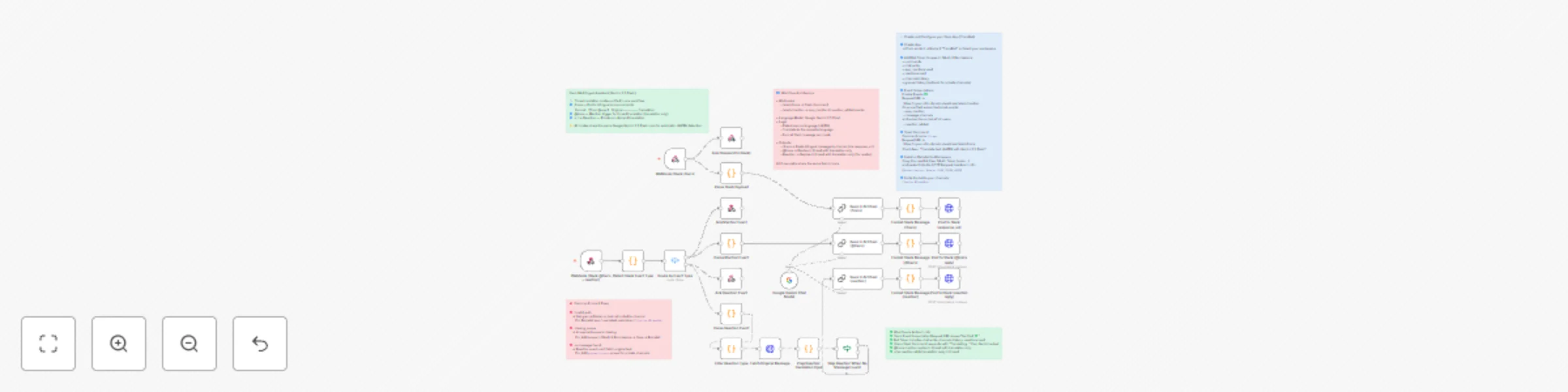
Automate multilingual Slack communication (JA ⇄ EN) with Gemini 2.5 Flash

Workflow preview

Workflow preview
100%
Automate multilingual Slack communication (JA ⇄ EN) with Gemini 2.5 Flash preview
Open on n8n.io

Important notice

This workflow is provided as-is. Please review and test before using in production.

1. Workflow Overview

How it works This workflow automatically translates messages between Japanese and English inside Slack — perfect for mixed language teams. In our real world use case, our 8 person team includes ...

Best for

  • Miscellaneous automation workflows
  • Multimodal AI automation workflows
  • advanced n8n builders looking for reusable templates

Tools used

n8n-nodes-base.webhook, n8n-nodes-base.respondtowebhook, n8n-nodes-base.code, n8n-nodes-base.httprequest, @n8n/n8n-nodes-langchain.lmchatgooglegemini, @n8n/n8n-nodes-langchain.chainllm, n8n-nodes-base.stickynote, n8n-nodes-base.switch

Source and attribution

This workflow is cataloged by N8N Workflows and links back to its original n8n.io source page by Tomohiro Goto.

Original n8n.io source

1.1 Workflow description

Title
Automate multilingual Slack communication (JA ⇄ EN) with Gemini 2.5 Flash
Workflow name
Automate multilingual Slack communication (JA ⇄ EN) with Gemini 2.5 Flash

🧠 How it works

This workflow automatically translates messages between Japanese and English inside Slack — perfect for mixed-language teams.
In our real-world use case, our 8-person team includes Arif, an English-speaking teammate from Indonesia, while the rest mainly speak Japanese.

Before using this workflow, our daily chat often included:

  • “Can someone translate this for Arif?”
  • “I don’t understand what Arif wrote — can someone summarize it in Japanese?”
  • “I need to post this announcement in both languages, but I don’t know the English phrasing.”

This workflow fixes that communication gap without forcing anyone to change how they talk.
Built with n8n and Google Gemini 2.5 Flash, it automatically detects the input language, translates to the opposite one, and posts the result in the same thread, keeping every channel clear and contextual.

⚙️ Features

  • Unified translation system with three Slack triggers:
    1️⃣ Slash Command /trans – bilingual posts for announcements.
    2️⃣ Mention Trigger @trans – real-time thread translation for team discussions.
    3️⃣ Reaction 🇯🇵 / 🇺🇸 – personal translation view for readers.
  • Automatic JA ↔ EN detection and translation via Gemini 2.5 Flash
  • 3-second instant ACK to satisfy Slack’s response timeout
  • Shared Gemini translation core across all three modes
  • Clean thread replies using chat.postMessage

💼 Use Cases

  • Global teams – Keep Japanese and English speakers in sync without switching tools.
  • Project coordination – Use mentions for mixed-language stand-ups and updates.
  • Announcements – Auto-generate bilingual company posts with /trans.
  • Cross-cultural communication – Help one-language teammates follow along instantly.

💡 Perfect for

  • Global companies with bilingual or multilingual teams
  • Startups collaborating across Japan and Southeast Asia
  • Developers exploring Slack + Gemini + n8n automation patterns

🧩 Notes

  • You can force a specific translation direction (JA→EN or EN→JA) inside the Code node.
  • Adjust the system prompt to match tone (“business-polite”, “casual”, etc.).
  • Add glossary replacements for consistent terminology.
  • If the bot doesn’t respond, ensure your app includes the following scopes:
    app_mentions:read, chat:write, reactions:read, channels:history, and groups:history.
  • Always export your workflow with credentials OFF before sharing or publishing.

✨ Powered by

Google Gemini 2.5 Flash × n8n × Slack API
A complete multilingual layer for your workspace — all in one workflow. 🌍

1.2 Logical Blocks

This catalog entry is organized from the workflow JSON. The node-level section below shows the executable blocks available for review before importing the template.

2. Block-by-Block Analysis

Block 1 - Webhook (Slack /trans)

Type / Role
n8n-nodes-base.webhook - webhook
Config choices
Version 2

Block 2 - Ack (Respond to Slack)

Type / Role
n8n-nodes-base.respondToWebhook - respondToWebhook
Config choices
Version 1

Block 3 - Parse Slash Payload

Type / Role
n8n-nodes-base.code - code
Config choices
Version 2

Block 4 - Ack Mention Event

Type / Role
n8n-nodes-base.respondToWebhook - respondToWebhook
Config choices
Version 1

Block 5 - Parse Mention Event

Type / Role
n8n-nodes-base.code - code
Config choices
Version 2

Block 6 - Ack Reaction Event

Type / Role
n8n-nodes-base.respondToWebhook - respondToWebhook
Config choices
Version 1

Block 7 - Parse Reaction Event

Type / Role
n8n-nodes-base.code - code
Config choices
Version 2

Block 8 - Fetch Original Message

Type / Role
n8n-nodes-base.httpRequest - httpRequest
Config choices
Version 4.2

Block 9 - Prep Reaction Translation Input

Type / Role
n8n-nodes-base.code - code
Config choices
Version 2

Block 10 - Google Gemini Chat Model

Type / Role
@n8n/n8n-nodes-langchain.lmChatGoogleGemini - lmChatGoogleGemini
Config choices
Version 1

Block 11 - Basic LLM Chain (/trans)

Type / Role
@n8n/n8n-nodes-langchain.chainLlm - chainLlm
Config choices
Version 1.7

Block 12 - Basic LLM Chain (@trans)

Type / Role
@n8n/n8n-nodes-langchain.chainLlm - chainLlm
Config choices
Version 1.7

Block 13 - Basic LLM Chain (reaction)

Type / Role
@n8n/n8n-nodes-langchain.chainLlm - chainLlm
Config choices
Version 1.7

Block 14 - Format Slack Message (/trans)

Type / Role
n8n-nodes-base.code - code
Config choices
Version 2

Block 15 - Format Slack Message (@trans)

Type / Role
n8n-nodes-base.code - code
Config choices
Version 2

Block 16 - Format Slack Message (reaction)

Type / Role
n8n-nodes-base.code - code
Config choices
Version 2

Block 17 - Post to Slack (response_url)

Type / Role
n8n-nodes-base.httpRequest - httpRequest
Config choices
Version 4.2

Block 18 - Post to Slack (@trans reply)

Type / Role
n8n-nodes-base.httpRequest - httpRequest
Config choices
Version 4.2

Block 19 - Post to Slack (reaction reply)

Type / Role
n8n-nodes-base.httpRequest - httpRequest
Config choices
Version 4.2

Block 20 - How to set up

Type / Role
n8n-nodes-base.stickyNote - stickyNote
Config choices
Version 1

Block 21 - Webhook (Slack @trans + reaction)

Type / Role
n8n-nodes-base.webhook - webhook
Config choices
Version 2

Block 22 - Sticky Note

Type / Role
n8n-nodes-base.stickyNote - stickyNote
Config choices
Version 1

Block 23 - Sticky Note1

Type / Role
n8n-nodes-base.stickyNote - stickyNote
Config choices
Version 1

Block 24 - Sticky Note2

Type / Role
n8n-nodes-base.stickyNote - stickyNote
Config choices
Version 1

Showing the first 24 of 29 workflow blocks. Download the JSON for the full node graph.

3. Summary Table

Workflow Automate multilingual Slack communication (JA ⇄ EN) with Gemini 2.5 Flash
Complexity advanced
Nodes 29
Categories Miscellaneous, Multimodal AI
Author Tomohiro Goto
Published 25 Oct 2025

4. Reproducing the Workflow from Scratch

  1. 1. Download the workflow JSON

    Use the JSON export at /data/workflows/10185/10185.json as the source template for this automation.

  2. 2. Import the template into n8n

    Open n8n, import the downloaded JSON, and review each node before activating the workflow.

  3. 3. Configure credentials and variables

    Replace placeholder credentials, API keys, webhook URLs, account IDs, and environment-specific values with your own settings.

  4. 4. Test with sample data

    Run the workflow manually or in a staging workspace, inspect node output, and confirm downstream systems receive the expected data.

  5. 5. Activate and monitor

    Enable the workflow only after testing, then monitor executions, errors, and rate limits during the first production runs.

5. General Notes & Resources

Review imported nodes carefully before activation. This catalog entry is intended to help you inspect the workflow structure, understand required services, and find related templates faster.

Node names, credentials, schedules, webhook paths, and external service limits may need adjustment for your workspace.

Frequently asked questions

What does Automate multilingual Slack communication (JA ⇄ EN) with Gemini 2.5 Flash do?

How it works This workflow automatically translates messages between Japanese and English inside Slack — perfect for mixed language teams. In our real world use case, our 8 person team includes ...

What do I need before importing this workflow?

Review the workflow JSON, configure any required credentials in n8n, and test the automation in a safe workspace before using it in production.

Can I customize this workflow?

Yes. Use the block-by-block analysis and the downloadable JSON to inspect each node, then adjust credentials, prompts, schedules, filters, or destinations for your Miscellaneous, Multimodal AI use case.