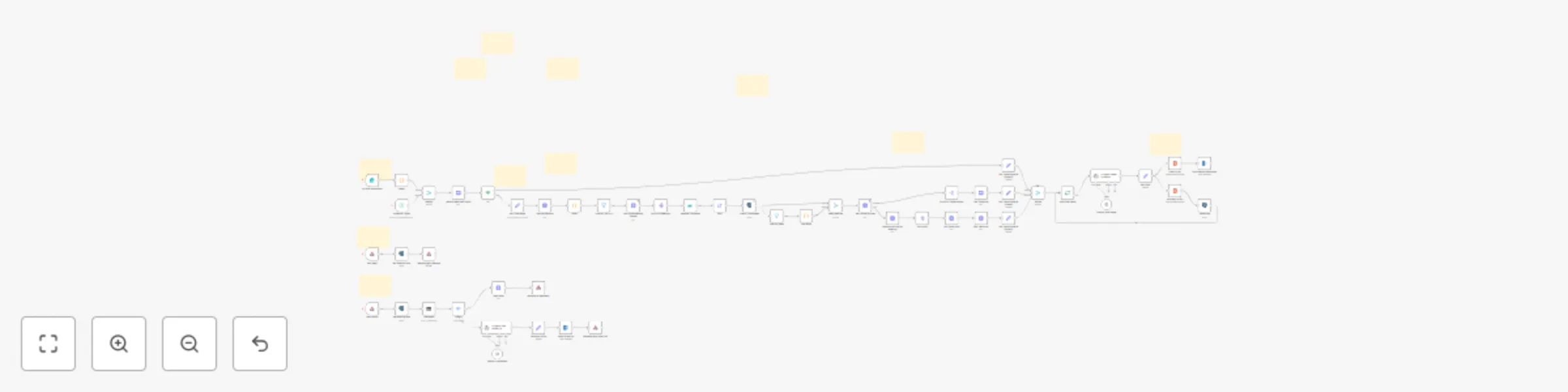
Automate Microsoft Teams meeting analysis with GPT-4.1, Outlook & Mem.ai

Workflow preview

Workflow preview
100%
Automate Microsoft Teams meeting analysis with GPT-4.1, Outlook & Mem.ai preview
Open on n8n.io

Important notice

This workflow is provided as-is. Please review and test before using in production.

1. Workflow Overview

Automate Microsoft Teams Meeting Analysis with GPT 4.1, Outlook & Mem.ai Watch the YouTube video to get started [Follow along with the blog post](https://blog.nocode...

Best for

  • Document Extraction automation workflows
  • AI Summarization automation workflows
  • advanced n8n builders looking for reusable templates

Tools used

n8n-nodes-base.set, n8n-nodes-base.scheduletrigger, n8n-nodes-base.postgres, n8n-nodes-base.code, n8n-nodes-base.filter, n8n-nodes-base.merge, @n8n/n8n-nodes-langchain.lmchatopenai, n8n-nodes-base.httprequest

Source and attribution

This workflow is cataloged by N8N Workflows and links back to its original n8n.io source page by Wayne Simpson.

Original n8n.io source

1.1 Workflow description

Title
Automate Microsoft Teams meeting analysis with GPT-4.1, Outlook & Mem.ai
Workflow name
Automate Microsoft Teams meeting analysis with GPT-4.1, Outlook & Mem.ai

Automate Microsoft Teams Meeting Analysis with GPT-4.1, Outlook & Mem.ai

Template Overview

This advanced n8n template automates Microsoft Teams meeting analysis, knowledge base creation, and email drafting directly from meeting recordings and transcripts.

It provides end-to-end automation for the following use cases:

Meeting Analysis

  • Connects to Microsoft Graph to retrieve meeting recordings, chat messages, and transcripts.
  • Analyses meeting content using AI models.
  • Extracts key points, action items, questions, and themes from meetings automatically.

AI-Powered Web App

  • Automatically creates a detailed report from past meetings.

  • Stores meeting summaries, metadata, and insights into an easy-to-browse frontend.

  • New meetings are added dynamically without manual work. ** Knowledge Base Indexing (via Mem.ai)**

  • Uploads extracted meeting data into a structured knowledge base.

  • Supports categorisation, search and chat functionality across meetings.

Draft Follow-Up Emails

  • Draft personalised follow-up emails for meeting participants.
  • Email drafts include:
    • Meeting summary
    • Key decisions
    • Action items
  • Emails can be sent manually with a human in the loop context via Microsoft Outlook integration.

Core Components

  • Microsoft Graph API for accessing meetings, chats, files, and user profiles.
  • SharePoint API for file storage and search.
  • n8n Webhooks to trigger processes dynamically.
  • Generic OAuth2 authentication for seamless Microsoft access.
  • JavaScript Code Nodes for flexible, intelligent parsing and structuring of meeting data.
  • AI/LLM nodes for summarisation and content creation.

Designed to be scalable, modular, and easily customisable for different organisation sizes and industries.

🛡️ Note

Failure to correctly configure Azure permissions will prevent the template from functioning. Ensure admin approval is fully completed during setup.

Important Prerequisites

⚠️ Administrator consent is required

This template requires a Microsoft 365 Global Administrator or Application Administrator to grant admin consent to a set of Microsoft Graph and SharePoint API scopes.

Basic Azure App Registration knowledge is required:

You need to set up an Azure App Registration manually, configure OAuth2 authentication, and assign specific API permissions.

A setup guide is included, but familiarity with:

  • App registrations
  • API permissions
  • Client secrets
  • OAuth2 flows

is highly recommended.

Knowledge of Postgres is required The template includes a SQL script to create the required Postgres table (see blog post).

You are responsible for hosting your own database (You can use Supabase with the Postgres connection string).

1.2 Logical Blocks

This catalog entry is organized from the workflow JSON. The node-level section below shows the executable blocks available for review before importing the template.

2. Block-by-Block Analysis

Block 1 - Set Time Range

Type / Role
n8n-nodes-base.set - set
Config choices
Version 3.4

Block 2 - Schedule Trigger

Type / Role
n8n-nodes-base.scheduleTrigger - scheduleTrigger
Config choices
Version 1.2

Block 3 - Check if Processed

Type / Role
n8n-nodes-base.postgres - postgres
Config choices
Version 2.6

Block 4 - Get Items

Type / Role
n8n-nodes-base.code - code
Config choices
Version 2

Block 5 - Filter No Items

Type / Role
n8n-nodes-base.filter - filter
Config choices
Version 2.2

Block 6 - Keep Matches

Type / Role
n8n-nodes-base.merge - merge
Config choices
Version 3.1

Block 7 - OpenAI Chat Model

Type / Role
@n8n/n8n-nodes-langchain.lmChatOpenAi - lmChatOpenAi
Config choices
Version 1.2

Block 8 - Mem Note

Type / Role
n8n-nodes-base.httpRequest - httpRequest
Config choices
Version 4.2

Block 9 - Set JSON

Type / Role
n8n-nodes-base.set - set
Config choices
Version 3.4

Block 10 - Get Transcript Data

Type / Role
n8n-nodes-base.httpRequest - httpRequest
Config choices
Version 4.2

Block 11 - Split Out Transcriptions

Type / Role
n8n-nodes-base.splitOut - splitOut
Config choices
Version 1

Block 12 - Get Transcript

Type / Role
n8n-nodes-base.httpRequest - httpRequest
Config choices
Version 4.2

Block 13 - Save Data

Type / Role
n8n-nodes-base.postgres - postgres
Config choices
Version 2.6

Block 14 - Respond to Webhook1

Type / Role
n8n-nodes-base.respondToWebhook - respondToWebhook
Config choices
Version 1.1

Block 15 - Email HTML

Type / Role
n8n-nodes-base.html - html
Config choices
Version 1.2

Block 16 - Summary HTML

Type / Role
n8n-nodes-base.html - html
Config choices
Version 1.2

Block 17 - Web Page

Type / Role
n8n-nodes-base.webhook - webhook
Config choices
Version 2

Block 18 - Next Action

Type / Role
n8n-nodes-base.webhook - webhook
Config choices
Version 2

Block 19 - Switch

Type / Role
n8n-nodes-base.switch - switch
Config choices
Version 3.2

Block 20 - Get Meeting Row

Type / Role
n8n-nodes-base.postgres - postgres
Config choices
Version 2.6

Block 21 - Get Meeting Row1

Type / Role
n8n-nodes-base.postgres - postgres
Config choices
Version 2.6

Block 22 - Markdown

Type / Role
n8n-nodes-base.markdown - markdown
Config choices
Version 1

Block 23 - OpenAI Chat Model1

Type / Role
@n8n/n8n-nodes-langchain.lmChatOpenAi - lmChatOpenAi
Config choices
Version 1.2

Block 24 - Set Email JSON

Type / Role
n8n-nodes-base.set - set
Config choices
Version 3.4

Showing the first 24 of 62 workflow blocks. Download the JSON for the full node graph.

3. Summary Table

Workflow Automate Microsoft Teams meeting analysis with GPT-4.1, Outlook & Mem.ai
Complexity advanced
Nodes 62
Categories Document Extraction, AI Summarization
Author Wayne Simpson
Published 30 May 2025

4. Reproducing the Workflow from Scratch

  1. 1. Download the workflow JSON

    Use the JSON export at /data/workflows/4512/4512.json as the source template for this automation.

  2. 2. Import the template into n8n

    Open n8n, import the downloaded JSON, and review each node before activating the workflow.

  3. 3. Configure credentials and variables

    Replace placeholder credentials, API keys, webhook URLs, account IDs, and environment-specific values with your own settings.

  4. 4. Test with sample data

    Run the workflow manually or in a staging workspace, inspect node output, and confirm downstream systems receive the expected data.

  5. 5. Activate and monitor

    Enable the workflow only after testing, then monitor executions, errors, and rate limits during the first production runs.

5. General Notes & Resources

Review imported nodes carefully before activation. This catalog entry is intended to help you inspect the workflow structure, understand required services, and find related templates faster.

Node names, credentials, schedules, webhook paths, and external service limits may need adjustment for your workspace.

Frequently asked questions

What does Automate Microsoft Teams meeting analysis with GPT-4.1, Outlook & Mem.ai do?

Automate Microsoft Teams Meeting Analysis with GPT 4.1, Outlook & Mem.ai Watch the YouTube video to get started [Follow along with the blog post](https://blog.nocode...

What do I need before importing this workflow?

Review the workflow JSON, configure any required credentials in n8n, and test the automation in a safe workspace before using it in production.

Can I customize this workflow?

Yes. Use the block-by-block analysis and the downloadable JSON to inspect each node, then adjust credentials, prompts, schedules, filters, or destinations for your Document Extraction, AI Summarization use case.