Automate inventory replenishment and purchase orders with Mistral AI and ERP

Workflow preview

Workflow preview
100%
Automate inventory replenishment and purchase orders with Mistral AI and ERP preview
Open on n8n.io

1. Workflow Overview

This AI powered workflow monitors warehouse stock levels and sales velocity in real time, uses machine learning to forecast demand, automatically generates optimized purchase orders with intelligen...

Best for

  • Engineering automation workflows
  • AI Summarization automation workflows
  • advanced n8n builders looking for reusable templates

Tools used

n8n-nodes-base.scheduletrigger, n8n-nodes-base.postgres, n8n-nodes-base.merge, n8n-nodes-base.code, @n8n/n8n-nodes-langchain.agent, @n8n/n8n-nodes-langchain.toolworkflow, n8n-nodes-base.if, n8n-nodes-base.emailsend

Source and attribution

This workflow is cataloged by N8N Workflows and links back to its original n8n.io source page by Oneclick AI Squad.

Original n8n.io source

1.1 Workflow description

Title
Automate inventory replenishment and purchase orders with Mistral AI and ERP
Workflow name
Automate inventory replenishment and purchase orders with Mistral AI and ERP

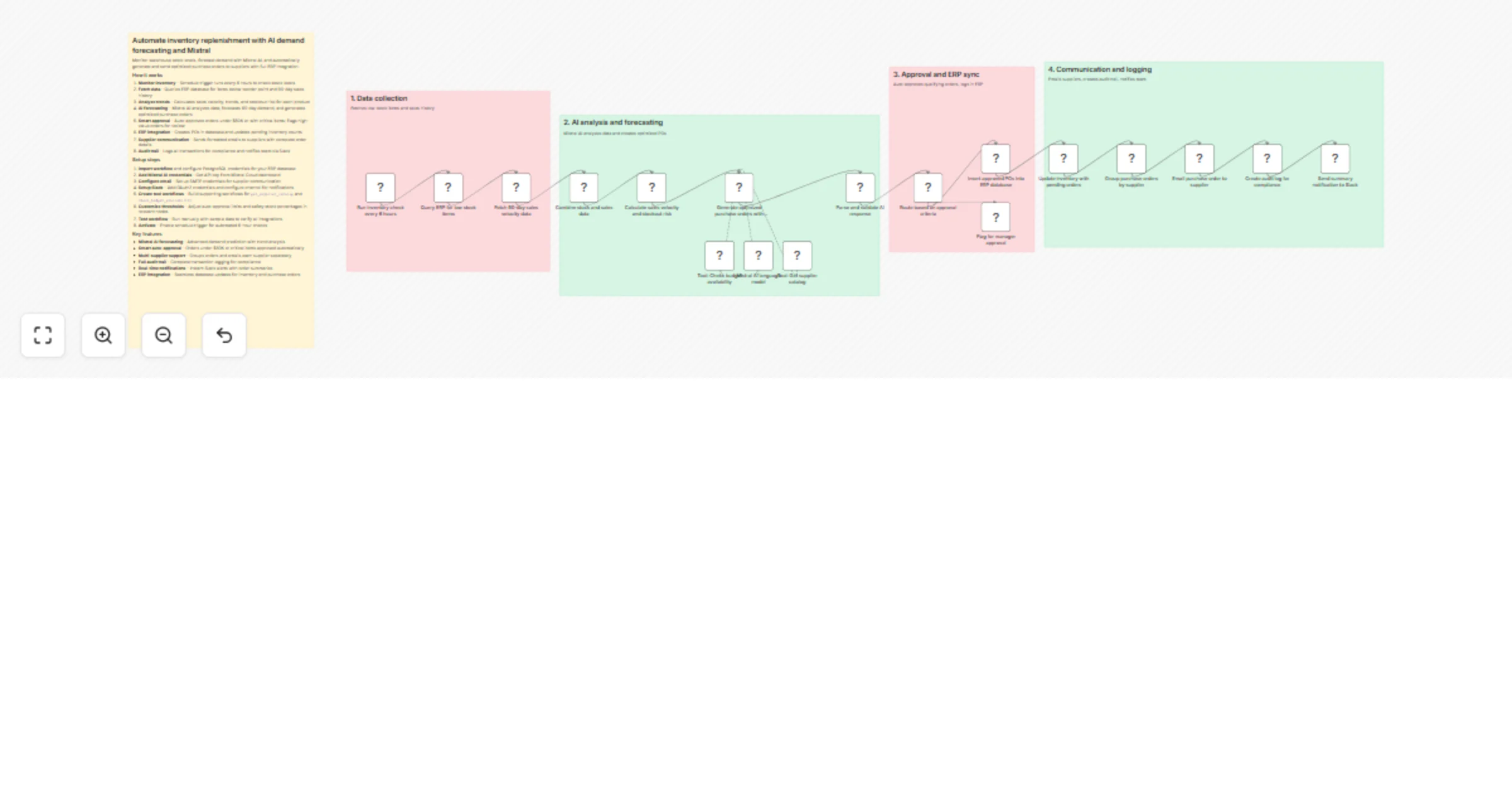
This AI-powered workflow monitors warehouse stock levels and sales velocity in real-time, uses machine learning to forecast demand, automatically generates optimized purchase orders with intelligent quantity recommendations, sends them directly to suppliers via email, and logs all transactions in your ERP system for complete audit trails.

How it works

  1. Monitor inventory - Schedule trigger runs every 6 hours to check stock levels
  2. Fetch data - Queries ERP database for items below reorder point and 90-day sales history
  3. Analyze trends - Calculates sales velocity, trends, and stockout risk for each product
  4. AI forecasting - Mistral AI analyzes data, forecasts 60-day demand, and generates optimized purchase orders
  5. Smart approval - Auto-approves orders under $50K or with critical items; flags high-value orders for review
  6. ERP integration - Creates POs in database and updates pending inventory counts
  7. Supplier communication - Sends formatted emails to suppliers with complete order details
  8. Audit trail - Logs all transactions for compliance and notifies team via Slack

Setup steps

  1. Import workflow and configure PostgreSQL credentials for your ERP database
  2. Add Mistral AI credentials - Get API key from Mistral Cloud dashboard
  3. Configure email - Set up SMTP credentials for supplier communication
  4. Setup Slack - Add OAuth2 credentials and configure channel for notifications
  5. Create tool workflows - Build supporting workflows for get_supplier_catalog and check_budget_availability
  6. Customize thresholds - Adjust auto-approval limits and safety stock percentages in relevant nodes
  7. Test workflow - Run manually with sample data to verify all integrations
  8. Activate - Enable schedule trigger for automated 6-hour checks

Key features

  • Mistral AI forecasting - Advanced demand prediction with trend analysis
  • Smart auto-approval - Orders under $50K or critical items approved automatically
  • Multi-supplier support - Groups orders and emails each supplier separately
  • Full audit trail - Complete transaction logging for compliance
  • Real-time notifications - Instant Slack alerts with order summaries
  • ERP integration - Seamless database updates for inventory and purchase orders

Customization Options

Modify AI Agent prompt to adjust safety stock percentage (default 20%) or change forecasting horizon from 60 to 30/90 days. Increase schedule frequency to hourly for high-velocity businesses or daily for slower-moving inventory. Add third tool get_seasonal_trends to incorporate historical seasonal patterns into demand forecasts. Implement multi-level approval requiring CFO sign-off for orders exceeding $100K. Replace email with direct API integration to supplier portals like EDI or supplier-specific APIs. Add SMS notifications using Twilio for CRITICAL stockouts requiring immediate attention. Connect to warehouse management system (WMS) via API for real-time stock level syncing. Implement economic order quantity (EOQ) calculator tool for cost optimization. Add predictive analytics for lead time variability based on historical supplier performance. Create dashboard widget in ERP showing AI forecast accuracy over time for continuous improvement.

Explore More Supply Chain & Inventory Automation: Contact us to design AI-powered demand planning, warehouse optimization, and supplier management workflows tailored to your operations.

1.2 Logical Blocks

This catalog entry is organized from the workflow JSON. The node-level section below shows the executable blocks available for review before importing the template.

2. Block-by-Block Analysis

Block 1 - Run inventory check every 6 hours

Type / Role
n8n-nodes-base.scheduleTrigger - scheduleTrigger
Config choices
Version 1.2

Block 2 - Query ERP for low stock items

Type / Role
n8n-nodes-base.postgres - postgres
Config choices
Version 2.4

Block 3 - Fetch 90-day sales velocity data

Type / Role
n8n-nodes-base.postgres - postgres
Config choices
Version 2.4

Block 4 - Combine stock and sales data

Type / Role
n8n-nodes-base.merge - merge
Config choices
Version 3

Block 5 - Calculate sales velocity and stockout risk

Type / Role
n8n-nodes-base.code - code
Config choices
Version 2

Block 6 - Generate optimized purchase orders with Mistral AI

Type / Role
@n8n/n8n-nodes-langchain.agent - agent
Config choices
Version 1.7

Block 7 - Tool: Get supplier catalog

Type / Role
@n8n/n8n-nodes-langchain.toolWorkflow - toolWorkflow
Config choices
Version 1.1

Block 8 - Tool: Check budget availability

Type / Role
@n8n/n8n-nodes-langchain.toolWorkflow - toolWorkflow
Config choices
Version 1.1

Block 9 - Parse and validate AI response

Type / Role
n8n-nodes-base.code - code
Config choices
Version 2

Block 10 - Route based on approval criteria

Type / Role
n8n-nodes-base.if - if
Config choices
Version 2

Block 11 - Insert approved POs into ERP database

Type / Role
n8n-nodes-base.postgres - postgres
Config choices
Version 2.4

Block 12 - Update inventory with pending orders

Type / Role
n8n-nodes-base.postgres - postgres
Config choices
Version 2.4

Block 13 - Group purchase orders by supplier

Type / Role
n8n-nodes-base.code - code
Config choices
Version 2

Block 14 - Email purchase order to supplier

Type / Role
n8n-nodes-base.emailSend - emailSend
Config choices
Version 2.1

Block 15 - Create audit log for compliance

Type / Role
n8n-nodes-base.postgres - postgres
Config choices
Version 2.4

Block 16 - Send summary notification to Slack

Type / Role
n8n-nodes-base.slack - slack
Config choices
Version 2.2

Block 17 - Flag for manager approval

Type / Role
n8n-nodes-base.set - set
Config choices
Version 3.4

Block 18 - Sticky Note

Type / Role
n8n-nodes-base.stickyNote - stickyNote
Config choices
Version 1

Block 19 - Sticky Note1

Type / Role
n8n-nodes-base.stickyNote - stickyNote
Config choices
Version 1

Block 20 - Sticky Note2

Type / Role
n8n-nodes-base.stickyNote - stickyNote
Config choices
Version 1

Block 21 - Sticky Note3

Type / Role
n8n-nodes-base.stickyNote - stickyNote
Config choices
Version 1

Block 22 - Sticky Note4

Type / Role
n8n-nodes-base.stickyNote - stickyNote
Config choices
Version 1

Block 23 - Mistral AI language model

Type / Role
@n8n/n8n-nodes-langchain.lmChatMistralCloud - lmChatMistralCloud
Config choices
Version 1

3. Summary Table

Workflow Automate inventory replenishment and purchase orders with Mistral AI and ERP
Complexity advanced
Nodes 23
Categories Engineering, AI Summarization
Author Oneclick AI Squad
Published 05 Nov 2025

4. Reproducing the Workflow from Scratch

  1. 1. Download the workflow JSON

    Use the JSON export at /data/workflows/10535/10535.json as the source template for this automation.

  2. 2. Import the template into n8n

    Open n8n, import the downloaded JSON, and review each node before activating the workflow.

  3. 3. Configure credentials and variables

    Replace placeholder credentials, API keys, webhook URLs, account IDs, and environment-specific values with your own settings.

  4. 4. Test with sample data

    Run the workflow manually or in a staging workspace, inspect node output, and confirm downstream systems receive the expected data.

  5. 5. Activate and monitor

    Enable the workflow only after testing, then monitor executions, errors, and rate limits during the first production runs.

5. General Notes & Resources

Review imported nodes carefully before activation. This catalog entry is intended to help you inspect the workflow structure, understand required services, and find related templates faster.

Node names, credentials, schedules, webhook paths, and external service limits may need adjustment for your workspace.

Frequently asked questions

What does Automate inventory replenishment and purchase orders with Mistral AI and ERP do?

This AI powered workflow monitors warehouse stock levels and sales velocity in real time, uses machine learning to forecast demand, automatically generates optimized purchase orders with intelligen...

What do I need before importing this workflow?

Review the workflow JSON, configure any required credentials in n8n, and test the automation in a safe workspace before using it in production.

Can I customize this workflow?

Yes. Use the block-by-block analysis and the downloadable JSON to inspect each node, then adjust credentials, prompts, schedules, filters, or destinations for your Engineering, AI Summarization use case.