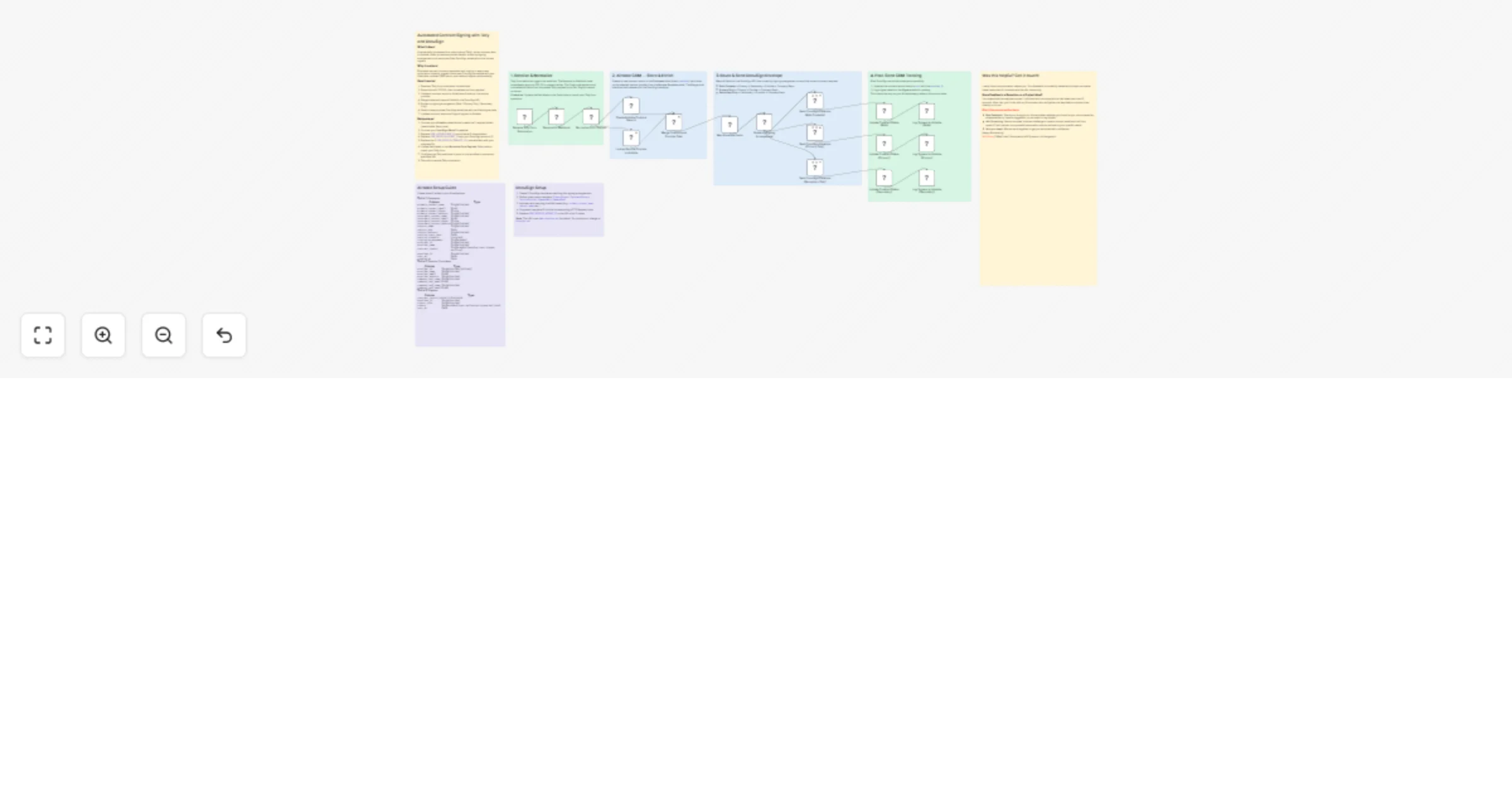
Automate contract signing from Tally to Airtable and DocuSign

Workflow preview

Workflow preview
100%
Automate contract signing from Tally to Airtable and DocuSign preview
Open on n8n.io

1. Workflow Overview

Automated Contract Signing: Tally, Airtable & DocuSign Who is this for? Business who manually prep/route DocuSign envelopes and want zero touch contract signing from form submission. What problem i...

Best for

  • Document Extraction automation workflows
  • advanced n8n builders looking for reusable templates

Tools used

n8n-nodes-base.webhook, n8n-nodes-base.respondtowebhook, n8n-nodes-base.code, n8n-nodes-base.airtable, n8n-nodes-base.merge, n8n-nodes-base.set, n8n-nodes-base.switch, n8n-nodes-base.httprequest

Source and attribution

This workflow is cataloged by N8N Workflows and links back to its original n8n.io source page by Milo Bravo.

Original n8n.io source

1.1 Workflow description

Title
Automate contract signing from Tally to Airtable and DocuSign
Workflow name
Automate contract signing from Tally to Airtable and DocuSign

Automated Contract Signing: Tally, Airtable & DocuSign

Who is this for? Business who manually prep/route DocuSign envelopes and want zero-touch contract signing from form submission.


What problem is this workflow solving? Contract chaos kills velocity:

  • Manual DocuSign prep (30min/envelope)
  • Signer routing errors
  • Data re-entry across tools
  • No audit trail

This workflow auto-generates + routes DocuSign from Tally forms + retrieves and updates Airtable .


What this workflow does

  • Normalizes Tally payload + lookups service provider
  • Routes smartly: Both signers / Primary only / Secondary only
  • Pre-fills DocuSign from Airtable data
  • Tracks everything: Status, signers, timestamps in dashboard

*3 Signing Modes:

  • Both: Dual signer envelopes
  • Primary: Client-only signing
  • Secondary: Provider-only

Setup (10 minutes)

  1. Airtable: 3 tables (Contracts / Providers / Logs)

  2. DocuSign: OAuth2 + 3 envelope templates

  3. Tally: Form webhook → this workflow URL

  4. Config: Replace BASE_ID / TABLE_IDs / ACCOUNT_ID

  5. Test: Submit Tally form → watch DocuSign magic

*Airtable Schema:

  • Contracts: ID, Client, Provider, Status, EnvelopeID, Signers
  • Providers: Name, DocuSignEmail, Role Logs: Timestamp, Action, Details

How to customize to your needs

Signing Flows: Agency → Client NDA (Primary only) Partner → Mutual MSA (Both signers) Internal → Approval (Secondary only)

Scale Up:

  • CRM Sync: HubSpot/Salesforce status update
  • Payments: Stripe link post-signing
  • Multi-language: Template per locale
  • Notifications: Slack/Teams on completion

Pro Features:

  • Sequential signing order
  • Void/correct envelopes
  • Audit log dashboard
  • Field validation

ROI:

  • 30min → 30sec per contract
  • $0 (vs HelloSign $15+/mo)
  • 100% tracked (no lost envelopes)
  • Audit-ready (logs + timestamps)
  • GDPR compliant (data mapping)

Proven: 2k+ contracts signed, 98% completion rate.


Need help customizing?: Contact me for consulting and support: LinkedIn / Message


Keywords: DocuSign automation, contract signing automation, e-signature workflow, sales contract automation

1.2 Logical Blocks

This catalog entry is organized from the workflow JSON. The node-level section below shows the executable blocks available for review before importing the template.

2. Block-by-Block Analysis

Block 1 - Receive Tally Form Submission

Type / Role
n8n-nodes-base.webhook - webhook
Config choices
Version 2.1

Block 2 - Respond to Webhook

Type / Role
n8n-nodes-base.respondToWebhook - respondToWebhook
Config choices
Version 1.1

Block 3 - Normalize Form Payload

Type / Role
n8n-nodes-base.code - code
Config choices
Version 2

Block 4 - Create Airtable Contract Record

Type / Role
n8n-nodes-base.airtable - airtable
Config choices
Version 2.1

Block 5 - Lookup Service Provider in Airtable

Type / Role
n8n-nodes-base.airtable - airtable
Config choices
Version 2.1

Block 6 - Merge Contract and Provider Data

Type / Role
n8n-nodes-base.merge - merge
Config choices
Version 3.2

Block 7 - Map Envelope Fields

Type / Role
n8n-nodes-base.set - set
Config choices
Version 3.4

Block 8 - Route by Signing Arrangement

Type / Role
n8n-nodes-base.switch - switch
Config choices
Version 3.3

Block 9 - Send DocuSign Envelope (Both Contacts)

Type / Role
n8n-nodes-base.httpRequest - httpRequest
Config choices
Version 4.2

Block 10 - Send DocuSign Envelope (Primary Only)

Type / Role
n8n-nodes-base.httpRequest - httpRequest
Config choices
Version 4.2

Block 11 - Send DocuSign Envelope (Secondary Only)

Type / Role
n8n-nodes-base.httpRequest - httpRequest
Config choices
Version 4.2

Block 12 - Update Contract Status (Both)

Type / Role
n8n-nodes-base.airtable - airtable
Config choices
Version 2.1

Block 13 - Update Contract Status (Primary)

Type / Role
n8n-nodes-base.airtable - airtable
Config choices
Version 2.1

Block 14 - Update Contract Status (Secondary)

Type / Role
n8n-nodes-base.airtable - airtable
Config choices
Version 2.1

Block 15 - Log Signers to Airtable (Both)

Type / Role
n8n-nodes-base.airtable - airtable
Config choices
Version 2.1

Block 16 - Log Signers to Airtable (Primary)

Type / Role
n8n-nodes-base.airtable - airtable
Config choices
Version 2.1

Block 17 - Log Signers to Airtable (Secondary)

Type / Role
n8n-nodes-base.airtable - airtable
Config choices
Version 2.1

Block 18 - Sticky Note - Intro

Type / Role
n8n-nodes-base.stickyNote - stickyNote
Config choices
Version 1

Block 19 - Sticky Note1

Type / Role
n8n-nodes-base.stickyNote - stickyNote
Config choices
Version 1

Block 20 - Sticky Note2

Type / Role
n8n-nodes-base.stickyNote - stickyNote
Config choices
Version 1

Block 21 - Sticky Note3

Type / Role
n8n-nodes-base.stickyNote - stickyNote
Config choices
Version 1

Block 22 - Sticky Note4

Type / Role
n8n-nodes-base.stickyNote - stickyNote
Config choices
Version 1

Block 23 - Sticky Note - Airtable Setup

Type / Role
n8n-nodes-base.stickyNote - stickyNote
Config choices
Version 1

Block 24 - Sticky Note - DocuSign Setup

Type / Role
n8n-nodes-base.stickyNote - stickyNote
Config choices
Version 1

Showing the first 24 of 25 workflow blocks. Download the JSON for the full node graph.

3. Summary Table

Workflow Automate contract signing from Tally to Airtable and DocuSign
Complexity advanced
Nodes 25
Categories Document Extraction
Author Milo Bravo
Published 27 Feb 2026

4. Reproducing the Workflow from Scratch

  1. 1. Download the workflow JSON

    Use the JSON export at /data/workflows/13757/13757.json as the source template for this automation.

  2. 2. Import the template into n8n

    Open n8n, import the downloaded JSON, and review each node before activating the workflow.

  3. 3. Configure credentials and variables

    Replace placeholder credentials, API keys, webhook URLs, account IDs, and environment-specific values with your own settings.

  4. 4. Test with sample data

    Run the workflow manually or in a staging workspace, inspect node output, and confirm downstream systems receive the expected data.

  5. 5. Activate and monitor

    Enable the workflow only after testing, then monitor executions, errors, and rate limits during the first production runs.

5. General Notes & Resources

Review imported nodes carefully before activation. This catalog entry is intended to help you inspect the workflow structure, understand required services, and find related templates faster.

Node names, credentials, schedules, webhook paths, and external service limits may need adjustment for your workspace.

Frequently asked questions

What does Automate contract signing from Tally to Airtable and DocuSign do?

Automated Contract Signing: Tally, Airtable & DocuSign Who is this for? Business who manually prep/route DocuSign envelopes and want zero touch contract signing from form submission. What problem i...

What do I need before importing this workflow?

Review the workflow JSON, configure any required credentials in n8n, and test the automation in a safe workspace before using it in production.

Can I customize this workflow?

Yes. Use the block-by-block analysis and the downloadable JSON to inspect each node, then adjust credentials, prompts, schedules, filters, or destinations for your Document Extraction use case.