Block 1 - Check for Applications
- Type / Role
- n8n-nodes-base.if - if
- Config choices
- Version 2


 Early Deal
This workflow is provided as-is. Please review and test before using in production.
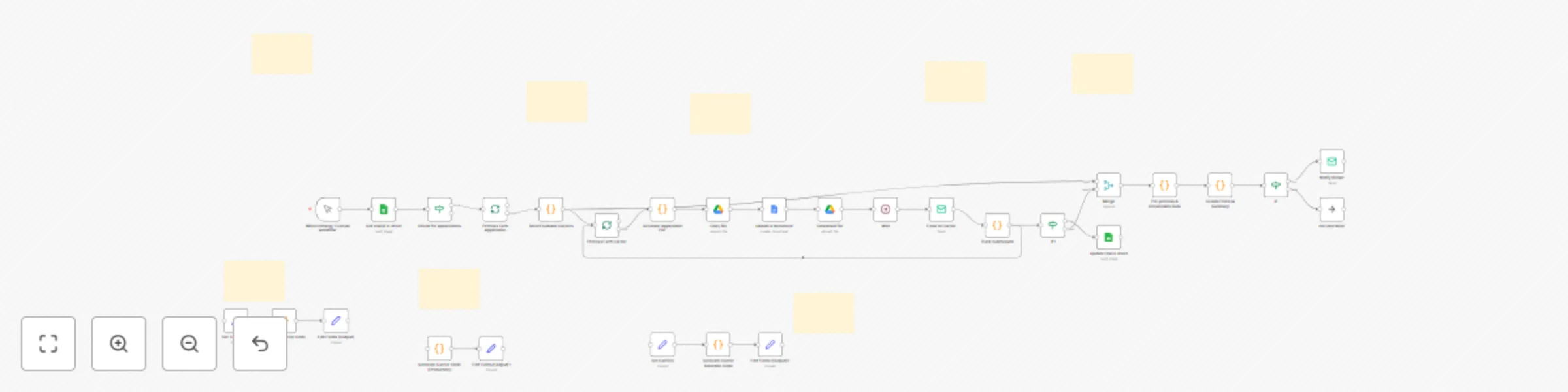
Supercharge your insurance agency's efficiency with this powerful automation template for n8n. Designed specifically for commercial insurance brokers and agents, this workflow transforms the tediou...
n8n-nodes-base.if, n8n-nodes-base.splitinbatches, n8n-nodes-base.code, n8n-nodes-base.emailsend, n8n-nodes-base.googlesheets, n8n-nodes-base.manualtrigger, n8n-nodes-base.googledocs, n8n-nodes-base.googledrive
This workflow is cataloged by N8N Workflows and links back to its original n8n.io source page by David Olusola.
Original n8n.io sourceSupercharge your insurance agency's efficiency with this powerful automation template for n8n. Designed specifically for commercial insurance brokers and agents, this workflow transforms the tedious process of manual application submissions into a streamlined, one-click operation. Stop wasting hours on administrative tasks and start closing more deals. This template handles everything from reading new applications in a Google Sheet to generating custom PDFs and emailing them to the right carriers all in 40 seconds, allowing you to focus on what matters most: your clients.
This workflow provides a powerful foundation for automating your commercial insurance submissions. It's designed to save you hours of manual work by streamlining the entire process from application intake to carrier communication.
At a high level, this is what the flow does:
Estimated Set Up Time: 10-15 minutes
This template is designed for a quick setup. The detailed, step-by-step instructions are included in the Sticky Notes inside the workflow itself.
The main setup steps are:
Email Send nodes (one for sending to carriers and one for notifying the broker).This catalog entry is organized from the workflow JSON. The node-level section below shows the executable blocks available for review before importing the template.
Showing the first 24 of 37 workflow blocks. Download the JSON for the full node graph.
| Workflow | Automate commercial insurance submissions with Google Suite, PDF & email |
|---|---|
| Complexity | advanced |
| Nodes | 37 |
| Categories | Document Extraction |
| Author | David Olusola |
| Published | 07 Aug 2025 |
Use the JSON export at /data/workflows/7132/7132.json as the source template for this automation.
Open n8n, import the downloaded JSON, and review each node before activating the workflow.
Replace placeholder credentials, API keys, webhook URLs, account IDs, and environment-specific values with your own settings.
Run the workflow manually or in a staging workspace, inspect node output, and confirm downstream systems receive the expected data.
Enable the workflow only after testing, then monitor executions, errors, and rate limits during the first production runs.
Review imported nodes carefully before activation. This catalog entry is intended to help you inspect the workflow structure, understand required services, and find related templates faster.
Node names, credentials, schedules, webhook paths, and external service limits may need adjustment for your workspace.
Supercharge your insurance agency's efficiency with this powerful automation template for n8n. Designed specifically for commercial insurance brokers and agents, this workflow transforms the tediou...
Review the workflow JSON, configure any required credentials in n8n, and test the automation in a safe workspace before using it in production.
Yes. Use the block-by-block analysis and the downloadable JSON to inspect each node, then adjust credentials, prompts, schedules, filters, or destinations for your Document Extraction use case.