Block 1 - If
- Type / Role
- n8n-nodes-base.if - if
- Config choices
- Version 2.2


 Early Deal
This workflow is provided as-is. Please review and test before using in production.
Trigger & Topic Extraction The workflow starts manually or from a chat/Telegram/webhook input. A “topic extractor” node scans the incoming text and cleans it (handles /topic … commands). If no topi...
n8n-nodes-base.if, n8n-nodes-base.manualtrigger, n8n-nodes-base.stickynote, n8n-nodes-base.code, n8n-nodes-base.httprequest, @n8n/n8n-nodes-langchain.openai, n8n-nodes-base.wait
This workflow is cataloged by N8N Workflows and links back to its original n8n.io source page by Dean Gallop.
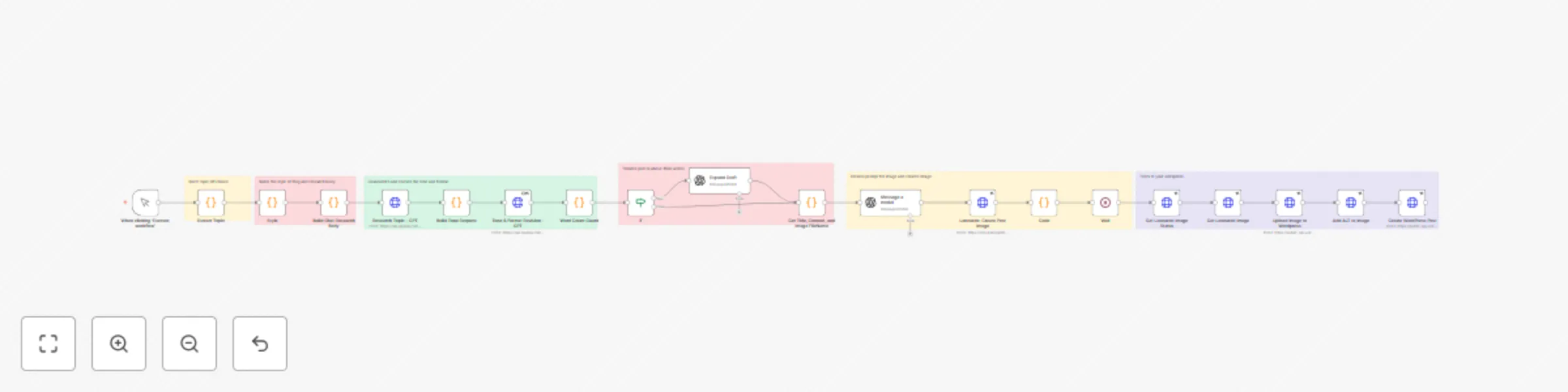
Original n8n.io sourceThe workflow starts manually or from a chat/Telegram/webhook input.
A “topic extractor” node scans the incoming text and cleans it (handles /topic … commands).
If no topic is detected, it defaults to a sample news headline.
A style guide node defines the blog’s tone: practical, medium–low formality, clear sections, clean HTML only.
It also enforces do’s (citations, links, actionable steps) and don’ts (no clickbait, no low-quality sources).
A GPT node generates a 1,700–1,800 word article following the style guide.
Sections include: What happened, Why it matters, Opportunities/risks, Action plan, FAQ.
The draft is then polished for clarity and flow.
A word count guard checks that the article is at least 1,600 words.
If too short, a GPT “expand draft” node deepens the Why it matters, Risks, and Action plan sections.
The final article’s title and content are used to generate an editorial-style image prompt.
Leonardo AI creates a cinematic, text-free featured image suitable for Google News/Discover.
The image is uploaded to WordPress, with proper ALT text generated by GPT.
The final post (title, content, featured image) is automatically published.
Sources are extracted from the article, compiled into a “Sources” section with clickable links.
Posts are categorized and published immediately.
This catalog entry is organized from the workflow JSON. The node-level section below shows the executable blocks available for review before importing the template.
Showing the first 24 of 26 workflow blocks. Download the JSON for the full node graph.
| Workflow | Auto-generate blog posts with GPT, Leonardo AI, and Wordpress publishing |
|---|---|
| Complexity | advanced |
| Nodes | 26 |
| Categories | Content Creation, Multimodal AI |
| Author | Dean Gallop |
| Published | 04 Sept 2025 |
Use the JSON export at /data/workflows/8254/8254.json as the source template for this automation.
Open n8n, import the downloaded JSON, and review each node before activating the workflow.
Replace placeholder credentials, API keys, webhook URLs, account IDs, and environment-specific values with your own settings.
Run the workflow manually or in a staging workspace, inspect node output, and confirm downstream systems receive the expected data.
Enable the workflow only after testing, then monitor executions, errors, and rate limits during the first production runs.
Review imported nodes carefully before activation. This catalog entry is intended to help you inspect the workflow structure, understand required services, and find related templates faster.
Node names, credentials, schedules, webhook paths, and external service limits may need adjustment for your workspace.
Trigger & Topic Extraction The workflow starts manually or from a chat/Telegram/webhook input. A “topic extractor” node scans the incoming text and cleans it (handles /topic … commands). If no topi...
Review the workflow JSON, configure any required credentials in n8n, and test the automation in a safe workspace before using it in production.
Yes. Use the block-by-block analysis and the downloadable JSON to inspect each node, then adjust credentials, prompts, schedules, filters, or destinations for your Content Creation, Multimodal AI use case.