Block 1 - Schedule Trigger
- Type / Role
- n8n-nodes-base.scheduleTrigger - scheduleTrigger
- Config choices
- Version 1.2


 Early Deal
This workflow is provided as-is. Please review and test before using in production.
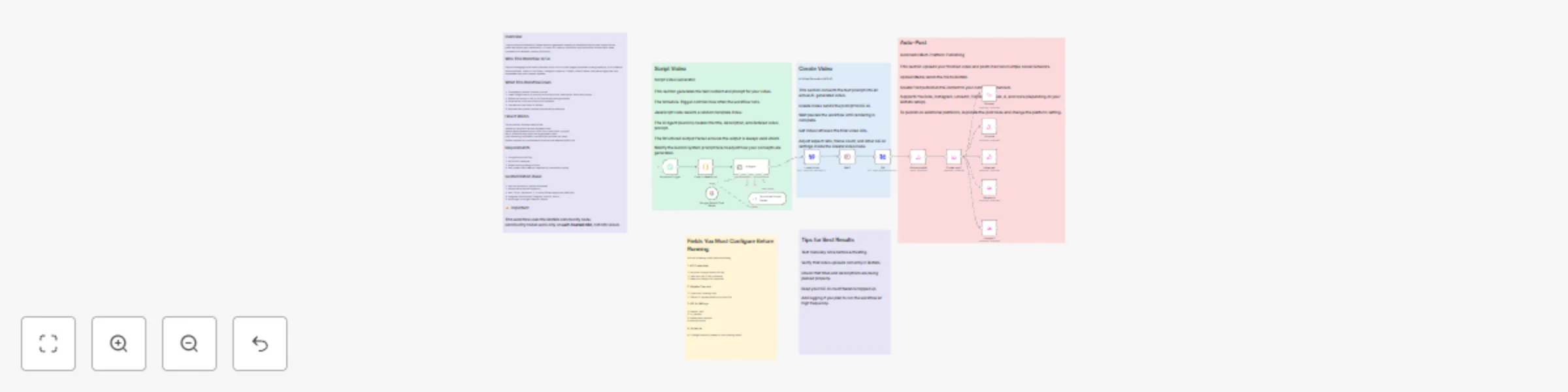
This n8n template automates the entire process of generating short form AI videos and publishing them across multiple social media platforms. It combines Google Gemini for structured prompt creatio...
n8n-nodes-base.scheduletrigger, n8n-nodes-base.code, @n8n/n8n-nodes-langchain.agent, @n8n/n8n-nodes-langchain.lmchatgooglegemini, @n8n/n8n-nodes-langchain.outputparserstructured, n8n-nodes-base.wait, n8n-nodes-base.httprequest, @blotato/n8n-nodes-blotato.blotato
This workflow is cataloged by N8N Workflows and links back to its original n8n.io source page by Amit Kumar.
Original n8n.io sourceThis n8n template automates the entire process of generating short-form AI videos and publishing them across multiple social media platforms. It combines Google Gemini for structured prompt creation, KIE AI for video generation, and Blotato for centralized publishing. The result is a fully automated content pipeline ideal for creators, marketers, agencies, or anyone who wants consistent, hands-free content generation.
This workflow is especially useful for short-video creators, meme pages, educational creators, UGC teams, auto-posting accounts, and brands who want to maintain high-frequency posting without manual effort.
Scheduler Trigger Defines how frequently new videos should be created (e.g., every 12 hours).
Random Template Selector A JavaScript node generates a random number to choose from multiple creative prompt templates.
AI Agent (Google Gemini) Gemini generates a JSON object containing:
The Structured Output Parser ensures strict JSON shape.
Video Generation with KIE AI The prompt is sent to KIE AI’s video generation API. KIE AI creates a synthetic AI video based on the description and your chosen parameters (aspect ratio, frames, watermark removal, etc.).
Polling & Retrieval The workflow waits until the video is fully rendered, then fetches the final video URL.
Media Upload to Blotato The generated video is uploaded into Blotato’s media storage for publishing.
Automatic Posting to Social Platforms Blotato distributes the video to all connected platforms. Examples include:
This results in a fully automated “idea → video → upload → publish” pipeline.
Start by testing the workflow manually to verify video generation and posting.
Adjust the Scheduler Trigger to fit your posting frequency.
Add your API credentials for:
Ensure your Blotato account has social channels connected.
Edit or expand the prompt templates for your content niche:
The more template prompts you add, the more diverse your automated videos will be.
Add more prompt templates to increase variety.
Swap Gemini for an LLM of your choice (OpenAI, Claude, etc.).
Add a Telegram, Discord, or Slack notification once posting is complete.
Store all generated titles, descriptions, and video URLs in:
Add multi-language support using a translation node.
Add an approval step where videos go to your team before publishing.
Add analytics logging (impressions, views, etc.) using Blotato or another service.
This template is designed for easy setup and high flexibility. All technical details, configuration steps, and workflow logic are already included in sticky notes inside the workflow. Once configured, this pipeline becomes a hands-free AI-powered content engine capable of generating and publishing content at scale.
This catalog entry is organized from the workflow JSON. The node-level section below shows the executable blocks available for review before importing the template.
| Workflow | Auto-generate AI videos with Gemini, KIE AI Sora-2 & Blotato (Multi-Platform) |
|---|---|
| Complexity | advanced |
| Nodes | 21 |
| Categories | Content Creation, Multimodal AI |
| Author | Amit Kumar |
| Published | 15 Nov 2025 |
Use the JSON export at /data/workflows/10867/10867.json as the source template for this automation.
Open n8n, import the downloaded JSON, and review each node before activating the workflow.
Replace placeholder credentials, API keys, webhook URLs, account IDs, and environment-specific values with your own settings.
Run the workflow manually or in a staging workspace, inspect node output, and confirm downstream systems receive the expected data.
Enable the workflow only after testing, then monitor executions, errors, and rate limits during the first production runs.
Review imported nodes carefully before activation. This catalog entry is intended to help you inspect the workflow structure, understand required services, and find related templates faster.
Node names, credentials, schedules, webhook paths, and external service limits may need adjustment for your workspace.
This n8n template automates the entire process of generating short form AI videos and publishing them across multiple social media platforms. It combines Google Gemini for structured prompt creatio...
Review the workflow JSON, configure any required credentials in n8n, and test the automation in a safe workspace before using it in production.
Yes. Use the block-by-block analysis and the downloadable JSON to inspect each node, then adjust credentials, prompts, schedules, filters, or destinations for your Content Creation, Multimodal AI use case.