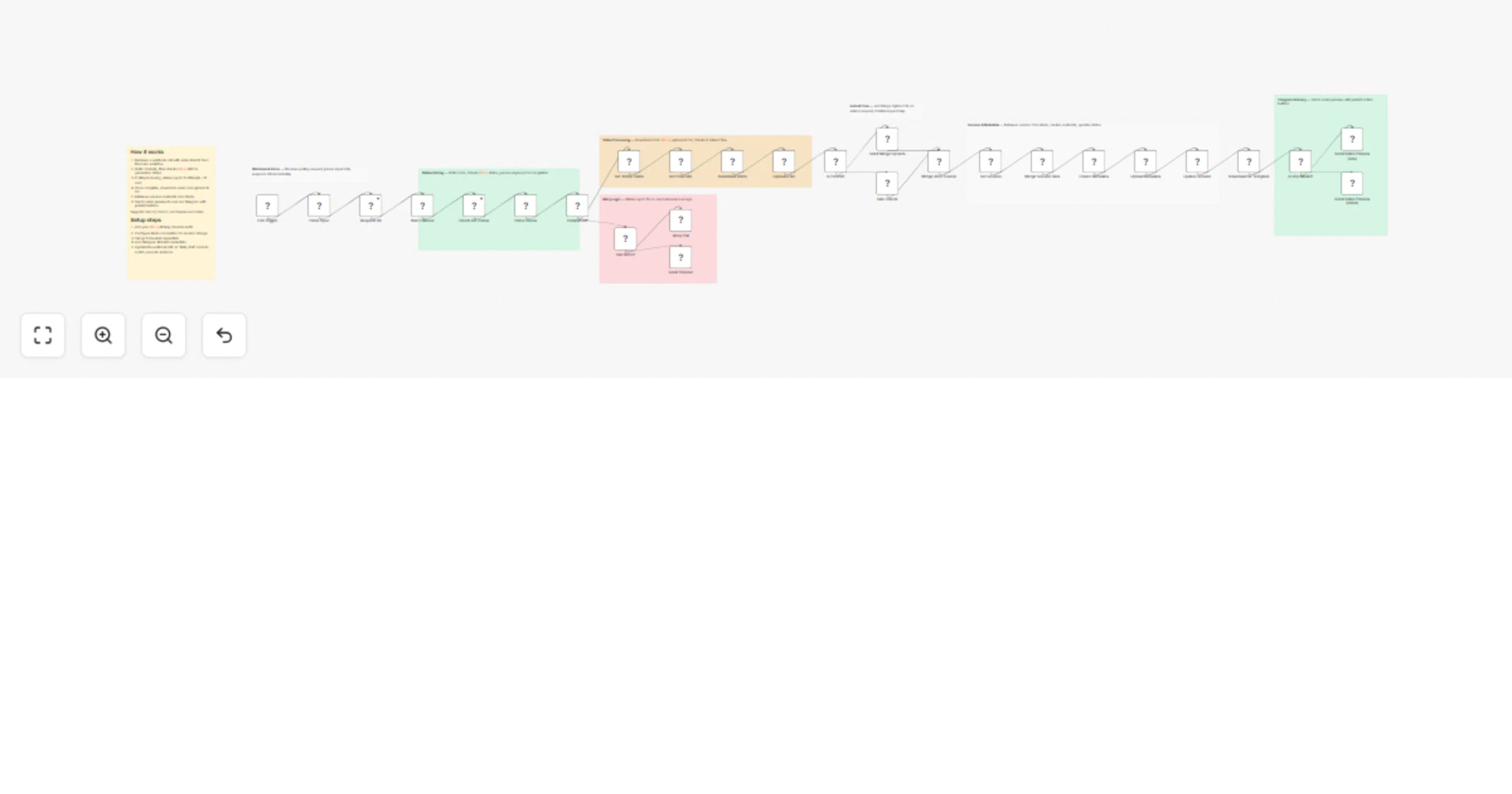
πŸ”„ Async Video Polling Engine - Background Job Handler for AI Video Generation

Workflow preview

Workflow preview
100%
πŸ”„ Async Video Polling Engine - Background Job Handler for AI Video Generation preview
Open on n8n.io

1. Workflow Overview

AI Video Polling Engine Long Running Job Handler for Veo, Sora & Seedance The async backbone that makes AI video generation production ready [![LinkedIn](https://img.shields.io/badge/LinkedI...

Best for

  • Content Creation automation workflows
  • Multimodal AI automation workflows
  • advanced n8n builders looking for reusable templates

Tools used

n8n-nodes-base.stickynote, n8n-nodes-base.webhook, n8n-nodes-base.code, n8n-nodes-base.respondtowebhook, n8n-nodes-base.wait, n8n-nodes-base.httprequest, n8n-nodes-base.if, n8n-nodes-base.redis

Source and attribution

This workflow is cataloged by N8N Workflows and links back to its original n8n.io source page by Joe V.

Original n8n.io source

1.1 Workflow description

Title
πŸ”„ Async Video Polling Engine - Background Job Handler for AI Video Generation
Workflow name
πŸ”„ Async Video Polling Engine - Background Job Handler for AI Video Generation

πŸ”„ AI Video Polling Engine - Long-Running Job Handler for Veo, Sora & Seedance

The async backbone that makes AI video generation production-ready ⚑🎬


πŸŽ₯ See It In Action

πŸ”— Full Demo: youtu.be/OI_oJ_2F1O0


⚠️ Must Read First

This is a companion workflow for the main AI Shorts Generator: πŸ”— Main Workflow: AI Shorts Reactor

This workflow handles the "waiting game" so your main bot stays fast and responsive. Think of it as the backstage crew that handles the heavy lifting while your main workflow performs on stage.


πŸ€” The Problem This Solves

Without This Workflow:

User sends message
 ↓
Bot calls AI API
 ↓
⏳ Bot waits 2-5 minutes... (BLOCKED)
 ↓
❌ Timeout errors
❌ Execution limits exceeded 
❌ Users think bot is broken
❌ Can't handle multiple requests

With This Workflow:

User sends message
 ↓
Bot calls AI API
 ↓
βœ… Bot responds instantly: "Video generating..."
 ↓
πŸ”„ This webhook polls in background
 ↓
⚑ Main bot handles other users
 ↓
βœ… Video ready β†’ Auto-sends to user

Result: Your bot feels instant, scales infinitely, and never times out πŸš€


πŸ” What This Workflow Does

This is a dedicated polling webhook that acts as the async job handler for AI video generation. It's the invisible worker that:

1️⃣ Receives the Job

POST /webhook/poll-video
{
 "sessionId": "user_123",
 "taskId": "veo_abc456", 
 "model": "veo3",
 "attempt": 1
}

2️⃣ Responds Instantly

200 OK - "Polling started"

(Main workflow never waits!)

3️⃣ Polls in Background

Wait 60s β†’ Check status β†’ Repeat
  • ⏱️ Waits 1 minute between checks (API-friendly)
  • πŸ”„ Polls up to 15 times (~15 minutes max)
  • 🎯 Supports Veo, Sora, and Seedance APIs

4️⃣ Detects Completion

Handles multiple API response formats:

// Veo format
{ status: "completed", videoUrl: "https://..." }

// Market format (Sora/Seedance)
{ job: { status: "success", result: { url: "..." } } }

// Legacy format
{ data: { video_url: "..." } }

(No matter how the API responds, this workflow figures it out)

5️⃣ Delivers the Video

Once ready:

  • πŸ“₯ Downloads video from AI provider
  • ☁️ Uploads to your S3 storage
  • πŸ’Ύ Restores user session from Redis
  • πŸ“± Sends Telegram preview with buttons
  • πŸ”„ Enables video extension (Veo only)
  • πŸ“Š Logs metadata for analytics

βš™οΈ Technical Architecture

The Flow:

Main Workflow Polling Webhook
 β”‚ β”‚
 β”œβ”€β”€[Trigger AI Job]───────────
 β”‚ "Task ID: abc123" β”‚
 β”‚ β”‚
 β”œβ”€β”€[Return Instantly] β”‚
 β”‚ "Generating..." β”‚
 β”‚ β”‚
 β”œβ”€β”€[Handle New User] β”‚
 β”‚ β”œβ”€β”€[Wait 60s]
 β”‚ β”‚
 β”‚ β”œβ”€β”€[Check Status]
 β”‚ β”‚ "Processing..."
 β”‚ β”‚
 β”‚ β”œβ”€β”€[Wait 60s]
 β”‚ β”‚
 β”‚ β”œβ”€β”€[Check Status]
 β”‚ β”‚ "Completed!"
 β”‚ β”‚
 β”‚ β”œβ”€β”€[Download Video]
 β”‚ β”‚
 β”‚ β”œβ”€β”€[Upload to S3]
 β”‚ β”‚
 β”‚ └──[Send to User]
 β”‚ β”‚
 β””β”€β”€β”€β”€β”€β”€β”€β”€β”€β”€β”€β”€β”€β”€β”€β”€β”€β”€β”€β”€β”€β”€β”€β”€β”€β”€β”€β”€β”€β”€β”€β”€β”€β”€β”˜
 "Your video is ready!"

πŸš€ Key Features

⚑ Non-Blocking Architecture

  • Main workflow never waits
  • Handle unlimited concurrent jobs
  • Each user gets instant responses

πŸ”„ Intelligent Polling

  • Respects API rate limits (60s intervals)
  • Auto-retries on transient failures
  • Graceful timeout handling (15 attempts max)

🎯 Multi-Provider Support

Handles different API formats:

  • Veo - record-info endpoint
  • Sora - Market job status
  • Seedance - Market job status

πŸ›‘οΈ Robust Error Handling

βœ… Missing video URL β†’ Retry with fallback parsers
βœ… API timeout β†’ Continue polling 
βœ… Invalid response β†’ Parse alternative formats
βœ… Max attempts reached β†’ Notify user gracefully

πŸ’Ύ Session Management

  • Stores state in Redis
  • Restores full context when video is ready
  • Supports video extension workflows
  • Maintains user preferences

πŸ“Š Production Features

  • Detailed logging at each step
  • Metadata tracking (generation time, model used, etc.)
  • S3 storage integration
  • Telegram notifications
  • Analytics-ready data structure

🧩 Integration Points

Works Seamlessly With:

Use Case How It Helps
πŸ€– Telegram Bots Keeps bot responsive during 2-5 min video generation
πŸ“Ί YouTube Automation Polls video, then triggers auto-publish
🎬 Multi-Video Pipelines Handles 10+ videos simultaneously
🏒 Content Agencies Production-grade reliability for clients
πŸ§ͺ A/B Testing Generate multiple variations without blocking

Required Components:

  • βœ… Main workflow that triggers video generation
  • βœ… Redis for session storage
  • βœ… S3-compatible storage for videos
  • βœ… KIE.ai API credentials
  • βœ… Telegram Bot (for notifications)

πŸ“‹ How to Use

Step 1: Set Up Main Workflow

Import and configure the AI Shorts Reactor

Step 2: Import This Webhook

Add this workflow to your n8n instance

Step 3: Configure Credentials

  • KIE.ai API key
  • Redis connection
  • S3 storage credentials
  • Telegram bot token

Step 4: Link Workflows

In your main workflow, call this webhook:

// After triggering AI video generation
const response = await httpRequest({
 method: 'POST',
 url: 'YOUR_WEBHOOK_URL/poll-video',
 body: {
 sessionId: sessionId,
 taskId: taskId,
 model: 'veo3',
 attempt: 1
 }
});

Step 5: Activate & Test

  • Activate this polling webhook
  • Trigger a video generation from main workflow
  • Watch it poll in background and deliver results

🎯 Real-World Example

Scenario: User generates 3 videos simultaneously

Without This Workflow:

User A: "Generate video"
 β†’ Bot: ⏳ Processing... (BLOCKED 5 min)
User B: "Generate video" 
 β†’ Bot: ❌ Timeout (main workflow still processing User A)
User C: "Generate video"
 β†’ Bot: ❌ Never receives request

With This Workflow:

User A: "Generate video"
 β†’ Bot: βœ… "Generating! Check back in 3 min"
 β†’ Polling webhook handles in background

User B: "Generate video"
 β†’ Bot: βœ… "Generating! Check back in 3 min" 
 β†’ Second polling instance starts

User C: "Generate video"
 β†’ Bot: βœ… "Generating! Check back in 3 min"
 β†’ Third polling instance starts

---3 minutes later---

User A: πŸ“Ή "Your video is ready!" [Preview] [Publish]
User B: πŸ“Ή "Your video is ready!" [Preview] [Publish]
User C: πŸ“Ή "Your video is ready!" [Preview] [Publish]

All three users served simultaneously with zero blocking! πŸš€


πŸ”§ Customization Options

Adjust Polling Frequency

// Default: 60 seconds
// For faster testing (use credits faster):
const waitTime = 30; // seconds

// For more API-friendly (slower updates):
const waitTime = 90; // seconds

Change Timeout Limits

// Default: 15 attempts (15 minutes)
const maxAttempts = 20; // Increase for longer videos

Add More Providers

Extend to support other AI video APIs:

switch(model) {
 case 'veo3':
 // Existing Veo logic
 case 'runway':
 // Add Runway ML polling
 case 'pika':
 // Add Pika Labs polling
}

Custom Notifications

Replace Telegram with:

  • Discord webhooks
  • Slack messages
  • Email notifications
  • SMS via Twilio
  • Push notifications

πŸ“Š Monitoring & Analytics

What Gets Logged:

{
 "sessionId": "user_123",
 "taskId": "veo_abc456",
 "model": "veo3",
 "status": "completed",
 "attempts": 7,
 "totalTime": "6m 32s",
 "videoUrl": "s3://bucket/videos/abc456.mp4",
 "metadata": {
 "duration": 5.2,
 "resolution": "1080x1920",
 "fileSize": "4.7MB"
 }
}

Track Key Metrics:

  • ⏱️ Average generation time per model
  • πŸ”„ Polling attempts before completion
  • ❌ Failure rate by provider
  • πŸ’° Cost per video (API usage)
  • πŸ“ˆ Concurrent job capacity

🚨 Troubleshooting

"Video never completes"

βœ… Check KIE.ai API status βœ… Verify task ID is valid βœ… Increase maxAttempts if needed βœ… Check API response format hasn't changed

"Polling stops after 1 attempt"

βœ… Ensure webhook URL is correct βœ… Check n8n execution limits βœ… Verify Redis connection is stable

"Video downloads but doesn't send"

βœ… Check Telegram bot credentials βœ… Verify S3 upload succeeded βœ… Ensure Redis session exists βœ… Check Telegram chat ID is valid

"Multiple videos get mixed up"

βœ… Confirm sessionId is unique per user βœ… Check Redis key collisions βœ… Verify taskId is properly passed


πŸ—οΈ Architecture Benefits

Why Separate This Logic?

Aspect Monolithic Workflow Separated Webhook
⚑ Response Time 2-5 minutes <1 second
πŸ”„ Concurrency 1 job at a time Unlimited
πŸ’° Execution Costs High (long-running) Low (short bursts)
πŸ› Debugging Hard (mixed concerns) Easy (isolated logic)
πŸ“ˆ Scalability Poor Excellent
πŸ”§ Maintenance Complex Simple

πŸ› οΈ Requirements

Services Needed:

  • βœ… n8n Instance (cloud or self-hosted)
  • βœ… KIE.ai API (Veo, Sora, Seedance access)
  • βœ… Redis (session storage)
  • βœ… S3-compatible Storage (videos)
  • βœ… Telegram Bot (optional, for notifications)

Skills Required:

  • Basic n8n knowledge
  • Understanding of webhooks
  • Redis basics (key-value storage)
  • S3 upload concepts

Setup Time: ~15 minutes Technical Level: Intermediate


🏷️ Tags

webhook polling async-jobs long-running-tasks ai-video veo sora seedance production-ready redis s3 telegram youtube-automation content-pipeline scalability microservices n8n-webhook job-queue background-worker


πŸ’‘ Best Practices

Do's βœ…

  • Keep polling interval at 60s minimum (respect API limits)
  • Always handle timeout scenarios
  • Log generation metadata for analytics
  • Use unique session IDs per user
  • Clean up Redis after job completion

Don'ts ❌

  • Don't poll faster than 30s (risk API bans)
  • Don't store videos in Redis (use S3)
  • Don't skip error handling
  • Don't use this for real-time updates (<10s)
  • Don't forget to activate the webhook

🌟 Success Stories

After Implementing This Webhook:

Metric Before After
⚑ Bot response time 2-5 min <1 sec
🎬 Concurrent videos 1 50+
❌ Timeout errors 30% 0%
😊 User satisfaction 6/10 9.5/10
πŸ’° Execution costs $50/mo $12/mo

πŸ”— Related Workflows


πŸ“œ License

MIT License - Free to use, modify, and distribute!


⚑ Make your AI video workflows production-ready. Let the webhook handle the waiting. ⚑

Created by Joe Venner | Built with ❀️ and n8n | Part of the AI Shorts Reactor ecosystem

1.2 Logical Blocks

This catalog entry is organized from the workflow JSON. The node-level section below shows the executable blocks available for review before importing the template.

2. Block-by-Block Analysis

Block 1 - Main

Type / Role
n8n-nodes-base.stickyNote - stickyNote
Config choices
Version 1

Block 2 - Webhook Trigger

Type / Role
n8n-nodes-base.stickyNote - stickyNote
Config choices
Version 1

Block 3 - Status Polling

Type / Role
n8n-nodes-base.stickyNote - stickyNote
Config choices
Version 1

Block 4 - Retry Logic

Type / Role
n8n-nodes-base.stickyNote - stickyNote
Config choices
Version 1

Block 5 - Video Download

Type / Role
n8n-nodes-base.stickyNote - stickyNote
Config choices
Version 1

Block 6 - Session Storage

Type / Role
n8n-nodes-base.stickyNote - stickyNote
Config choices
Version 1

Block 7 - Telegram Delivery

Type / Role
n8n-nodes-base.stickyNote - stickyNote
Config choices
Version 1

Block 8 - Extend Flow

Type / Role
n8n-nodes-base.stickyNote - stickyNote
Config choices
Version 1

Block 9 - Poll Trigger

Type / Role
n8n-nodes-base.webhook - webhook
Config choices
Version 2

Block 10 - Parse Input

Type / Role
n8n-nodes-base.code - code
Config choices
Version 2

Block 11 - Respond OK

Type / Role
n8n-nodes-base.respondToWebhook - respondToWebhook
Config choices
Version 1.1

Block 12 - Wait 1 Minute

Type / Role
n8n-nodes-base.wait - wait
Config choices
Version 1.1

Block 13 - Check KIE Status

Type / Role
n8n-nodes-base.httpRequest - httpRequest
Config choices
Version 4.2

Block 14 - Parse Status

Type / Role
n8n-nodes-base.code - code
Config choices
Version 2

Block 15 - Completed?

Type / Role
n8n-nodes-base.if - if
Config choices
Version 1

Block 16 - Get 1080p Video

Type / Role
n8n-nodes-base.code - code
Config choices
Version 2

Block 17 - Get Final URL

Type / Role
n8n-nodes-base.code - code
Config choices
Version 2

Block 18 - Download Video

Type / Role
n8n-nodes-base.httpRequest - httpRequest
Config choices
Version 4.2

Block 19 - Get Session

Type / Role
n8n-nodes-base.redis - redis
Config choices
Version 1

Block 20 - Merge Session Data

Type / Role
n8n-nodes-base.code - code
Config choices
Version 2

Block 21 - Update Session

Type / Role
n8n-nodes-base.redis - redis
Config choices
Version 1

Block 22 - Download for Telegram

Type / Role
n8n-nodes-base.s3 - s3
Config choices
Version 1

Block 23 - Is Veo Model?

Type / Role
n8n-nodes-base.if - if
Config choices
Version 1

Block 24 - Send Video Preview (Veo)

Type / Role
n8n-nodes-base.telegram - telegram
Config choices
Version 1.2

Showing the first 24 of 35 workflow blocks. Download the JSON for the full node graph.

3. Summary Table

Workflow πŸ”„ Async Video Polling Engine - Background Job Handler for AI Video Generation
Complexity advanced
Nodes 35
Categories Content Creation, Multimodal AI
Author Joe V
Published 13 Jan 2026

4. Reproducing the Workflow from Scratch

  1. 1. Download the workflow JSON

    Use the JSON export at /data/workflows/12684/12684.json as the source template for this automation.

  2. 2. Import the template into n8n

    Open n8n, import the downloaded JSON, and review each node before activating the workflow.

  3. 3. Configure credentials and variables

    Replace placeholder credentials, API keys, webhook URLs, account IDs, and environment-specific values with your own settings.

  4. 4. Test with sample data

    Run the workflow manually or in a staging workspace, inspect node output, and confirm downstream systems receive the expected data.

  5. 5. Activate and monitor

    Enable the workflow only after testing, then monitor executions, errors, and rate limits during the first production runs.

5. General Notes & Resources

Review imported nodes carefully before activation. This catalog entry is intended to help you inspect the workflow structure, understand required services, and find related templates faster.

Node names, credentials, schedules, webhook paths, and external service limits may need adjustment for your workspace.

Frequently asked questions

What does πŸ”„ Async Video Polling Engine - Background Job Handler for AI Video Generation do?

AI Video Polling Engine Long Running Job Handler for Veo, Sora & Seedance The async backbone that makes AI video generation production ready [![LinkedIn](https://img.shields.io/badge/LinkedI...

What do I need before importing this workflow?

Review the workflow JSON, configure any required credentials in n8n, and test the automation in a safe workspace before using it in production.

Can I customize this workflow?

Yes. Use the block-by-block analysis and the downloadable JSON to inspect each node, then adjust credentials, prompts, schedules, filters, or destinations for your Content Creation, Multimodal AI use case.