Block 1 - 🧪 Code
- Type / Role
- n8n-nodes-base.code - code
- Config choices
- Version 2


 Early Deal
This workflow is provided as-is. Please review and test before using in production.
How it works This workflow automates customer feedback management by capturing reviews through a form, analyzing them with AI for sentiment and insights, and then creating structured tasks across M...
n8n-nodes-base.code, n8n-nodes-base.formtrigger, @n8n/n8n-nodes-langchain.openai, @n8n/n8n-nodes-langchain.agent, @n8n/n8n-nodes-langchain.lmchatopenai, n8n-nodes-base.mondaycom, n8n-nodes-base.clickup, n8n-nodes-base.hubspot
This workflow is cataloged by N8N Workflows and links back to its original n8n.io source page by Avkash Kakdiya.
Original n8n.io sourceThis workflow automates customer feedback management by capturing reviews through a form, analyzing them with AI for sentiment and insights, and then creating structured tasks across Monday.com, ClickUp, and HubSpot. It ensures that customer concerns are categorized, prioritized, and assigned to the right teams with actionable metadata.
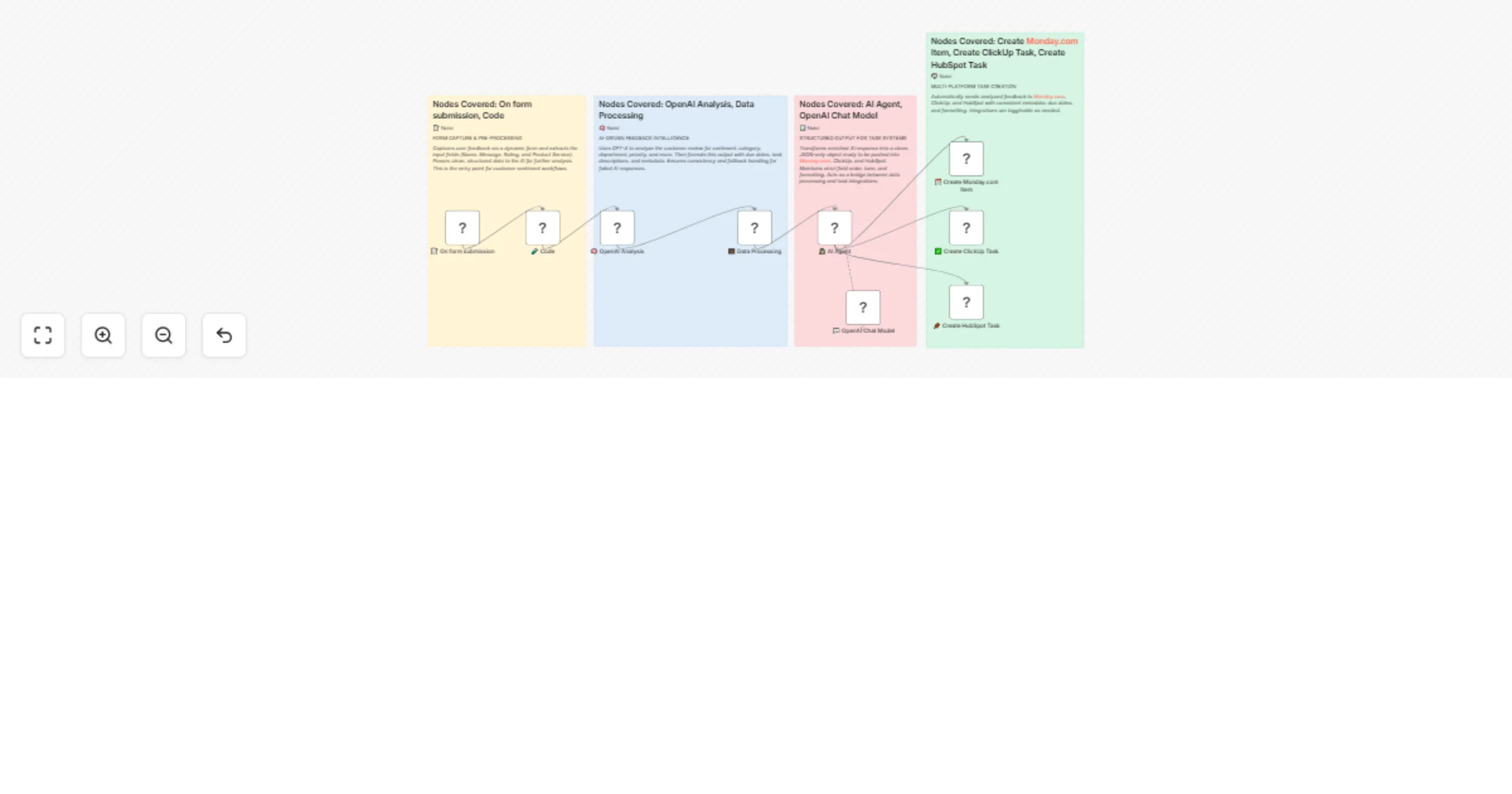
Trigger & Input
The workflow starts when a customer submits the Feedback Form containing their Name, Message, Rating, and Product/Service.
The submitted data is pre-processed with a Code node to cleanly extract fields for analysis.
AI Analysis & Processing
The extracted review is sent to OpenAI GPT-4 for analysis.
AI identifies sentiment, sentiment score, category (e.g., product, service, support, delivery, pricing), department, priority, required actions, keywords, and suggested response tone.
A Data Processing node enriches the output with due dates, task titles, structured descriptions, and fallback handling in case of parsing issues.
Structured Output Generation
An AI Agent and OpenAI Chat model transform the enriched data into a strict JSON format that is compatible with Monday.com, ClickUp, and HubSpot.
This ensures consistent field order, formatting, and metadata for all downstream integrations.
Task Creation in Platforms
The structured task data is automatically pushed to:
Monday.com → Creates an item in a specified board.
ClickUp → Creates a task with mapped fields and priority.
HubSpot → Creates an engagement task in CRM with due date and priority.
Automates end-to-end customer feedback analysis and task creation.
Ensures structured, AI-driven insights for actionable responses.
Reduces manual work in categorizing and assigning reviews.
Keeps customer feedback synchronized across multiple platforms (Monday.com, ClickUp, HubSpot).
Improves response time by prioritizing high-impact feedback with due dates.
This catalog entry is organized from the workflow JSON. The node-level section below shows the executable blocks available for review before importing the template.
| Workflow | Analyze form feedback with GPT-4 & sync tasks to Monday, ClickUp & HubSpot |
|---|---|
| Complexity | intermediate |
| Nodes | 13 |
| Categories | AI Summarization, Multimodal AI |
| Author | Avkash Kakdiya |
| Published | 22 Aug 2025 |
Use the JSON export at /data/workflows/7721/7721.json as the source template for this automation.
Open n8n, import the downloaded JSON, and review each node before activating the workflow.
Replace placeholder credentials, API keys, webhook URLs, account IDs, and environment-specific values with your own settings.
Run the workflow manually or in a staging workspace, inspect node output, and confirm downstream systems receive the expected data.
Enable the workflow only after testing, then monitor executions, errors, and rate limits during the first production runs.
Review imported nodes carefully before activation. This catalog entry is intended to help you inspect the workflow structure, understand required services, and find related templates faster.
Node names, credentials, schedules, webhook paths, and external service limits may need adjustment for your workspace.
How it works This workflow automates customer feedback management by capturing reviews through a form, analyzing them with AI for sentiment and insights, and then creating structured tasks across M...
Review the workflow JSON, configure any required credentials in n8n, and test the automation in a safe workspace before using it in production.
Yes. Use the block-by-block analysis and the downloadable JSON to inspect each node, then adjust credentials, prompts, schedules, filters, or destinations for your AI Summarization, Multimodal AI use case.