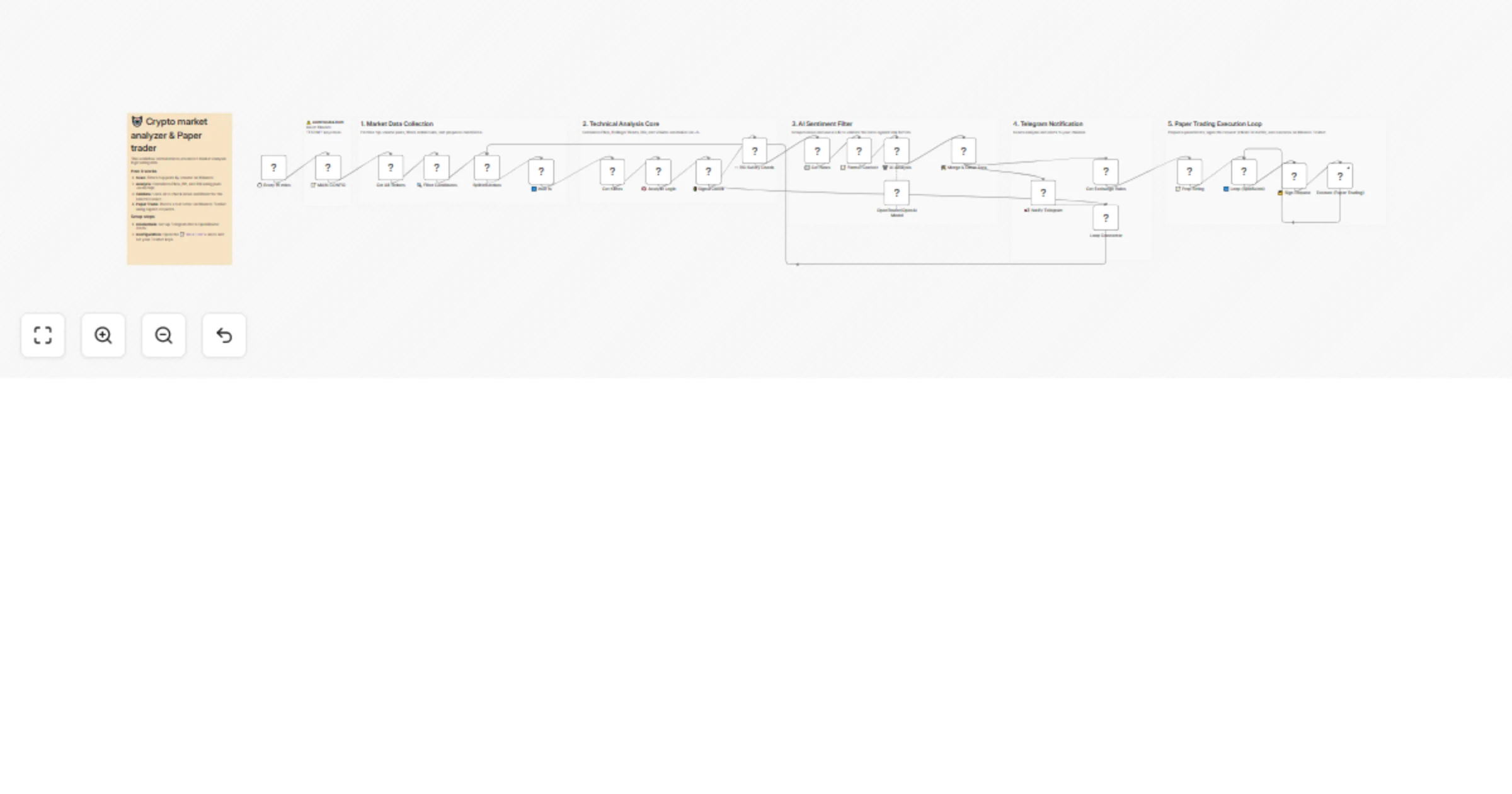
Analyze Binance Futures markets with TA indicators, OpenAI news checks, and Telegram alerts

Workflow preview

Workflow preview
100%
Analyze Binance Futures markets with TA indicators, OpenAI news checks, and Telegram alerts preview
Open on n8n.io

1. Workflow Overview

This workflow acts as an automated market analyst for educational purposes. It scans Binance Futures (Testnet) for high volume pairs, applies custom technical analysis (RSI, Bollinger Bands, EMA, A...

Best for

  • Crypto Trading automation workflows
  • AI Summarization automation workflows
  • advanced n8n builders looking for reusable templates

Tools used

n8n-nodes-base.httprequest, n8n-nodes-base.code, n8n-nodes-base.crypto, n8n-nodes-base.splitinbatches, n8n-nodes-base.noop, n8n-nodes-base.telegram, @n8n/n8n-nodes-langchain.lmchatopenrouter, @n8n/n8n-nodes-langchain.chainllm

Source and attribution

This workflow is cataloged by N8N Workflows and links back to its original n8n.io source page by Vadim Mubi.

Original n8n.io source

1.1 Workflow description

Title
Analyze Binance Futures markets with TA indicators, OpenAI news checks, and Telegram alerts
Workflow name
Analyze Binance Futures markets with TA indicators, OpenAI news checks, and Telegram alerts

This workflow acts as an automated market analyst for educational purposes. It scans Binance Futures (Testnet) for high-volume pairs, applies custom technical analysis (RSI, Bollinger Bands, EMA, ATR) using JavaScript, and uses AI to validate trends against recent news sentiment.

It is designed for paper trading to demonstrate how to build advanced financial logic and adaptive risk management systems in n8n without risking real funds.

πŸ’‘ Why use this?

  • Smart Scanning: Automatically filters top 150 pairs by volume and excludes stablecoins to find active markets.
  • Dynamic Risk Management: Uses ATR (Average True Range) to calculate adaptive Stop Loss and Take Profit levels based on current market volatility.
  • Custom Technical Analysis: Demonstrates how to calculate complex indicators via a Function node, eliminating the need for paid TA APIs.
  • AI Sentiment Filter: Scrapes recent news and uses an LLM (OpenAI) to "vet" the technical signal against potential FUD or risks.
  • Secure Execution: Shows how to sign HMAC SHA256 requests manually to interact with the Binance Futures API.

βš™οΈ How it works

  1. Filter: Runs every 15 minutes to find liquid assets on Binance.
  2. Calculate: Computes indicators (EMA 200, BB, RSI) and defines Entry/Exit points using ATR logic.
  3. Validate: If a technical signal matches, it fetches news and asks AI: "Is there any breaking news that contradicts this trade?"
  4. Execute: If AI returns "CONFIRM", it posts the detailed analysis to Telegram and places a paper trade order on the Testnet.

πŸ›  Setup Steps

  1. Binance Testnet: Create a free account on Binance Futures Testnet and generate API keys.
  2. Configuration: Open the πŸ“ MAIN CONFIG node and enter your Testnet Keys and Telegram Channel ID.
  3. Credentials: Add your OpenAI (or OpenRouter) credentials to the AI node.

> Disclaimer: This workflow connects to the Binance Testnet by default. It is intended for educational purposes only. The author and n8n are not responsible for financial decisions.

1.2 Logical Blocks

This catalog entry is organized from the workflow JSON. The node-level section below shows the executable blocks available for review before importing the template.

2. Block-by-Block Analysis

Block 1 - Get Exchange Rules

Type / Role
n8n-nodes-base.httpRequest - httpRequest
Config choices
Version 4.3

Block 2 - πŸ›‘ RSI Safety Check.

Type / Role
n8n-nodes-base.code - code
Config choices
Version 2

Block 3 - Execute (Paper Trading)

Type / Role
n8n-nodes-base.httpRequest - httpRequest
Config choices
Version 4.1

Block 4 - πŸ” Sign Request

Type / Role
n8n-nodes-base.crypto - crypto
Config choices
Version 1

Block 5 - πŸ”„ Loop (SplitBatch)

Type / Role
n8n-nodes-base.splitInBatches - splitInBatches
Config choices
Version 3

Block 6 - Loop Connector

Type / Role
n8n-nodes-base.noOp - noOp
Config choices
Version 1

Block 7 - πŸ“’ Notify Telegram

Type / Role
n8n-nodes-base.telegram - telegram
Config choices
Version 1.2

Block 8 - πŸ› οΈ Merge & Clean Data

Type / Role
n8n-nodes-base.code - code
Config choices
Version 2

Block 9 - OpenRouter/OpenAI Model

Type / Role
@n8n/n8n-nodes-langchain.lmChatOpenRouter - lmChatOpenRouter
Config choices
Version 1

Block 10 - πŸ€– AI Analysis

Type / Role
@n8n/n8n-nodes-langchain.chainLlm - chainLlm
Config choices
Version 1.7

Block 11 - πŸ“ Format Context

Type / Role
n8n-nodes-base.code - code
Config choices
Version 2

Block 12 - πŸ“° Get News

Type / Role
n8n-nodes-base.httpRequest - httpRequest
Config choices
Version 4.1

Block 13 - 🚦 Signal Check

Type / Role
n8n-nodes-base.if - if
Config choices
Version 1

Block 14 - 🧠 Analyze Logic

Type / Role
n8n-nodes-base.code - code
Config choices
Version 2

Block 15 - Get Klines

Type / Role
n8n-nodes-base.httpRequest - httpRequest
Config choices
Version 4.1

Block 16 - ⏸️ Wait 1s

Type / Role
n8n-nodes-base.wait - wait
Config choices
Version 1

Block 17 - SplitInBatches

Type / Role
n8n-nodes-base.splitInBatches - splitInBatches
Config choices
Version 3

Block 18 - πŸ” Filter Candidates

Type / Role
n8n-nodes-base.code - code
Config choices
Version 2

Block 19 - Get All Tickers

Type / Role
n8n-nodes-base.httpRequest - httpRequest
Config choices
Version 4.1

Block 20 - πŸ“ MAIN CONFIG

Type / Role
n8n-nodes-base.set - set
Config choices
Version 2

Block 21 - ⏱️ Every 15 mins

Type / Role
n8n-nodes-base.scheduleTrigger - scheduleTrigger
Config choices
Version 1.1

Block 22 - Main Sticky

Type / Role
n8n-nodes-base.stickyNote - stickyNote
Config choices
Version 1

Block 23 - Warning Sticky

Type / Role
n8n-nodes-base.stickyNote - stickyNote
Config choices
Version 1

Block 24 - Sticky Note5

Type / Role
n8n-nodes-base.stickyNote - stickyNote
Config choices
Version 1

Showing the first 24 of 29 workflow blocks. Download the JSON for the full node graph.

3. Summary Table

Workflow Analyze Binance Futures markets with TA indicators, OpenAI news checks, and Telegram alerts
Complexity advanced
Nodes 29
Categories Crypto Trading, AI Summarization
Author Vadim Mubi
Published 26 Jan 2026

4. Reproducing the Workflow from Scratch

  1. 1. Download the workflow JSON

    Use the JSON export at /data/workflows/13011/13011.json as the source template for this automation.

  2. 2. Import the template into n8n

    Open n8n, import the downloaded JSON, and review each node before activating the workflow.

  3. 3. Configure credentials and variables

    Replace placeholder credentials, API keys, webhook URLs, account IDs, and environment-specific values with your own settings.

  4. 4. Test with sample data

    Run the workflow manually or in a staging workspace, inspect node output, and confirm downstream systems receive the expected data.

  5. 5. Activate and monitor

    Enable the workflow only after testing, then monitor executions, errors, and rate limits during the first production runs.

5. General Notes & Resources

Review imported nodes carefully before activation. This catalog entry is intended to help you inspect the workflow structure, understand required services, and find related templates faster.

Node names, credentials, schedules, webhook paths, and external service limits may need adjustment for your workspace.

Frequently asked questions

What does Analyze Binance Futures markets with TA indicators, OpenAI news checks, and Telegram alerts do?

This workflow acts as an automated market analyst for educational purposes. It scans Binance Futures (Testnet) for high volume pairs, applies custom technical analysis (RSI, Bollinger Bands, EMA, A...

What do I need before importing this workflow?

Review the workflow JSON, configure any required credentials in n8n, and test the automation in a safe workspace before using it in production.

Can I customize this workflow?

Yes. Use the block-by-block analysis and the downloadable JSON to inspect each node, then adjust credentials, prompts, schedules, filters, or destinations for your Crypto Trading, AI Summarization use case.