AI research agents to automate PDF analysis with Mistral’s best-in-class OCR

Workflow preview

Workflow preview
100%
AI research agents to automate PDF analysis with Mistral’s best-in-class OCR preview
Open on n8n.io

Important notice

This workflow is provided as-is. Please review and test before using in production.

1. Workflow Overview

Overview Mistral OCR is a cutting edge document understanding API that improves how businesses extract and process information from complex documents. With top scores in benchmarks for accuracy and...

Best for

  • Document Extraction automation workflows
  • AI Summarization automation workflows
  • advanced n8n builders looking for reusable templates

Tools used

n8n-nodes-base.stickynote, n8n-nodes-base.merge, n8n-nodes-base.code, @n8n/n8n-nodes-langchain.agent, n8n-nodes-base.splitout, @n8n/n8n-nodes-langchain.chainllm, n8n-nodes-base.gmail, n8n-nodes-base.executeworkflowtrigger

Source and attribution

This workflow is cataloged by N8N Workflows and links back to its original n8n.io source page by Derek Cheung.

Original n8n.io source

1.1 Workflow description

Title
AI research agents to automate PDF analysis with Mistral’s best-in-class OCR
Workflow name
AI research agents to automate PDF analysis with Mistral’s best-in-class OCR

Overview

Mistral OCR is a cutting-edge document understanding API that improves how businesses extract and process information from complex documents. With top scores in benchmarks for accuracy and comprehension capabilities, Mistral OCR handles multi-column text, charts, diagrams, and multiple languages.

This workflow uses Mistral's Document understanding OCR API to automatically turns dense PDFs (such as financial reports) into either deep research reports or concise newsletters

Key Features

  • Superior Document Understanding: Processes complex documents with high-fidelity rendering
  • Multi-Format Support: Handles PDFs containing text, images, charts, and diagrams
  • Multilingual Capabilities: Accurately processes documents in various languages
  • Seamless API Integration: Easy implementation through cloud-based API
  • Customizable Research Depth: Generate comprehensive 8-page reports or concise 1,750-word newsletters

How It Works

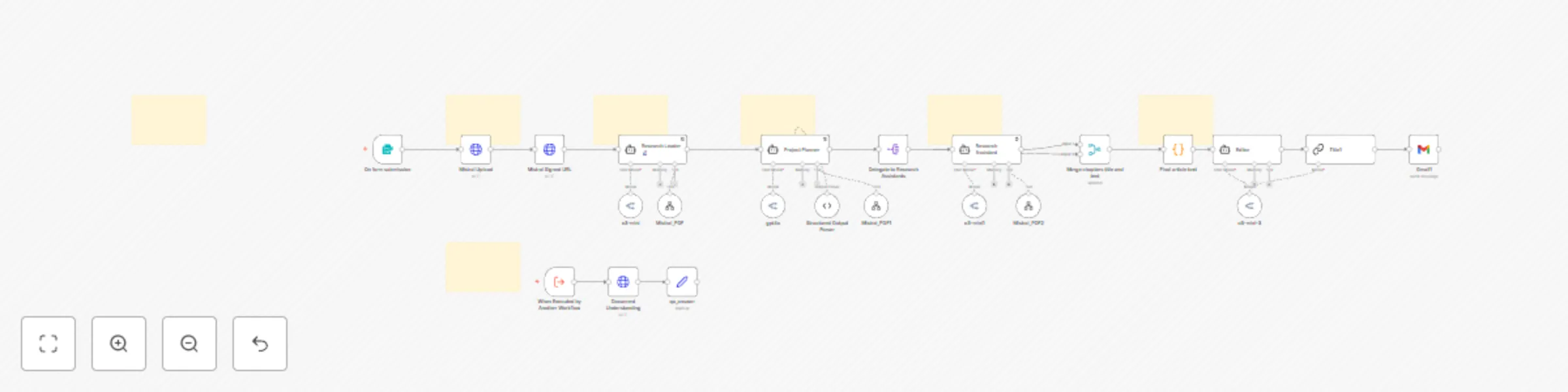
  1. Document Upload: Submit your PDF through an n8n form interface.

  2. Output Format Selection: Choose between comprehensive deep research (3,500 words) or Concise newsletter (1,750 words)

  3. Custom Instructions: Tailor the analysis by adding specific focus areas (e.g., quantitative data, growth catalysts).

  4. AI Processing: The document undergoes multi-stage AI analysis: OCR and text extraction using Mistral AI and Content structuring and summarization using GPT models

Agents:

  • Research Leader: Plans and conducts initial research, creating a table of contents.
  • Project Planner: Breaks down the table of contents into manageable sections.
  • Research Assistants: Multiple agents that conduct in-depth research on assigned sections.
  • Editor: Compiles and refines the final article, ensuring coherence and proper citations.

Setup

  1. API Key Acquisition:
  • Obtain an API key from OpenRouter.ai
  • Get an API key from Mistral.ai
  1. n8n Configuration:
  • In your n8n instance, navigate to the credentials section.
  • Create new credentials for OpenRouter and Mistral, inputting the respective API keys.
  1. Form Configuration:
  • Customize the input form fields if needed (e.g., adding company-specific options).

  • Output Customization: Adjust the word count parameters in the Project Planner node to change output length.

1.2 Logical Blocks

This catalog entry is organized from the workflow JSON. The node-level section below shows the executable blocks available for review before importing the template.

2. Block-by-Block Analysis

Block 1 - Sticky Note

Type / Role
n8n-nodes-base.stickyNote - stickyNote
Config choices
Version 1

Block 2 - Merge chapters title and text

Type / Role
n8n-nodes-base.merge - merge
Config choices
Version 2.1

Block 3 - Final article text

Type / Role
n8n-nodes-base.code - code
Config choices
Version 1

Block 4 - Research Leader 🔬

Type / Role
@n8n/n8n-nodes-langchain.agent - agent
Config choices
Version 1.6

Block 5 - Delegate to Research Assistants

Type / Role
n8n-nodes-base.splitOut - splitOut
Config choices
Version 1

Block 6 - Research Assistant

Type / Role
@n8n/n8n-nodes-langchain.agent - agent
Config choices
Version 1.6

Block 7 - Project Planner

Type / Role
@n8n/n8n-nodes-langchain.agent - agent
Config choices
Version 1.6

Block 8 - Sticky Note6

Type / Role
n8n-nodes-base.stickyNote - stickyNote
Config choices
Version 1

Block 9 - Sticky Note1

Type / Role
n8n-nodes-base.stickyNote - stickyNote
Config choices
Version 1

Block 10 - Sticky Note2

Type / Role
n8n-nodes-base.stickyNote - stickyNote
Config choices
Version 1

Block 11 - Sticky Note3

Type / Role
n8n-nodes-base.stickyNote - stickyNote
Config choices
Version 1

Block 12 - Title1

Type / Role
@n8n/n8n-nodes-langchain.chainLlm - chainLlm
Config choices
Version 1.4

Block 13 - Gmail1

Type / Role
n8n-nodes-base.gmail - gmail
Config choices
Version 2.1

Block 14 - Editor

Type / Role
@n8n/n8n-nodes-langchain.agent - agent
Config choices
Version 1.6

Block 15 - Sticky Note7

Type / Role
n8n-nodes-base.stickyNote - stickyNote
Config choices
Version 1

Block 16 - When Executed by Another Workflow

Type / Role
n8n-nodes-base.executeWorkflowTrigger - executeWorkflowTrigger
Config choices
Version 1.1

Block 17 - Document Understanding

Type / Role
n8n-nodes-base.httpRequest - httpRequest
Config choices
Version 4.2

Block 18 - Mistral Upload

Type / Role
n8n-nodes-base.httpRequest - httpRequest
Config choices
Version 4.2

Block 19 - Mistral Signed URL

Type / Role
n8n-nodes-base.httpRequest - httpRequest
Config choices
Version 4.2

Block 20 - Mistral_PDF

Type / Role
@n8n/n8n-nodes-langchain.toolWorkflow - toolWorkflow
Config choices
Version 2

Block 21 - Structured Output Parser

Type / Role
@n8n/n8n-nodes-langchain.outputParserStructured - outputParserStructured
Config choices
Version 1.2

Block 22 - Mistral_PDF1

Type / Role
@n8n/n8n-nodes-langchain.toolWorkflow - toolWorkflow
Config choices
Version 2

Block 23 - Mistral_PDF2

Type / Role
@n8n/n8n-nodes-langchain.toolWorkflow - toolWorkflow
Config choices
Version 2

Block 24 - On form submission

Type / Role
n8n-nodes-base.formTrigger - formTrigger
Config choices
Version 2.2

Showing the first 24 of 30 workflow blocks. Download the JSON for the full node graph.

3. Summary Table

Workflow AI research agents to automate PDF analysis with Mistral’s best-in-class OCR
Complexity advanced
Nodes 30
Categories Document Extraction, AI Summarization
Author Derek Cheung
Published 19 Mar 2025

4. Reproducing the Workflow from Scratch

  1. 1. Download the workflow JSON

    Use the JSON export at /data/workflows/3223/3223.json as the source template for this automation.

  2. 2. Import the template into n8n

    Open n8n, import the downloaded JSON, and review each node before activating the workflow.

  3. 3. Configure credentials and variables

    Replace placeholder credentials, API keys, webhook URLs, account IDs, and environment-specific values with your own settings.

  4. 4. Test with sample data

    Run the workflow manually or in a staging workspace, inspect node output, and confirm downstream systems receive the expected data.

  5. 5. Activate and monitor

    Enable the workflow only after testing, then monitor executions, errors, and rate limits during the first production runs.

5. General Notes & Resources

Review imported nodes carefully before activation. This catalog entry is intended to help you inspect the workflow structure, understand required services, and find related templates faster.

Node names, credentials, schedules, webhook paths, and external service limits may need adjustment for your workspace.

Frequently asked questions

What does AI research agents to automate PDF analysis with Mistral’s best-in-class OCR do?

Overview Mistral OCR is a cutting edge document understanding API that improves how businesses extract and process information from complex documents. With top scores in benchmarks for accuracy and...

What do I need before importing this workflow?

Review the workflow JSON, configure any required credentials in n8n, and test the automation in a safe workspace before using it in production.

Can I customize this workflow?

Yes. Use the block-by-block analysis and the downloadable JSON to inspect each node, then adjust credentials, prompts, schedules, filters, or destinations for your Document Extraction, AI Summarization use case.