Block 1 - 🧾 Typeform Trigger
- Type / Role
- n8n-nodes-base.typeformTrigger - typeformTrigger
- Config choices
- Version 1


 Early Deal
This workflow is provided as-is. Please review and test before using in production.
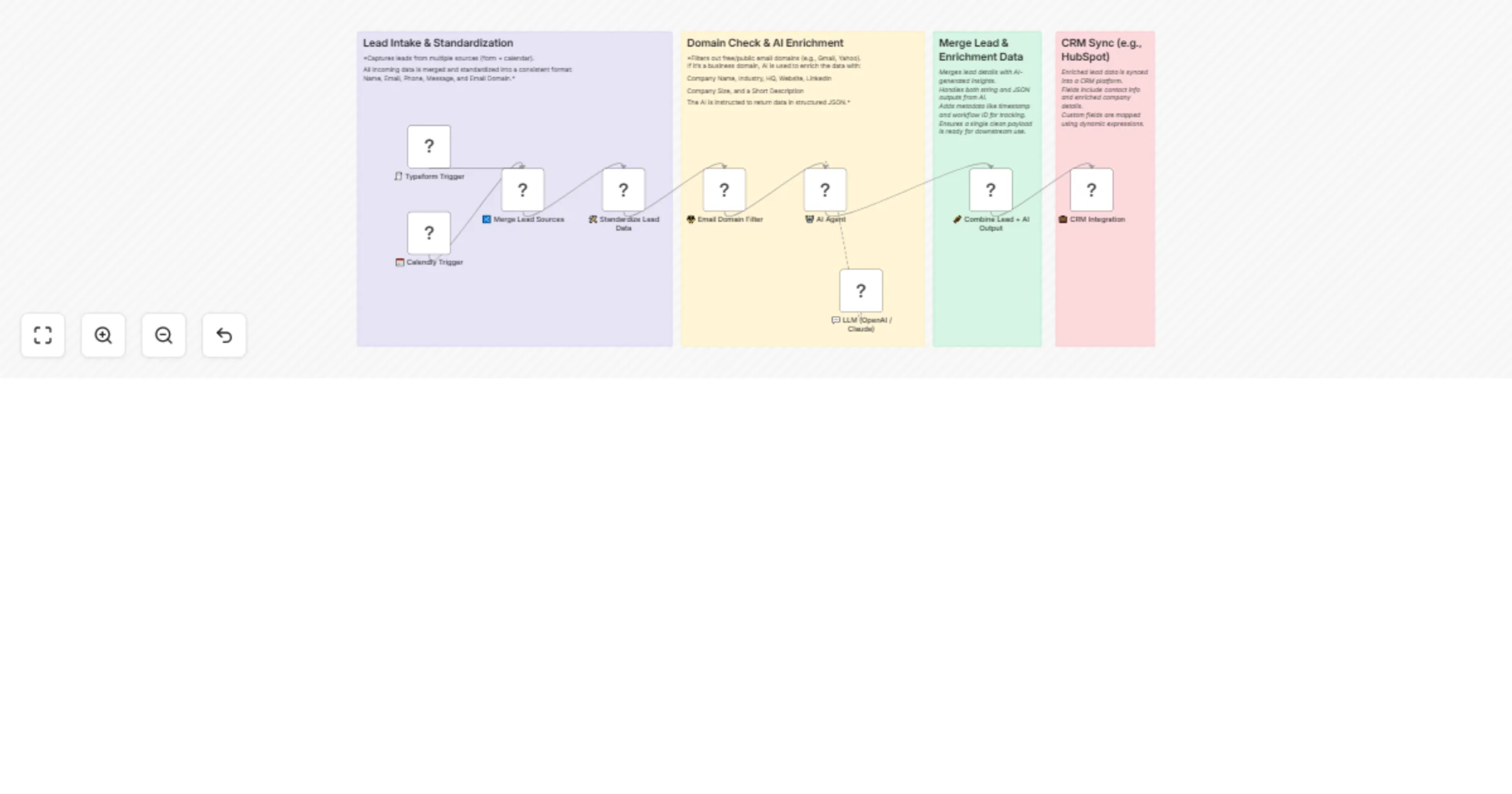
How it works This workflow starts whenever a new lead comes in through Typeform (form submission) or Calendly (meeting booking). It captures the lead’s information, standardizes it into a clean for...
n8n-nodes-base.typeformtrigger, n8n-nodes-base.calendlytrigger, n8n-nodes-base.merge, n8n-nodes-base.code, n8n-nodes-base.stickynote, n8n-nodes-base.if, @n8n/n8n-nodes-langchain.agent, @n8n/n8n-nodes-langchain.lmchatopenai
This workflow is cataloged by N8N Workflows and links back to its original n8n.io source page by Avkash Kakdiya.
Original n8n.io sourceThis workflow starts whenever a new lead comes in through Typeform (form submission) or Calendly (meeting booking). It captures the lead’s information, standardizes it into a clean format, and checks the email domain. If it’s a business domain, the workflow uses AI to enrich the lead with company details such as industry, headquarters, size, and website. Finally, it merges all the data and automatically saves the enriched contact in HubSpot CRM.
Capture Leads
The workflow listens for new form responses in Typeform or new invitees in Calendly.
Both sources are merged into a single stream of leads.
Standardize Data
Filter Domains
Checks the email domain.
If it’s a free/public domain (like Gmail or Yahoo), the lead is ignored.
If it’s a business domain, the workflow continues.
AI Company Enrichment
Sends the domain to an AI Agent (OpenAI GPT-4o-mini).
AI returns structured company details:
Company Name
Industry
Headquarters (city & country)
Employee Count
Website
LinkedIn Profile
Short Company Description
Merge Lead & AI Data
Combines the original lead details with the AI-enriched company information.
Adds metadata like timestamp and workflow ID.
Save to HubSpot CRM
Creates or updates a contact record in HubSpot.
Maps enriched fields like company name, LinkedIn, website, and description.
Automatically enriches every qualified lead with valuable company intelligence.
Filters out unqualified leads with personal email addresses.
Keeps your CRM updated without manual research.
Saves time by centralizing lead capture, enrichment, and CRM sync in one flow.
Helps sales teams focus on warm, high-value prospects instead of raw, unverified leads.
This catalog entry is organized from the workflow JSON. The node-level section below shows the executable blocks available for review before importing the template.
| Workflow | AI-powered lead enrichment from Typeform & Calendly to HubSpot CRM |
|---|---|
| Complexity | intermediate |
| Nodes | 13 |
| Categories | AI Summarization, Multimodal AI |
| Author | Avkash Kakdiya |
| Published | 18 Aug 2025 |
Use the JSON export at /data/workflows/7537/7537.json as the source template for this automation.
Open n8n, import the downloaded JSON, and review each node before activating the workflow.
Replace placeholder credentials, API keys, webhook URLs, account IDs, and environment-specific values with your own settings.
Run the workflow manually or in a staging workspace, inspect node output, and confirm downstream systems receive the expected data.
Enable the workflow only after testing, then monitor executions, errors, and rate limits during the first production runs.
Review imported nodes carefully before activation. This catalog entry is intended to help you inspect the workflow structure, understand required services, and find related templates faster.
Node names, credentials, schedules, webhook paths, and external service limits may need adjustment for your workspace.
How it works This workflow starts whenever a new lead comes in through Typeform (form submission) or Calendly (meeting booking). It captures the lead’s information, standardizes it into a clean for...
Review the workflow JSON, configure any required credentials in n8n, and test the automation in a safe workspace before using it in production.
Yes. Use the block-by-block analysis and the downloadable JSON to inspect each node, then adjust credentials, prompts, schedules, filters, or destinations for your AI Summarization, Multimodal AI use case.