Block 1 - Telegram
- Type / Role
- n8n-nodes-base.telegram - telegram
- Config choices
- Version 1.2


 Early Deal
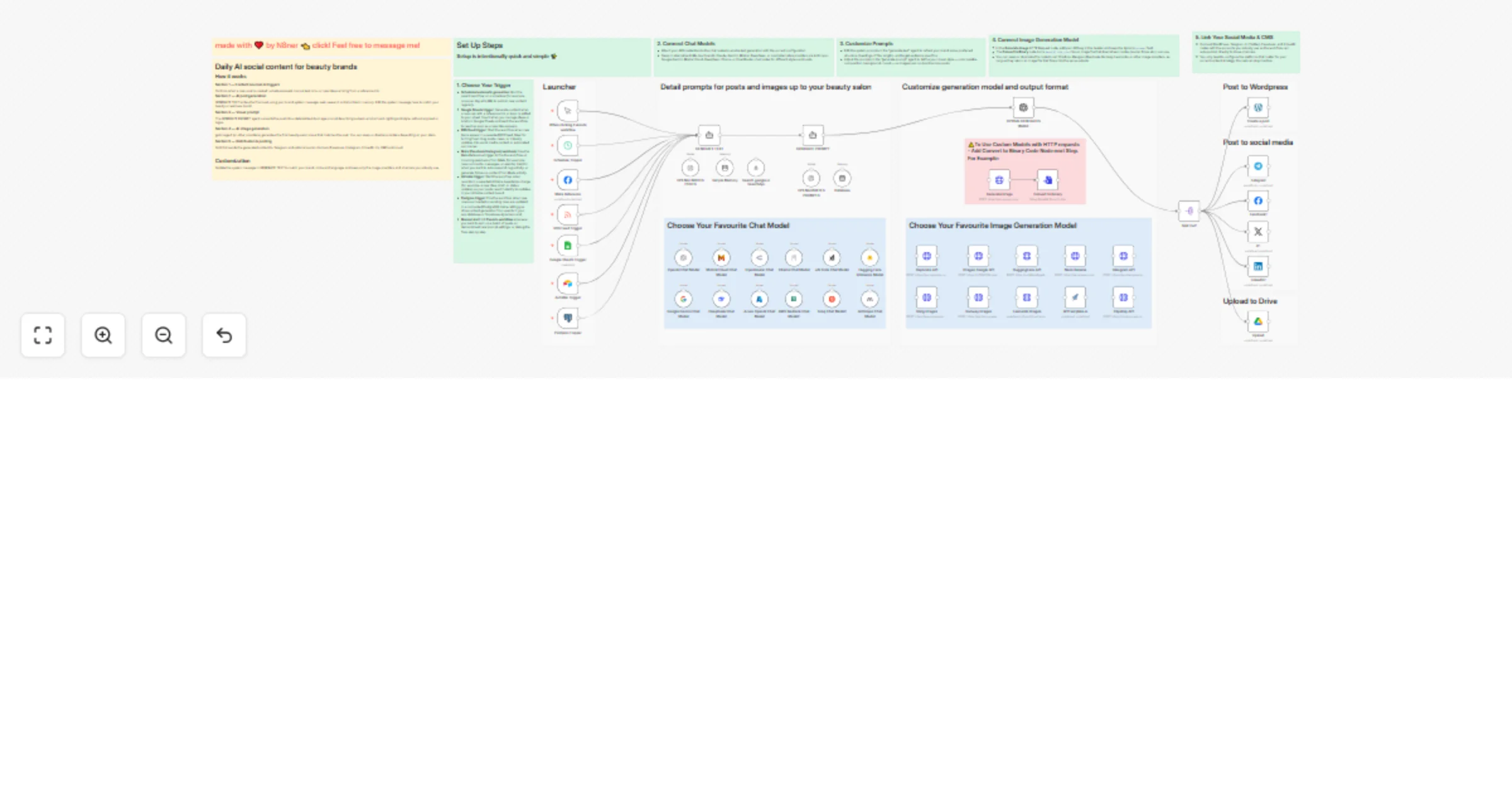
AI Agents Generate Content & Automate Posting for Beauty Salon Social Media Who Is This For? This workflow is for beauty salons who want consist...
n8n-nodes-base.telegram, n8n-nodes-base.scheduletrigger, n8n-nodes-base.manualtrigger, n8n-nodes-base.googlesheetstrigger, @n8n/n8n-nodes-langchain.agent, @n8n/n8n-nodes-langchain.openai, @n8n/n8n-nodes-langchain.lmchatopenai, @searchapi/n8n-nodes-searchapi.searchapitool
This workflow is cataloged by N8N Workflows and links back to its original n8n.io source page by N8ner.
Original n8n.io sourceThis workflow is for beauty salons who want consistent, high‐quality social media content without writing every post manually. It also suits agencies and automation builders who manage multiple beauty brands and want a reusable, AI‐driven posting system they can adapt per client.
Many beauty businesses struggle to post regularly because research, copywriting, and design all take time and marketing skills. This workflow automates research, writing, image creation, and posting, so your channels stay active and relevant while you focus on clients and services.
Scheduled automatic generation: Run the parent workflow on a schedule (for example, once per day at 9 AM) to publish new content regularly.
Google Sheets trigger: Generate content when a new row with a reference link or topic is added to your sheet. Use it when you manage ideas or briefs in Google Sheets and want the workflow to react as soon as a new idea appears.
RSS Feed trigger: Start the workflow when new items appear in a selected RSS feed. Ideal for turning fresh blog posts, news, or industry updates into social media content or automated summaries.
Meta (Facebook/Instagram) webhook: Use the Meta Reference trigger to fire the workflow on incoming webhooks from Meta (for example, new comments, messages, or events). Helpful when you want to auto‐respond, log activity, or generate follow‐up content from Meta activity.
Airtable trigger: Start the workflow when records in a selected Airtable base/table change (for example, a new idea, brief, or status update), so your posts react instantly to updates in your Airtable content board.
Postgres trigger: Fire the workflow when new rows are inserted or existing rows are updated in a connected PostgreSQL table, letting you drive content generation from events in your app database or Supabase‐style back end.
Manual start: Hit Execute workflow whenever you want to spin up a batch of posts on demand, test new prompt settings, or debug the flow step by step.
GENERATE TEXT agent calls Tavily to gather fresh information on the topic. GENERATE PROMPT agent converts the post into a single, clear description of the scene (client, service, salon interior, lighting, mood) with a strict “no text on image” rule. Split Out node fans out the result so Telegram receives a photo post with the generated caption. Brand voice
Edit the system message in the GENERATE TEXT node to adjust tone (luxury, friendly, clinical, playful), language, services, and city.
Update the final address and phone line to match your salon details.
Topics and triggers
Point the Google Sheets Trigger to your own document ID, sheet, and columns for ideas, links, or campaign themes.
Use the Schedule Trigger for fully automatic posting or rely on the Manual Trigger for controlled, batch generation sessions.
Models and providers
Swap GPT‐5 llm and the default image model for alternatives such as Mistral, Gemini, Anthropic, DeepSeek, or custom HTTP image APIs by enabling the corresponding nodes and adding credentials.
Channels and outputs
Connect or remove social nodes after Split Out depending on which platforms you actively use.
Add extra processing steps (for example resizing images or adding UTM parameters) before each channel if needed.
Visual style
Tweak the GENERATE PROMPT instructions to control composition (close‐up vs. full‐body), color palette, lighting, and overall salon aesthetic, while keeping the constraint of no text or logos in the image.
This catalog entry is organized from the workflow JSON. The node-level section below shows the executable blocks available for review before importing the template.
Showing the first 24 of 63 workflow blocks. Download the JSON for the full node graph.
| Workflow | 💅 AI Agents Generate Content & Automate Posting for Beauty Salon Social Media 📲 |
|---|---|
| Complexity | advanced |
| Nodes | 63 |
| Categories | Content Creation, Multimodal AI |
| Author | N8ner |
| Published | 20 Jan 2026 |
Use the JSON export at /data/workflows/12834/12834.json as the source template for this automation.
Open n8n, import the downloaded JSON, and review each node before activating the workflow.
Replace placeholder credentials, API keys, webhook URLs, account IDs, and environment-specific values with your own settings.
Run the workflow manually or in a staging workspace, inspect node output, and confirm downstream systems receive the expected data.
Enable the workflow only after testing, then monitor executions, errors, and rate limits during the first production runs.
Review imported nodes carefully before activation. This catalog entry is intended to help you inspect the workflow structure, understand required services, and find related templates faster.
Node names, credentials, schedules, webhook paths, and external service limits may need adjustment for your workspace.
AI Agents Generate Content & Automate Posting for Beauty Salon Social Media Who Is This For? This workflow is for beauty salons who want consist...
Review the workflow JSON, configure any required credentials in n8n, and test the automation in a safe workspace before using it in production.
Yes. Use the block-by-block analysis and the downloadable JSON to inspect each node, then adjust credentials, prompts, schedules, filters, or destinations for your Content Creation, Multimodal AI use case.