Crypto Trading Workflows

Generate intraday AAPL trade signals using live data, OpenAI, Telegram and Notion
## 📘 Description This workflow automates short-interval market signal evaluation for intraday trading using live technical indicators and deterministic decision logic. It is designed for traders, analysts, and automation teams who want fast, auditable trade signals without manual chart monitoring or subjective interpretation. On a fixed 5-minute schedule, the workflow fetches live price, volume, RSI, and EMA data for AAPL and combines them into a unified market snapshot. A deterministic computation layer derives clear trend and momentum signals, ensuring indicator logic remains transparent and non-AI. These signals are then evaluated by a strict, rule-based AI decision engine that returns a structured verdict—APPROVE, WAIT, or REJECT—along with confidence and a concise reason. Trade decisions are routed instantly to Telegram for real-time visibility and logged to Notion for historical analysis and auditability. Built-in error handling ensures any workflow failure is reported immediately. ## ⚠️ Deployment Disclaimer This workflow is intended for self-hosted n8n instances only. It relies on frequent polling, external market data APIs, and advanced AI agent orchestration not suitable for n8n Cloud. ⚙️ What This Workflow Does (Step-by-Step) ⏰ Scheduled Market Data Polling Runs automatically every 5 minutes to capture fresh market data. 📡 Fetch Live Market Indicators Pulls AAPL price, volume, RSI, and EMA from the market data provider. 🔗 Merge Indicator Streams Combines all indicators into a synchronized market snapshot. 🧮 Compute Trend & Momentum (Deterministic) Derives bullish, bearish, or neutral signals using fixed logic—no AI. 🧠 Evaluate Trade Decision (AI) Applies strict rule-based logic to return verdict, confidence, and reason. 🔀 Route Trade by Verdict Separates approved vs non-approved signals automatically. 📣 Send Telegram Trade Alerts Delivers real-time trade decisions directly to Telegram. 🗂 Log Decisions to Notion Stores every verdict for tracking, analysis, and audit. 🚨 Workflow Error Handler → Email Alert Sends immediate notifications if any step fails. ## 🧩 Prerequisites • Self-hosted n8n instance • Market data API (e.g., Twelve Data) • OpenAI API credentials • Telegram Bot API • Notion API access ## 💡 Key Benefits ✔ Fully automated intraday signal monitoring ✔ Transparent, auditable indicator calculations ✔ Strict, deterministic AI decision logic ✔ Real-time Telegram alerts without opening n8n ✔ Centralized trade history in Notion ✔ Reliable error detection and reporting ## 👥 Perfect For Active traders and market analysts Quant and rule-based trading teams Automation engineers building trading assistants Founders prototyping decision-support trading systems

Analyze crypto markets with CoinGecko MCP and C1
## Analyze crypto markets with interactive graphs using CoinGecko and C1 by Thesys This n8n template can answer questions about **real-time prices, market moves, trending coins, and token details** with **interactive UI in real time** (cards, charts, buttons) instead of plain text using C1 by Thesys. Data is fetched through the **CoinGecko Free MCP tool**. ### [Check out a working demo of this template here](https://www.thesys.dev/n8n?url=https://www.thesys.dev/n8n?url=https%3A%2F%2Fasd2224.app.n8n.cloud%2Fwebhook%2F51638b0c-7765-4fa8-9b95-a0422128e203%2Fchat). ### What this workflow does 1. A user sends a message in the **n8n Chat** UI (public chat trigger). 2. The **AI Agent** interprets the request. 3. The agent calls **CoinGecko Free MCP** to fetch market data (prices, coins, trending, etc.). 4. The model responds through **C1 by Thesys** with a **streaming, UI** answer. ### Example prompts you can try right away Copy/paste any of these into the chat: - “What’s the current price of Bitcoin and Ethereum?” - “Give me today’s market summary: total market cap, BTC dominance, top gainers/losers.” - “Compare ETH vs SOL over 30 days with a chart.” > Note: This template is for information and visualization, not financial advice. ### How it works 1. User sends a prompt 2. C1 model based on prompt will use CoinGecko MCP to fetch live data 3. C1 Model generates a UI Schema Response 4. Schema is rendered as UI using Thesys GenUI SDK on the frontend ### Setup Make sure you have the following: #### 1️⃣ Thesys API Key You’ll need an API key to authenticate and use Thesys services. 👉 Get your key [here](https://console.thesys.dev/keys) ### What is C1 by Thesys? C1 by [Thesys](https://www.thesys.dev/) is an API middleware that augments LLMs to respond with **interactive UI (charts, buttons, forms)** in real time instead of text. ### Facing setup issues? #### If you get stuck or have questions: - #### 💬 Join the [Thesys Community](https://discord.com/invite/Pbv5PsqUSv) - #### 📧 Email support: [email protected]

Analyze stock sentiment with GPT-4o and create Asana tasks with Slack alerts
 ## 📘 Description This workflow analyzes real-time stock market sentiment and intent from public social media discussions and converts those signals into operations-ready actions. It exposes a webhook endpoint where a stock-market–related query can be submitted (for example, a stock, sector, index, or market event). The workflow then scans Twitter/X and Instagram for recent public discussions that indicate buying interest, selling pressure, fear, uncertainty, or emerging opportunities. An AI agent classifies each signal by intent type, sentiment, urgency, and strength. These insights are transformed into a prioritized Asana task for market or research teams and a concise Slack alert for leadership visibility. Built-in validation and error handling ensure reliable execution and fast debugging. This automation removes the need for manual social monitoring while keeping teams informed of emerging market risks and opportunities. ## ⚠️ Deployment Disclaimer This template is designed for self-hosted n8n installations only. It relies on external MCP tools and custom AI orchestration that are not supported on n8n Cloud. ## ⚙️ What This Workflow Does (Step-by-Step) - 🌐 Receive Stock Market Query (Webhook Trigger) Accepts an external POST request containing a stock market query. - 🧾 Extract Stock Market Query from Payload Normalizes and prepares the query for analysis. - 🔎 Analyze Social Media for Stock Market Intent (AI) Scans public Twitter/X and Instagram posts to detect actionable market intent signals. - 📡 Social Intelligence Data Fetch (MCP Tool) Retrieves relevant social data from external intelligence sources. - 🧠 Transform Market Intent Signals into Ops-Ready Actions (AI) Structures insights into priorities, summaries, and recommended actions. - 🧹 Parse Structured Ops Payload Validates and safely parses AI-generated JSON for downstream use. - 📋 Create Asana Task for Market Signal Review Creates a prioritized task with key signals, context, and recommendations. - 📣 Send Market Risk & Sentiment Alert to Slack Delivers an executive-friendly alert summarizing risks or opportunities. - 🚨 Error Handler → Slack Alert Posts detailed error information if any workflow step fails. ## 🧩 Prerequisites • Self-hosted n8n instance • OpenAI and Azure OpenAI API credentials • MCP (Xpoz) social intelligence credentials • Asana OAuth credentials • Slack API credentials ## 🛠 Setup Instructions - Deploy the workflow on a self-hosted n8n instance - Configure the webhook endpoint and test with a sample query - Connect OpenAI, Azure OpenAI, MCP, Asana, and Slack credentials - Set the correct Asana workspace and project ID - Select the Slack channel for alerts ## 🛠 Customization Tips • Adjust intent and sentiment classification rules in AI prompts • Modify task priority logic or due-date rules • Extend outputs to email reports or dashboards if required ## 💡 Key Benefits ✔ Real-time market sentiment detection from social media ✔ Converts unstructured signals into actionable tasks ✔ Provides leadership-ready Slack alerts ✔ Eliminates manual market monitoring ✔ Built-in validation and error visibility ## 👥 Perfect For - Market research teams - Investment and strategy teams - Operations and risk teams - Founders and analysts tracking market sentiment

Generate daily stock buy/sell signals using technical indicators and Google Sheets
## 📊 Description This automation calculates commonly used technical indicators for selected stocks and presents the results in a simple, structured dashboard. It removes the need for manual chart analysis by automatically fetching price data, calculating indicators, and generating clear Buy, Sell, or Neutral signals. The workflow is designed to run daily and provides a consistent technical snapshot for each tracked stock. It is suitable for traders and analysts who want a repeatable and transparent way to monitor technical conditions without relying on manual tools. ## ⚙️ What This Template Does - Runs automatically on a daily schedule - Processes a predefined list of stock symbols - Fetches recent daily price data from a market data API - Calculates RSI, Moving Averages, and MACD - Applies rule-based logic to generate Buy, Sell, or Neutral signals - Stores indicator values and signals in Google Sheets ## ✅ Key Benefits - Eliminates manual technical analysis - Uses standard, widely accepted indicators - Produces clear and easy-to-interpret signals - Keeps all results in a single dashboard - Easy to customize and extend ## 🧩 Features - Daily scheduled execution - Historical price data integration - RSI (14-period) calculation - Moving Averages (SMA 20 and SMA 50) - MACD (12, 26, 9) calculation - Rule-based Buy / Sell / Neutral classification - Google Sheets dashboard output - Built-in data validation checks ## 🔐 Requirements - To use this workflow, you will need: - A market data API key (Alpha Vantage or similar) - A Google Sheets account for storing results - Google Sheets credentials configured in n8n - An active n8n instance (cloud or self-hosted) ## 🎯 Target Audience - Stock traders and investors - Technical analysts - Finance and research teams - Automation builders working with market data ## 🛠 Customization Options - Update the stock list to track different symbols - Adjust indicator periods or thresholds - Modify Buy / Sell signal rules - Change the schedule frequency - Extend the dashboard with additional indicators

Automate client onboarding with Asana, Google Docs, Gmail, Slack and Sheets
## 📊 Description Automate short-term trading research by generating high-quality trade ideas using MCP (Market Context Protocol) signals and AI-powered analysis. 📈🤖 This workflow evaluates market context, catalysts, momentum, and risk factors to produce structured trade ideas with clear reasoning, confidence scores, and execution notes. Designed for fast-moving markets, it helps traders and analysts spot actionable opportunities consistently—without manual screening or emotional bias. Perfect for systematic traders, research teams, and AI-driven trading desks. ⚡📊 ## 🔁 What This Template Does 1️⃣ Ingests market context and asset data from MCP inputs. 📥 2️⃣ Normalizes symbols, sectors, and time horizons for analysis. 🧾 3️⃣ Evaluates short-term momentum and catalyst strength. 🚀 4️⃣ Analyzes risk, volatility, and downside exposure. ⚠️ 5️⃣ Uses AI to generate a structured trade thesis. 🤖 6️⃣ Assigns a confidence score and risk level to each idea. 📊 7️⃣ Produces clear entry logic, rationale, and trade direction. 🧠 8️⃣ Filters out low-quality or low-conviction setups. 🚫 9️⃣ Outputs clean JSON-ready trade ideas for downstream systems. 🔁 ## ⭐ Key Benefits ✅ Automates short-term trade idea generation ✅ Reduces emotional bias with AI-based scoring ✅ Combines market context, catalysts, and momentum ✅ Produces structured, repeatable trade logic ✅ Saves hours of manual chart and news analysis ✅ Ideal for fast-paced trading environments ## 🧩 Features - MCP (Market Context Protocol) data ingestion - AI-powered trade thesis generation - Confidence and risk scoring logic - Short-term momentum and catalyst analysis - Strict structured output for automation reliability - Easy integration into dashboards or execution systems ## 🔐 Requirements - MCP-compatible market data source - OpenAI API credentials (GPT-4o or GPT-4o-mini recommended) - n8n instance with AI nodes enabled - Defined schema for trade idea output ## 🎯 Target Audience - Short-term and swing traders - Quant and discretionary trading teams - Market research analysts - Fintech platforms generating trade signals - Automation engineers building trading workflows
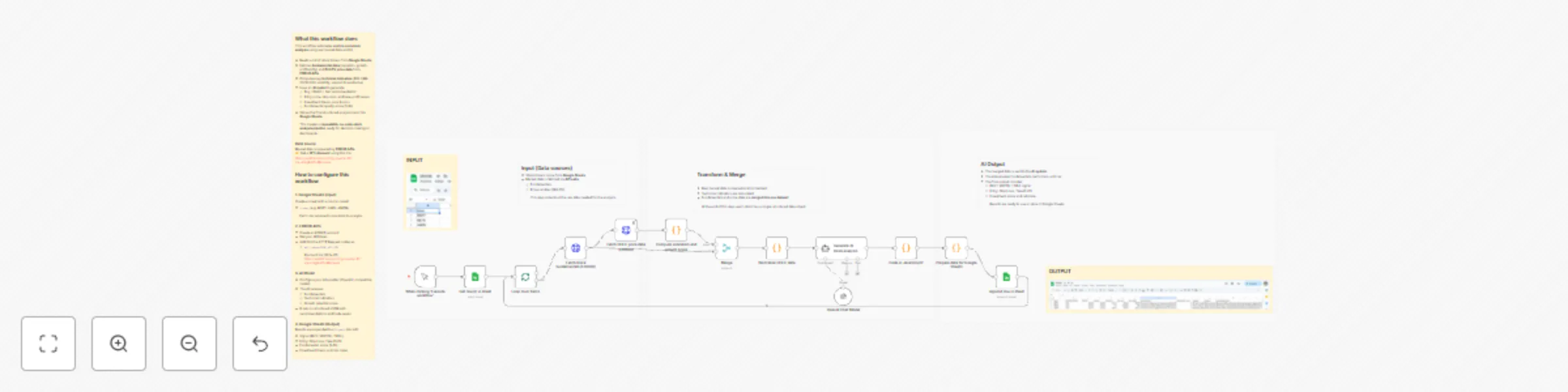
Generate AI stock buy/no-buy signals using GPT‑4.1, Google Sheets and EODHD
## What this workflow does This workflow automates **end-to-end stock analysis** using real market data and AI: - Reads a list of stock tickers from **Google Sheets**  - Fetches **fundamental data** (valuation, growth, profitability) and **OHLCV price data** from **EODHD APIs** - Computes key **technical indicators** (RSI, SMA 20/50/200, volatility, support & resistance) - Uses an **AI model** to generate: - Buy / Watch / Sell recommendation - Entry price, stop-loss, and take-profit levels - Investment thesis, pros & cons - Fundamental quality score (1–10) - Stores the final structured analysis back into **Google Sheets** This creates a **repeatable, no-code stock analysis pipeline** ready for decision-making or dashboards.  ### Data source Market data is powered by **[EODHD APIs](https://eodhd.com/pricing-special-10?via=kmg&ref1=Meneses)** ## How to configure this workflow ### 1. Google Sheets (Input) Create a sheet with a column called: - `ticker` (e.g. MSFT, AAPL, AMZN) Each row represents one stock to analyze. --- ### 2. EODHD APIs - Create an EODHD account - Get your API token - Add it to the HTTP Request nodes as: - `api_token=YOUR_API_KEY` [EODHD APIs](https://eodhd.com/pricing-special-10?via=kmg&ref1=Meneses) --- ### 3. AI Model - Configure your AI provider (OpenAI / compatible model) - The AI receives: - Fundamentals - Technical indicators - Growth potential score - It returns structured JSON with recommendations and trade levels ### 4. Google Sheets (Output) Results are appended to a `Signals` tab with: - Signal (BUY / WATCH / SELL) - Entry, Stop Loss, Take Profit - Fundamental score (1–10) - Investment thesis and risk notes
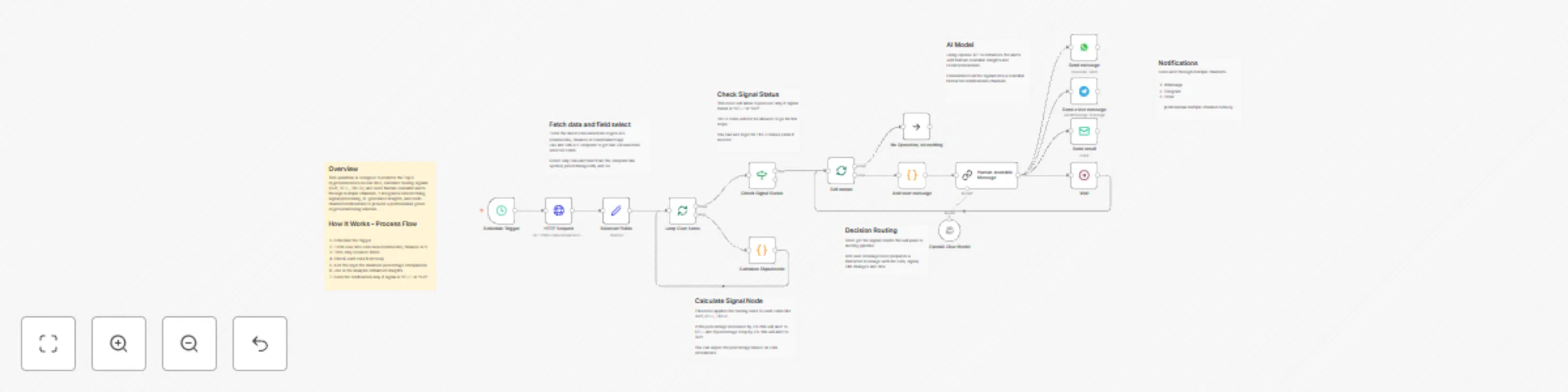
Send crypto BUY/SELL alerts for top 5 coins with OpenAI, WhatsApp, Telegram, and email
## Overview This workflow is designed to monitor the Top 5 cryptocurrencies in real-time, calculate trading signals (BUY, SELL, HOLD), and send human-readable alerts through multiple channels. It integrates data fetching, signal processing, AI-generated insights, and multi-channel notifications to provide a professional-grade crypto monitoring solution. ## Setup 1. Schedule the trigger 2. Fetch real-time coin data (CoinGecko, Binance API) 3. Filter only required fields 4. Check each data from loop 5. Add the logic for minimum percentage comparison 6. Use AI for analysis enhanced insights 8. Send the notification only if signal is 'SELL' or 'BUY' ## Key Features - Real-Time Crypto Monitoring: Continuously evaluates the top 5 cryptocurrencies for trading signals. - Dynamic Signal Calculation: Generates BUY, SELL, HOLD signals based on 24h price change. - If price changed below or above 2% the dynamic signal will assign to dedicated coin. - Signal Change Alerts: Sends notifications only when meaningful changes occur. - Human-Readable Messaging: Converts numeric signals into readable alerts. - AI Insights: Provides explanations or trading advice via OpenAI. - Multi-Channel Delivery: Supports WhatsApp, Telegram, and Email. - Looped Processing: Each coin is processed independently for accurate alerting. - Wait / Delay Node: Prevents API rate limit issues and controls alert flow. ## Requirements 1. OpenAI API 2. WhatsApp API 3. Telegram API 4. SMTP Credentials or Gmail Credentials.
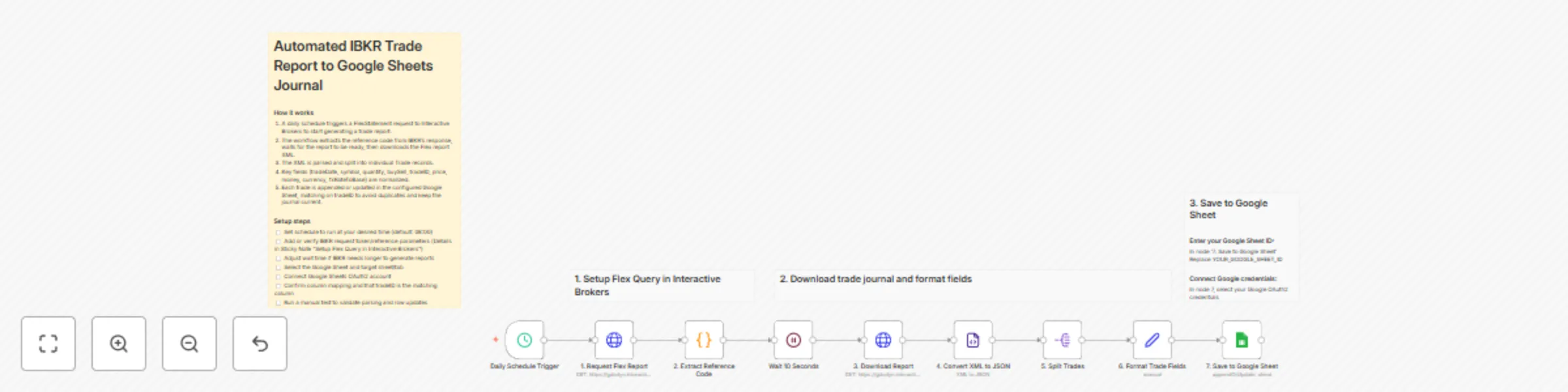
Log daily Interactive Brokers trades to a Google Sheets journal
 ## Automated Trade Report from Interactive Brokers This workflow is aimed at traders who use Interactive Brokers. It automatically retrieves the trades made in IBKR on a daily basis and writes them to a Google Sheet, so that anyone can easily perform further analyses and statistics using the on-board tools. This creates an automatic, continuous trade journal. ### Typical Usecaes - Monitoring your trades in one journal - Analyze your Profit & Losses - Basis for any kind of statistics • Log trades (entry, exit, setup, reason) • Analyze performance (win rate, R/R, expectancy) • Evaluate strategies & setups • Detect mistakes & patterns • Track emotions & discipline • Support coaching, reviews & improvement ### How it works 1. A daily schedule triggers a FlexStatement request to Interactive Brokers to start generating a trade report. 2. The workflow extracts the reference code from IBKR's response, waits for the report to be ready, then downloads the Flex report XML. 3. The XML is parsed and split into individual Trade records. 4. Key fields (tradeDate, symbol, quantity, buySell, tradeID, price, money, currency, fxRateToBase) are normalized.\n5. Each trade is appended or updated in the configured Google Sheet, matching on tradeID to avoid duplicates and keep the journal current. ### Prerequisites - Trading Account on [IBKR](IBKR) - Google Sheets OAuth2 - A Google Sheet containing your trading journal ### Setup - [ ] Set schedule to run at your desired time (default: 08:00) - [ ] Add or verify IBKR request token/reference parameters. #### 1. Create Flex Query Token: Go to IBKR [Account Management](https://ndcdyn.interactivebrokers.com/portal/?loginType=1&action=ACCT_MGMT_MAIN&mid=001&clt=1#/dashboard) Reports → Flex Queries → Flex Web Service → Generate Current Token → Make a note of the token (e.g.: 123456789012345678901234) #### 2. Enter Flex Token: In node '1. Request Flex Report' and in node '2. Extract Reference Code' Replace YOUR_FLEX_TOKEN with your token ID #### 3. Create Flex Query in IBKR (if not already done): Go to IBKR [Account Management](https://ndcdyn.interactivebrokers.com/portal/?loginType=1&action=ACCT_MGMT_MAIN&mid=001&clt=1#/dashboard) Reports → Flex Queries → Activity Flex Query → Create Select: Trade Confirmation ✓ Period: Last 365 Days Format: XML Save and note down the query ID #### 4. Enter Flex Query ID: In node '1. Request Flex Report' Replace YOUR_QUERY_ID with your query ID - [ ] Adjust wait time if IBKR needs longer to generate reports - [ ] Select the Google Sheet and target sheet/tab - [ ] Connect Google Sheets OAuth2 account - [ ] Confirm column mapping and that tradeID is the matching column - [ ] Run a manual test to validate parsing and row updates
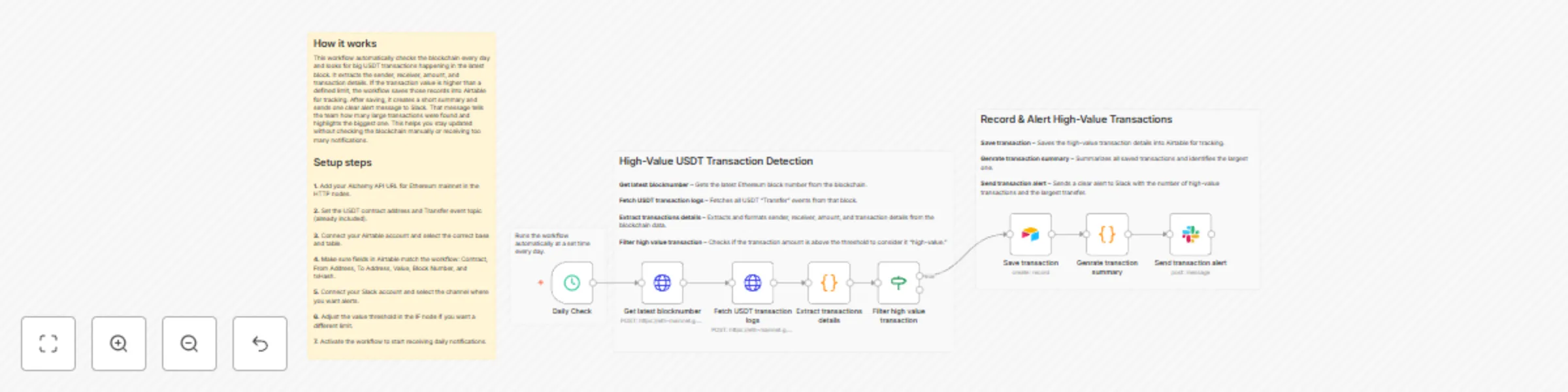
Monitor high-value USDT transfers on Ethereum with Airtable and Slack alerts
# Smart Contract Event Monitor (Web3) This workflow automatically monitors the Ethereum blockchain, extracts USDT transfer events, filters large-value transactions, stores them in Airtable and sends a clean daily summary alert to Slack. This workflow checks the latest Ethereum block every day and identifies high-value USDT transfers. It fetches on-chain logs using Alchemy, extracts sender/receiver/value details, filters transactions above a threshold, stores them in Airtable and finally sends a single clear summary alert to Slack. You receive: * Daily blockchain check (automated) * Airtable tracking of all high-value USDT transfers * A Slack alert summarizing the count + the largest transfer Ideal for teams wanting simple, automated visibility of suspicious or large crypto movements without manually scanning the blockchain. ### Quick Start – Implementation Steps 1. Add your **Alchemy Ethereum Mainnet API URL** in both HTTP nodes. 2. Connect and configure your **Airtable** base & table. 3. Connect your **Slack** credentials and set the channel for alerts. 4. Adjust the **value threshold** in the IF node (default: 1,000,000,000). 5. Activate the workflow — daily monitoring begins instantly. ## What It Does This workflow automates detection of high-value USDT transfers on Ethereum: 1. Fetches the latest block number using Alchemy. 2. Retrieves all USDT Transfer logs from that block. 3. Extracts structured data: * Sender * Receiver * Amount * Contract * Block number * Transaction hash 4. Filters only transactions above a configurable threshold. 5. Saves each high-value transaction into Airtable for record-keeping. 6. Generates a summary including: * Total number of high-value transfers * The single largest transfer 7. Sends one clean alert message to Slack. This ensures visibility of suspicious or large fund movements with no repeated alerts. ## Who’s It For This workflow is ideal for: * Crypto analytics teams * Blockchain monitoring platforms * Compliance teams tracking high-value activity * Web3 product teams * Developers needing automated USDT transfer tracking * Anyone monitoring whale movements / suspicious transactions ## Requirements to Use This Workflow To run this workflow, you need: * **n8n instance** (cloud or self-hosted) * **Alchemy API URL** (Ethereum Mainnet) * **Airtable base** + Personal Access Token * **Slack workspace** with API permissions * Basic understanding of Ethereum logs, hex values & JSON data ## How It Works 1. **Daily Check** – Workflow runs automatically at your set time. 2. **Get Latest Block Number** – Fetches newest Ethereum block from Alchemy. 3. **Fetch USDT Logs** – Queries all Transfer events (ERC-20 standard). 4. **Extract Transaction Details** – Converts hex → readable data. 5. **Filter High-Value Transactions** – Keeps only large value transfers. 6. **Save to Airtable** – Adds each transfer record to your database. 7. **Generate Summary** – Finds the largest transfer & total count. 8. **Send Slack Alert** – Notifies your team with one clean summary. ## Setup Steps 1. Import the provided n8n JSON file. 2. Open the **Get Latest Block** and **Fetch Logs** HTTP nodes → add your **Alchemy API URL**. 3. Ensure USDT contract address (already included):0xdAC17F958D2ee523a2206206994597C13D831ec7 4. Connect your **Airtable** account and map: * Contract * From Address * To Address * Value * Block Number * txHash 5. Connect **Slack API** credentials and choose your channel. 6. Change the threshold limit in the IF node if needed (default: 1B). 7. Activate the workflow — done! ## How To Customize Nodes ### Customize Value Threshold Modify the **IF** node: * Increase or decrease the minimum transfer value * Change logic to smaller or larger whale-tracking ### Customize Airtable Storage You can add fields like: * Timestamp * Token symbol * USD price (using price API) * Transaction status * Risk classification ### Customize Slack Alerts You may add: * Emojis * Mentions (@channel, @team) * Links to Etherscan * Highlighted blocks for critical transfers ### Customize Web3 Provider Replace Alchemy with: * Infura * QuickNode * Public RPC (not recommended for reliability) ## Add-Ons (Optional Enhancements) You can extend this workflow to: * Track multiple ERC-20 tokens * Process several blocks instead of just the latest * Add price conversion (USDT → USD value) * Detect transfers to suspicious wallets * Generate daily or weekly summary reports in Slack * Create a dashboard using Airtable Interfaces * Add OpenAI-based insights (large spike, suspicious pattern, etc.) ## Use Case Examples ### 1\. Whale Tracking Detect large USDT movements (>1M or >5M). ### 2\. Compliance Monitoring Log high-value transfers in Airtable for audits. ### 3\. Real-Time Alerts Slack alerts tell your team instantly about big movements. ### 4\. On-Chain Analytics Automate structured extraction of Ethereum logs. ### 5\. Exchange Monitoring Detect large inflows/outflows to known addresses. ## Troubleshooting Guide ------------------------------ | Issue | Possible Cause | Solution | |------------------------|-----------------------------------|---------------------------------------------------------| | No data in Airtable | Logs returned empty | Ensure USDT transfer events exist in that block | | Values are “zero” | Hex parsing failed | Check extract-code logic | | Slack alert not sent | Invalid credentials | Update Slack API key | | Airtable error | Wrong field names | Match Airtable column names exactly | | HTTP request fails | Wrong RPC URL | Re-check Alchemy API key | | Workflow not running | Schedule disabled | Enable "Daily Check" node | ## Need Help? If you need help customizing or extending this workflow — adding multi-token monitoring, setting up dashboards, improving alerts or scaling this for production — our [n8n workflow developers](https://www.weblineindia.com/hire-n8n-developers/) at WeblineIndia can assist you with advanced automation.
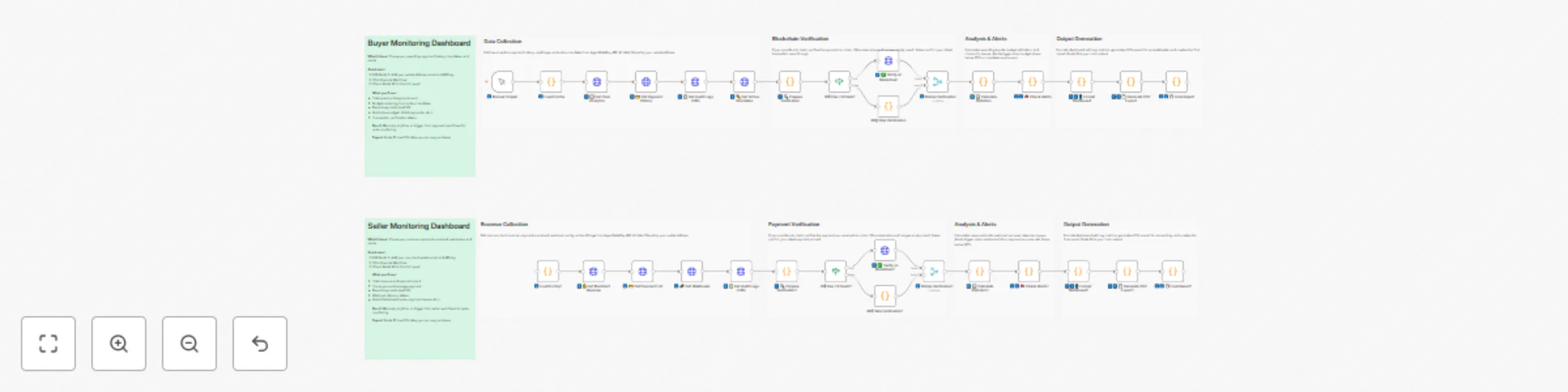
Monitor cryptocurrency payments across multiple blockchains with AgentGatePay
# AgentGatePay N8N Quick Start Guide **Get your AI agents paying for resources autonomously in under 10 minutes.** > **⚠️ BETA VERSION**: These templates are currently in beta. We're actively adding features and improvements based on user feedback. Expect updates for enhanced functionality, additional blockchain networks, and new payment options. --- ## What You'll Build - **Buyer Agent**: Automatically pays for API resources using **USDC, USDT, or DAI** on **Ethereum, Base, Polygon, or Arbitrum** blockchains - **Seller API**: Accepts multi-token payments and delivers resources - **Monitoring**: Track spending and revenue in real-time across all chains and tokens **Supported Tokens:** - USDC (6 decimals) - Recommended - USDT (6 decimals) - DAI (18 decimals) **Supported Blockchains:** - Ethereum (mainnet) - Base (recommended for low gas fees ~$0.001) - Polygon - Arbitrum --- ## Prerequisites (5 minutes) ### 1. Create AgentGatePay Accounts **Buyer Account** (agent that pays): ```bash curl -X POST https://api.agentgatepay.com/v1/users/signup \ -H "Content-Type: application/json" \ -d '{ "email": "[email protected]", "password": "SecurePass123!", "user_type": "agent" }' ``` **Seller Account** (receives payments): ```bash curl -X POST https://api.agentgatepay.com/v1/users/signup \ -H "Content-Type: application/json" \ -d '{ "email": "[email protected]", "password": "SecurePass123!", "user_type": "merchant" }' ``` **Save both API keys** - shown only once! ### 2. Deploy Transaction Signing Service (2 minutes) **One-Click Render Deploy:** 1. Click: [](https://render.com/deploy?repo=https://github.com/AgentGatePay/TX) 2. Enter: - `AGENTGATEPAY_API_KEY`: Your buyer API key - `WALLET_PRIVATE_KEY`: Your wallet private key (0x...) 3. Deploy → Copy service URL: `https://your-app.onrender.com` ### 3. Fund Wallet - Send **USDC, USDT, or DAI** to your buyer wallet - Default: **Base network** (lowest gas fees) - Need ~$1 in tokens for testing + ~$0.01 ETH for gas (on Ethereum) or ~$0.001 on Base --- ## Installation (3 minutes) ### Step 1: Import Templates **In N8N:** 1. Go to **Workflows** → **Add Workflow** 2. Click **⋮** (three dots) → **Import from File** 3. Import all 3 workflows: - `🤖 Create a Cryptocurrency-Powered API for Selling Digital Resources with AgentGatePay` - `💲Create a Cryptocurrency-Powered API for Selling Digital Resources with AgentGatePay` - `📊 AgentGatePay - Monitoring Dashboard` ### Step 2: Create Data Table **In N8N Settings:** 1. Go to **Settings** → **Data** → **Data Tables** 2. Create table: `AgentPay_Mandates` 3. Add column: `mandate_token` (type: String) 4. Save --- ## Configuration (2 minutes) ### Configure Seller API First **Open:** `💲Seller Resource API - CLIENT TEMPLATE` **Edit Node 1** (Parse Request): ```javascript const SELLER_CONFIG = { merchant: { wallet_address: "0xYourSellerWallet...", // ← Your seller wallet api_key: "pk_live_xyz789..." // ← Your seller API key }, catalog: { "demo-resource": { id: "demo-resource", price_usd: 0.01, // $0.01 per resource description: "Demo API Resource" } } }; ``` **Activate workflow** → Copy webhook URL ### Configure Buyer Agent **Open:** `🤖 Buyer Agent - CLIENT TEMPLATE` **Edit Node 1** (Load Config): ```javascript const CONFIG = { buyer: { email: "[email protected]", // ← Your buyer email api_key: "pk_live_abc123...", // ← Your buyer API key budget_usd: 100, // $100 mandate budget mandate_ttl_days: 7 // 7-day validity }, seller: { api_url: "https://YOUR-N8N.app.n8n.cloud/webhook/YOUR-WEBHOOK-ID" // ← Seller webhook base URL ONLY (see README.md for extraction instructions) }, render: { service_url: "https://your-app.onrender.com" // ← Your Render URL } }; ``` --- ## Run Your First Payment (1 minute) ### Execute Buyer Agent 1. Open **Buyer Agent** workflow 2. Click **Execute Workflow** 3. Watch the magic happen: - Mandate created ($100 budget) - Resource requested (402 Payment Required) - Payment signed (2 transactions: merchant + commission) - Payment verified on blockchain - Resource delivered **Total time:** ~5-8 seconds ### Verify on Blockchain Check transactions on BaseScan: ``` https://basescan.org/address/YOUR_BUYER_WALLET ``` You'll see: - **TX 1:** Commission to AgentGatePay (0.5% = $0.00005) - **TX 2:** Payment to seller (99.5% = $0.00995) --- ## Monitor Activity - Choose Buyer/Seller or both ### Buyer Monitoring **Open:** `📊 AgentGatePay - Monitoring Dashboard` **Edit Node 1:** Set your buyer wallet address and API key **Execute** → See: - Mandate budget remaining - Payment history - Total spent - Average transaction size ### Seller Monitoring **Open:** `📊 AgentGatePay - Monitoring Dashboard` **Edit Node 1:** Set your seller wallet address and API key **Execute** → See: - Total revenue - Commission breakdown - Top payers - Payment count --- ## How It Works ### Payment Flow ``` 1. Buyer Agent requests resource ↓ 2. Seller returns 402 Payment Required (includes: wallet address, price, token, chain) ↓ 3. Buyer signs TWO blockchain transactions via Render: - Merchant payment (99.5%) - Gateway commission (0.5%) ↓ 4. Buyer resubmits request with transaction hashes ↓ 5. Seller verifies payment with AgentGatePay API ↓ 6. Seller delivers resource ``` ### Key Concepts **AP2 Mandate:** - Pre-authorized spending authority - Budget limit ($100 in example) - Time limit (7 days in example) - Stored in N8N Data Table for reuse **x402 Protocol:** - HTTP 402 "Payment Required" status code - Seller specifies payment details - Buyer pays and retries with proof **Two-Transaction Model:** - Transaction 1: Merchant receives 99.5% - Transaction 2: Gateway receives 0.5% - Both verified on blockchain --- ## Customization ### Change Resource Price Edit seller Node 1: ```javascript catalog: { "expensive-api": { id: "expensive-api", price_usd: 1.00, // ← Change price description: "Premium API access" } } ``` ### Add More Resources ```javascript catalog: { "basic": { id: "basic", price_usd: 0.01, description: "Basic API" }, "pro": { id: "pro", price_usd: 0.10, description: "Pro API" }, "enterprise": { id: "enterprise", price_usd: 1.00, description: "Enterprise API" } } ``` Buyer requests by ID: `?resource_id=pro` ### Change Blockchain and Token By default, templates use **Base + USDC**. To change: **Edit buyer Node 1** (Load Config): ```javascript const CONFIG = { buyer: { /* ... */ }, seller: { /* ... */ }, render: { /* ... */ }, payment: { chain: "polygon", // Options: ethereum, base, polygon, arbitrum token: "DAI" // Options: USDC, USDT, DAI } }; ``` **Important:** 1. Ensure your wallet has the selected token on the selected chain 2. Update Render service to support the chain (add RPC URL) 3. Gas fees vary by chain. **Token Decimals:** - USDC/USDT: 6 decimals (automatic conversion) - DAI: 18 decimals (automatic conversion) ### Schedule Monitoring Replace "Execute Workflow" trigger with **Schedule Trigger**: - Buyer monitoring: Every 1 hour - Seller monitoring: Every 6 hours Add **Slack/Email** node to send alerts. --- ## Troubleshooting ### "Mandate expired" **Fix:** Delete mandate from Data Table → Re-execute workflow ### "Transaction not found" **Fix:** Wait 10-15 seconds for blockchain confirmation → Retry ### "Render service unavailable" **Fix:** Render free tier spins down after 15 min → First request takes ~5 sec (cold start) ### "Insufficient funds" **Fix:** Send more tokens (USDC/USDT/DAI) to buyer wallet - Check balance on blockchain explorer (BaseScan for Base, Etherscan for Ethereum, etc.) ### "Webhook not responding" **Fix:** Ensure seller workflow is **Active** (toggle in top-right) --- ## Production Checklist Before going live: - [ ] Use separate wallet for agent (not your main wallet) - [ ] Set conservative mandate budgets ($10-100) - [ ] Monitor spending daily (use monitoring workflows) - [ ] Upgrade Render to paid tier ($7/mo) for no cold starts - [ ] Set up Slack/email alerts for low balance - [ ] Test with small amounts first ($0.01-0.10) - [ ] Keep API keys secure (use N8N credentials manager) - [ ] Review transactions on blockchain explorer weekly --- ## Summary You just built: - Autonomous payment agent (buys resources automatically) - Monetized API (sells resources for **USDC, USDT, or DAI**) - **Multi-chain support** (Ethereum, Base, Polygon, Arbitrum) - Real blockchain transactions (verified on-chain) - Budget management (AP2 mandates) - Monitoring dashboard (track spending/revenue) **Total setup time:** ~10 minutes **Total cost:** $0 (Render free tier + AgentGatePay free) --- **Ready to scale?** Connect multiple agents, add more resources, integrate with your existing systems! **Questions?** Check `README.md` or contact [email protected] Website: https://www.agentgatepay.com
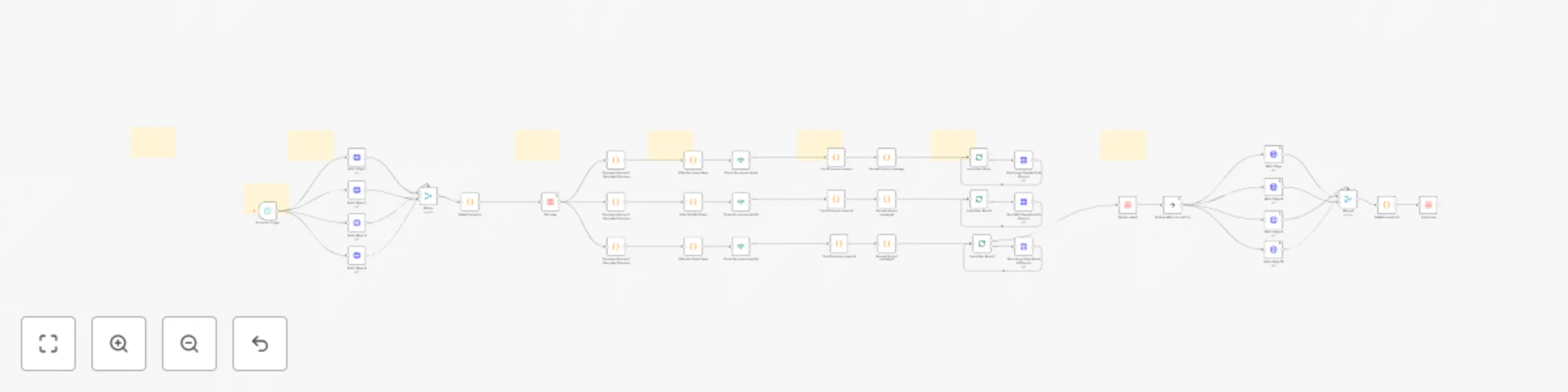
Crypto volume change Discord alerts (5-20%) with CoinGecko (Top 1000 coins)
# Purpose and Audience This professional-grade n8n workflow automation is designed for crypto traders, investors, and market analysts who need real-time volume change alerts across different market cap segments. Whether you're day trading, swing trading, or conducting market research, this workflow keeps you informed of significant volume movements that often precede major price action. ## What It Does This automated system monitors the top 1,000 cryptocurrencies and sends detailed Discord notifications when significant volume changes are detected. The workflow intelligently segments coins into three market cap tiers: - Large Cap (>$1B): Alerts on volume changes >5% - Mid Cap ($100M-$1B): Alerts on volume changes >10% - Small Cap (<$100M): Alerts on volume changes >20% Each alert includes comprehensive data: previous vs. current volume, volume change percentage and dollar amount, current price, 24h price change, market cap, volume/market cap ratio, and market cap rank. The system automatically filters out stablecoins and low-volume noise to ensure you only receive actionable alerts. ## How It Works The workflow operates on a 2-hour schedule (fully customizable) and executes the following process: 1. Data Collection: Fetches fresh market data for 1,000 cryptocurrencies from CoinGecko API across 4 paginated requests 2. Volume Analysis: Compares current volume against previously stored data to calculate percentage changes 3. Tier Filtering: Segments coins by market cap and applies appropriate volume change thresholds 4. Alert Generation: Identifies top 20 volume movers per tier and formats rich Discord embeds with detailed metrics 5. Data Management: Automatically deletes old data and stores new baseline data for the next execution cycle 6. Discord Delivery: Sends formatted alerts to your Discord channel with embedded guides explaining how to interpret the signals The workflow includes built-in intelligence to handle rate limits, batch processing for Discord's 10-embed limit, and comprehensive error handling. ## Who Is It For - Active cryptocurrency traders seeking early volume spike signals - Portfolio managers monitoring multiple market cap segments - Market researchers tracking crypto market dynamics - Trading communities wanting automated alert systems - Discord servers focused on crypto trading and analysis ## How to Setup Please watch the provided setup tutorial for complete step-by-step instructions. Setup time is approximately 15-20 minutes and requires: - n8n instance (self-hosted or cloud) - CoinGecko API key (https://www.coingecko.com/en/api) - Discord webhook URL - Basic familiarity with n8n interface The tutorial covers API configuration, Discord webhook setup, data table initialization, and schedule customization.
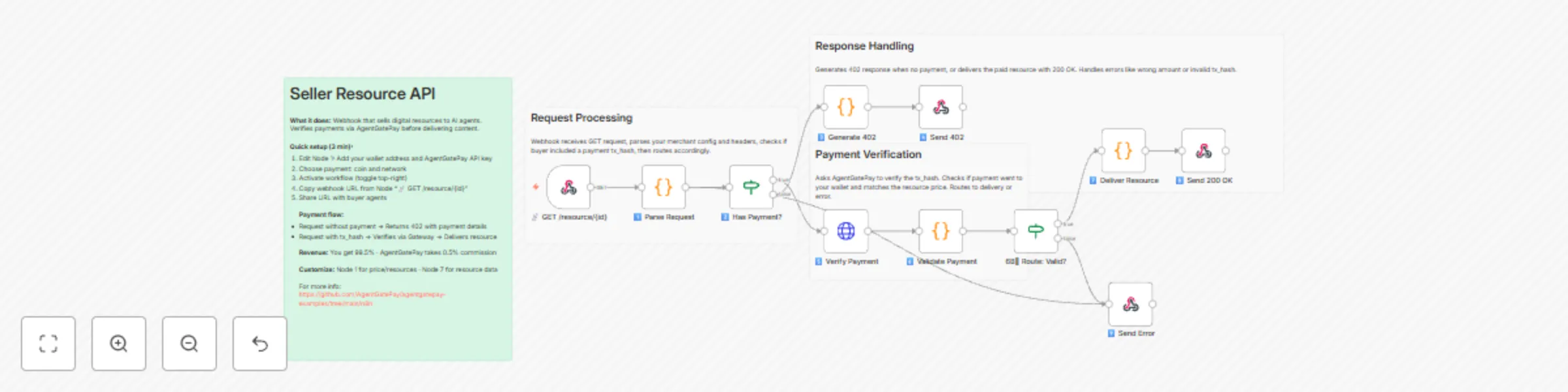
Create a cryptocurrency-powered API for selling resources with AgentGatePay
# AgentGatePay N8N Quick Start Guide **Get your AI agents paying for resources autonomously in under 10 minutes.** > **⚠️ BETA VERSION**: These templates are currently in beta. We're actively adding features and improvements based on user feedback. Expect updates for enhanced functionality, additional blockchain networks, and new payment options. --- ## What You'll Build - **Buyer Agent**: Automatically pays for API resources using **USDC, USDT, or DAI** on **Ethereum, Base, Polygon, or Arbitrum** blockchains - **Seller API**: Accepts multi-token payments and delivers resources - **Monitoring**: Track spending and revenue in real-time across all chains and tokens **Supported Tokens:** - USDC (6 decimals) - Recommended - USDT (6 decimals) - DAI (18 decimals) **Supported Blockchains:** - Ethereum (mainnet) - Base (recommended for low gas fees ~$0.001) - Polygon - Arbitrum --- ## Prerequisites (5 minutes) ### 1. Create AgentGatePay Accounts **Buyer Account** (agent that pays): ```bash curl -X POST https://api.agentgatepay.com/v1/users/signup \ -H "Content-Type: application/json" \ -d '{ "email": "[email protected]", "password": "SecurePass123!", "user_type": "agent" }' ``` **Seller Account** (receives payments): ```bash curl -X POST https://api.agentgatepay.com/v1/users/signup \ -H "Content-Type: application/json" \ -d '{ "email": "[email protected]", "password": "SecurePass123!", "user_type": "merchant" }' ``` **Save both API keys** - shown only once! ### 2. Deploy Transaction Signing Service (2 minutes) **One-Click Render Deploy:** 1. Click: [](https://render.com/deploy?repo=https://github.com/AgentGatePay/TX) 2. Enter: - `AGENTGATEPAY_API_KEY`: Your buyer API key - `WALLET_PRIVATE_KEY`: Your wallet private key (0x...) 3. Deploy → Copy service URL: `https://your-app.onrender.com` ### 3. Fund Wallet - Send **USDC, USDT, or DAI** to your buyer wallet - Default: **Base network** (lowest gas fees) - Need ~$1 in tokens for testing + ~$0.01 ETH for gas (on Ethereum) or ~$0.001 on Base --- ## Installation (3 minutes) ### Step 1: Import Templates **In N8N:** 1. Go to **Workflows** → **Add Workflow** 2. Click **⋮** (three dots) → **Import from File** 3. Import all 3 workflows: - `🤖 Create a Cryptocurrency-Powered API for Selling Digital Resources with AgentGatePay` - `💲Create a Cryptocurrency-Powered API for Selling Digital Resources with AgentGatePay` - `📊 AgentGatePay - Monitoring Dashboard` ### Step 2: Create Data Table **In N8N Settings:** 1. Go to **Settings** → **Data** → **Data Tables** 2. Create table: `AgentPay_Mandates` 3. Add column: `mandate_token` (type: String) 4. Save --- ## Configuration (2 minutes) ### Configure Seller API First **Open:** `💲Seller Resource API - CLIENT TEMPLATE` **Edit Node 1** (Parse Request): ```javascript const SELLER_CONFIG = { merchant: { wallet_address: "0xYourSellerWallet...", // ← Your seller wallet api_key: "pk_live_xyz789..." // ← Your seller API key }, catalog: { "demo-resource": { id: "demo-resource", price_usd: 0.01, // $0.01 per resource description: "Demo API Resource" } } }; ``` **Activate workflow** → Copy webhook URL ### Configure Buyer Agent **Open:** `🤖 Buyer Agent - CLIENT TEMPLATE` **Edit Node 1** (Load Config): ```javascript const CONFIG = { buyer: { email: "[email protected]", // ← Your buyer email api_key: "pk_live_abc123...", // ← Your buyer API key budget_usd: 100, // $100 mandate budget mandate_ttl_days: 7 // 7-day validity }, seller: { api_url: "https://YOUR-N8N.app.n8n.cloud/webhook/YOUR-WEBHOOK-ID" // ← Seller webhook base URL ONLY (see README.md for extraction instructions) }, render: { service_url: "https://your-app.onrender.com" // ← Your Render URL } }; ``` --- ## Run Your First Payment (1 minute) ### Execute Buyer Agent 1. Open **Buyer Agent** workflow 2. Click **Execute Workflow** 3. Watch the magic happen: - Mandate created ($100 budget) - Resource requested (402 Payment Required) - Payment signed (2 transactions: merchant + commission) - Payment verified on blockchain - Resource delivered **Total time:** ~5-8 seconds ### Verify on Blockchain Check transactions on BaseScan: ``` https://basescan.org/address/YOUR_BUYER_WALLET ``` You'll see: - **TX 1:** Commission to AgentGatePay (0.5% = $0.00005) - **TX 2:** Payment to seller (99.5% = $0.00995) --- ## Monitor Activity - Choose Buyer/Seller or both ### Buyer Monitoring **Open:** `📊 AgentGatePay - Monitoring Dashboard` **Edit Node 1:** Set your buyer wallet address and API key **Execute** → See: - Mandate budget remaining - Payment history - Total spent - Average transaction size ### Seller Monitoring **Open:** `📊 AgentGatePay - Monitoring Dashboard` **Edit Node 1:** Set your seller wallet address and API key **Execute** → See: - Total revenue - Commission breakdown - Top payers - Payment count --- ## How It Works ### Payment Flow ``` 1. Buyer Agent requests resource ↓ 2. Seller returns 402 Payment Required (includes: wallet address, price, token, chain) ↓ 3. Buyer signs TWO blockchain transactions via Render: - Merchant payment (99.5%) - Gateway commission (0.5%) ↓ 4. Buyer resubmits request with transaction hashes ↓ 5. Seller verifies payment with AgentGatePay API ↓ 6. Seller delivers resource ``` ### Key Concepts **AP2 Mandate:** - Pre-authorized spending authority - Budget limit ($100 in example) - Time limit (7 days in example) - Stored in N8N Data Table for reuse **x402 Protocol:** - HTTP 402 "Payment Required" status code - Seller specifies payment details - Buyer pays and retries with proof **Two-Transaction Model:** - Transaction 1: Merchant receives 99.5% - Transaction 2: Gateway receives 0.5% - Both verified on blockchain --- ## Customization ### Change Resource Price Edit seller Node 1: ```javascript catalog: { "expensive-api": { id: "expensive-api", price_usd: 1.00, // ← Change price description: "Premium API access" } } ``` ### Add More Resources ```javascript catalog: { "basic": { id: "basic", price_usd: 0.01, description: "Basic API" }, "pro": { id: "pro", price_usd: 0.10, description: "Pro API" }, "enterprise": { id: "enterprise", price_usd: 1.00, description: "Enterprise API" } } ``` Buyer requests by ID: `?resource_id=pro` ### Change Blockchain and Token By default, templates use **Base + USDC**. To change: **Edit buyer Node 1** (Load Config): ```javascript const CONFIG = { buyer: { /* ... */ }, seller: { /* ... */ }, render: { /* ... */ }, payment: { chain: "polygon", // Options: ethereum, base, polygon, arbitrum token: "DAI" // Options: USDC, USDT, DAI } }; ``` **Important:** 1. Ensure your wallet has the selected token on the selected chain 2. Update Render service to support the chain (add RPC URL) 3. Gas fees vary by chain. **Token Decimals:** - USDC/USDT: 6 decimals (automatic conversion) - DAI: 18 decimals (automatic conversion) ### Schedule Monitoring Replace "Execute Workflow" trigger with **Schedule Trigger**: - Buyer monitoring: Every 1 hour - Seller monitoring: Every 6 hours Add **Slack/Email** node to send alerts. --- ## Troubleshooting ### "Mandate expired" **Fix:** Delete mandate from Data Table → Re-execute workflow ### "Transaction not found" **Fix:** Wait 10-15 seconds for blockchain confirmation → Retry ### "Render service unavailable" **Fix:** Render free tier spins down after 15 min → First request takes ~5 sec (cold start) ### "Insufficient funds" **Fix:** Send more tokens (USDC/USDT/DAI) to buyer wallet - Check balance on blockchain explorer (BaseScan for Base, Etherscan for Ethereum, etc.) ### "Webhook not responding" **Fix:** Ensure seller workflow is **Active** (toggle in top-right) --- ## Production Checklist Before going live: - [ ] Use separate wallet for agent (not your main wallet) - [ ] Set conservative mandate budgets ($10-100) - [ ] Monitor spending daily (use monitoring workflows) - [ ] Upgrade Render to paid tier ($7/mo) for no cold starts - [ ] Set up Slack/email alerts for low balance - [ ] Test with small amounts first ($0.01-0.10) - [ ] Keep API keys secure (use N8N credentials manager) - [ ] Review transactions on blockchain explorer weekly --- ## Summary You just built: - Autonomous payment agent (buys resources automatically) - Monetized API (sells resources for **USDC, USDT, or DAI**) - **Multi-chain support** (Ethereum, Base, Polygon, Arbitrum) - Real blockchain transactions (verified on-chain) - Budget management (AP2 mandates) - Monitoring dashboard (track spending/revenue) **Total setup time:** ~10 minutes **Total cost:** $0 (Render free tier + AgentGatePay free) --- **Ready to scale?** Connect multiple agents, add more resources, integrate with your existing systems! **Questions?** Check `README.md` or contact [email protected] Website: https://www.agentgatepay.com
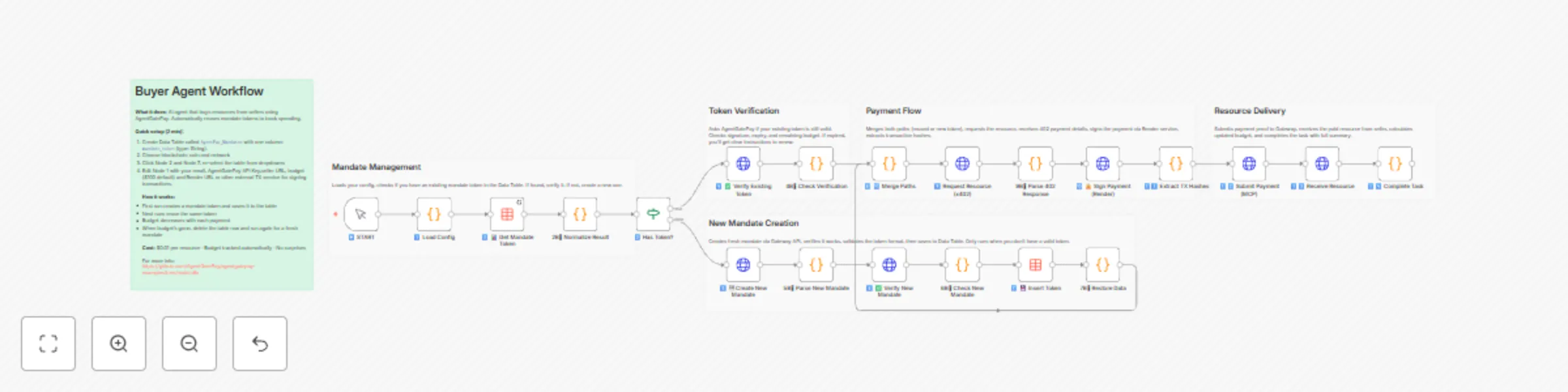
Create autonomous payment agents using AgentGatePay and multi-chain tokens
# AgentGatePay N8N Quick Start Guide **Get your AI agents paying for resources autonomously in under 10 minutes.** > **⚠️ BETA VERSION**: These templates are currently in beta. We're actively adding features and improvements based on user feedback. Expect updates for enhanced functionality, additional blockchain networks, and new payment options. --- ## What You'll Build - **Buyer Agent**: Automatically pays for API resources using **USDC, USDT, or DAI** on **Ethereum, Base, Polygon, or Arbitrum** blockchains - **Seller API**: Accepts multi-token payments and delivers resources - **Monitoring**: Track spending and revenue in real-time across all chains and tokens **Supported Tokens:** - USDC (6 decimals) - Recommended - USDT (6 decimals) - DAI (18 decimals) **Supported Blockchains:** - Ethereum (mainnet) - Base (recommended for low gas fees ~$0.001) - Polygon - Arbitrum --- ## Prerequisites (5 minutes) ### 1. Create AgentGatePay Accounts **Buyer Account** (agent that pays): ```bash curl -X POST https://api.agentgatepay.com/v1/users/signup \ -H "Content-Type: application/json" \ -d '{ "email": "[email protected]", "password": "SecurePass123!", "user_type": "agent" }' ``` **Seller Account** (receives payments): ```bash curl -X POST https://api.agentgatepay.com/v1/users/signup \ -H "Content-Type: application/json" \ -d '{ "email": "[email protected]", "password": "SecurePass123!", "user_type": "merchant" }' ``` **Save both API keys** - shown only once! ### 2. Deploy Transaction Signing Service (2 minutes) **One-Click Render Deploy:** 1. Click: [](https://render.com/deploy?repo=https://github.com/AgentGatePay/TX) 2. Enter: - `AGENTGATEPAY_API_KEY`: Your buyer API key - `WALLET_PRIVATE_KEY`: Your wallet private key (0x...) 3. Deploy → Copy service URL: `https://your-app.onrender.com` ### 3. Fund Wallet - Send **USDC, USDT, or DAI** to your buyer wallet - Default: **Base network** (lowest gas fees) - Need ~$1 in tokens for testing + ~$0.01 ETH for gas (on Ethereum) or ~$0.001 on Base --- ## Installation (3 minutes) ### Step 1: Import Templates **In N8N:** 1. Go to **Workflows** → **Add Workflow** 2. Click **⋮** (three dots) → **Import from File** 3. Import all 4 workflows: - `🤖 Create a Cryptocurrency-Powered API for Selling Digital Resources with AgentGatePay` - `💲Create a Cryptocurrency-Powered API for Selling Digital Resources with AgentGatePay` - `📊 Buyer Agent [Monitoring] - AgentGatePay Autonomous Payment Workflow` - `💲 Seller Agent [Monitoring] - AgentGatePay Autonomous Payment Workflow` ### Step 2: Create Data Table **In N8N Settings:** 1. Go to **Settings** → **Data** → **Data Tables** 2. Create table: `AgentPay_Mandates` 3. Add column: `mandate_token` (type: String) 4. Save --- ## Configuration (2 minutes) ### Configure Seller API First **Open:** `💲Seller Resource API - CLIENT TEMPLATE` **Edit Node 1** (Parse Request): ```javascript const SELLER_CONFIG = { merchant: { wallet_address: "0xYourSellerWallet...", // ← Your seller wallet api_key: "pk_live_xyz789..." // ← Your seller API key }, catalog: { "demo-resource": { id: "demo-resource", price_usd: 0.01, // $0.01 per resource description: "Demo API Resource" } } }; ``` **Activate workflow** → Copy webhook URL ### Configure Buyer Agent **Open:** `🤖 Buyer Agent - CLIENT TEMPLATE` **Edit Node 1** (Load Config): ```javascript const CONFIG = { buyer: { email: "[email protected]", // ← Your buyer email api_key: "pk_live_abc123...", // ← Your buyer API key budget_usd: 100, // $100 mandate budget mandate_ttl_days: 7 // 7-day validity }, seller: { api_url: "https://YOUR-N8N.app.n8n.cloud/webhook/YOUR-WEBHOOK-ID" // ← Seller webhook base URL ONLY (see README.md for extraction instructions) }, render: { service_url: "https://your-app.onrender.com" // ← Your Render URL } }; ``` --- ## Run Your First Payment (1 minute) ### Execute Buyer Agent 1. Open **Buyer Agent** workflow 2. Click **Execute Workflow** 3. Watch the magic happen: - Mandate created ($100 budget) - Resource requested (402 Payment Required) - Payment signed (2 transactions: merchant + commission) - Payment verified on blockchain - Resource delivered **Total time:** ~5-8 seconds ### Verify on Blockchain Check transactions on BaseScan: ``` https://basescan.org/address/YOUR_BUYER_WALLET ``` You'll see: - **TX 1:** Commission to AgentGatePay (0.5% = $0.00005) - **TX 2:** Payment to seller (99.5% = $0.00995) --- ## Monitor Activity ### Buyer Monitoring **Open:** `📊 Buyer Monitoring - AUDIT LOGS` **Edit Node 1:** Set your buyer wallet address and API key **Execute** → See: - Mandate budget remaining - Payment history - Total spent - Average transaction size ### Seller Monitoring **Open:** `💲 Seller Monitoring - AUDIT LOGS` **Edit Node 1:** Set your seller wallet address and API key **Execute** → See: - Total revenue - Commission breakdown - Top payers - Payment count --- ## How It Works ### Payment Flow ``` 1. Buyer Agent requests resource ↓ 2. Seller returns 402 Payment Required (includes: wallet address, price, token, chain) ↓ 3. Buyer signs TWO blockchain transactions via Render: - Merchant payment (99.5%) - Gateway commission (0.5%) ↓ 4. Buyer resubmits request with transaction hashes ↓ 5. Seller verifies payment with AgentGatePay API ↓ 6. Seller delivers resource ``` ### Key Concepts **AP2 Mandate:** - Pre-authorized spending authority - Budget limit ($100 in example) - Time limit (7 days in example) - Stored in N8N Data Table for reuse **x402 Protocol:** - HTTP 402 "Payment Required" status code - Seller specifies payment details - Buyer pays and retries with proof **Two-Transaction Model:** - Transaction 1: Merchant receives 99.5% - Transaction 2: Gateway receives 0.5% - Both verified on blockchain --- ## Customization ### Change Resource Price Edit seller Node 1: ```javascript catalog: { "expensive-api": { id: "expensive-api", price_usd: 1.00, // ← Change price description: "Premium API access" } } ``` ### Add More Resources ```javascript catalog: { "basic": { id: "basic", price_usd: 0.01, description: "Basic API" }, "pro": { id: "pro", price_usd: 0.10, description: "Pro API" }, "enterprise": { id: "enterprise", price_usd: 1.00, description: "Enterprise API" } } ``` Buyer requests by ID: `?resource_id=pro` ### Change Blockchain and Token By default, templates use **Base + USDC**. To change: **Edit buyer Node 1** (Load Config): ```javascript const CONFIG = { buyer: { /* ... */ }, seller: { /* ... */ }, render: { /* ... */ }, payment: { chain: "polygon", // Options: ethereum, base, polygon, arbitrum token: "DAI" // Options: USDC, USDT, DAI } }; ``` **Important:** 1. Ensure your wallet has the selected token on the selected chain 2. Update Render service to support the chain (add RPC URL) 3. Gas fees vary by chain. **Token Decimals:** - USDC/USDT: 6 decimals (automatic conversion) - DAI: 18 decimals (automatic conversion) ### Schedule Monitoring Replace "Execute Workflow" trigger with **Schedule Trigger**: - Buyer monitoring: Every 1 hour - Seller monitoring: Every 6 hours Add **Slack/Email** node to send alerts. --- ## Troubleshooting ### "Mandate expired" **Fix:** Delete mandate from Data Table → Re-execute workflow ### "Transaction not found" **Fix:** Wait 10-15 seconds for blockchain confirmation → Retry ### "Render service unavailable" **Fix:** Render free tier spins down after 15 min → First request takes ~5 sec (cold start) ### "Insufficient funds" **Fix:** Send more tokens (USDC/USDT/DAI) to buyer wallet - Check balance on blockchain explorer (BaseScan for Base, Etherscan for Ethereum, etc.) ### "Webhook not responding" **Fix:** Ensure seller workflow is **Active** (toggle in top-right) --- ## Production Checklist Before going live: - [ ] Use separate wallet for agent (not your main wallet) - [ ] Set conservative mandate budgets ($10-100) - [ ] Monitor spending daily (use monitoring workflows) - [ ] Upgrade Render to paid tier ($7/mo) for no cold starts - [ ] Set up Slack/email alerts for low balance - [ ] Test with small amounts first ($0.01-0.10) - [ ] Keep API keys secure (use N8N credentials manager) - [ ] Review transactions on blockchain explorer weekly --- ## Summary You just built: - Autonomous payment agent (buys resources automatically) - Monetized API (sells resources for **USDC, USDT, or DAI**) - **Multi-chain support** (Ethereum, Base, Polygon, Arbitrum) - Real blockchain transactions (verified on-chain) - Budget management (AP2 mandates) - Monitoring dashboard (track spending/revenue) **Total setup time:** ~10 minutes **Total cost:** $0 (Render free tier + AgentGatePay free) --- **Ready to scale?** Connect multiple agents, add more resources, integrate with your existing systems! **Questions?** Check `README.md` or contact [email protected] Website: https://www.agentgatepay.com

Generate AI stock reports w/ fundamental, technical, & news analysis (Free APIs)
### This template deploys a multi-agent system that fully automates advanced stock analysis. It uses a central AI orchestrator to call specialized sub-workflows, synthesizing technical, fundamental, and news sentiment data into a single, actionable report delivered to your inbox. All API Keys can be acquired for free! **How it Works** * **Orchestration:** An AI Agent acts as the central "brain," managing the analysis pipeline. It's triggered either on a schedule for a list of stocks or manually for a single ticker. * **Specialist Agents (Tools):** The orchestrator invokes three sub-workflows as tools to gather intelligence: 1. **Technical Analysis:** Fetches TA data (RSI, MACD, Bollinger Bands) and uses a vision-AI to analyze the stock's chart, identifying trends and patterns. 2. **Fundamental Analysis:** Retrieves financial statements (Income, Balance Sheet) to generate a summary of the company's financial health and valuation. 3. **News Sentiment Analysis:** Aggregates and analyzes market news to determine overall sentiment and identify key discussion topics. * **Synthesis & Delivery:** The main agent synthesizes all findings to formulate a final recommendation (Buy, Hold, Sell), generates a professional HTML report, and delivers it via email. **Setup (Est. 10-15 mins)** This is an advanced, multi-workflow template. Please follow the steps precisely. 1. **Split Modules:** Separate the 5 color-coded modules on this canvas into 5 new, individual workflows. 2. **Acquire APIs:** Acquire the 7 APIs needed for this workflow. These need Credentials: Gemini,, OpenRouter, SMTP, Alpaca. These just need to be pasted in: AlphaVantage, TwelveData, Chart-Img. 3. **Configure & Link:** Insert your API keys and email, then re-link the `Execute Workflow` and `Tool` nodes to connect your new workflows. 4. **Activate:** Toggle all 5 workflows to "Active." ➡️ **For the complete, detailed guide, visit: https://docs.google.com/document/d/1Ri_GfuIlc0QVm1aDrWJjRCg_2vWRCrw_SjRV9cBoKmw/edit?usp=sharing**
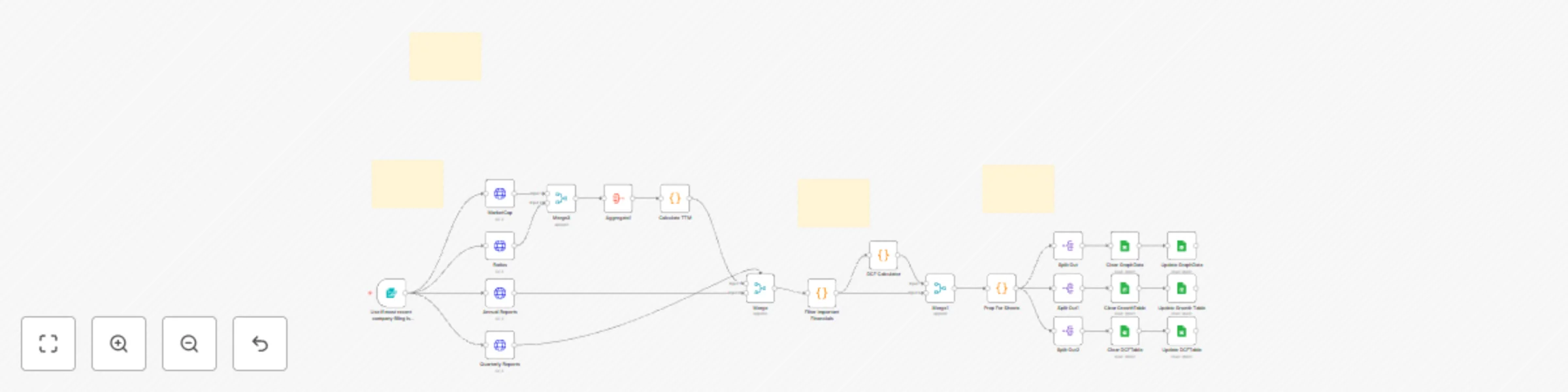
Automate fundamental stock analysis with FinnHub data and Google Sheets DCF calculator
 [Demonstration video](https://youtu.be/mMlM2P4Vf0g) ## Disclaimers This workflow contains custom community nodes that requires local network version of n8n. This analysis is for informational and educational purposes only and does not constitute financial advice, investment advice, or a recommendation to buy or sell any security. This model is based on historical, publicly available data and future projections are purely theoretical. Stock market investing involves substantial risk, including the loss of principal. All investment decisions are solely the responsibility of the user. # What It Does Our proprietary workflow automates the most time-intensive components of fundamental research: Data Acquisition, TTM Aggregation, Growth Forecasting, and Intrinsic Valuation. Institutional Data Engine: Automatically extracts and cleans the last 6 years of annual reports and quarterly reports from FinnHub. TTM & Q4 Derivation: Proprietary code handles calculates the true Trailing Twelve Months (TTM) figures for Revenue, Net Income, FCF, Dividends, and Stock-Based Compensation (SBC). Advanced Growth Metrics: The system instantly calculates vital performance indicators: 3-Year & 5-Year Compound Annual Growth Rates (CAGR) for Revenue, Net Income, Free Cash Flow (FCF), and Dividends. Intrinsic Valuation (DCF): The workflow applies a Discounted Cash Flow (DCF) model, using the calculated TTM FCF as the base for a multi-year explicit forecast, generating a theoretical intrinsic price target for the company's stock. Automated Reporting: All current snapshots, growth metrics, and historical data are cleanly transferred to a Google Sheets template where charts, tables, and dashboards auto-populate instantly. This solution provides investors with rapid, objective, and institutional-grade financial modeling at zero cost-to-run. # Who This is For This platform is designed for data-driven investors and financial analysts who need to quickly screen companies, compare competitors, and access precise DCF valuations and growth trends without the manual effort of data compilation and spreadsheet modeling. It is ideal for anyone seeking objective, automatically generated financial insights. # How It Works - Data Acquisition & Structuring: The system initiates by securely extracting comprehensive historical financial data and regulatory filings (10-K, 10-Q) from FinnHub using the target stock ticker. - Core Metric Calculation & Cleaning: Proprietary code processes the raw reports to extract key financial metrics, including revenue, net income, free cash flow, debt, cash & cash equivalents, dividends, stock based compensation, outstanding shares for all periods. - TTM metrics: The workflow calculates the current TTM for all flow metrics (revenue, net income, FCF, and dividends) by summing the four most recent periods. - Growth Rate Calculation (CAGR & YoY): The workflow branches to calculate long-term performance indicators, generating the 3 & 5-Year CAGR for revenue, net income, FCF, and dividends. - Discounted Cash Flow (DCF) Valuation: The workflow initiates the DCF model, projecting the calculated TTM FCF forward over an explicit period and discounting the cash flows to generate a theoretical intrinsic stock price. - Presentation & Reporting (Google Sheets): All calculated data (TTM and SEC reports), Growth Metrics, and DCF model is organized and written to a dedicated Google Sheet. The sheet's pre-built charts and tables instantly auto-populate upon execution. # Set Up Steps 1. You will need a FinnHub account and API key to connect to the Https Request Nodes. FinnHub is a free service. 2. You will need a Google cloud and sheets account to create and connect the final Google Sheets document. 3. Requires OAuth which is free. 4. There is no cost to execute the workflow. 5. Detailed instructions included to obtain API keys and OAuth for Google cloud.
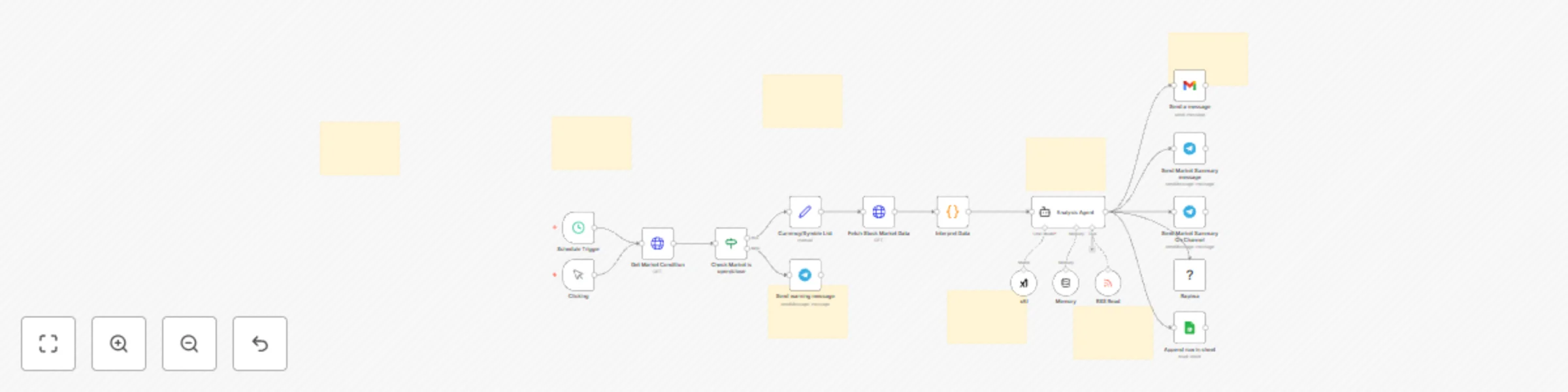
Automated stock technical analysis with xAI Grok & multi-channel notifications
## Who is this for? This workflow is designed for stock traders, financial analysts, investment enthusiasts, and anyone interested in automated stock market analysis. It's particularly useful for those who want to make data-driven trading decisions based on technical indicators without spending hours manually analyzing charts and data. ## Who is this for? This workflow is designed for: - **Stock traders** who want automated technical analysis - **Investment enthusiasts** seeking data-driven insights - **Financial analysts** who need daily market summaries - **Portfolio managers** tracking multiple stocks - **Anyone interested** in algorithmic trading signals ## What this Workflow Does / Key Features - Automatically triggers daily at 9 PM to analyze stock market data - Checks if the market is open before proceeding with analysis - Fetches historical price data for major tech stocks (GOOGL, NVDA, META, AMZN, TSLA, MSFT) - Calculates technical indicators: - RSI (Relative Strength Index) to identify overbought/oversold conditions - MACD (Moving Average Convergence Divergence) to identify trend changes - Generates Buy/Sell/Hold signals based on technical indicators - Uses AI (xAI's Grok model) to analyze and interpret the technical data - Distributes analysis results through multiple channels: - Email via Gmail - Personal Telegram chat - Telegram channel - WhatsApp via Rapiwa - Google Sheets for historical tracking - Fetches market news via RSS feed to enhance analysis ## Requirements - Alpaca API credentials (for market data) - xAI API credentials (for AI analysis) - Gmail OAuth2 credentials (for email notifications) - Telegram Bot API credentials (for Telegram notifications) - Rapiwa API credentials (for WhatsApp notifications) - Google Sheets OAuth2 credentials (for data storage) ## How to Use — step-by-step Setup ### 1. Configure Credentials - **Alpaca API**: Add your Alpaca API credentials to n8n (named "Custom Auth account" in the example) - **xAI API**: Add your xAI API credentials to n8n (named "xAI account" in the example) - **Gmail OAuth2**: Set up Gmail OAuth2 credentials (named "Gmail account" in the example) - **Telegram Bot API**: Configure Telegram Bot API credentials (named "Telegram account" in the example) - **Rapiwa API**: Add Rapiwa API credentials (named "Rapiwa account 2" in the example) - **Google Sheets OAuth2**: Set up Google Sheets OAuth2 credentials (named "Google Sheets" in the example) ### 2. Configure Stock Symbols - In the "Currency/Symble List" node, modify the JSON to include your preferred stock symbols - Default symbols are: "GOOGL, NVDA, META, AMZN, TSLA, MSFT" ## Useful Links - **n8n Documentation**: [docs](https://docs.n8n.io) - **Alpaca API Documentation**: [docs](https://docs.alpaca.markets/) - **xAI API Documentation**: [docs) - **Telegram Bot API**: [docs](https://core.telegram.org/bots/api) - **Technical Analysis Concepts**: [docs](https://www.investopedia.com/terms/t/technicalanalysis.asp) ## Support & Help - **WhatsApp**: [Chat on WhatsApp](https://wa.me/8801322827799) - **Discord**: [SpaGreen Community](https://discord.gg/SsCChWEP) - **Facebook Group**: [SpaGreen Support](https://www.facebook.com/groups/spagreenbd) - **Website**: [https://spagreen.net](https://spagreen.net) - **Developer Portfolio**: [Codecanyon SpaGreen](https://codecanyon.net/user/spagreen/portfolio)

AI trading assistant for Telegram using chatGPT-4o (with Position Sizing)
# MT5 AI Trading Assistant - Telegram Bot Workflow with position sizing capabilities Open trades for forex/xauusd/gold with this n8n template. It demonstrates how to automate MetaTrader 5 trading executions through natural language commands via Telegram, enabling hands-free trade management with AI-powered intent classification and parameter parsing. ## Use cases are many Try executing market orders right away when you see an opportunity using commands, setting up limit orders with precise entry points, or managing pending signals directly from your phone! This workflow handles everything from simple "buy EU 1% 30 pip SL and 3R TP" commands to complex limit orders with risk-reward calculations. ## Good to know * **This template is for educational purposes only** - requires significant security hardening before live trading use * **OpenAI API costs apply** - approximately $0.0001-0.0005 per message depending on complexity * **Webhook endpoints are NOT authenticated by default** - you must add authentication before production deployment or if you want extra security * **No built-in position size limits** - add validation to cap maximum risk percentage * **MT5 Expert Advisor required** - this workflow only sends signals; you need a separate EA to execute trades * **Local/VPS deployment recommended** - not suitable for public cloud without security hardening * **Always test with demo accounts first** - automated trading involves substantial risk of loss ## How it works * The Telegram Chat Trigger listens for incoming messages from authorized users in your Telegram bot * A reaction emoji (👍) is immediately sent to acknowledge message receipt using the Telegram API * The first AI classifier (GPT-4o mini) analyzes the message intent and categorizes it into six types: trade execution, trade inquiry, help request, signal query, signal clear, or off-topic * For trade execution commands, a regex-based parser extracts parameters (asset, direction, risk, stop loss, take profit) from natural language * If initial parsing is incomplete or confidence is low, an LLM fallback parser attempts to extract missing parameters with strict validation * Complete trade parameters are routed through a Switch node to determine order type (market vs limit) * Market orders trigger an HTTP POST to `webhook/mt5-market-order` with asset, direction, risk, SL, and TP parameters * Limit orders include an additional entry price parameter and route to `webhook/mt5-limit-order` * For signal queries, the workflow fetches pending signals from `webhook/mt5-signals` and formats the response * Signal clearing commands POST to `webhook/mt5-clear-all` to remove all pending orders * Trade execution success/failure is validated and appropriate confirmation messages are sent back to Telegram * Help requests receive multi-part instructional messages with command examples and formatting guidelines ## How to use * Set up your Telegram bot via BotFather and obtain your bot token * Configure the Telegram credentials in both the Chat Trigger and all response nodes * Add your OpenAI API key to the three "4o mini" language model nodes * Deploy the four MT5 webhook endpoints (market-order, limit-order, signals, clear-all) on your local machine or VPS * **Critical**: Implement authentication on all webhook endpoints before connecting to live MT5 accounts * Test commands with demo account first: try "buy EU 1% 30 pip SL 3R TP" or "show pending signals" * Consider adding user ID whitelisting in the "set credentials and params" node for access control * Modify the AI prompts in the classifier nodes to adjust trading parameter validation rules ## Requirements * Telegram Bot API account for receiving and sending messages * OpenAI API key for GPT-4o mini language model (intent classification and parameter parsing) * MetaTrader 5 platform with custom Expert Advisor that listens to webhook signals * n8n instance running locally or on VPS (self-hosted or cloud) * Basic understanding of forex trading concepts (pips, risk management, order types) ## Customising this workflow * Add a user whitelist validation node after the Telegram trigger to restrict access to specific Telegram user IDs * Implement maximum risk percentage caps (e.g., 5%) in the parameter validation nodes * Create an asset whitelist to only allow specific currency pairs your broker supports * Add audit logging by storing trade commands and execution results to a database * Include trade confirmation mode: send preview before execution and wait for "confirm" message * Integrate with position sizing calculators based on account equity and volatility * Add webhook authentication headers (API keys or JWT tokens) to all HTTP request nodes * Create a scheduled workflow to auto-expire pending signals after a certain time period * Try a popular use-case such as connecting to TradingView alerts instead of manual Telegram commands ## Important Security Disclaimer **⚠️ This workflow is NOT production-ready in its current form.** Before using with live trading: * Add authentication to all webhook endpoints * Implement input validation for risk limits, asset whitelists, and parameter ranges * Add rate limiting to prevent spam attacks * Set up user authorization to restrict who can execute trades * Test extensively with demo accounts for at least 3-6 months * Understand that automated trading involves substantial risk of loss This template is provided for **educational purposes only** and does not constitute financial advice. You are solely responsible for implementing security measures, testing thoroughly, and accepting all trading risks. ## Purchasing this N8N workflow comes with the Metatrader5 and N8N Integration for Forex and Gold Trading via Webhooks Workflow too so it is sold together and vice versa as well along with the MQL code for the ExpertAdvisor listener all for the price of 120 usd total ## Questions? If you have questions or need help with this workflow, feel free to reach out: * [email protected] * [email protected]

Discord AI trading assistant with proper position sizing (metatrader5)
# AI Trading Assistant with Metatrader5 and position sizing capabilities Trade or buy/sell forex and xauusd/gold assets with this n8n template. It demonstrates an AI-powered Discord bot that monitors trading commands in a private server channel and automatically executes them on MetaTrader 5, using natural language processing to parse flexible trade syntax and manage signal queues with correct position sizing for lot sizes. ## Use cases are many: Try creating a private Discord trading room where you can execute MT5 trades with simple messages like "buy EU 1% 30 pip SL 3R TP", building a shared trading server where team members can post signals that auto-execute on everyone's MT5, or developing a trading journal bot that logs and executes your strategy calls in real-time! ## Good to know * **Always test on demo accounts first** - this bot executes real trades based on Discord messages, so thorough testing is critical * Requires **OpenAI API key** for natural language processing (GPT-4o-mini model) - costs approximately $0.0001-0.0003 per trade command * **Discord OAuth2 authentication required** - you'll need to create a Discord application and configure webhook permissions * The workflow **polls Discord every 7 seconds** by default - adjust the Schedule Trigger interval to balance responsiveness vs. API rate limits * Only processes messages from **specified users without emoji reactions** - prevents duplicate processing and allows filtering by username * **MT5 Trading Signal Handler workflow must be running** - this bot sends orders to the webhook endpoints from the companion workflow * Supports both **market orders** (instant execution) and **limit orders** (pending at specific price) * Uses **two-stage parsing**: regex-based parser for speed, with LLM fallback for complex or ambiguous commands * **No message history** - only processes the most recent Discord message per polling cycle * Built-in **signal management commands** - users can check pending signals or clear the queue via natural language ## How it works * **Scheduled Polling**: The Schedule Trigger fires every 7 seconds, setting Discord server ID and channel ID credentials, then fetching the most recent message from the specified channel * **Message Filtering**: The workflow filters messages to only process those from the specified username (e.g., "elijahfx") that haven't been reacted to yet, preventing duplicate processing * **Processing Indicator**: Once a valid message is detected, the bot reacts with a 🔄 emoji to show it's working, providing immediate user feedback * **AI Classification**: The first LLM (GPT-4o-mini) classifies the message intent into six categories: trade_execution, trade_inquiry, signal_query, signal_clear, help_request, or off_topic * **Regex Parsing**: For trade execution messages, a JavaScript Code node attempts to extract parameters using regex patterns, detecting order type (market vs limit), direction (buy/sell), asset shortcuts (EU→EURUSD, GU→GBPUSD), risk percentage, stop loss, and take profit * **LLM Fallback**: If the regex parser can't confidently extract all required parameters (needs_llm_review: true), a second LLM validates completeness and extracts missing fields, ensuring flexible syntax handling * **Parameter Validation**: The workflow checks if all required parameters are present - market orders need direction, asset, risk%, and SL pips; limit orders additionally require entry price * **Order Type Routing**: A Switch node routes complete orders to the appropriate HTTP endpoint - market orders to `/webhook/mt5-market-order`, limit orders to `/webhook/mt5-limit-order` * **MT5 Execution**: HTTP Request nodes send the parsed parameters to your local MT5 webhook endpoints, which execute the trades via the companion MT5 Trading Signal Handler workflow * **Response Handling**: The workflow receives confirmation from MT5, then posts a Discord message confirming successful execution or reporting errors with details * **Signal Management**: For signal_query commands, the bot fetches and displays pending signals from the MT5 queue; for signal_clear commands, it purges all pending signals via HTTP request * **Help System**: When users request help, the bot posts comprehensive instructions covering trade syntax, asset shortcuts, required parameters, and example commands * **Query Handling**: Non-trade questions about trading are answered directly by the AI, providing a conversational assistant experience ## How to use * Create a Discord bot application at discord.com/developers and obtain OAuth2 credentials with message read/write and reaction permissions * Configure Discord OAuth2 credentials in all Discord nodes (use the same credential across all nodes for consistency) * Set your OpenAI API key in the three "4o mini" nodes for LLM processing * Update the "set credentials and params" node with your Discord server ID and channel ID (right-click in Discord with Developer Mode enabled to copy IDs) * Ensure the MT5 Trading Signal Handler workflow is imported, activated, and running on the same n8n instance (default: localhost:5678) * Activate this workflow and verify the Schedule Trigger is set to your desired polling interval (7 seconds default) * In the "only get user's message that has no reacts" Filter node, change the username from "elijahfx" to your Discord username * Post "help" in your Discord channel to test connectivity and receive the command reference guide * Try a test market order: `buy EU 1% 30 pip SL 3R TP` and watch for the 🔄 reaction and confirmation message * Test a limit order: `buy limit EU at 1.0850 1% risk 30 pip SL 2R TP` * Query pending signals: `show me pending signals` or `any open signals?` * Clear the queue: `clear all pending signals` or `cancel all signals` ## Requirements * **n8n instance** running locally or on a private VPS (cloud-hosted n8n may have network restrictions for localhost webhooks) * **Discord bot application** with OAuth2 credentials and appropriate permissions (read messages, send messages, add reactions) * **OpenAI API account** with access to GPT-4o-mini model (approximately $0.15 per 1 million input tokens) * **MT5 Trading Signal Handler workflow** running on the same n8n instance (provides webhook endpoints) * **Discord server** where you have admin permissions to add the bot * **MetaTrader 5 terminal** with the custom EA running and polling the signal queue * Basic understanding of **Discord bot setup, n8n workflows, and trading concepts** ## Customising this workflow * **Add multiple user support** by removing the username filter or converting it to a whitelist of approved traders * **Implement authentication** by checking for specific Discord roles before processing trade commands (prevents unauthorized trading) * **Add trade logging** by inserting a database node (PostgreSQL, Airtable) after successful execution to maintain a trade journal * **Create Discord embeds** instead of plain text responses using Discord's embed formatting for richer, more professional replies * **Add risk limits** in a Code node before HTTP requests to cap maximum position sizes or enforce daily loss limits * **Build a dashboard** by connecting to Google Sheets or Notion to track all executed trades, win rates, and performance metrics * **Implement approval workflows** where limit orders post to a separate channel for review before execution * **Add TradingView alerts** as an alternative input by creating a webhook trigger that accepts TradingView JSON payloads * **Create strategy templates** where users can save and recall complete trade setups with a single command like "execute strategy A" * **Enable multi-account trading** by routing orders to different MT5 instances based on user roles or command prefixes * Try a popular use-case such as building a signal subscription service where premium Discord members get auto-execution while free members only see the signals! ## Purchasing this N8N workflow comes with the Metatrader5 and N8N Integration for Forex and Gold Trading via Webhooks Workflow too so it is sold together and vice versa as well along with the MQL code for the ExpertAdvisor listener all for the price of 120 usd total ## Questions? If you have questions or need help with this workflow, feel free to reach out: * [email protected] * [email protected] --- **Important Disclaimer**: This workflow is provided for educational purposes and demo account testing only. It demonstrates how to build Discord bots with AI-powered natural language processing and webhook integrations. Always test thoroughly on demo accounts, implement proper authentication and security measures, and understand that automated trading involves substantial risk. The bot executes trades based on Discord messages - ensure only authorized users have access. No warranties, financial advice, or guarantees are provided. See the full disclaimer in the workflow for complete terms.

Forex & gold trading signal handler for MT5 using webhooks (telegram/discord)
# MT5 Trading Signal Handler Metatrader5 and N8N Integration for Forex and Gold Trading via Webhooks for discord and telegram This n8n template demonstrates a workflow that bridges AI workflows which can be used to communicate directly to a trading platform/broker like metatrader 5 ## Use cases are many: Try automating TradingView alerts into live MT5 trades, building a custom trading bot that sends trade execution signals to MT5 via webhooks, or creating a centralized signal management system for multiple trading strategies these features are just the beggining! ## Good to know * **Always test on demo accounts first** - start with 1-2% risk before considering any live deployment * This workflow uses **unauthenticated webhook endpoints by default** - you must add authentication (API keys, OAuth) before any production use * Signals are stored in **n8n's in-memory static data** - they will be lost if n8n restarts unless you implement persistent storage * **MT5 WebRequest whitelist required** - you must add all webhook URLs to MT5's allowed URLs list (Tools → Options → Expert Advisors) * The workflow requires a **custom MT5 Expert Advisor (EA)** that polls the GET endpoint every 5 seconds to fetch pending signals * This is designed for **local machine or private VPS deployment only** - not suitable for public cloud without significant security hardening * **No automatic signal expiration** - old signals will accumulate without manual cleanup or additional workflow logic * Compatible with standard MT5 brokers that support automated trading and WebRequest functionality ## How it works * **Signal Reception**: The "Receive Signal (POST)" webhook accepts trading signals containing asset, entry price, stop loss, take profit, and risk percentage, then passes them to the "Store Signal" Code node * **Signal Storage**: The Code node creates a unique signal ID with timestamp, stores it in n8n's workflow static data with "pending" status, and returns a success response with the signal ID * **Queue Polling**: The "Get Pending Signals (GET)" webhook is polled every 5 seconds by your MT5 Expert Advisor to check for new signals * **Signal Retrieval**: The "Fetch Pending Signals" Code node filters all stored signals to return only those with "pending" status as a JSON array * **Market Orders**: The "Market Order (POST)" webhook accepts instant-execution orders with direction (BUY/SELL), risk percentage, and stop loss in pips, calculating SL/TP prices automatically * **Limit Orders**: The "Limit Order (POST)" webhook handles pending orders with specific entry prices, converting pip-based SL/TP into actual price levels for both standard and JPY pairs * **Trade Confirmation**: After the MT5 EA executes a trade, it sends the signal ID to the "Confirm Signal Processed (POST)" webhook, which marks the signal as "processed" and removes it from the pending queue * **Emergency Cleanup**: The "Clear all signals (POST)" webhook provides a reset function to remove all signals from the queue, useful for testing or when signals get stuck ## How to use * Import this workflow into your n8n instance and activate it by toggling the switch in the top-right corner * Copy all webhook URLs from each Webhook node (click the node to view the production URL) * Configure your MT5 Expert Advisor with the correct webhook URLs (SIGNAL_URL for GET requests, CONFIRM_URL for POST confirmations) * Add all webhook URLs to MT5's WebRequest whitelist (Tools → Options → Expert Advisors → "Allow WebRequest for listed URL") * Restart MT5 after adding URLs to the whitelist to ensure they're loaded properly * Test the workflow by sending a test signal using curl or Postman: `curl -X POST http://127.0.0.1:5678/webhook/mt5-signal -H "Content-Type: application/json" -d "{\"asset\": \"EURUSD\", \"risk\": 2, \"entry\": 1.0850, \"sl\": 1.0830, \"tp\": 1.0900}"` * Verify the signal appears when checking the GET endpoint: `curl http://127.0.0.1:5678/webhook/mt5-signals` * Attach the MT5 EA to any chart (the symbol doesn't matter - it monitors all symbols) and enable Auto Trading in MT5 * Monitor the MT5 Experts log to confirm the EA is polling every 5 seconds and executing trades correctly ## Requirements * **n8n instance** running locally or on a private VPS (version 1.x recommended) * **MetaTrader 5 terminal** installed with a demo or live account logged in * **Custom MT5 Expert Advisor** compiled and loaded (MQL5 code that polls the webhook and executes trades) * **Auto Trading enabled** in MT5 (Tools → Options → Expert Advisors → "Allow Algorithmic Trading") * **WebRequest permissions** configured in MT5 for all webhook URLs * Basic understanding of **REST APIs, webhooks, and trading concepts** (orders, SL/TP, position sizing) ## Customising this workflow * Add **authentication middleware** to all webhook endpoints using HTTP Authentication or custom API keys for security * Implement **persistent storage** by replacing static data with a database node (PostgreSQL, MySQL) or external storage service * Create an **automatic signal cleanup workflow** that runs on a schedule to delete processed signals older than 24 hours * Add **notification nodes** (Telegram, Discord, Email) to alert you when trades are executed or errors occur * Implement **position size validation** in the Code nodes to cap maximum lot sizes or risk percentages * Create an **asset whitelist** by adding validation logic to only accept signals for approved trading instruments * Add **duplicate signal detection** to prevent the same signal from being processed multiple times * Build a **signal analytics dashboard** by logging all signals to a database and visualizing execution metrics * Try a popular use-case such as connecting this to a TradingView webhook to automate Pine Script strategy alerts directly into MT5 trades! * Add tags for certain setups and or magic numbers for easier journaling later on ### Purchasing this N8N workflow comes with the AI trading assistant workflow too so it is sold together and vice versa as well along with the MQL code for the ExpertAdvisor listener all for the price of 120 usd total ## Questions? If you have questions or need help with this workflow, feel free to reach out: * [email protected] * [email protected] --- **Important Disclaimer**: This workflow is provided for educational purposes and demo account testing only. It demonstrates technical concepts for signal routing and automation architecture. Always test thoroughly on demo accounts, implement proper security measures, and understand that automated trading involves substantial risk. No warranties, financial advice, or guarantees are provided. See the full disclaimer in the workflow sticky notes for complete terms.
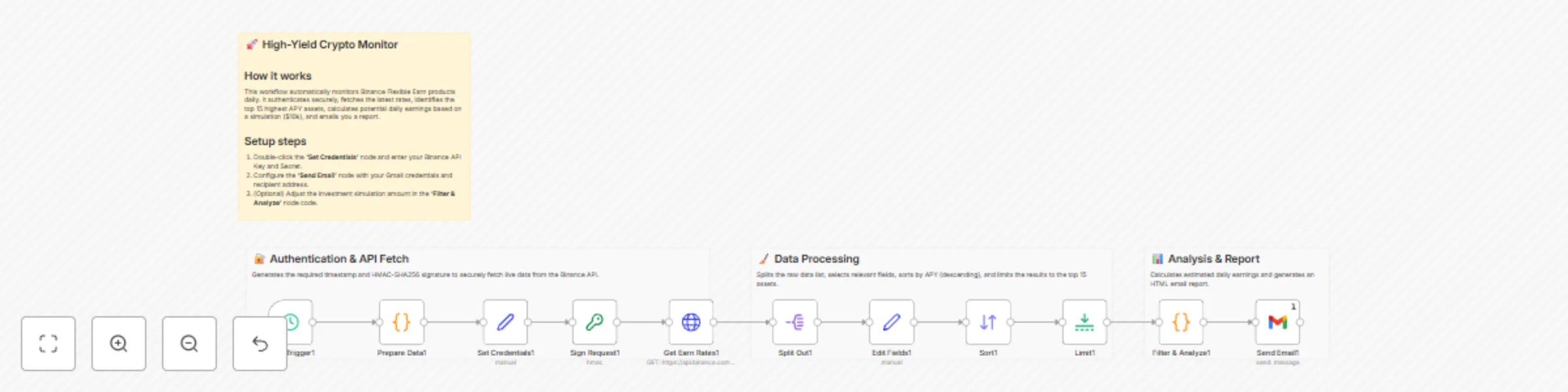
Daily crypto yield monitor: Track top Binance Earn APY rates with earnings calculator
# Get top Binance Earn yields sent to Email This workflow automates the tracking of passive income opportunities on Binance by fetching real-time Flexible Earn APY rates, calculating potential returns, and delivering a daily summary to your inbox. Manually checking crypto savings rates is tedious. This template handles the complex authentication required by Binance (HMAC-SHA256 signing), filters through hundreds of assets to find the highest yields, and calculates exactly how much you would earn daily on a simulated capital amount. ## 👥 Who is this for? - **Crypto Investors** looking to maximize passive income on idle assets. - **DeFi/CeFi Analysts** monitoring market rate fluctuations. - **Hodlers** who want to ensure their assets are generating the best possible yield without daily manual checks. ## ⚙️ How it works 1. **Schedule Trigger:** Initiates the workflow every 24 hours (customizable). 2. **Authentication Handler:** Generates a timestamp and creates a secure HMAC-SHA256 signature required by the Binance API. 3. **Data Fetching:** specific HTTP Request retrieves the full list of "Flexible Earn" products. 4. **Processing:** The workflow splits the data, standardizes field names, and sorts all assets by **Annual Percentage Rate (APR)** in descending order. 5. **Analysis:** It limits the list to the top 15 assets and calculates estimated daily earnings based on a $10,000 reference capital (customizable via code). 6. **Reporting:** A formatted HTML email is sent via Gmail with the top opportunities. ## 🛠️ Setup Guide 1. **Binance API:** Log in to Binance and create a Read-Only API Key. 2. **Configure Nodes:** - Open the **Set Credentials 1** node: Paste your `API_KEY` and `SECRET_KEY` in each field. 3. **Email Setup:** - Open the **Send Email** node. - Select or connect your Gmail credentials. - Update the "To" address to your email. ## 🔌 Requirements - An active Binance account. - Binance API Key & Secret (Read-Only permissions are sufficient). - A Gmail account (or you can swap the Gmail node for Outlook/Slack/Telegram). ## 🎨 How to customize - **Change Capital Calculation:** Open the "Filter & Analyze" Code node and change `const capital = 10000;` to your actual portfolio size to see real projected earnings. - **Filter Assets:** Add an `If` node after the "Split Out" node to only filter for specific assets (e.g., USDT, BTC, ETH) if you don't want to see altcoins. - **Change Frequency:** Open the "Daily Trigger" node to run this hourly or weekly.

Monitor bitcoin arbitrage between Binance & Upbit with GPT analysis & email
**Crypto Arbitrage Analyzer: Binance vs Upbit (Kimchi Premium)** #### **Short Description** Automate crypto arbitrage monitoring between Binance and Upbit. Track the "Kimchi Premium," analyze BTC price gaps with AI, and receive actionable trading reports via email. --- #### **Full Description** **🚀 Overview** This workflow serves as an automated analyst for cryptocurrency traders focusing on the **"Kimchi Premium"** (the price gap between South Korean and global exchanges). It fetches real-time Bitcoin (BTC) prices from **Binance** (Global) and **Upbit** (Korea), compares them against the current USD/KRW forex rate, and uses **OpenAI (GPT)** to generate a sophisticated arbitrage assessment report sent directly to your inbox. **✨ Key Features** * **Multi-Market Data Aggregation**: Simultaneously fetches data from Binance, Upbit, and Forex APIs. * **Real-time Forex Conversion**: Accurately calculates spreads using live USD/KRW exchange rates. * **AI-Powered Analysis**: Uses OpenAI to interpret the data, calculating spread percentages and profit margins automatically. * **Automated Reporting**: Delivers a clean, HTML-formatted trading report via Gmail every 30 minutes (customizable). **🛠️ How it Works** 1. **Schedule Trigger**: Runs the workflow automatically at set intervals (default: every 30 mins). 2. **Data Fetching**: * Gets `BTC/USDT` price from Binance. * Gets `BTC/KRW` and `BTC/USDT` prices from Upbit. * Gets `USD/KRW` exchange rate from a Forex API. 3. **Normalization**: Standardizes the data structure from different APIs into a unified format. 4. **AI Processing**: An OpenAI Agent analyzes the price differences, calculates the arbitrage gap (Kimchi Premium), and drafts a summary. 5. **Notification**: A Structured Output Parser formats the AI's response, and the report is emailed to the trader via Gmail. **📋 Prerequisites / Setup** To use this workflow, you need to configure the following credentials in n8n: * **OpenAI API**: Required for the analysis logic (GPT-4o-mini or similar recommended). * **Gmail (OAuth2)**: Required to send the email reports. * *(Note: Binance, Upbit, and Forex data are fetched via public REST APIs in this workflow, so no specific exchange API keys are required for basic data retrieval.)* --- #### **Use Case / Category** * **Categories**: Finance, AI & LLMs, Automation * **Apps used**: OpenAI, Gmail, HTTP Request, Schedule #### **SEO Keywords** (Tagging purpose) Crypto Arbitrage, Bitcoin, Kimchi Premium, Binance, Upbit, Trading Bot, OpenAI, GPT, Financial Analysis, Automated Reporting
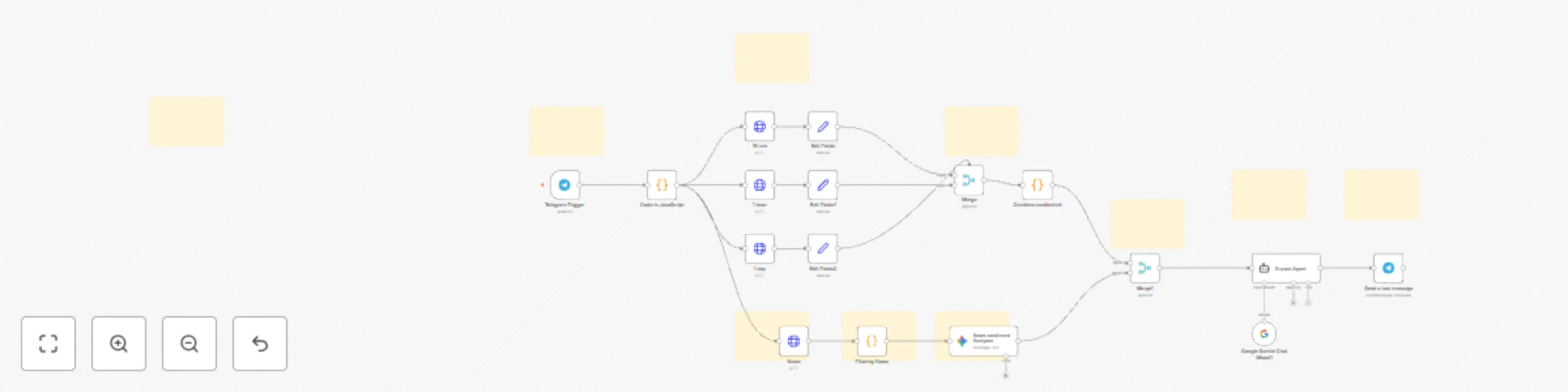
KaizenCrypto - smarter crypto decisions with multi-timeframe AI analysis
### This n8n template automates crypto market analysis by combining multi-timeframe candlestick data with real-time news sentiment to generate actionable AI-backed Buy / Sell / Hold signals for any cryptocurrency. Built around the Kaizen principle of continuous improvement, it delivers sharper, more reliable insights with every run. **Use cases** - Automatically analyze crypto market trends using 15m, 1h, and 1d candlestick data. - Aggregate global crypto news sentiment to reinforce price-action confidence. - Generate AI-powered Buy / Sell / Hold recommendations for traders. - Build your own Telegram-based crypto trading assistant or analytics bot. - Create backends for crypto dashboards, portfolio advisors, or auto-alert systems. - Expand trading strategies using AI reasoning instead of manual analysis. **Good to know** This workflow merges both technical analysis (candlesticks) and fundamental sentiment (news), then passes them through an AI model (Gemini) to produce clean, easy-to-understand trading signals. It works seamlessly on n8n Cloud and self-hosted setups, with configuration taking about 5 minutes. ### Requirements - n8n Cloud or self-hosted instance - Crypto price data API key - Crypto news API key - AI model API key (Google Gemini) - Telegram Bot Token (via @BotFather) ### Customising this workflow - Replace Telegram with Slack, Discord, WhatsApp Cloud API, or Notion for alerts. - Switch AI models (Gemini, OpenAI, Claude) to change tone or reasoning style. - Modify candlestick intervals (15m, 1h, 1d) or add more timeframes. - Attach TradingView webhooks for live alerts or automated triggers. - Add portfolio tracking, price-level alerts, or risk scoring for advanced users. - Expand the template to support forex, stocks, indices, or commodities with minimal edits.

Create and manage ERC-20 tokens with a Telegram bot and 1Shot API wallets
 ## Launch ERC-20 Tokens with Telegram Bot and 1Shot API Custodial Wallets Find the full walk-through tutorial video for this workflow on [YouTube](https://youtu.be/bKRvt2DuVKA?si=u_Myb07cxyDvlFtx). This Telegram bot template demonstrates some useful patterns for creating crypto-powered multi-user bot applications like: - How to create custodial wallets tied to specific telegram users. - How submit onchain transactions from a specific user's wallet when they interact with your bot. - Storing transaction logs in n8n data tables - Settings up inline keyboards for use triggering specific onchain actions. Starting with this workflow, you can extend it for many different crypto/onchain applications as well as introduce fees to generate revenue in return for performing onchain actions for your users. NOTE: This is somewhat advanced setup as it requires the use of datatables, you will need to self-host this workflow.  ## Setup You'll need to perform the following steps to get this Telegram bot workflow up and running: 1. Create a free [1Shot API](https://1shotapi.com) account & generate an API Key & Secret. Use the API credentials to authenticate the 1Shot API nodes. 2. Create a new Telegram bot using the [@BotFather](https://t.me/BotFather) bot to get an api key. Use the bot API key to authenticate the Telegram nodes. 3. Create a two Data Tables in your n8n account: `User Table` & `Token Table`. The `User Table` should have `chatid`, `wallet` and `walletid` as columns. The `Token Table` should have `wallet`, `token`, `name` and `chatid` as columns. These tables are used to the mappings between your bot users and their wallets and tokens. 4. Import the 1Shot API Token Factory contract into your 1Shot API account. This smart contract is needed to deploy ERC-20 tokens on behalf of your bot users. You can also watch the associated [YouTube](https://youtu.be/bKRvt2DuVKA?si=u_Myb07cxyDvlFtx) tutorial for a step-by-step walkthrough of these points.
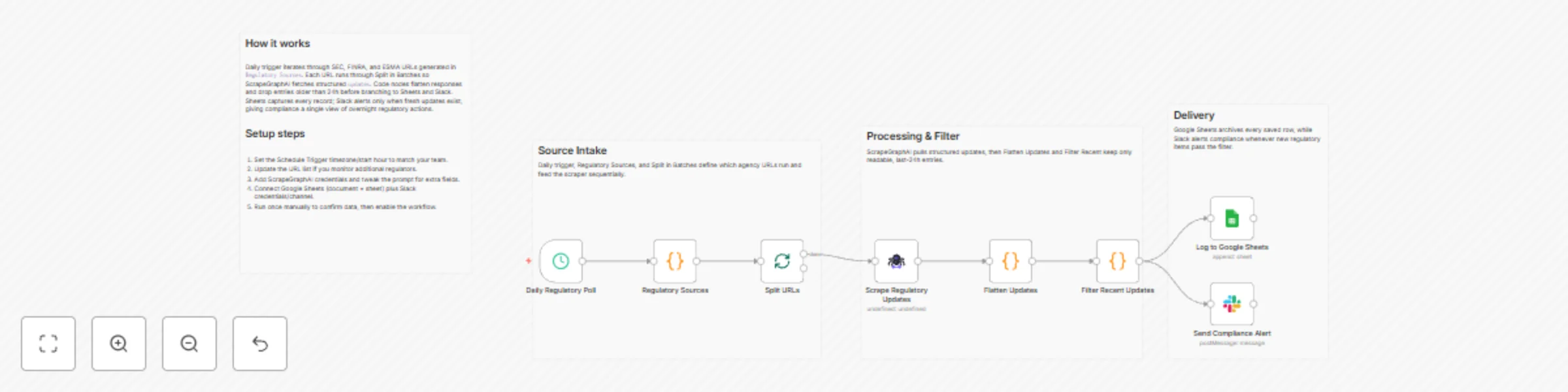
Aggregate financial regulatory news with ScrapeGraphAI, Slack alerts & Google Sheets
# Daily Stock Regulatory News Aggregator with Compliance Alerts and Google Sheets Tracking ## 🎯 Target Audience - Compliance officers and regulatory teams - Financial services firms monitoring regulatory updates - Investment advisors tracking regulatory changes - Risk management professionals - Corporate legal departments - Stock traders and analysts monitoring regulatory news ## 🚀 Problem Statement Manually monitoring regulatory updates from multiple agencies (SEC, FINRA, ESMA) is time-consuming and error-prone. This template automates daily regulatory news monitoring, aggregates updates from major regulatory bodies, filters for recent announcements, and instantly alerts compliance teams to critical regulatory changes, enabling timely responses and maintaining regulatory compliance. ## 🔧 How it Works This workflow automatically monitors regulatory news daily, scrapes the latest updates from major regulatory agencies using AI-powered web scraping, filters for updates from the last 24 hours, and sends Slack alerts while logging all updates to Google Sheets for historical tracking. ### Key Components 1. **Daily Schedule Trigger** - Automatically runs the workflow every 24 hours to check for regulatory updates 2. **Regulatory Sources Configuration** - Defines the list of regulatory agencies and their URLs to monitor (SEC, FINRA, ESMA) 3. **Batch Processing** - Iterates through regulatory sources one at a time for reliable processing 4. **AI-Powered Scraping** - Uses ScrapeGraphAI to intelligently extract regulatory updates including title, summary, date, agency, and source URL 5. **Data Flattening** - Transforms scraped data structure into individual update records 6. **Time Filtering** - Filters updates to keep only those from the last 24 hours 7. **Historical Tracking** - Logs all filtered updates to Google Sheets for compliance records 8. **Compliance Alerts** - Sends Slack notifications to compliance teams when new regulatory updates are detected ## 💰 Key Features ### Automated Regulatory Monitoring - **Daily Execution**: Runs automatically every 24 hours without manual intervention - **Multi-Agency Support**: Monitors SEC, FINRA, and ESMA simultaneously - **Error Handling**: Gracefully handles scraping errors and continues processing other sources ### Smart Filtering - **Time-Based Filtering**: Automatically filters updates to show only those from the last 24 hours - **Date Validation**: Discards updates with unreadable or invalid dates - **Recent Updates Focus**: Ensures compliance teams only receive actionable, timely information ### Alert System - **Compliance Alerts**: Instant Slack notifications for new regulatory updates - **Structured Data**: Alerts include title, summary, date, agency, and source URL - **Dedicated Channel**: Posts to designated compliance alerts channel for team visibility ## 📊 Output Specifications The workflow generates and stores structured data including: | Output Type | Format | Description | Example | |-------------|--------|-------------|---------| | **Regulatory Updates** | JSON Object | Extracted regulatory update information | `{"title": "SEC Announces New Rule", "date": "2024-01-15", "agency": "SEC"}` | | **Update History** | Google Sheets | Historical regulatory update records with timestamps | Columns: Title, Summary, Date, Agency, Source URL, Scraped At | | **Slack Alerts** | Messages | Compliance notifications for new updates | "📢 New SEC update: [Title] - [Summary]" | | **Error Logs** | System Logs | Scraping error notifications | "❌ Error scraping FINRA updates" | ## 🛠️ Setup Instructions **Estimated setup time: 15-20 minutes** ### Prerequisites - n8n instance with community nodes enabled - ScrapeGraphAI API account and credentials - Google Sheets API access (OAuth2) - Slack workspace with API access - Google Sheets spreadsheet for regulatory update tracking ### Step-by-Step Configuration #### 1. Install Community Nodes ```bash # Install ScrapeGraphAI community node npm install n8n-nodes-scrapegraphai ``` #### 2. Configure ScrapeGraphAI Credentials - Navigate to Credentials in your n8n instance - Add new ScrapeGraphAI API credentials - Enter your API key from ScrapeGraphAI dashboard - Test the connection to ensure it's working #### 3. Set up Google Sheets Connection - Add Google Sheets OAuth2 credentials - Authorize access to your Google account - Create or identify the spreadsheet for regulatory update tracking - Note the spreadsheet ID and sheet name (default: "RegUpdates") #### 4. Configure Slack Integration - Add Slack API credentials to your n8n instance - Create or identify Slack channel: `#compliance-alerts` - Test Slack connection with a sample message - Ensure the bot has permission to post messages #### 5. Customize Regulatory Sources - Open the "Regulatory Sources" Code node - Update the urls array with additional regulatory sources if needed: ```javascript const urls = [ 'https://www.sec.gov/news/pressreleases', 'https://www.finra.org/rules-guidance/notices', 'https://www.esma.europa.eu/press-news', // Add more URLs as needed ]; ``` #### 6. Configure Google Sheets - Update `documentId` in "Log to Google Sheets" node with your spreadsheet ID - Update `sheetName` to match your sheet name (default: "RegUpdates") - Ensure the sheet has columns: Title, Summary, Date, Agency, Source URL, Scraped At - Create the sheet with proper column headers if starting fresh #### 7. Customize Slack Channel - Open "Send Compliance Alert" Slack node - Update the channel name (default: "#compliance-alerts") - Customize the message format if needed - Test with a sample message #### 8. Adjust Schedule - Open "Daily Regulatory Poll" Schedule Trigger - Modify `hoursInterval` to change frequency (default: 24 hours) - Set specific times if needed for daily execution #### 9. Customize Scraping Prompt - Open "Scrape Regulatory Updates" ScrapeGraphAI node - Adjust the `userPrompt` to extract different or additional fields - Modify the JSON schema in the prompt if needed - Change the number of updates extracted (default: 5 most recent) #### 10. Test and Validate - Run the workflow manually to verify all connections - Check Google Sheets for data structure and format - Verify Slack alerts are working correctly - Test error handling with invalid URLs - Validate date filtering is working properly ## 🔄 Workflow Customization Options ### Modify Monitoring Frequency - Change `hoursInterval` in Schedule Trigger for different frequencies - Switch to multiple times per day for critical monitoring - Add multiple schedule triggers for different agency checks ### Extend Data Collection - Modify ScrapeGraphAI prompt to extract additional fields (documents, categories, impact level) - Add data enrichment nodes for risk assessment - Integrate with regulatory databases for more comprehensive tracking - Add sentiment analysis for regulatory updates ### Enhance Alert System - Add email notifications alongside Slack alerts - Create different alert channels for different agencies - Add priority-based alerting based on update keywords - Integrate with SMS or push notification services - Add webhook integrations for other compliance tools ### Advanced Analytics - Add data visualization nodes for regulatory trend analysis - Create automated compliance reports with summaries - Integrate with business intelligence tools - Add machine learning for update categorization - Track regulatory themes and topics over time ### Multi-Source Support - Add support for additional regulatory agencies - Implement agency-specific scraping strategies - Add regional regulatory sources (FCA, BaFin, etc.) - Include state-level regulatory updates ## 📈 Use Cases - **Compliance Monitoring**: Automatically track regulatory updates to ensure timely compliance responses - **Risk Management**: Monitor regulatory changes that may impact business operations or investments - **Regulatory Intelligence**: Build historical databases of regulatory announcements for trend analysis - **Client Communication**: Stay informed to provide timely updates to clients about regulatory changes - **Legal Research**: Track regulatory developments for legal research and case preparation - **Investment Strategy**: Monitor regulatory changes that may affect investment decisions ## 🚨 Important Notes - Respect website terms of service and rate limits when scraping regulatory sites - Monitor ScrapeGraphAI API usage to manage costs - Ensure Google Sheets has proper column structure before first run - Set up Slack channel before running the workflow - Consider implementing rate limiting for multiple regulatory sources - Keep credentials secure and rotate them regularly - Test with one regulatory source first before adding multiple sources - Verify date formats are consistent across different regulatory agencies - Be aware that some regulatory sites may have anti-scraping measures ## 🔧 Troubleshooting **Common Issues:** - ScrapeGraphAI connection errors: Verify API key and account status - Google Sheets logging failures: Check spreadsheet ID, sheet name, and column structure - Slack notification failures: Verify channel name exists and bot has permissions - Date filtering issues: Ensure dates from scraped content are in a parseable format - Validation errors: Check that scraped data matches expected schema - Empty results: Verify regulatory sites are accessible and haven't changed structure **Optimization Tips:** - Start with one regulatory source to test the workflow - Monitor API usage and costs regularly - Use batch processing to avoid overwhelming scraping services - Implement retry logic for failed scraping attempts - Consider caching mechanisms for frequently checked sources - Adjust the number of updates extracted based on typical volume **Support Resources:** - ScrapeGraphAI documentation and API reference - Google Sheets API documentation - Slack API documentation for webhooks - n8n community forums for workflow assistance - n8n documentation for node configuration - SEC, FINRA, and ESMA official websites for source verification