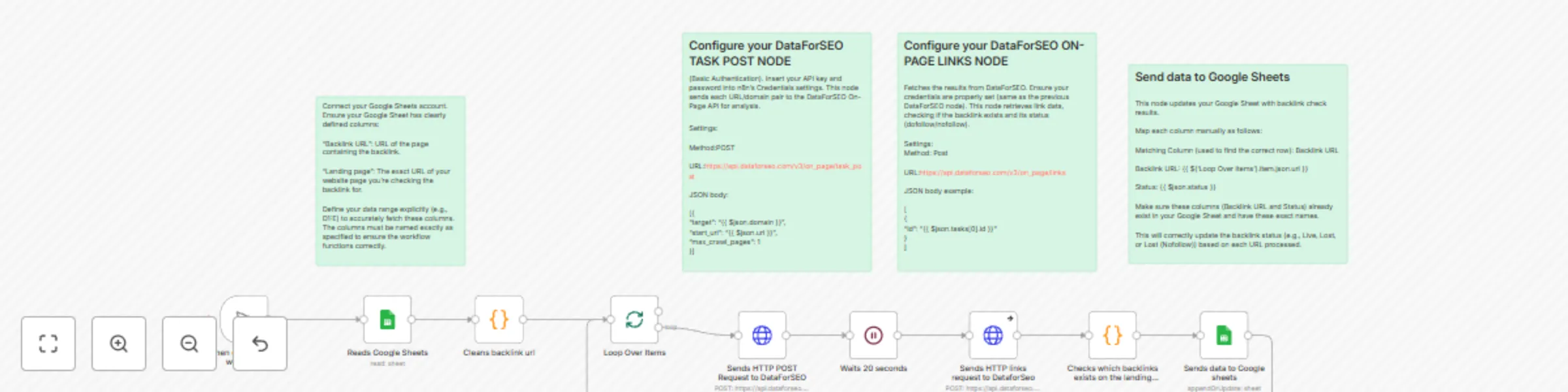
Backlink monitoring automation with Google Sheets + DataForSEO
## What This Workflow Does
This n8n workflow reads backlinks from a Google Sheet, sends each one to the DataForSEO On-Page API, and checks:
- Whether the backlink is still live on the target page
- Whether it's dofollow or nofollow
- Whether it's missing (i.e., lost)
The result is then written back to the same Google Sheet under a Status column.
## Your result will look like this:

## Step-by-Step Setup Instructions
1. Add your DataForSEO and Google Sheets credentials in n8n
2. Make sure your Google Sheet has these columns: Backlink URL, Landing page, and Status
3. Click the Test Workflow button to check a batch of backlinks
## Workflow Breakdown
1. Trigger: Manual test start
2. Read Data: Pulls backlink URLs and target pages from Google Sheets
3. Format URLs: Extracts domain from URL
4. Send POST Request to DataForSEO: Triggers a crawl on the backlink URL
5. Wait 20 seconds: Allows crawl to finish
6. Fetch Link Results: Retrieves backlink data from DataForSEO
7. Validate Backlink: Checks if the backlink is live, and whether it’s dofollow
8. Update Google Sheets: Logs the status as Live, Lost, or Lost (Nofollow)