L

Limbraj More

1
Workflow

Workflows by Limbraj More

Workflow preview: Process invoices & engineering emails with Gmail, AI analysis & Telegram alerts
Free advanced

Process invoices & engineering emails with Gmail, AI analysis & Telegram alerts

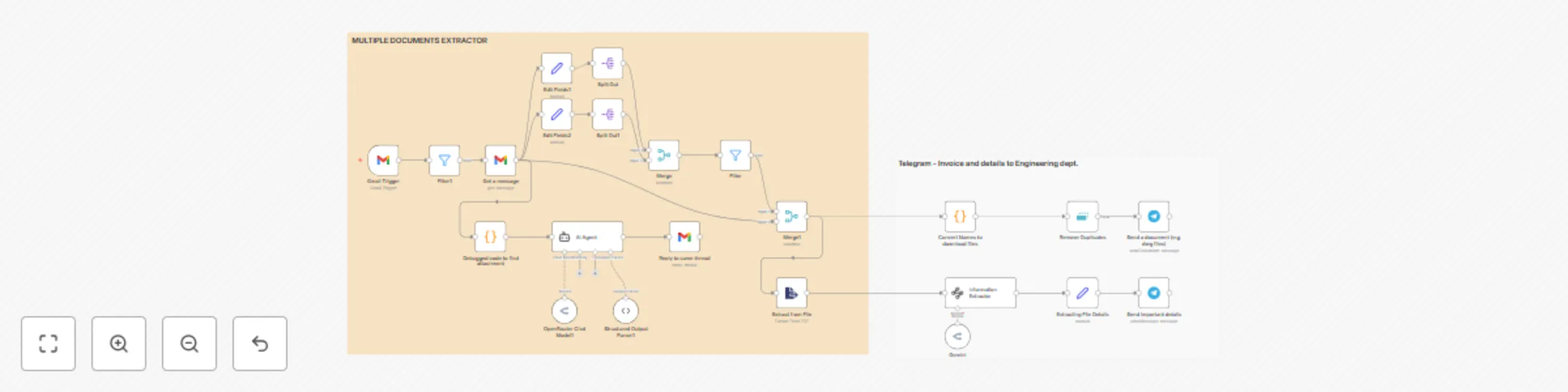
Automate admin tasks for manufacturing companies by processing emails, extracting key data from invoices & purchase orders, and delivering instant alerts via Gmail and Telegram. 📝 Description This workflow automatically: Fetches incoming emails from Gmail Classifies emails (invoices, purchase orders, payment follow-up, etc.) using AI Sends tailored auto-replies based on content and attachment presence Extracts structured data from attached invoices/POs (PDFs etc.) Delivers alerts and document files to your team via Telegram Logs or routes data for further use in accounting or internal systems ⚙️ Pre-Conditions & Requirements Before using this workflow, you need: Gmail Account with API access (for OAuth2 authentication) Telegram Bot API Token (create a Telegram bot and get your API key) Optional: API credentials for Google Sheets or other data sinks if you want to log extracted data OpenRouter API credentials (for LLM-powered nodes, if used) Access to an n8n instance (cloud or self-hosted) 🛠 Setup Instructions Import the Workflow: Download the JSON file and import it into your n8n instance. Connect Accounts: Configure the Gmail Trigger node with your Gmail OAuth2 credentials Set up the Telegram node with your bot API token Set Required Variables: Adjust AI instructions or prompt text if needed (for your company’s tone/templates) Customize labels, keywords, or filters in code nodes for your use case Set target Telegram chat/group IDs Test the Workflow: Send a sample email with attachments to your Gmail account Confirm that emails are classified, replies are sent, and Telegram notifications/mobile alerts are delivered as expected Review and Connect Optional Modules: For logging or archiving extracted data, connect additional “Google Sheets” or “Webhook” nodes as needed 🧩 Customization Tips Modify Email Categories: Update AI prompt instructions or filters to add/change labels (“Vendor Query,” “Partial Payment,” etc.) Attachment Handling: Edit the code node logic to detect and process additional file types (DWG, XLSX, ZIP, etc.) Notification Logic: Change the Telegram destination or add Slack/Microsoft Teams for broader team alerts Data Logging: Add nodes for CRM, inventory, or ERP integration (push to your accounting or workflow management tool) Example AI Prompt (for categorization) text You are the personal emailing assistant for Zenith Engineering, a manufacturing company... ## Your tasks: - Categorize each email by priority - Draft polite, professional replies... - Identify and label attachments such as invoices, POs, drawings Response should be a valid JSON object: {"Label":"Important", "Response":"..."} If you have any doubts and questions let me know : [email protected] from Pune. Linkedin: https://www.linkedin.com/in/raj-more-171560bb/

L
Limbraj More
Invoice Processing
31 Jul 2025
514
0