Sean Birmingham
Workflows by Sean Birmingham
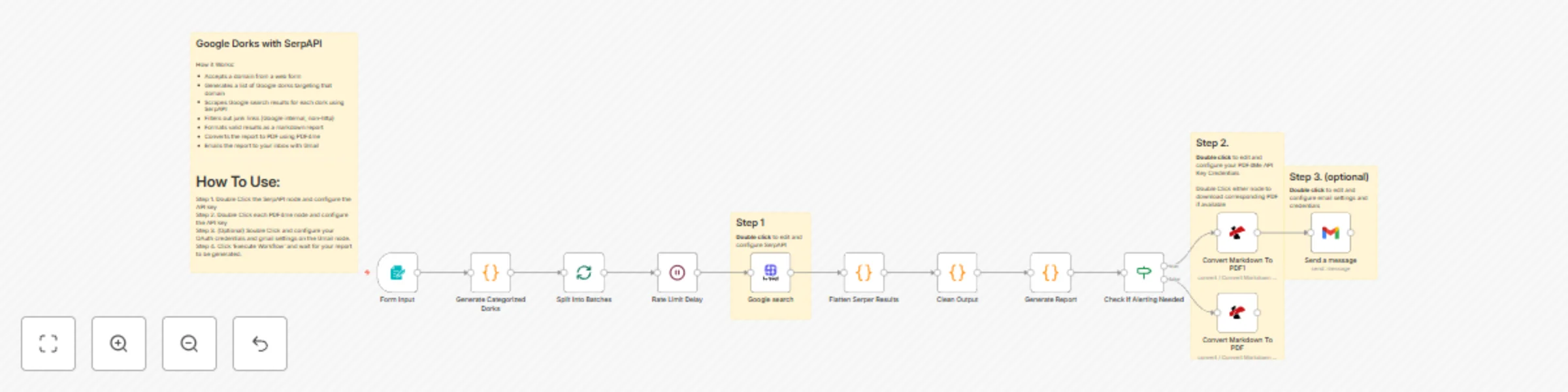
Generate security vulnerability reports with Google Dorks, SerpAPI and PDF4me
## Google Dorks with SerpAPI How it Works: - Accepts a domain from a web form - Generates a list of Google dorks targeting that domain - Scrapes Google search results for each dork using SerpAPI - Filters out junk links (Google internal, non-http) - Formats valid results as a markdown report - Converts the report to PDF using PDF4me - Emails the report to your inbox with Gmail ---- # How To Use: **Step 1.** Double Click the SerpAPI node and configure the API key **Step 2.** Double Click each PDF4me node and configure the API key **Step 3.** (Optional) Double Click and configure your OAuth credentials and gmail settings on the Gmail node. **Step 4.** Click 'Execute Workflow' and wait for your report to be generated.
Web security scanner for OWASP compliance with Markdown reports
**How the n8n OWASP Scanner Works & How to Set It Up** **How It Works (Simple Flow):** - **1. Input**: Enter target URL + endpoint (e.g., `https://example.com`, `/login`) - **2. Scan**: This workflow executes 5 parallel HTTP tests (Headers, Cookies, CORS, HTTPS, Methods) - **3. Analyze**: Pure JS logic checks OWASP ASVS (Application Security Verification Standard) rules (no external tools) - **4. Merge**: Combines all findings into one Markdown report - **5. Output**: Auto-generates + downloads `scan-2025-11-16_210900.md`** (example filename) - **6. Email:** (Optional) Forward the report to an email address using Gmail. --- **Setup in 3 Steps (2 Minutes)** 1. **Import Workflow** - Copy the full JSON (from "Export Final Workflow") - In n8n → **Workflows** → **Import from JSON** → Paste → Import 2. **(Optional) Connect your Gmail credentials** - In the last node to auto-email the report 3. **Click Execute the workflow** - Enter a URL in the new window, then click 'submit'. *You can alternatively download or receive the Markdown report directly from the Markdown to File node* --- *(Supports any HTTP/HTTPS endpoint. Works in n8n Cloud or self-hosted.)*
IP threat intelligence report generator with VirusTotal, OpenAI and Google Docs
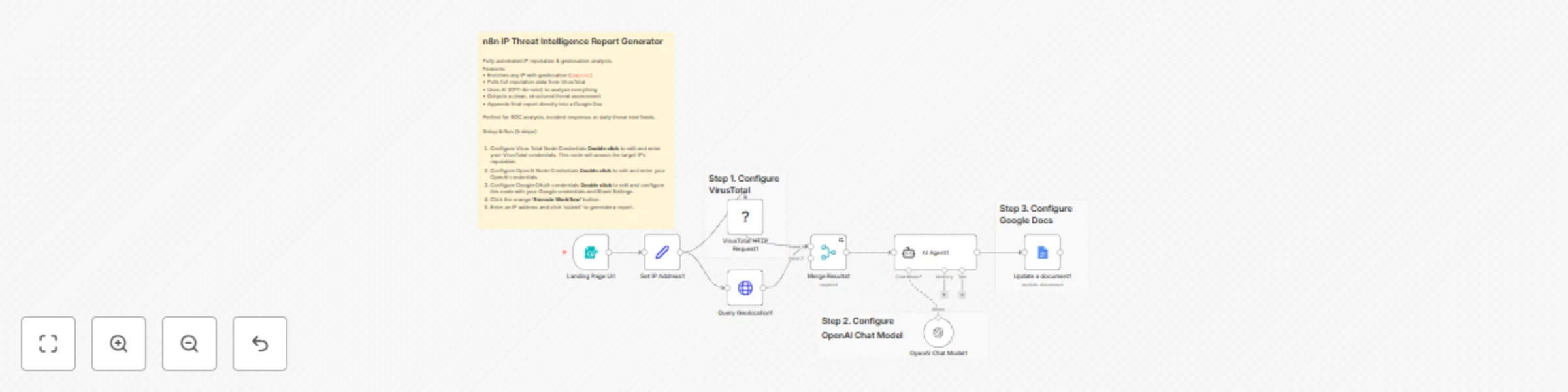
Cybersec IP Intelligence Gatherer --- This project utilizes the VirusTotal node and Geolocation node to thoroughly gather data on a provided IP address. From there a LLM AI assistant will assess the gathered data and create a report that will then be uploaded to Google Docs. ___ This workflow is perfect for: - Cybersecurity Analysis - Security Audits - Penetration Testing - Ethical Hacking --- 1. Configure Virus Total Node Credentials **Double click** to edit and enter your VirusTotal credentials. This node will assess the target IP's reputation. 2. Configure OpenAI Node Credentials **Double click** to edit and enter your OpenAI credentials. 3. Configure Google OAuth credentials **Double click** to edit and configure this node with your Google credentials and Sheet Settings. 5. Click the orange **'Execute Workflow'** button. 6. Enter an IP address and click 'submit' to generate a report.
Automate external attack surface mapping with Shodan API and DNS lookups
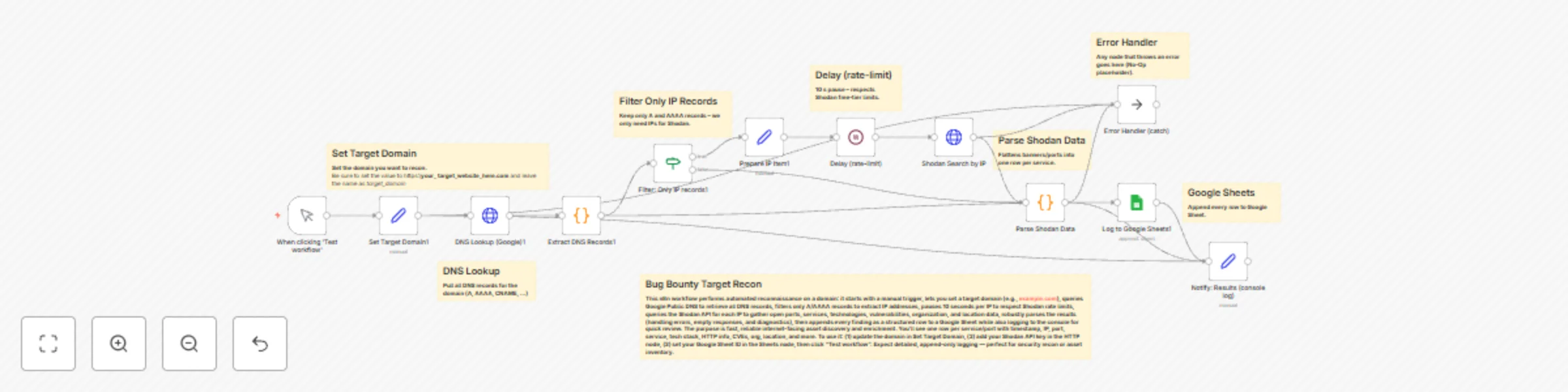
The **Bug Bounty Target Recon** n8n workflow is a powerful automation tool for security professionals and ethical hackers. It efficiently automates the time-consuming process of external attack surface mapping. By taking a domain, the workflow performs DNS Lookups to identify all associated IP addresses, and then utilizes the Shodan API to query: - Detailed service banners - Open ports - Technologies - Known vulnerabilities This system delivers crucial, organized OSINT data, saving the user hours of manual scripting and reconnaissance, and providing a clear, actionable map of a target's exposed infrastructure.
Security reconnaissance with Google Dorks, Parsera scraping, and Gmail reports
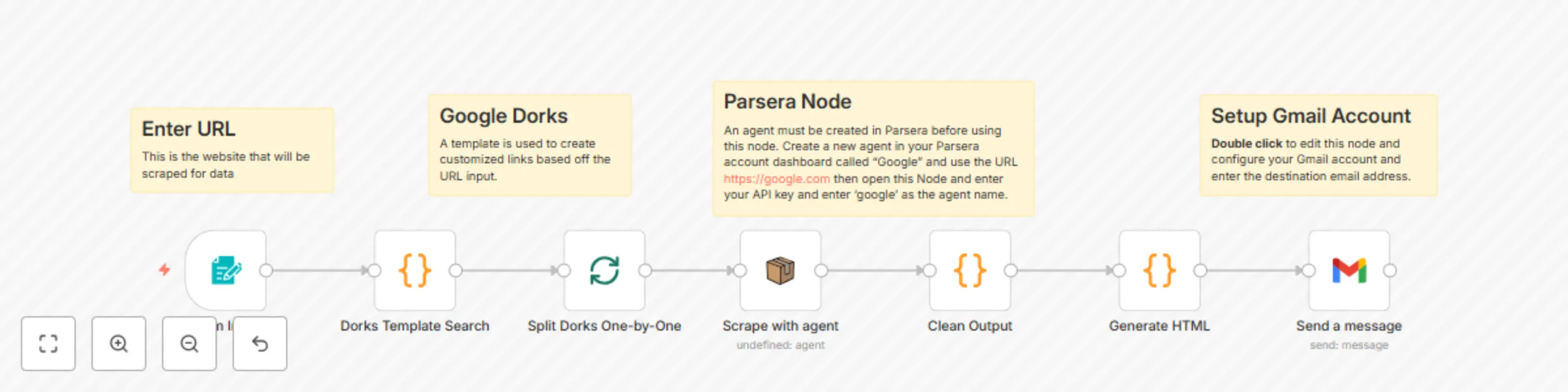
*This workflow contains community nodes that are only compatible with the self-hosted version of n8n.* ## How it Works: 1. - Accepts a domain from a web form 2. - Generates a list of Google dorks targeting that domain 3. - Scrapes Google search results for each dork 4. - Filters out junk links (Google internal, non-http) 5. - Formats valid results as a markdown report 6. - Emails the report to your inbox ## For this workflow you will need to configure credentials in n8n as well as create a Parsera.io agent: ### 1. AI Scraper Account - Create an account for: https://app.parsera.io - Create an agent named "Google" and use the URL https://google.com - Copy/Paste your Parsera.io API key to the 'Scrape with agent' node in the n8n workflow ### 2. Gmail OAuth2 - Go to Google Cloud Console - Enable Gmail API - Create OAuth2 credentials - Copy/Paste the Gmail API key to the Gmail node in the n8n workflow
JavaScriptSentry: detect sensitive information in JavaScript
*This workflow contains community nodes that are only compatible with the self-hosted version of n8n.* **How It works:** When the user clicks "Execute Workflow" they are prompted for a URL, from there the Puppeteer node extracts JavaScript links from the provided URL. The links are then filtered down to ones that are relevant to the original URL that was quieried. From there an AI Agent searches the provided JavaScript links for API Keys, email addresses, and PII leaks. Finally a report is generated and sent via gmail to a desired destination. The report contains discovered links as well as any sensitive information that may have been found. **Why It's Useful:** This is a great tool for Cybersecurity testing. - For Developers, make sure your scripts are clean and you didn't leave anything behind. - For Ethical Hackers, this is a great tool for Bug Bounties by discovering sensitive information hidden in JavaScript.
OTX & OpenAI web security check
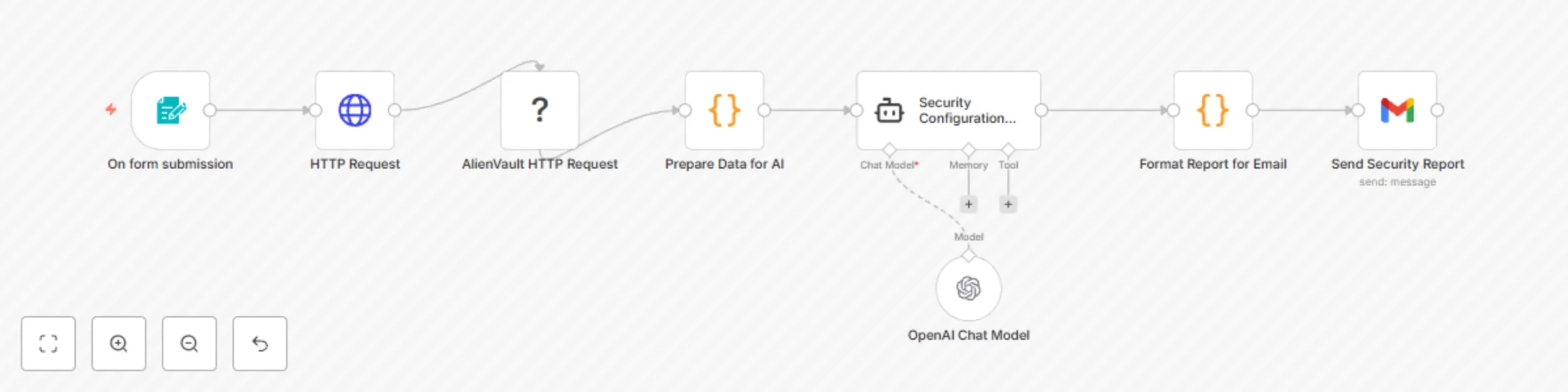
# This n8n workflow automates website security audits. It combines direct website scanning, threat intelligence from AlienVault OTX, and advanced analysis from an OpenAI large language model (LLM) to generate and email a comprehensive security report. ## How it Works (Workflow Flow): Input: A user provides a website URL via a simple web form. **Data Collection:** An HTTP Request node visits the provided URL to gather initial data (status code, headers). An AlienVault HTTP Request node queries AlienVault OTX for known threats associated with the website's hostname. **Data Preparation (Prepare Data for AI):** A custom code node consolidates the collected website data and AlienVault intelligence, performing initial checks for common issues (e.g., error codes, missing security headers, AlienVault warnings). **AI Analysis (Security Configuration Audit):** The prepared data is sent to an OpenAI Chat Model, which acts as a cybersecurity expert. The AI analyzes the data to identify vulnerabilities, explain their impact, suggest exploitation methods, and outline mitigation steps. **Report Formatting (Format Report for Email):** Another custom code node takes the AI's plain-text report and converts it into a structured HTML format suitable for email. **Delivery (Send Security Report):** The final HTML report is sent via Gmail to a specified email address. ### **Setup Steps:** To use this workflow, you'll need an n8n instance and the following credentials: n8n Instance: Ensure your n8n environment is running. **OpenAI API Key:** Generate a key from OpenAI. Add an "OpenAI API" credential in n8n (e.g., "OpenAI account"). **AlienVault OTX API Key:** Obtain a key from your AlienVault OTX profile. Add an "AlienVault OTX API" credential in n8n (e.g., "AlienVault account"). **Gmail Account:** Set up a "Gmail OAuth2" credential in n8n for sending emails (recommended for security; involves Google Cloud setup). **Import Workflow:** Copy the workflow's JSON code. In n8n, import the workflow via "Workflows" > "New" > "Import from JSON". **Configure Recipient:** In the "Send Security Report" node, specify the email address where reports should be sent. **Activate:** Enable the workflow to start processing submissions. Once activated, access the "On form submission" webhook URL to input a URL and trigger an audit.