Khairul Muhtadin
Workflows by Khairul Muhtadin
YouTube to telegram summary bot with Decodo & Gemini AI
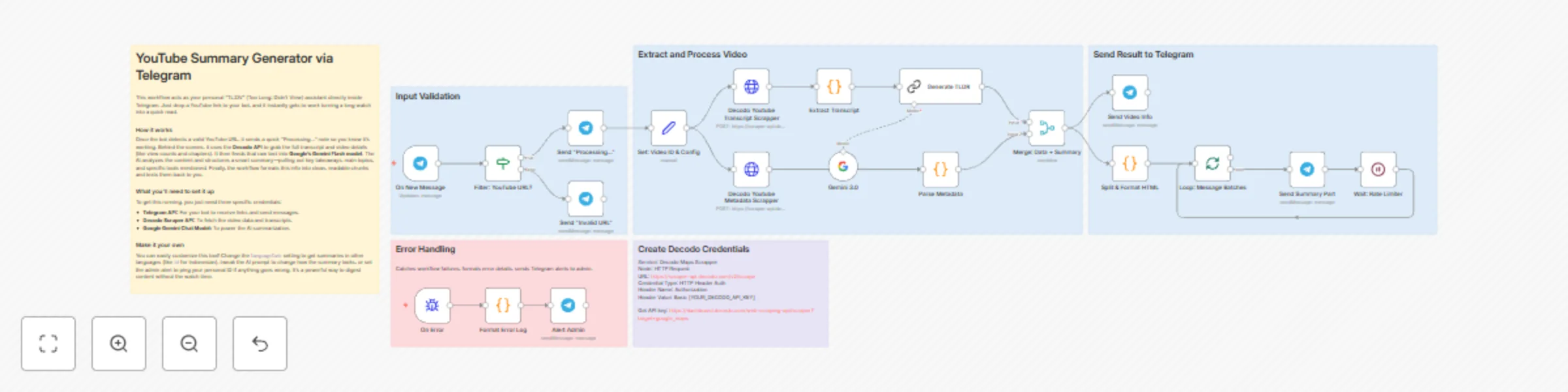
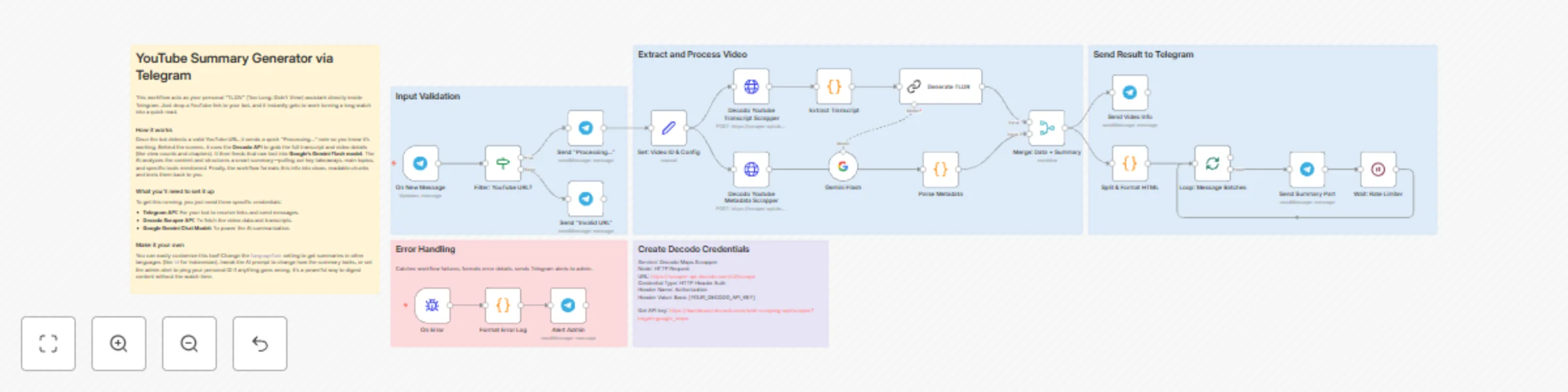
Stop wasting hours watching long videos. This **n8n workflow** acts as your personal "TL;DW" (Too Long; Didn't Watch) assistant. It automatically pulls YouTube transcripts using Decodo, analyzes them with Google Gemini, and sends a detailed summary straight to your Telegram. ## Why You Need This * **Save Time:** Turn a 2-hour video into a 5-minute read (95% faster). * **Don't Miss a Thing:** Captures key points, chapters, tools mentioned, and quotes that you might miss while skimming. * **Instant Results:** Get a structured summary in Telegram within 30-60 seconds. * **Multi-Language:** Works with any video language that has YouTube captions. ## Who Is This For? * **Creators & Marketers:** Spy on competitor strategies and extract tools without watching endless footage. * **Students:** Turn lecture recordings into instant study notes. * **Busy Pros:** Digest conference talks and webinars on the go. ## How It Works 1. **Send Link:** You message a YouTube link to your Telegram bot. 2. **Scrape:** The bot uses the **[Decodo API](https://decodo.com)** to grab the video transcript and metadata (views, chapters, etc.). 3. **Analyze:** **Google Gemini** reads the text and writes a structured summary (overview, takeaways, tools). 4. **Deliver:** You receive the formatted summary in chat. ## Setup Guide ### What You Need * **[n8n instance](https://n8n.partnerlinks.io/khmuhtadin)** (to run the workflow) * **Telegram Bot Token** (free via [@BotFather](https://t.me/botfather)) * **Decodo Scraper API Key** (for YouTube data - [Get it here](https://dashboard.decodo.com/web-scraping-api/scraper?target=youtube_transcript)) * **Google Gemini API Key** (for the AI - [Get it here](https://makersuite.google.com/app/apikey)) ### Quick Installation 1. **Import:** Load the JSON file into your [n8n instance](https://n8n.partnerlinks.io/khmuhtadin). 2. **Credentials:** Add your API keys for Telegram, Decodo, and Google Gemini in the n8n credentials section. 3. **Configure:** * In the "Alert Admin" node, set the `chatId` to your Telegram User ID (find it via @userinfobot). * (Optional) Change the `languageCode` in the Config node if you want non-English transcripts. 4. **Test:** Send a YouTube link to your bot. You should see a "Processing..." message followed by your summary! ## Troubleshooting & Tips * **"Not a YouTube URL":** Make sure you are sending a standard `youtube.com` or `youtu.be` link. * **No Transcript:** The video must have captions (auto-generated or manual) for this to work. * **Customization:** You can edit the AI Prompt in the "Generate TLDR" node to change how the summary looks (e.g., "Make it funny" or "Focus on technical details"). --- **Created by:** [Khaisa Studio](https://khaisa.studio) **Category:** AI-Powered Automation **Tags:** YouTube, AI, Telegram, Summarization, Decodo, Gemini **Need custom workflows?** [Contact us](https://khaisa.studio/contact) **Connect with the creator:** [Portfolio](https://khmuhtadin.com) • [Workflows](https://khaisa.studio/products/) • [LinkedIn](https://www.linkedin.com/in/khmuhtadin/) • [Medium](https://medium.com/@khaisastudio) • [Threads](https://www.threads.com/@khmuhtadin)
AI-powered Amazon product recommendations with Gemini 2.5 Flash via Telegram
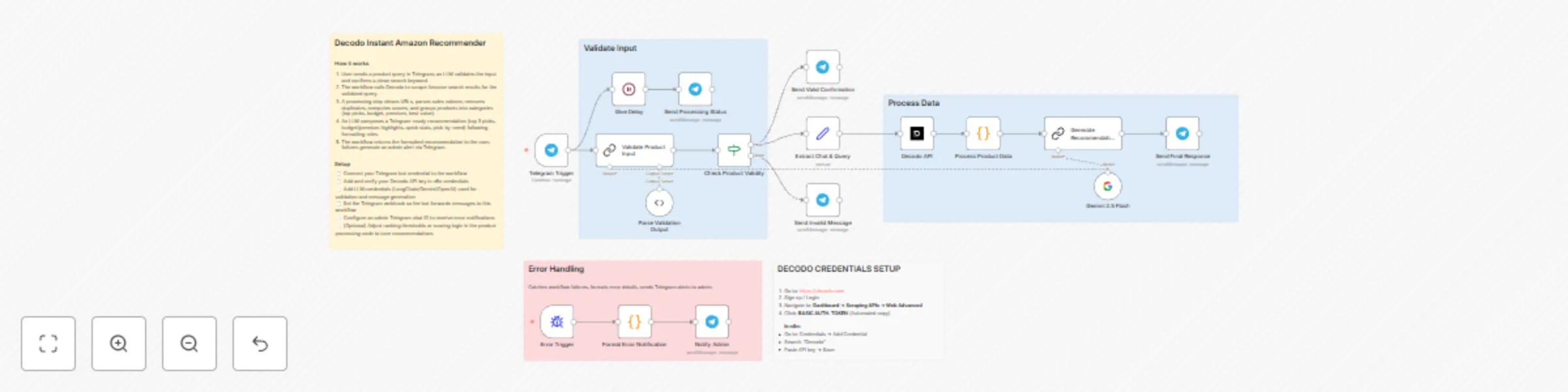
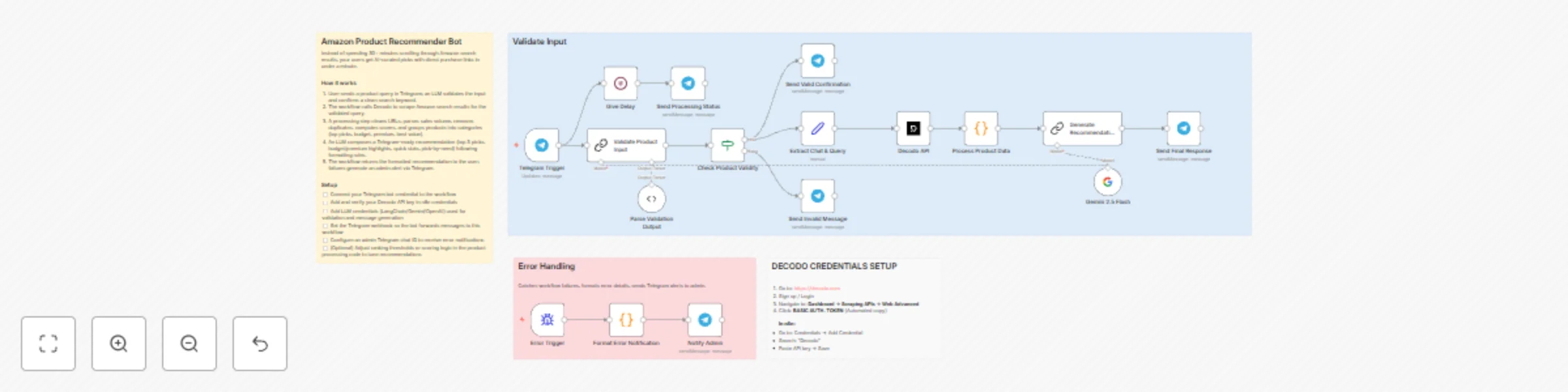
Decodo Amazon Product Recommender delivers instant, AI-powered shopping recommendations directly through Telegram. Send any product name and receive Amazon product analysis featuring price comparisons, ratings, sales data, and categorized recommendations (budget, premium, best value) in under 40 seconds—eliminating hours of manual research. ## Why Use This Workflow? **Time Savings:** Reduce product research from 45+ minutes to under 30 seconds **Decision Quality:** Compare 20+ products automatically with AI-curated recommendations **Zero Manual Work:** Complete automation from message input to formatted recommendations ## Ideal For - **E-commerce Entrepreneurs:** Quickly research competitor products, pricing strategies, and market trends for inventory decisions - **Smart Shoppers & Deal Hunters:** Get instant product comparisons with sales volume data and discount tracking before purchasing - **Product Managers & Researchers:** Analyze Amazon marketplace positioning, customer sentiment, and pricing ranges for competitive intelligence ## How It Works 1. **Trigger:** User sends product name via Telegram (e.g., "iPhone 15 Pro Max case") 2. **AI Validation:** Gemini 2.5 Flash extracts core product keywords and validates input authenticity 3. **Data Collection:** Decodo API scrapes Amazon search results, extracting prices, ratings, reviews, sales volume, and product URLs 4. **Processing:** JavaScript node cleans data, removes duplicates, calculates value scores, and categorizes products (top picks, budget, premium, best value, most popular) 5. **Intelligence Layer:** AI generates personalized recommendations with Telegram-optimized markdown formatting, shortened product names, and clean Amazon URLs 6. **Output & Delivery:** Formatted recommendations sent to user with categorized options and direct purchase links 7. **Error Handling:** Admin notifications via separate Telegram channel for workflow monitoring ## Setup Guide ### Prerequisites | Requirement | Type | Purpose | |-------------|------|---------| | [n8n instance](https://n8n.partnerlinks.io/khmuhtadin) | Essential | Workflow execution platform | | [Decodo Account](https://decodo.com) | Essential | Amazon product data scraping | | Telegram Bot Token | Essential | Chat interface for user interactions | | Google Gemini API | Essential | AI-powered product validation and recommendations | | Telegram Account | Optional | Admin error notifications | ### Installation Steps 1. Import the JSON file to your [n8n instance](https://n8n.partnerlinks.io/khmuhtadin) 2. **Configure credentials:** - **Decodo API**: Sign up at [decodo.com](https://decodo.com) → Dashboard → Scraping APIs → Web Advanced → Copy BASIC AUTH TOKEN - **Telegram Bot**: Message @BotFather on Telegram → `/newbot` → Copy HTTP API token (format: `123456789:ABCdefGHI...`) - **Google Gemini**: Obtain API key from Google AI Studio for Gemini 2.5 Flash model 3. **Update environment-specific values:** - Replace `YOUR-CHAT-ID` in "Notify Admin" node with your Telegram chat ID for error notifications - Verify Telegram webhook IDs are properly configured 4. **Customize settings:** - Adjust AI prompt in "Generate Recommendations" node for different output formats - Set character limits (default: 2500) for Telegram message length 5. **Test execution:** - Send test message to your Telegram bot: "iPhone 15 Pro" - Verify processing status messages appear - Confirm recommendations arrive with properly formatted links ## Customization Options **Basic Adjustments:** - **Character Limit**: Modify `2500` in AI prompt to adjust response length (Telegram max: 4096) **Advanced Enhancements:** - **Multi-language Support**: Add language detection and translation nodes for international users - **Price Tracking**: Integrate Google Sheets to log historical prices and trigger alerts on drops - **Image Support**: Enable Telegram photo messages with product images from scraping results ## Troubleshooting **Common Issues:** | Problem | Cause | Solution | |---------|-------|----------| | "No product detected" for valid inputs | AI validation too strict or ambiguous query | Add specific product details (model number, brand) in user input | | Empty recommendations returned | Decodo API rate limit or Amazon blocking | Wait 60 seconds between requests; verify Decodo account status | | Telegram message formatting broken | Special characters in product names | Ensure Telegram markdown mode is set to "Markdown" (legacy) not "MarkdownV2" | ## Use Case Examples ### Scenario 1: E-commerce Store Owner **Challenge:** Needs to quickly assess competitor pricing and product positioning for new inventory decisions without spending hours browsing Amazon **Solution:** Sends "wireless earbuds" to bot, receives categorized analysis of 20+ products with price ranges ($15-$250), top sellers, and discount opportunities **Result:** Identifies $35-$50 price gap in market, sources comparable product, achieves 40% profit margin ### Scenario 2: Smart Shopping Enthusiast **Challenge:** Wants to buy a laptop backpack but overwhelmed by 200+ Amazon options with varying prices and unclear value propositions **Solution:** Messages "laptop backpack" to bot, gets AI recommendations sorted by budget ($30), premium ($50+), best value (highest discount + good ratings), and most popular (by sales volume) **Result:** Purchases "Best Value" recommendation with 35% discount, saves $18 and 45 minutes of research time --- **Created by:** [Khaisa Studio](https://khaisa.studio) **Category:** AI | Productivity | E-commerce | **Tags:** amazon, telegram, ai, product-research, shopping, automation, gemini **Need custom workflows?** [Contact us](https://khaisa.studio/contact) **Connect with the creator:** [Portfolio](https://khmuhtadin.com) • [Workflows](https://khaisa.studio/products/) • [LinkedIn](https://www.linkedin.com/in/khmuhtadin/) • [Medium](https://medium.com/@khaisastudio) • [Threads](https://www.threads.com/@khmuhtadin)
Summarize YouTube videos with Gemini AI and send via Telegram
This automated TLDW (Too Long; Didn't Watch) generator using Decodo's scraping API to extract complete video transcripts and metadata, then uses Google Gemini 3 to create intelligent summaries with key points, chapters breakdown, tools mentioned, and actionable takeaways—eliminating hours of manual note-taking and video watching. ## Why Use This Workflow? **Time Savings:** Convert a 2-hour video into a readable 5-minute summary, reducing research time by 95% **Comprehensive Coverage:** Captures key points, chapters, tools, quotes, and actionable steps that manual notes often miss **Instant Accessibility:** Receive structured summaries directly in Telegram within 30-60 seconds of sharing a link **Multi-Language Support:** Process transcripts in multiple languages supported by YouTube's auto-caption system ## Ideal For - **Content Creators & Researchers:** Quickly extract insights from competitor videos, educational content, or industry talks without watching hours of footage - **Students & Educators:** Generate study notes from lecture recordings, online courses, or tutorial videos with chapter-based breakdowns - **Marketing Teams:** Analyze competitor content strategies, extract tools and techniques mentioned, and identify trending topics across multiple videos - **Busy Professionals:** Stay updated with conference talks, webinars, or industry updates by reading summaries instead of watching full recordings ## How It Works 1. **Trigger:** User sends any YouTube URL (youtube.com or youtu.be) to a configured Telegram bot 2. **Data Collection:** Workflow extracts video ID and simultaneously fetches full transcript and metadata (title, channel, views, duration, chapters, tags) via Decodo API 3. **Processing:** Raw transcript data is extracted and cleaned, while metadata is parsed into structured fields including formatted statistics and chapter timestamps 4. **AI Processing:** Google Gemini Flash analyzes the transcript to generate a structured summary covering one-line overview, key points, main topics by chapter, tools mentioned, target audience, practical takeaways, and notable quotes ## Setup Guide ### Prerequisites | Requirement | Type | Purpose | |-------------|------|---------| | [n8n instance](https://n8n.partnerlinks.io/khmuhtadin) | Essential | Workflow execution platform | | Telegram Bot API | Essential | Receives video links and delivers summaries | | Decodo Scraper API | Essential | Extracts YouTube transcripts and metadata | | Google Gemini API | Essential | AI-powered summary generation | ### Installation Steps 1. Import the JSON file to your [n8n instance](https://n8n.partnerlinks.io/khmuhtadin) 2. **Configure credentials:** - **Telegram Bot API**: Create a bot via [@BotFather](https://t.me/botfather) on Telegram, obtain the API token, and configure in n8n Telegram credentials - **Decodo API**: Sign up at [Decodo Dashboard](https://dashboard.decodo.com/web-scraping-api/scraper?target=youtube_transcript), get your API key, create HTTP Header Auth credential with header name "Authorization" and value "Basic [YOUR_API_KEY]" - **Google Gemini API**: Obtain API key from [Google AI Studio](https://makersuite.google.com/app/apikey), configure in n8n Google Palm API credentials 3. **Update environment-specific values:** - In the "Alert Admin" node, replace `YOUR_CHAT_ID` with your personal Telegram user ID for error notifications - Optionally adjust the `languageCode` in "Set: Video ID & Config" node (default: "en") 4. **Customize settings:** - Modify the AI prompt in "Generate TLDR" node to adjust summary structure and depth 5. **Test execution:** - Send a YouTube link to your Telegram bot - Verify you receive the "Processing..." notification, video info card, and formatted summary chunks ## Technical Details ### Workflow Logic The workflow employs parallel processing for efficiency. Transcript and metadata are fetched simultaneously after video ID extraction. Once both API calls complete, the transcript feeds directly into Gemini AI while metadata is parsed separately. The merge node combines AI output with structured metadata before splitting into Telegram-friendly chunks. Error handling is isolated on a separate branch triggered by any node failure, formatting error details and alerting admins without disrupting the main flow. ## Customization Options **Basic Adjustments:** - **Language Selection**: Change `languageCode` from "en" to "id", "es", "fr", etc. to fetch transcripts in different languages (YouTube must have captions available) - **Summary Style**: Edit the prompt in "Generate TLDR" to focus on specific aspects (e.g., "focus only on technical tools mentioned" or "create a summary for beginners") - **Message Length**: Adjust `maxCharsPerChunk` (currently 4000) to create longer or shorter message splits based on preference **Advanced Enhancements:** - **Database Storage**: Add a Postgres/Airtable node after "Merge: Data + Summary" to archive all summaries with timestamps and user IDs for searchable knowledge base (medium complexity) - **Multi-Model Comparison**: Duplicate the "Generate TLDR" chain and connect GPT-4 or Claude, merge results to show different AI perspectives on the same video (high complexity) - **Auto-Translation**: Insert a translation node after summary generation to deliver summaries in user's preferred language automatically (medium complexity) ## Troubleshooting **Common Issues:** | Problem | Cause | Solution | |---------|-------|----------| | "Not a YouTube URL" error | URL format not recognized | Ensure UR sent contains youtube.com or youtu.be | | No transcript available | Video lacks captions or wrong language | Check video has auto-generated or manual captions change `languageCode` to match available options | | Decodo API 401/403 error | Invalid or expired API key | Verify API key in HTTP Header Auth credential. regenerate if needed from Decodo dashboard || | Error notifications not received | Wrong chat ID in Alert Admin node | Get your Telegram user ID from @userinfobot and update the node | ## Use Case Examples ### Scenario 1: Marketing Agency Competitive Analysis **Challenge:** Agency needs to analyze 50+ competitor YouTube videos monthly to identify content strategies, tools used, and messaging angles—watching all videos would require 80+ hours **Solution:** Drop youtube links into a shared Telegram group with the bot. Summaries are generated instantly, highlighting tools mentioned, key talking points, and target audience insights **Result:** Research time reduced from 80 hours to 6 hours monthly (93% time savings), with searchable archive of all competitor content strategies --- **Created by:** [Khaisa Studio](https://khaisa.studio) **Category:** AI-Powered Automation **Tags:** YouTube, AI, Telegram, Summarization, Content Analysis, Decodo, Gemini **Need custom workflows?** [Contact us](https://khaisa.studio/contact) **Connect with the creator:** [Portfolio](https://khmuhtadin.com) • [Workflows](https://khaisa.studio/products/) • [LinkedIn](https://www.linkedin.com/in/khmuhtadin/) • [Medium](https://medium.com/@khaisastudio) • [Threads](https://www.threads.com/@khmuhtadin)
AI-powered Amazon product recommendations via Decodo, Telegram and Gemini 2.5
Decodo Amazon Product Recommender delivers instant, AI-powered shopping recommendations directly through Telegram. Send any product name and receive Amazon product analysis featuring price comparisons, ratings, sales data, and categorized recommendations (budget, premium, best value) in under 40 seconds—eliminating hours of manual research. ## Why Use This Workflow? **Time Savings:** Reduce product research from 45+ minutes to under 30 seconds **Decision Quality:** Compare 20+ products automatically with AI-curated recommendations **Zero Manual Work:** Complete automation from message input to formatted recommendations ## Ideal For - **E-commerce Entrepreneurs:** Quickly research competitor products, pricing strategies, and market trends for inventory decisions - **Smart Shoppers & Deal Hunters:** Get instant product comparisons with sales volume data and discount tracking before purchasing - **Product Managers & Researchers:** Analyze Amazon marketplace positioning, customer sentiment, and pricing ranges for competitive intelligence ## How It Works 1. **Trigger:** User sends product name via Telegram (e.g., "iPhone 15 Pro Max case") 2. **AI Validation:** Gemini 2.5 Flash extracts core product keywords and validates input authenticity 3. **Data Collection:** Decodo API scrapes Amazon search results, extracting prices, ratings, reviews, sales volume, and product URLs 4. **Processing:** JavaScript node cleans data, removes duplicates, calculates value scores, and categorizes products (top picks, budget, premium, best value, most popular) 5. **Intelligence Layer:** AI generates personalized recommendations with Telegram-optimized markdown formatting, shortened product names, and clean Amazon URLs 6. **Output & Delivery:** Formatted recommendations sent to user with categorized options and direct purchase links 7. **Error Handling:** Admin notifications via separate Telegram channel for workflow monitoring ## Setup Guide ### Prerequisites | Requirement | Type | Purpose | |-------------|------|---------| | [n8n instance](https://n8n.partnerlinks.io/khmuhtadin) | Essential | Workflow execution platform | | [Decodo Account](https://decodo.com) | Essential | Amazon product data scraping | | Telegram Bot Token | Essential | Chat interface for user interactions | | Google Gemini API | Essential | AI-powered product validation and recommendations | | Telegram Account | Optional | Admin error notifications | ### Installation Steps 1. Import the JSON file to your [n8n instance](https://n8n.partnerlinks.io/khmuhtadin) 2. **Configure credentials:** - **Decodo API**: Sign up at [decodo.com](https://decodo.com) → Dashboard → Scraping APIs → Web Advanced → Copy BASIC AUTH TOKEN - **Telegram Bot**: Message @BotFather on Telegram → `/newbot` → Copy HTTP API token (format: `123456789:ABCdefGHI...`) - **Google Gemini**: Obtain API key from Google AI Studio for Gemini 2.5 Flash model 3. **Update environment-specific values:** - Replace `YOUR-CHAT-ID` in "Notify Admin" node with your Telegram chat ID for error notifications - Verify Telegram webhook IDs are properly configured 4. **Customize settings:** - Adjust AI prompt in "Generate Recommendations" node for different output formats - Set character limits (default: 2500) for Telegram message length 5. **Test execution:** - Send test message to your Telegram bot: "iPhone 15 Pro" - Verify processing status messages appear - Confirm recommendations arrive with properly formatted links ## Customization Options **Basic Adjustments:** - **Character Limit**: Modify `2500` in AI prompt to adjust response length (Telegram max: 4096) **Advanced Enhancements:** - **Multi-language Support**: Add language detection and translation nodes for international users - **Price Tracking**: Integrate Google Sheets to log historical prices and trigger alerts on drops - **Image Support**: Enable Telegram photo messages with product images from scraping results ## Troubleshooting **Common Issues:** | Problem | Cause | Solution | |---------|-------|----------| | "No product detected" for valid inputs | AI validation too strict or ambiguous query | Add specific product details (model number, brand) in user input | | Empty recommendations returned | Decodo API rate limit or Amazon blocking | Wait 60 seconds between requests; verify Decodo account status | | Telegram message formatting broken | Special characters in product names | Ensure Telegram markdown mode is set to "Markdown" (legacy) not "MarkdownV2" | ## Use Case Examples ### Scenario 1: E-commerce Store Owner **Challenge:** Needs to quickly assess competitor pricing and product positioning for new inventory decisions without spending hours browsing Amazon **Solution:** Sends "wireless earbuds" to bot, receives categorized analysis of 20+ products with price ranges ($15-$250), top sellers, and discount opportunities **Result:** Identifies $35-$50 price gap in market, sources comparable product, achieves 40% profit margin ### Scenario 2: Smart Shopping Enthusiast **Challenge:** Wants to buy a laptop backpack but overwhelmed by 200+ Amazon options with varying prices and unclear value propositions **Solution:** Messages "laptop backpack" to bot, gets AI recommendations sorted by budget ($30), premium ($50+), best value (highest discount + good ratings), and most popular (by sales volume) **Result:** Purchases "Best Value" recommendation with 35% discount, saves $18 and 45 minutes of research time --- **Created by:** [Khaisa Studio](https://khaisa.studio) **Category:** AI | Productivity | E-commerce | **Tags:** amazon, telegram, ai, product-research, shopping, automation, gemini **Need custom workflows?** [Contact us](https://khaisa.studio/contact) **Connect with the creator:** [Portfolio](https://khmuhtadin.com) • [Workflows](https://khaisa.studio/products/) • [LinkedIn](https://www.linkedin.com/in/khmuhtadin/) • [Medium](https://medium.com/@khaisastudio) • [Threads](https://www.threads.com/@khmuhtadin)
Scrape & enrich Google Maps leads with Decodo API and Gemini 2.5 Flash
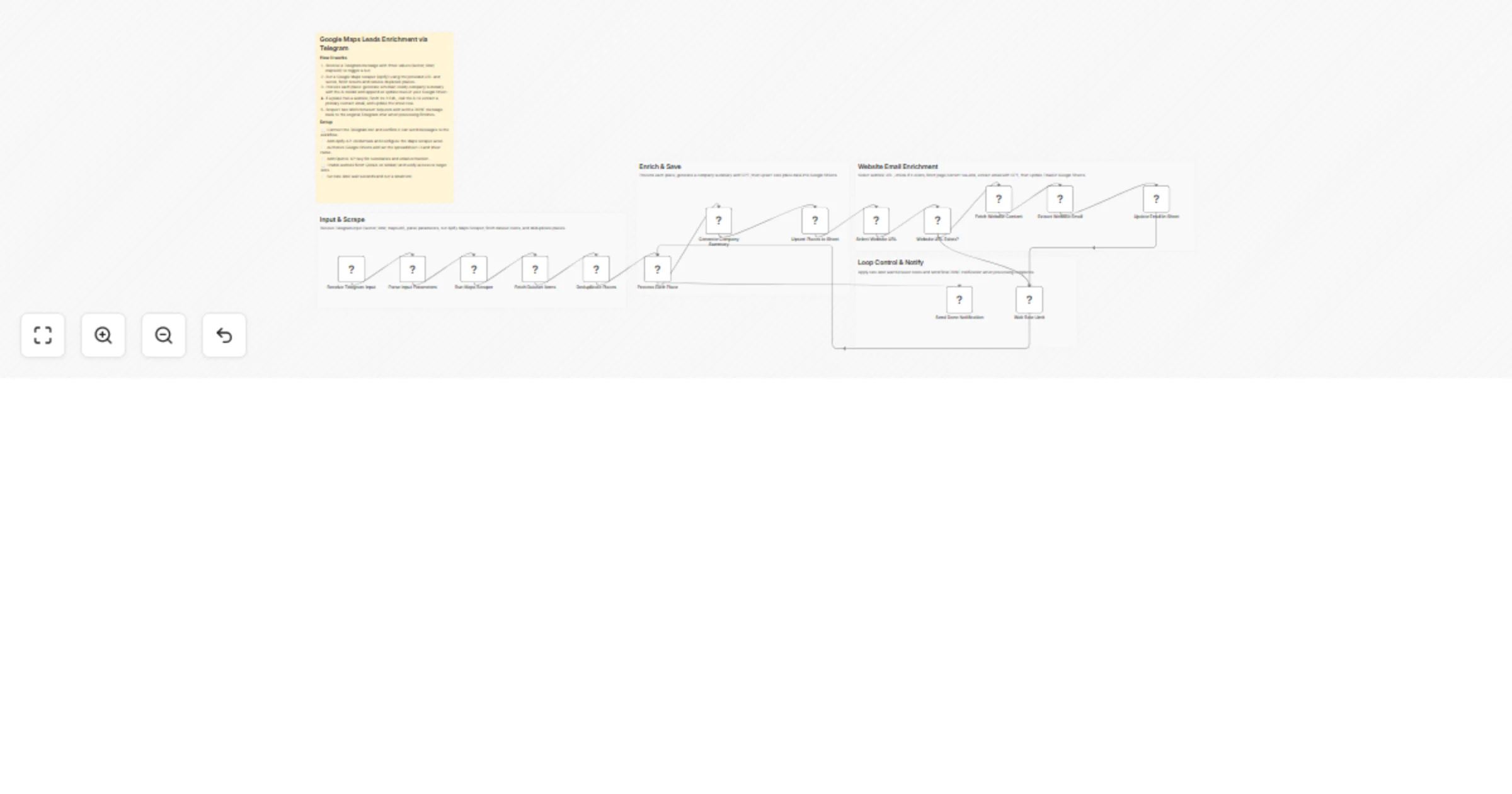
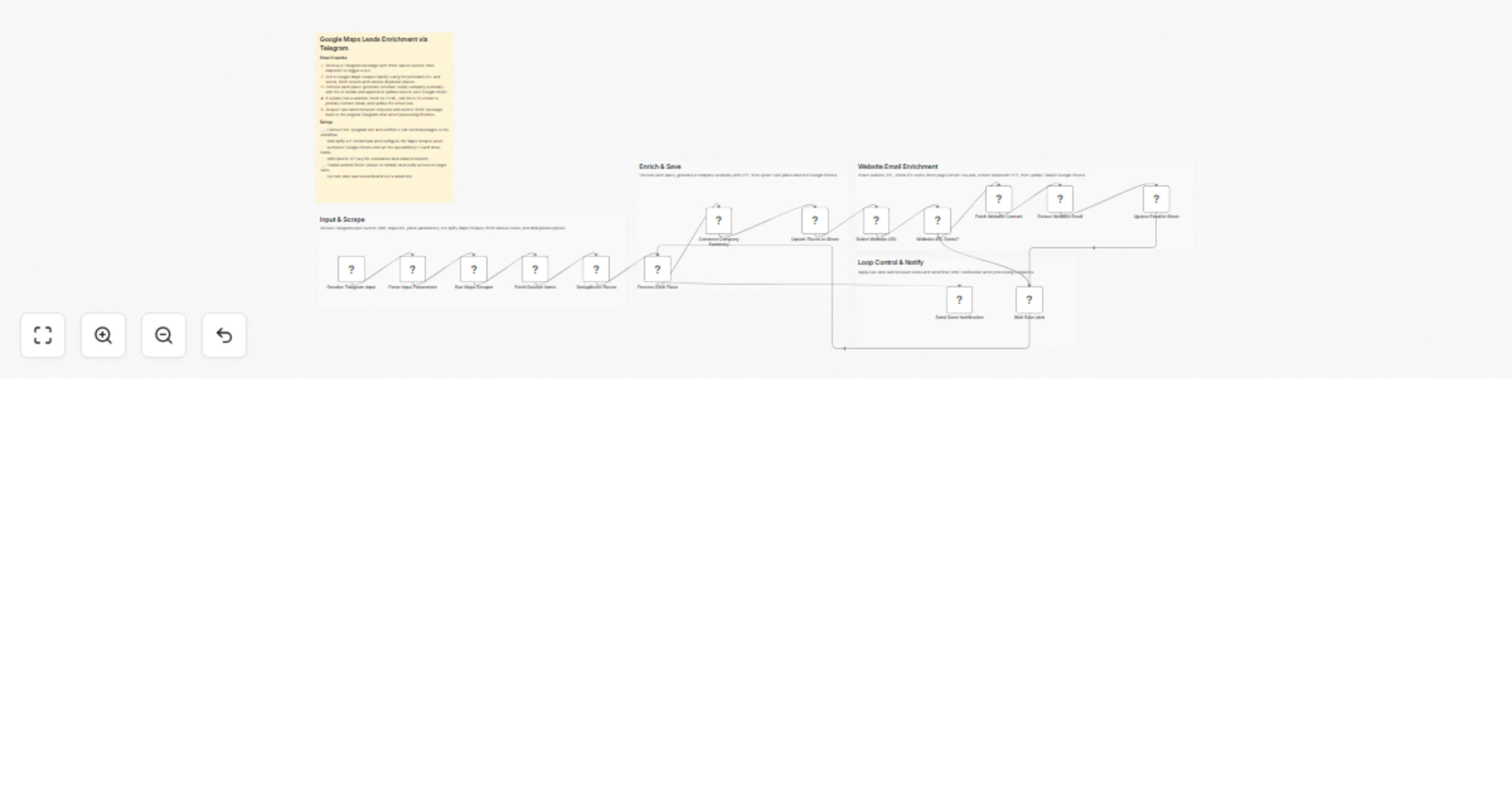
This workflow scrapes Google Maps via Decodo API, analyzes each business using Google Gemini 2.5 Flash, scores lead quality, and generates ready to send outreach emails. ## Why Use This Workflow? - **Time Savings:** Reduces manual lead research from 20 minutes per lead to 30 seconds processing 100 leads in under an hour - **Cost Reduction:** Eliminates $300-500/month spent on lead databases and enrichment tools like Apollo or ZoomInfo - **Scalability:** Process 500+ leads daily without additional staff or subscription costs ## Ideal For - **Sales Teams & BDRs:** Building targeted prospect lists for local businesses (restaurants, retail, service providers) with verified contact data and personalized outreach hooks - **Digital Marketing Agencies:** Identifying high-value clients in specific niches (e.g., "restaurants without websites in Chicago") and automating first-touch campaigns - **B2B SaaS Companies:** Finding businesses matching ideal customer profiles based on ratings, reviews, and digital maturity indicators - **Local Service Providers:** Generating qualified leads for web design, SEO, POS systems, or booking software tailored to underserved markets ## How It Works 1. **Trigger:** Manually start the workflow or schedule it to run on specific intervals (e.g., daily/weekly) 2. **Data Collection:** Scrapes Google Maps search results using Decodo API based on your query (e.g., "coffee shops in Austin"), country, and language settings 3. **Processing:** Parses raw HTML responses into structured lead objects with business name, address, phone, website, ratings, reviews, and coordinates 4. **Intelligence Layer:** Google Gemini 2.5 Flash analyzes each lead to generate value propositions, identify pain points, create outreach hooks, and assign a 1-10 quality score 5. **Output & Delivery:** Filters leads scoring ≥7, generates personalized email templates, and saves all data to Google Sheets with enrichment timestamps 6. **Storage & Logging:** Maintains complete lead database with outreach status tracking; error handler sends Telegram notifications for failed executions ## Setup Guide ### Prerequisites | Requirement | Type | Purpose | |-------------|------|---------| | [n8n instance](https://n8n.partnerlinks.io/khmuhtadin) | Essential | Workflow execution platform | | Decodo Scraper API | Essential | Google Maps data extraction (get key at [dashboard.decodo.com](https://dashboard.decodo.com/web-scraping-api/scraper)) | | Google Gemini API | Essential | AI-powered lead analysis and scoring | | Google Sheets | Essential | Lead database and outreach tracking | | Telegram Bot (optional) | Optional | Real-time error notifications | ### Installation Steps 1. Import the JSON file to your [n8n instance](https://n8n.partnerlinks.io/khmuhtadin) 2. **Configure credentials:** - **Decodo API:** Create HTTP Header Auth credential with header name `Authorization` and value `Basic [YOUR_API_KEY]` get from [Decodo dashboard](https://dashboard.decodo.com/web-scraping-api/scraper) - **Google Gemini API:** Add your Google AI API key in the "2.5 Flash" node credentials - **Google Sheets OAuth2:** Authenticate with your Google account (both "Save to Google Sheets" and "Save Outreach To Sheets" nodes) - **Telegram (optional):** Add bot token and replace `YOUR-CHAT-ID` in "Send Error Notification" node 3. **Update environment-specific values:** - In "Set Search Parameters" node: Update `searchQuery` (e.g., "Italian restaurants in Miami"), `country`, `targetLanguage`, and `resultsLimit` - In both Google Sheets nodes: Select your destination spreadsheet and sheet name 4. **Customize settings:** - Adjust lead score threshold in "Filter Hot Leads" (default: ≥7) - Modify AI prompt in "Lead Enrichment" node to match your value proposition - Customize outreach email template in "Prepare Outreach Message" node 5. **Test execution:** - Start with `resultsLimit: 5` to verify all connections work - Check Google Sheets for properly formatted data - Verify AI enrichment produces actionable insights ## Technical Details ### Core Nodes | Node | Purpose | Key Configuration | |------|---------|-------------------| | Decodo Maps Scraper | Fetches Google Maps listings via API | Set `target: google_maps`, adjust `page_to` based on resultsLimit | | Parse & Normalize Data | Extracts business data from HTML | Custom JavaScript handles multiple response formats | | Lead Enrichment (AI Chain) | Analyzes leads with Gemini 2.5 Flash | Structured output parser ensures JSON compliance | | Filter Hot Leads | Isolates high-quality prospects | Combines lead score ≥7 + contact info validation | | Save to Google Sheets | Stores all enriched leads | Uses `appendOrUpdate` with `id` as matching column | | Save Outreach To Sheets | Updates hot leads with messages | Marks leads as "HOT" category for prioritization | ## Customization Options ### Basic Adjustments - **Search Parameters:** Modify `searchQuery`, `country`, `targetLanguage` in "Set Search Parameters" to target different markets (supports all Google Maps locales) - **Lead Scoring Threshold:** Change filter condition from `≥7` to `≥6` for broader lead pool or `≥8` for ultra-qualified prospects - **Batch Size:** Adjust "Split Into Batches" to process 10-50 items per cycle (lower = more reliable, higher = faster execution) ### Advanced Enhancements - **Email Automation:** Connect "Prepare Outreach Message" to Gmail/SendGrid nodes for automatic campaign sends (medium complexity) - **CRM Integration:** Add HubSpot/Salesforce nodes after enrichment to sync leads directly (requires CRM API credentials) - **Multi-Channel Outreach:** Branch hot leads to LinkedIn automation tools or SMS providers (high complexity, needs additional services) - **Custom Scoring Models:** Modify AI prompt to prioritize industry-specific signals (e.g., verified badges for healthcare, delivery options for restaurants) ## Troubleshooting ### Common Issues | Problem | Cause | Solution | |---------|-------|----------| | "No valid leads extracted" error | Decodo response format changed or empty results | Check Decodo API response in "Parse & Normalize Data" execution logs; verify search query returns results in Google Maps manually | | AI enrichment produces invalid JSON | Gemini output doesn't match schema | Review "Result Parser" schema; add retry logic or simplify AI prompt to reduce complexity | | Google Sheets "matching column not found" | Spreadsheet missing "id" column header | Ensure Sheet1 has headers: id, businessName, category, address, phone, website, rating, reviewCount, valueProposition, painPoints, outreachHook, leadScore, engagementStrategy, googleMapsUrl, scrapedAt, enrichedAt, outreachMessage, status | | Timeout on large batches | Processing 100+ leads exceeds execution limits | Reduce `resultsLimit` to 25-50; run workflow multiple times with different queries | ## Use Case Examples ### Scenario 1: Digital Marketing Agency Prospecting **Challenge:** Agency needs 200 qualified restaurant leads monthly for web design services, spending 40 hours on manual research **Solution:** Configure workflow with query "restaurants in [city]" filtered by ratings ≥4.0 and missing professional websites (AI scoring detects this) **Result:** Generated 312 leads in 8 hours across 3 cities; 89 scored ≥8 (hot prospects); closed 14 clients in first month at $2,500 average contract value ### Scenario 2: SaaS Company Market Entry **Challenge:** Booking software startup targeting salons/spas in new geographic market with zero existing contacts **Solution:** Ran workflow with "beauty salons in Denver" + "day spas in Denver"; AI identified pain points like "manual appointment booking" and "no online presence" **Result:** 156 leads enriched in 2 days; personalized outreach hooks increased demo booking rate from 2% (cold template) to 11%; secured 8 pilot customers in 3 weeks ### Scenario 3: Local Service Provider Lead Generation **Challenge:** POS system reseller needs to identify retail stores still using cash registers, wasting days driving to scout locations **Solution:** Configured workflow for "retail stores in [neighborhood]" with AI analyzing reviews for mentions of "cash only" or payment friction **Result:** Identified 47 high-probability prospects in 90 minutes; field sales team prioritized top 15 leads (score ≥9), closed 6 deals worth $32K total revenue --- ## Credits & Links **Created by:** [Khaisa Studio](https://khaisa.studio) **Category:** Sales & CRM | **Tags:** lead-generation, google-maps, ai-enrichment, sales-automation, prospecting **Need custom workflows?** [Contact us](https://khaisa.studio/contact) **Connect with the creator:** [Portfolio](https://khmuhtadin.com) • [Workflows](https://khaisa.studio/products/) • [LinkedIn](https://www.linkedin.com/in/khmuhtadin/) • [Medium](https://medium.com/@khaisastudio) • [Threads](https://www.threads.com/@khmuhtadin)
Generate and email PDF payslips from Google Sheets with Gmail
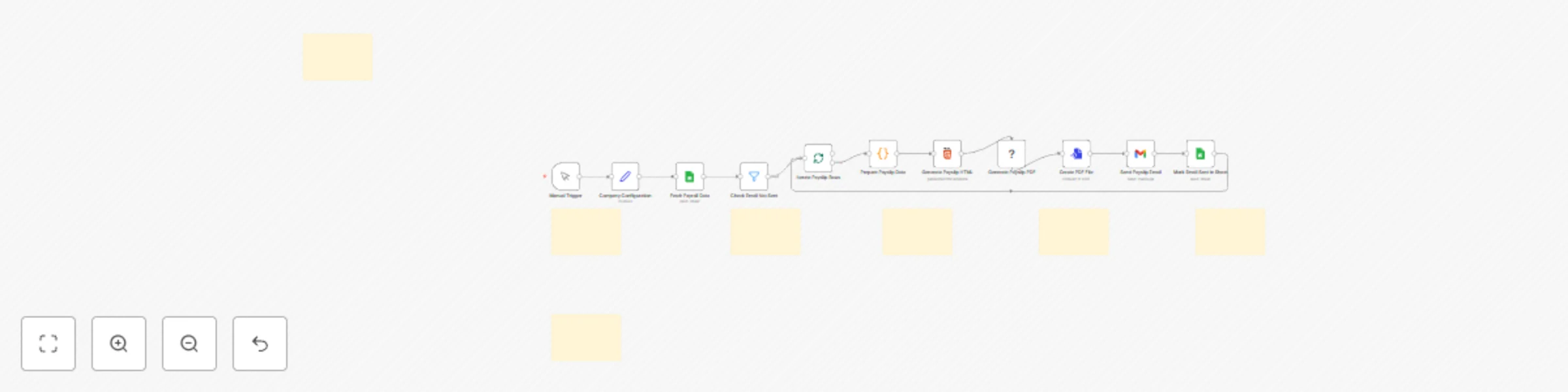
This workflow automates the entire payslip process by pulling payroll data directly from Google Sheets, generating a professional and secure PDF for each employee, and emailing it to them instantly. Save hours of manual HR administration, eliminate human error, and ensure timely, confidential delivery of payslips every month.  ## Why Use This Workflow? **Time Savings:** Reduces the entire payslip generation and distribution process from hours of manual work to under 5 minutes. **Cost Reduction:** Avoids monthly subscription fees for dedicated payroll software, potentially saving $50-$200 per month. **Error Prevention:** Ensures 100% data accuracy by pulling data directly from the source sheet, eliminating risky copy-paste mistakes. **Scalability:** Effortlessly handles payroll for 10 or 1,000+ employees without any changes to the core process. ## Ideal For - **HR Departments:** For automating the monthly payslip distribution cycle, freeing up teams to focus on more strategic tasks. - **Small Business Owners:** For managing payroll professionally and efficiently without a dedicated HR team or expensive software. - **Finance & Operations Teams:** For streamlining a critical financial communication process, ensuring accuracy and creating an audit trail. ## How It Works 1. **Trigger:** The workflow is initiated manually, giving you full control over when to run payroll. 2. **Configuration & Data Fetch:** It loads company-specific details (name, address) and fetches the complete payroll dataset from your designated Google Sheet. 3. **Filter Unsent:** The workflow intelligently filters the list to process only employees who have not yet been sent a payslip, checking a status column in your sheet. 4. **Iterate & Process:** It processes one employee record at a time in a loop. 5. **Prepare Payslip Data:** A Code node dynamically formats all financial data into local currency, generates itemized lists for income and deductions (only showing non-zero values), and even converts the final take-home pay amount into words (specifically in Indonesian). 6. **Generate PDF:** The prepared data is injected into a beautifully designed HTML template. Puppeteer then converts this HTML into a high-quality, print-ready A4 PDF document. 7. **Email Delivery:** The generated PDF is attached to a personalized email and sent directly to the employee using your Gmail account. 8. **Update Status:** Finally, the workflow updates the Google Sheet, marking the employee's payslip as "sent" to prevent duplicate emails in future runs.  ## Setup Guide ### Prerequisites | Requirement | Type | Purpose | | :--- | :--- | :--- | | [n8n instance](https://n8n.partnerlinks.io/khmuhtadin) | Essential | The platform to run the automation. | | Google Sheets Account | Essential | To store and manage employee payroll data. | | Gmail Account | Essential | To send the generated PDF payslips to employees. | | Google Cloud Project | Essential | To create OAuth2 credentials for Sheets and Gmail. | ### Installation Steps 1. Import the JSON file to your [n8n instance](https://n8n.partnerlinks.io/khmuhtadin). 2. **Configure credentials:** - **Google Sheets:** Create or use existing OAuth2 credentials from the Google Cloud Console. Ensure the Google Sheets API is enabled. - **Gmail:** Create or use existing OAuth2 credentials. Ensure the Gmail API is enabled. Often, you can use the same credential for both services. 3. **Update environment-specific values:** - In the **Fetch Payroll Data** and **Mark Email Sent in Sheet** nodes, select your Google Sheet and specific tab containing the payroll data. - In the **Company Configuration** node, update the values with your company's name, address, and the current payroll period details. 4. **Customize settings:** - Review the email subject and body in the **Send Payslip Email** node and adjust the text as needed. - Modify the template in the **Generate Payslip HTML** node to match your company's branding (e.g., change the primary color). 5. **Test execution:** - Add a test row to your Google Sheet with your own email address. Make sure the `Is Email Sent` column is set to "no". - Run the workflow manually to verify the process works end-to-end. ## Technical Details ### Core Nodes | Node | Purpose | Key Configuration | | :--- | :--- | :--- | | **Google Sheets** | Reads payroll data and updates the 'sent' status. | `Spreadsheet ID`, `Sheet Name`, and `Bank Account` as the key for matching rows to update. | | **Filter** | Processes only employees who haven't received a payslip. | Condition: `{{ $json["Is Email Sent"] }}` equals `no`. | | **Code** | Formats currency, creates dynamic tables, and converts numbers to words. | Maps input columns from the sheet to output variables for the HTML template. | | **Puppeteer** | Converts the styled HTML into a downloadable PDF file. | `page.pdf` settings define the format (A4), margins, and scale. | | **Gmail** | Emails the generated PDF to the corresponding employee. | `To`, `Subject`, and `Attachment` fields use expressions to pull data from previous nodes. | | **Set** | Stores global configuration like company name and payroll date. | All company-specific details that appear on the payslip. | ### Workflow Logic The workflow operates on an idempotent loop principle. It first reads all data, then filters out employees who have already been processed by checking an `Is Email Sent` column. For each remaining employee, it generates the PDF, sends the email, and critically, updates the status column in Google Sheets from "no" to "yes". This final step ensures that if the workflow is run again, it will not re-process and re-send payslips, preventing duplicates. ## Customization Options **Basic Adjustments:** - **Email Content:** Modify the subject and body in the `Send Payslip Email` node. - **Payslip Branding:** In the `Generate Payslip HTML` node, change the CSS variables like `--primary-color` to match your company colors. - **Company Info:** Update all company-specific text in the `Company Configuration` node. **Advanced Enhancements:** - **Automated Scheduling:** Replace the `Manual Trigger` with a `Schedule Trigger` to run the workflow automatically on a specific day each month. - **Cloud Storage:** Add a Google Drive or Dropbox node after PDF generation to save a copy of every payslip to a secure cloud folder for archival purposes. - **Error Notifications:** Add an error route to send a notification to an HR administrator via Slack or email if any part of the process fails for an employee. ## Troubleshooting **Common Issues:** | Problem | Cause | Solution | | :--- | :--- | :--- | | PDF formatting is broken or misaligned. | Invalid HTML/CSS in the template, or an expression is returning an empty value. | Verify all expressions in the `Generate Payslip HTML` node are linked correctly. Use an online validator to check for HTML syntax errors. | | Workflow processes the same employees again. | The `Mark Email Sent in Sheet` node failed, or the `Filter` is misconfigured. | Ensure the `Filter` node checks for "no" (case-sensitive). Verify the `Mark Email Sent` node has write permissions and is correctly identifying the row to update. | | Emails are not being sent. | Incorrect Gmail API permissions or invalid credentials. | Re-authenticate your Gmail credential in n8n. Check your Google Cloud Project to ensure the Gmail API is enabled and has not hit its usage quota. | ## Use Case Examples ### Scenario 1: The Small Business Owner **Challenge:** A small agency owner with 20 employees manages payroll in a Google Sheet. Every month, they spend half a day manually creating payslips in a Word template, saving each as a PDF, and emailing them one by one. **Solution:** By implementing this workflow, they can trigger the entire process with a single click after finalizing the payroll sheet. **Result:** What used to take 3 hours now takes less than 2 minutes. Employees receive professional, consistent payslips, and the owner has a clear record of delivery in their Google Sheet. ### Scenario 2: The HR Manager **Challenge:** An HR manager at a 150-employee company needs to distribute payslips confidentially. The current process involves a mail merge that is prone to errors and requires manual verification. **Solution:** The payroll report is exported to a Google Sheet, and this workflow handles the rest. It runs through the entire list, generating and sending each payslip individually. **Result:** The risk of sending the wrong payslip to an employee is eliminated. The process is fully automated, secure, and provides an auditable trail directly in the spreadsheet, saving the HR department over a day of work each month. --- **Created by:** [Khaisa Studio](https://khaisa.studio) **Category:** HR & Recruiting | **Tags:** Google Sheets, Gmail, PDF, HR, Automation, Puppeteer, Payroll **Need custom workflows?** [Contact us](https://khaisa.studio/contact) **Connect with the creator:** [Portfolio](https://khmuhtadin.com) • [Workflows](https://khaisa.studio/products/) • [LinkedIn](https://www.linkedin.com/in/khmuhtadin/) • [Medium](https://medium.com/@khaisastudio) • [Threads](https://www.threads.com/@khmuhtadin)
Domain availability monitor with Porkbun, Google Sheets & multi-channel alerts
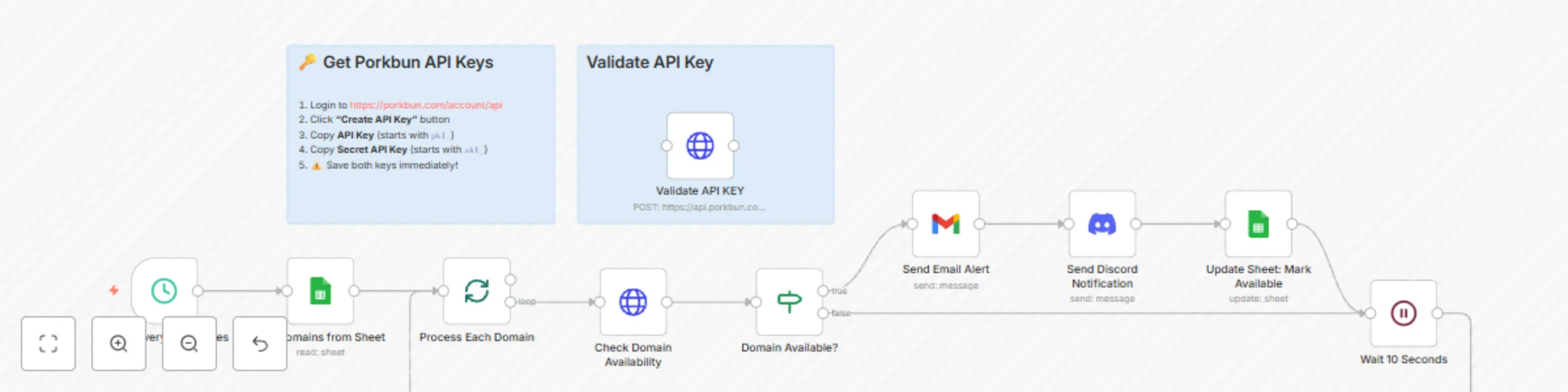
This workflow automatically checks a list of desired domain names for availability every 30 minutes. Using the Porkbun API and Google Sheets, it instantly sends detailed notifications via Gmail and Discord the moment a domain becomes available, so you can secure it before anyone else. ## Why Use This Workflow? **Time Savings:** Eliminates hours of manual domain checking each week. Set your list once and let the automation monitor your targets 24/7. **Competitive Edge:** Gain a critical speed advantage in acquiring high-value or expiring domains the second they become available. **Scalability:** Effortlessly monitor hundreds of domains simultaneously without any extra effort or performance degradation. ## Ideal For - **Domain Investors:** Automatically track and snipe valuable expiring domains for their portfolio without constant manual checks. - **Marketing Agencies & SEO Specialists:** Secure brandable domains for new clients or build out private blog networks by catching domains as soon as they drop. - **Startups & Entrepreneurs:** Monitor desired brand names without the daily hassle, ensuring they get the perfect domain the moment it's available. ## How It Works 1. **Trigger:** A schedule trigger initiates the workflow every 30 minutes. 2. **Data Collection:** It retrieves a list of domains to monitor from a designated Google Sheet, specifically targeting rows marked as "no" for availability. 3. **Processing:** The workflow iterates through each domain one by one. 4. **Intelligence Layer:** It makes an API call to Porkbun to check the current availability of the domain. An IF node then determines if the domain is available (`avail` == `yes`). 5. **Output & Delivery:** If a domain is available, the workflow sends a rich HTML email via Gmail and a formatted message to a Discord channel, complete with pricing details and a direct registration link. 6. **Storage & Logging:** The Google Sheet is automatically updated to mark the domain as "available," preventing redundant notifications on future runs. ## Setup Guide ### Prerequisites | Requirement | Type | Purpose | |-------------|------|---------| | [n8n instance](https://n8n.partnerlinks.io/khmuhtadin) | Essential | Workflow execution platform | | [Porkbun Account](https://porkbun.com/) | Essential | API Access for domain checks | | Google Cloud Platform | Essential | Storing domain list (Sheets) & sending alerts (Gmail) | | Discord Server | Optional | Real-time channel notifications | ### Installation Steps 1. Import the JSON file to your [n8n instance](https://n8n.partnerlinks.io/khmuhtadin). 2. **Create a Google Sheet** with two columns: `Domain` (e.g., example.com) and `isAvailable` (e.g., no). 3. **Configure credentials:** - **Porkbun**: Log in to Porkbun, go to API Access, create a new key, and copy the API Key and Secret Key into the HTTP Request nodes. A "Validate API KEY" node is included for testing your credentials. - **Google Sheets/Gmail**: Authenticate your Google account for the Google Sheets and Gmail nodes. - **Discord**: Create a Discord Bot and add the credentials to the Discord node. 4. **Update environment-specific values:** - **Get Domains from Sheet**: Enter your Google Sheet ID and select the correct sheet name. - **Send Email Alert**: Set your recipient's email address in the "To" field. - **Send Discord Notification**: Select your desired Server and Channel ID. 5. **Test execution:** - Add a domain you know is available to your Google Sheet (with `isAvailable` set to "no"). Run the workflow manually to verify that all connections work and you receive notifications. ## Technical Details ### Core Nodes | Node | Purpose | Key Configuration | |------|---------|-------------------| | Schedule Trigger | Initiates the workflow on a recurring basis. | Set the desired interval (default: 30 minutes). | | Google Sheets | Reads the domain list and updates its status. | Sheet ID, Sheet Name, and column mapping. | | SplitInBatches | Processes each domain from the list individually. | Batch size is set to 1 to check domains sequentially. | | HTTP Request | Queries the Porkbun API for domain availability. | Porkbun API endpoint and credentials. | | IF | Routes the workflow based on the API response. | Checks if `response.avail` equals "yes". | | Gmail | Sends a detailed email alert for available domains. | Recipient email, subject, and HTML body. | | Discord | Sends a concise notification to a Discord channel. | Server ID, Channel ID, and message content. | | Wait | Prevents API rate-limiting. | Pauses for 10 seconds between checking domains. | ### Workflow Logic The workflow is triggered by a schedule, fetching a list of domains from a Google Sheet. It uses the `SplitInBatches` node to loop through each domain sequentially. For every domain, it calls the Porkbun API. An `IF` node checks the response; if available, it triggers notifications and updates the Google Sheet. A `Wait` node is crucial for respecting API rate limits, ensuring the workflow runs smoothly even with large domain lists. ## Customization Options **Basic Adjustments:** - **Check Frequency**: Modify the "Schedule Trigger" node to run more or less frequently. - **Notification Channels**: Remove the Gmail or Discord nodes, or add new ones like Slack or Telegram. - **Email Content**: Customize the HTML in the Gmail node to match your branding. **Advanced Enhancements:** - **Auto-Registration**: Extend the workflow to use Porkbun's domain registration API endpoint to automatically purchase the domain when it becomes available (use with caution). - **Advanced Filtering**: Add logic to only send notifications for domains with specific TLDs (.com, .io, etc.) or that are not marked as "premium." - **Tiered Notifications**: Set up different notification channels based on the perceived value of the domain, sending high-priority alerts via SMS for critical domains. ## Troubleshooting **Common Issues:** | Problem | Cause | Solution | |---------|-------|----------| | Workflow fails at HTTP Request node | Invalid Porkbun API credentials. | Use the separate "Validate API KEY" node to test your keys directly. Regenerate them if needed. | | No domains are processed | Google Sheets node configuration error or the sheet is empty. | Verify the Sheet ID is correct and that the `isAvailable` column contains "no" for the domains you want to check. | | Authentication errors | Google or Discord credentials have expired or lack permissions. | Re-authenticate the respective nodes in the n8n credentials panel. | --- **Created by:** [Khaisa Studio](https://khaisa.studio) **Category:** Monitoring **Tags:** Porkbun, Domain, Automation, Google Sheets, Notifications **Need custom workflows?** [Contact us](https://khaisa.studio/pages/contact) **Connect with the creator:** [Portfolio](https://khmuhtadin.com) • [Workflows](https://khaisa.studio/products/) • [LinkedIn](https://www.linkedin.com/in/khmuhtadin/) • [Medium](https://medium.com/@khaisastudio) • [Threads](https://www.threads.com/@khmuhtadin)
Generate AI-powered markdown posts from workflow JSON with Gemini & LlamaIndex
This AI-powered workflow transforms n8n workflow JSON files into publication-ready, SEO-optimized markdown posts for the n8n community. Simply upload your workflow's JSON, and let Google Gemini 2.5 Pro, guided by a LlamaIndex-powered knowledge base of best practices, automatically generate compelling content. ## Why Use This Workflow? **Time Savings:** Reduces the time to create a detailed workflow post from over an hour of manual writing to under 2 minutes. **Cost Reduction:** Eliminates the need for separate AI content subscriptions or outsourcing content creation tasks. **Error Prevention:** Enforces content quality and structural consistency by using a knowledge base of n8n's official guidelines, minimizing formatting errors. ## Ideal For - **n8n Workflow Creators:** To quickly document and share their creations on the community platform without the tedious, time-consuming writing process. - **Developer Advocates:** To standardize and accelerate the production of technical tutorials and workflow showcases. - **Content & Marketing Teams:** To streamline the content pipeline for n8n-related blog posts, tutorials, and community engagement initiatives. ## How It Works 1. **Trigger:** The process starts when you upload an n8n workflow JSON file via a simple web form. 2. **Data Extraction:** The workflow automatically extracts the JSON content from the uploaded file. 3. **Intelligence Layer:** An advanced AI agent, powered by Google Gemini 2.5 Pro, analyzes the structure, nodes, and metadata of your workflow. 4. **Knowledge Retrieval:** The agent consults a specialized, in-memory knowledge base built from n8n's content guidelines. This knowledge base is created by parsing documents with LlamaIndex and refined with a Cohere Reranker for maximum accuracy. 5. **Content Generation:** The AI agent synthesizes the technical details from your JSON with the best practices from the knowledge base to write a complete, benefit-driven markdown post. 6. **Output & Delivery:** The final, polished markdown content is generated as the workflow's output, ready to be copied and pasted into the n8n community platform. ## Setup Guide ### Prerequisites | Requirement | Type | Purpose | |-------------|------|---------| | [n8n instance](https://n8n.partnerlinks.io/khmuhtadin) | Essential | Workflow execution platform | | [Google Gemini API Key](https://ai.google.dev/) | Essential | Powers the core AI content generation | | [LlamaIndex Cloud API Key](https://cloud.llamaindex.ai/) | Essential | Parses documents for the knowledge base | | [Cohere API Key](https://cohere.com/) | Optional | Improves knowledge base search results | | [Google Drive Account](https://www.google.com/drive/) | Optional | For automatically updating the knowledge base from a Google Doc | ### Installation Steps 1. Import the JSON file to your [n8n instance](https://n8n.partnerlinks.io/khmuhtadin). 2. **Configure credentials:** - **Google Gemini:** In the "GEmini 2.5 pro" node, create and add your Google Gemini API credential. - **LlamaIndex:** In the three HTTP Request nodes named "Parse Document...", "Monitor Document...", and "Retrieve Parsed...", create an HTTP Header Auth credential. The header name is `Authorization` and the value is `Bearer YOUR_LLAMA_INDEX_API_KEY`. - **Cohere:** (Optional) In the "Reranker Cohere" node, create and add your Cohere API credential. - **Google Drive:** (Optional) If you plan to auto-update the knowledge base, configure Google Drive OAuth2 credentials for the "Knowledge Base Updated Trigger" and "Download Knowledge Document" nodes. 3. **Update environment-specific values:** - To use the knowledge base auto-update feature, go to the "Knowledge Base Updated Trigger" node and select the Google Drive file containing your content guidelines. 4. **Customize settings:** - The primary system prompt in the "n8ncreator" agent node can be modified to adjust the tone, style, or structure of the generated content. 5. **Test execution:** - Run the workflow manually and use the form to upload a sample n8n workflow JSON file to verify that all connections work correctly. ## Technical Details ### Core Nodes | Node | Purpose | Key Configuration | |------|---------|-------------------| | **Form Trigger** | Initiates the workflow via a file upload. | Set the "Input Json Workflow" field to required. | | **Langchain Agent** | Orchestrates the entire content creation process. | The system prompt contains all instructions for the AI. | | **ChatGoogleGemini** | Provides the core generative AI capabilities. | Select your Gemini model of choice (e.g., gemini-2.5-pro). | | **VectorStoreInMemory** | Acts as the agent's knowledge base tool. | Configured to use embeddings from a Google Gemini model. | | **HTTPRequest** | Interacts with the LlamaIndex API to parse documents. | Set up with LlamaIndex API endpoint and authentication. | ## Customization Options **Basic Adjustments:** - **Change AI Model:** Replace the `ChatGoogleGemini` node with another LLM node (e.g., OpenAI, Anthropic) to use a different provider. - **Adjust System Prompt:** Modify the prompt in the "n8ncreator" node to tailor the output for different platforms (e.g., blog, internal wiki) or change the writing style. **Advanced Enhancements:** - **Automated Publishing:** Connect the output of the "n8ncreator" node to a `Ghost`, `WordPress`, or `GitHub` node to automatically publish the generated post. - **Add Web Search:** Equip the Langchain Agent with a web search tool to allow it to fetch live information about new n8n nodes or services. - **Batch Processing:** Replace the `Form Trigger` with a `Read Binary Files` node to process an entire folder of workflow JSON files in a single run. ## Performance & Optimization | Metric | Expected Performance | Optimization Tips | |--------|---------------------|-------------------| | Execution time | ~1 minute per run | Largely dependent on the Gemini API response time. | | API calls | 1 LLM call per post | Knowledge base updates trigger LlamaIndex/Google calls separately. | | Error handling | Built-in retry logic for document parsing | Add an error workflow path after the "n8ncreator" node to handle AI generation failures. | ## Troubleshooting **Common Issues:** | Problem | Cause | Solution | |---------|-------|----------| | AI output is generic or incomplete | The input JSON file is invalid or lacks key information (e.g., no node names). | Ensure you are uploading a valid, exported n8n workflow JSON. Verify the workflow has been saved with descriptive node names. | | LlamaIndex parsing fails | The LlamaIndex API key is incorrect or the source document is inaccessible. | Double-check your LlamaIndex API credential. Ensure the Google Doc sharing settings allow access. | | Credential Error | API keys are missing or incorrect for Gemini, LlamaIndex, or Cohere. | Go to the specified nodes and verify that the correct credentials have been created and selected. | **Created by:** [khaisa Studio](https://khaisa.studio) **Category:** AI **Tags:** AI, Content Generation, Google Gemini, LlamaIndex, Automation **Need custom workflows?** [Contact us](https://khaisa.studio/pages/contact) **Connect with the creator:** [Portfolio](https://khmuhtadin.com) • [Workflows](https://khaisa.studio/products/) • [LinkedIn](https://www.linkedin.com/in/khmuhtadin/) • [Medium](https://medium.com/@khaisastudio) • [Threads](https://www.threads.com/@khmuhtadin)
Event ticketing backend: auto QR tickets with Google Sheets & Gmail
Ticketing Backend automates registration, QR-ticket generation, email delivery, and check-in validation using Google Sheets, Gmail, and a webhook scanner — reducing manual ticket prep from ~3 hours to under 5 minutes for 200 attendees.  ## Why Use This Workflow? - **Time Savings:** Automates ticket generation & delivery. reduces manual processing for 200 attendees from ~3 hours to <5 minutes. - **Cost Reduction:** Removes dependency on paid ticketing platforms for basic events — save up to $150–$300/month for small organizations. - **Error Prevention:** Single-source truth in Google Sheets with QR-based check-in reduces double-checkin and human errors by >90%. - **Scalability:** Runs on a schedule and webhooks; scales from dozens to thousands of tickets (watch API/email quotas). ## Ideal For - **Event Organizers / Community Managers:** Sell & distribute tickets for meetups, runs, and local events with immediate QR delivery. - **Operations / Venue Staff:** Fast, reliable check-in via mobile scanner POSTing to webhook for instant validation. - **Small Agencies & SaaS Teams:** Lightweight, low-cost ticketing backend that integrates with existing Google accounts. ## How It Works 1. **Trigger (Registration):** `POST /v1/register` receives registration payload (nama, email, no_hp, jumlah_tiket, total_price, payment_method). 2. **Data Collection (Registration):** Validate input → check existing participant in Register sheet → append registration. 3. **Processing (Ticket Generation):** Scheduled job (START runs every minute) finds rows with Payment Status = PAID and Email Sent = NO. 4. **Intelligence Layer:** For each ticket: generate unique Ticket ID (TL-YYYYMMDD-XXXX-N-HASH), build QR payload JSON, create QR image via qrserver API, and build HTML email with embedded base64 QR. 5. **Output & Delivery:** Send ticket email(s) via Gmail; write one Tickets row per generated ticket and mark Email Sent = YES in Register. 6. **Storage & Logging:** All participant & ticket records persisted to Google Sheets; check-in events update row (Checked In = YES and Checkin TIme). ### Core Endpoints - Registration webhook: `POST /v1/register` - Scanner webhook (check-in): `POST /v1/scanner` ### Event Metadata - **Event:** TABRAK_LARI - **Event date:** 15 November 2025 - **Event location:** GOR Pontianak ## Setup Guide ### Prerequisites | Requirement | Type | Purpose | |-------------|------|---------| | [n8n instance]([https://n8n.partnerlinks.io/khmuhtadin](https://n8n.partnerlinks.io/khmuhtadin)) | Essential | Host the workflow and webhooks | | Google account (Sheets + Gmail) | Essential | Store tickets & send emails | | Google Sheet | Essential | Register & Tickets data store | | Public webhook URL / reverse proxy | Essential | Expose /v1/register & /v1/scanner to scanners/clients | | qrserver.com (public API) | Optional | Generate QR images (no credentials) | > **Important:** Make sure your n8n instance URL is publicly accessible or use a tunneling/reverse proxy so webhooks can receive POSTs. ### Installation Steps 1. Import the JSON into your [n8n instance([https://n8n.partnerlinks.io/khmuhtadin](https://n8n.partnerlinks.io/khmuhtadin)). 2. **Configure credentials:** - **Google Sheets OAuth2:** Grant access to Google Drive & Sheets API (spreadsheets.readonly & spreadsheets). - **Gmail OAuth2:** Grant send email scope (Gmail send). 3. **Update environment-specific values:** - Verify Google Sheet ID. - Set the public base URL for ticket scanner clients to POST /v1/scanner. 4. **Customize settings:** - Event name/date/location (variables in Generate Ticket Data / Build HTML Email). - Email sender address and subject line in Gmail node. 5. **Test execution:** - Use a sample POST to `/v1/register` with valid fields to create a registration. - Mark a row as PAID and Email Sent = NO to trigger scheduled ticket generation. - Simulate a scanner POST to `/v1/scanner` with the barcode JSON payload to test check-in. ## Technical Details ### Core Nodes | Node | Purpose | Key Configuration | |------|---------|-------------------| | REGISTER (Webhook) | Accepts registration POSTs | Path: `/v1/register` | | Validate Input (Code) | Server-side validation | Validates nama, email, no_hp, jumlah_tiket, payment_method | | Get Participant (Google Sheets) | Check duplicate email | Filters Register tab by Email | | Store Data (Google Sheets) | Append registration | Tab: Register (gid=0) | | START (Schedule Trigger) | Finds paid registrations | Runs every 1 minute | | Get Rows (Google Sheets) | Reads Register rows | Reads full Register tab | | Filter Paid Not Sent (Filter) | Finds rows with Payment Status=PAID & Email Sent=NO | Filter node conditions | | Generate Ticket Data (Code) | Generate ticket IDs & QR payloads | Ticket ID format TL-YYYYMMDD-XXXX-N-HASH | | Generate QR Code (HTTP Request) | Calls qrserver.com to build PNG | URL: https://api.qrserver.com/v1/create-qr-code/?size=300x300&data=... | | Build HTML Email (Code) | Builds ticket HTML & embeds Base64 QR | Template contains ticket details & QR | | Send Email (Gmail) | Sends ticket email | To: recipient Email; Subject configurable | | Update Sheet (Tickets) | Append ticket rows | Tab: Tickets (gid=2010454173) | | Parse Data (Code) | Aggregates ticket IDs per email | Updates Register with combined ticket IDs | | SCAN TICKET (Webhook) | Check-in endpoint | Path: `/v1/scanner` | | Parse Barcode (Code) | Parses incoming scanner payload | Expects JSON in body.barcode | | Get Tickets (Google Sheets) | Lookup ticket by Ticket ID | Filters Tickets tab by Ticket ID | | Ticket Available? (If) | Validates existence & Checked In status | Branches to update or return error | | Update Ticket Status (Google Sheets) | Mark Checked In = YES | Sets Checkin TIme to scannedAt | | Checked IN / Already Checked IN (RespondToWebhook) | Respond payloads for scanner | JSON responses with status & metadata | ### Workflow Logic - **Registration:** Writes to Register sheet. A scheduled job picks up PAID rows where Email Sent = NO; for each row it generates one record per ticket, calls the QR API for an image, sends an email per ticket (multi-ticket support), then appends Tickets rows and marks Email Sent = YES by updating the Register sheet with combined ticket IDs. - **Check-in:** The scanner webhook accepts barcode JSON, extracts ticket_id, looks up the Tickets sheet, prevents duplicate check-ins by checking "Checked In" flag, and updates sheet with check-in timestamp on success. ## Customization Options ### Basic Adjustments - **Email Template:** Edit Build HTML Email node to change branding, copy, or layout. - **Ticket ID Format:** Change code in Generate Ticket Data to alter prefix or hash length. - **Event Metadata:** Change event_name, event_date, event_location in code nodes. ### Advanced Enhancements - **Payment Gateway Integration:** Integrate with payment gateway (e.g., webhook from Stripe) to automatically set Payment Status = PAID — complexity: medium. - **Cloud Storage for QR Images:** Use cloud storage (S3) for QR images instead of base64-embedding — complexity: medium-high. - **Batch Email Provider:** Use batch email provider (SendGrid/Mailgun) for high-volume events to reduce Gmail quota risks — complexity: medium. ## Troubleshooting | Problem | Cause | Solution | |---------|-------|----------| | Invalid QR / scanner returns "Invalid QR code format" | Scanner payload not sending barcode JSON or malformed JSON | Ensure scanner POST body contains valid JSON string under body.barcode; validate payload in Parse Barcode node | | Ticket exists but cannot update | Google Sheets API auth / permission error | Reconnect Google Sheets OAuth2 credential; ensure the service account/user has edit access to the sheet | | Emails not sent | Gmail OAuth2 credential missing or Gmail API quota reached | Reauthorize Gmail credential; consider switching to SendGrid/Mailgun for large volumes | | Duplicate check-in allowed | Logic checking "Checked In" value mismatch (case/format) | Normalize the Checked In field values and use strict comparisons in Ticket Available? node | | Slow generation for many tickets | Sequential QR calls and sends | Use parallel execution or a dedicated email service; increase worker resources for n8n instance | --- ## Use Case Examples ### Scenario 1: Community Fun Run (200 attendees) - **Challenge:** Manual QR generation and emailing takes ~3 hours. - **Solution:** After marking registrations as PAID, the scheduled job generates 200 QR tickets and emails them automatically. - **Result:** Ticket prep completed in <5 minutes; volunteer time reduced by ~3 hours. ### Scenario 2: Regional Festival (2,000 tickets) - **Challenge:** High volume requires reliable delivery and check-in speed. - **Solution:** Use this workflow but replace Gmail with a transactional email provider (SendGrid) and host n8n on a scalable instance. Monitor Google Sheets and email provider quotas. - **Result:** Automated delivery scales; on-site check-in handled via the /v1/scanner endpoint with near-instant validation. --- ## Additional Information **Created by:** [Khmuhtadin](https://khmuhtadin.com/contact) **Category:** Event Automation, Ticketing Backend **Tags:** `google-sheets`, `gmail`, `qr-code`, `webhook`, `ticketing` Need custom workflows or help adapting this for your event? **[Contact us](https://khaisa.studio/contact)** **Note:** Import the JSON into your [n8n instance](https://n8n.partnerlinks.io/khmuhtadin) to get started. My Social: [Threads](https://www.threads.com/@khmuhtadin) [LinkedIn](https://www.linkedin.com/in/khmuhtadin/) [Medium](https://medium.com/@khaisastudio) **[Workflow Collections](https://khaisa.studio/products/)** [portfolio](https://khmuhtadin.com)
Auto-update knowledge base with Drive, LlamaIndex & Azure OpenAI embeddings
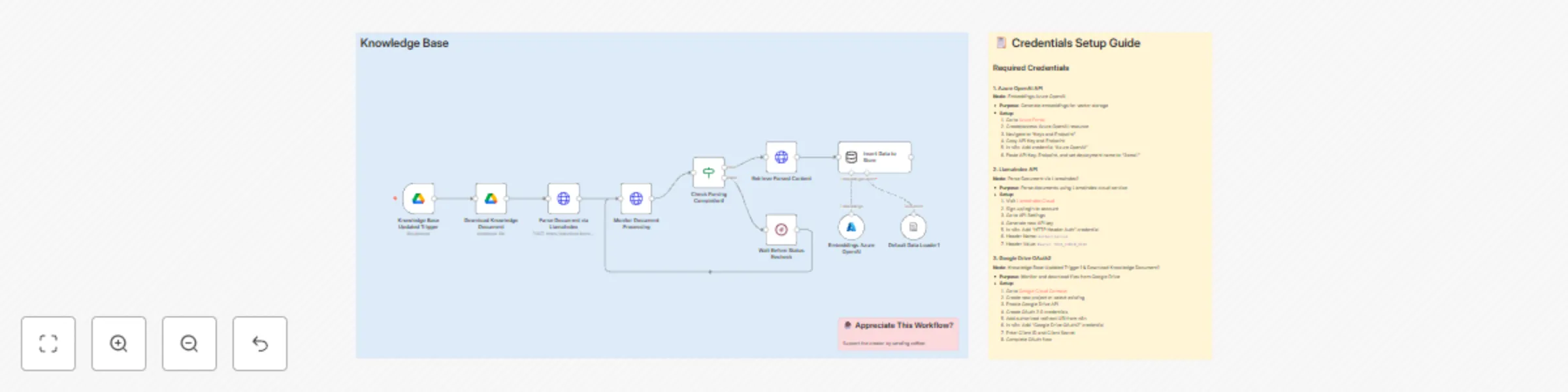
This Workflow auto-ingests Google Drive documents, parses them with LlamaIndex, and stores Azure OpenAI embeddings in an in-memory vector store—cutting manual update time from ~30 minutes to under 2 minutes per doc. ## Why Use This Workflow? **Cost Reduction:** Eliminates pays monthly fee on cloud just for store knowledge ## Ideal For - **Knowledge Managers / Documentation Teams:** Automatically keep product docs and SOPs in sync when source files change on Google Drive. - **Support Teams:** Ensure the searchable KB is always up-to-date after doc edits, speeding agent onboarding and resolution time. - **Developer / AI Teams:** Populate an in-memory vector store for experiments, rapid prototyping, or local RAG demos. ## How It Works 1. **Trigger:** Google Drive Trigger watches a specific document or folder for updates. 2. **Data Collection:** The updated file is downloaded from Google Drive. 3. **Processing:** The file is uploaded to LlamaIndex cloud via an HTTP Request to create a parsing job. 4. **Intelligence Layer:** Workflow polls LlamaIndex job status (Wait + Monitor loop). If parsing status equals SUCCESS, the result is retrieved as markdown. 5. **Output & Delivery:** Parsed markdown is loaded into LangChain's Default Data Loader, passed to Azure OpenAI embeddings (deployment "3small"), then inserted into an in-memory vector store. 6. **Storage & Logging:** Vector store holds embeddings in memory (good for prototyping). Optionally persist to an external vector DB for production. ## Setup Guide ### Prerequisites | Requirement | Type | Purpose | |-------------|------|---------| | n8n instance | Essential | Execute and import the workflow — use the [n8n instance](https://n8n.partnerlinks.io/khmuhtadin) | | Google Drive OAuth2 | Essential | Watch and download documents from Google Drive | | LlamaIndex Cloud API | Essential | Parse and convert documents to structured markdown | | Azure OpenAI Account | Essential | Generate embeddings (deployment configured to model name "3small") | | Persistent Vector DB (e.g., Pinecone) | Optional | Persist embeddings for production-scale search | ### Installation Steps 1. Import the workflow JSON into your n8n instance: open your [n8n instance](https://n8n.partnerlinks.io/khmuhtadin) and import the file. 2. Configure credentials: - Azure OpenAI: Provide Endpoint, API Key and set deployment name. - LlamaIndex API: Create an HTTP Header Auth credential in n8n. Header Name: Authorization. Header Value: Bearer YOUR_API_KEY. - Google Drive OAuth2: Create OAuth 2.0 credentials in Google Cloud Console, enable Drive API, and configure the Google Drive OAuth2 credential in n8n. 3. Update environment-specific values: - Replace the workflow's Google Drive fileId with the GUID or folder ID you want to watch (do not commit public IDs). 4. Customize settings: - Polling interval (Wait node): adjust for faster or slower job status checks. - Target file or folder: toggled on the Google Drive Trigger node. - Embedding model: change Azure OpenAI deployment if needed. 5. Test execution: - Save changes and trigger a sample file update on Drive. Verify each node runs and the vector store receives embeddings. ## Technical Details ### Core Nodes | Node | Purpose | Key Configuration | |------|---------|-------------------| | Knowledge Base Updated Trigger (Google Drive Trigger) | Triggers on file/folder changes | Set trigger type to specific file or folder; configure OAuth2 credential | | Download Knowledge Document (Google Drive) | Downloads file binary | Operation: download; ensure OAuth2 credential is selected | | Parse Document via LlamaIndex (HTTP Request) | Uploads file to LlamaIndex parsing endpoint | POST multipart/form-data to /parsing/upload; use HTTP Header Auth credential | | Monitor Document Processing (HTTP Request) | Polls parsing job status | GET /parsing/job/{{jobId}}; check status field | | Check Parsing Completion (If) | Branches on job status | Condition: {{$json.status}} equals SUCCESS | | Retrieve Parsed Content (HTTP Request) | Fetches parsed markdown result | GET /parsing/job/{{jobId}}/result/markdown | | Default Data Loader (LangChain) | Loads parsed markdown into document format | Use as document source for embeddings | | Embeddings Azure OpenAI | Generates embeddings for documents | Credentials: Azure OpenAI; Model/Deployment: 3small | | Insert Data to Store (vectorStoreInMemory) | Stores documents + embeddings | Use memory store for prototyping; switch to DB for persistence | ### Workflow Logic - On Drive change, the file binary is downloaded and sent to LlamaIndex. - Workflow enters a monitor loop: Monitor Document Processing fetches job status, If node checks status. If not SUCCESS, Wait node delays before re-check. - When parsing completes, the workflow retrieves markdown, loads documents, creates embeddings via Azure OpenAI, and inserts data into an in-memory vector store. ## Customization Options Basic Adjustments: - Poll Delay: Set Wait node (default: every minute) to balance speed vs. API quota. - Target Scope: Switch the trigger from a single file to a folder to auto-handle many docs. - Embedding Model: Swap Azure deployment for a different model name as needed. Advanced Enhancements: - Persistent Vector DB Integration: Replace vectorStoreInMemory with Pinecone or Milvus for production search. - Notification: Add Slack or email nodes to notify when parsing completes or fails. - Summarization: Add an LLM summarization step to generate chunk-level summaries. Scaling option: - Batch uploads and chunking to reduce embedding calls; use a queue (Redis or n8n queue patterns) and horizontal workers for high throughput. ## Performance & Optimization | Metric | Expected Performance | Optimization Tips | |--------|----------------------|-------------------| | Execution time (per doc) | ~10s–2min (depends on file size & LlamaIndex processing) | Chunk large docs; run embeddings in batches | | API calls (per doc) | 3–8 (upload, poll(s), retrieve, embedding calls) | Increase poll interval; consolidate requests | | Error handling | Retries via Wait loop and If checks | Add exponential backoff, failure notifications, and retry limits | ## Troubleshooting | Problem | Cause | Solution | |---------|-------|----------| | Authentication errors | Invalid/missing credentials | Reconfigure n8n Credentials; do not paste API keys directly into nodes | | File not found | Incorrect fileId or permissions | Verify Drive fileId and OAuth scopes; share file with the service account if needed | | Parsing stuck in PENDING | LlamaIndex processing delay or rate limit | Increase Wait node interval, monitor LlamaIndex dashboard, add retry limits | | Embedding failures | Model/deployment mismatch or quota limits | Confirm Azure deployment name (3small) and subscription quotas | --- **Created by:** [khmuhtadin](https://khmuhtadin.com) **Category:** Knowledge Management **Tags:** google-drive, llamaindex, azure-openai, embeddings, knowledge-base, vector-store Need custom workflows? [Contact us](https://khaisa.studio/contact)
Promo seeker: Auto-find promo codes with SerpAPI, Gemini & Telegram
Promo Seeker automatically finds, verifies, and delivers active promo codes to users via Telegram or email using SerpAPI + Gemini (OpenRouter). Saves hours of manual searching and deduplicates results into an n8n Data Table for fast reuse. ## Why Use This Workflow? **Time Savings:** Reduces manual promo hunting from ~2 hours to ~5 minutes per query. **Cost Reduction:** Cuts reliance on paid scraping tools or manual services — potential savings of $50–$200/month. **Error Prevention:** Cross-references sources and enforces a 30‑day recency filter to reduce expired-code hits by ~60% vs single-source checks. **Scalability:** Handles hundreds of queries per day with Data Table upserts and optional scheduling for continuous discovery. ## Ideal For - **Marketing / Growth Managers:** Quickly discover competitor or partner discounts to promote in campaigns. - **Customer Support / Operations:** Respond to user requests with verified promo codes via Telegram or email. - **Affiliate / Content Teams:** Aggregate and maintain a clean promo feed for newsletters or site widgets. ## How It Works 1. **Trigger:** Incoming request via Webhook, Telegram message, Google Form submission, or scheduled run. 2. **Data Collection:** The LangChain agent uses SerpAPI search results and Gemini (OpenRouter) to locate recent promo codes. 3. **Processing:** Filter for recency (last 30 days), extract code, value, terms, and expiry. 4. **Intelligence Layer:** Gemini 2.5 Pro (OpenRouter) + LangChain agent structure and verify results, outputting a standardized JSON. 5. **Output & Delivery:** If a code exists in the Data Table, notify the requester via Telegram and Gmail; otherwise, return results and upsert them into the Data Table. 6. **Storage & Logging:** Results stored/upserted in an n8n Data Table to prevent duplicates and enable fast lookups. ## Setup Guide ### Prerequisites | Requirement | Type | Purpose | |-------------|------|---------| | n8n instance | Essential | Execute the workflow — import JSON to your n8n instance | | SerpAPI account | Essential | Web search results for promo code discovery | | OpenRouter (Gemini) account | Essential | Language model (Gemini 2.5 Pro) for extraction and verification | | Telegram Bot (BotFather) | Essential | Receive queries and send promo notifications | | Gmail OAuth2 | Essential | Send rich email notifications | | n8n Data Tables | Essential | Store and deduplicate promo code records | Get your n8n instance here: n8n instance — import the JSON and begin configuration. (Repeat link for convenience) n8n instance ### Installation Steps 1. Import the JSON workflow into your n8n instance. 2. Configure credentials (use n8n's Credentials UI — do NOT paste keys into nodes): - SerpAPI: paste your SerpAPI API Key from your SerpAPI dashboard. - OpenRouter API: paste your OpenRouter API Key (for Gemini 2.5 Pro). - Telegram API: create bot via @BotFather, then add Bot Token to Telegram credentials. - Gmail OAuth2: use n8n's Gmail OAuth2 credential flow and authorize the account. 3. Update environment-specific values: - Webhook path: /v1/promo-seeker (configured in the Webhook node) or replace with your preferred path. - Data Table ID: point to your own Data Table - Form/webhook recipient fields (email/chatId mappings). 4. Customize settings: - Adjust the LangChain agent prompt (Promo Seeker Agent) for different recency windows or regional focus. - Change max results/limit on the Data Table node (default limit = 3). 5. Test execution: - Trigger via Telegram or a POST to the webhook with sample payload: ```json { "platform":"example.com", "email":"[email protected]" } ``` - Confirm notifications arrive and Data Table rows are upserted. ## Technical Details ### Core Nodes | Node | Purpose | Key Configuration | |------|---------|-------------------| | SerpAPI | Fetch web search results | Provide credential; adjust search params in agent prompt | | Gemini 2.5Pro (OpenRouter) | Extract & verify promo details | Use OpenRouter credential; model google/gemini-2.5-pro | | Promo Seeker Agent (LangChain) | Orchestrates search + parsing | System prompt enforces 30‑day recency & result format | | Structured Output Parser | Validates agent output | JSON schema example for platform/code/value/terms/validUntil | | Data Table (Get row(s)) | Lookup existing promos | Filters by platform; limit = 3 | | If (Code Exist?) | Branching logic | Checks existence of platform field | | Data Table (Upsert row(s)) | Insert or update promo | Mapping from agent output to Data Table columns | | Telegram Trigger / Telegram | Receive queries & notify users | Webhook-based trigger; parse_mode = HTML for messages | | Gmail | Send rich HTML emails | Uses Gmail OAuth2 credential | | Webhook / Form Trigger | Alternate inputs | Webhook path /v1/promo-seeker and Form trigger for manual submissions | ### Workflow Logic - On trigger, the Platform Set node normalizes the incoming query and receiver. - Get row(s) checks Data Table for existing promos. - If found: notify via Telegram and send Gmail (email template included). - If not found: the Promo Seeker Agent runs SerpAPI searches, parses structured output, then Upsert row(s) saves results and notifications are sent. - Structured Output Parser enforces correct JSON to avoid bad upserts. ## Customization Options ### Basic Adjustments - Recency window: change the agent prompt to 7/14/30 days. - Result limit: increase Data Table Get limit or change Upsert batch size. ### Advanced Enhancements - Add Slack or Microsoft Teams notifications (moderate complexity). - Add caching layer (Redis) to reduce repeated SerpAPI calls (advanced). - Parallelize searches across multiple search engines (higher API usage & complexity). ## Performance & Optimization | Metric | Expected Performance | Optimization Tips | |--------|----------------------|-------------------| | Execution time | 8–30s per new search (depends on SerpAPI + LM response) | Reduce SerpAPI page depth; cache recent results | | API calls | 3–10 SerpAPI calls per complex query | Batch queries; use higher-quality search params | | Error handling | Agent retries on malformed output | Use retry nodes and set onError strategy for downstream nodes | ## Troubleshooting | Problem | Cause | Solution | |---------|-------|----------| | No results returned | Query too vague or rate-limited API | Improve query specificity; check SerpAPI quota | | Gmail send fails | OAuth scope not granted or token expired | Reconnect Gmail OAuth2 credential in n8n | | Telegram webhook not firing | Incorrect bot token or webhook setup | Recreate Telegram credential and check bot permissions | | Duplicate rows | Upsert mapping mismatch | Ensure promoCode mapping in Upsert matches structured output | | Agent returns malformed JSON | LM prompt too permissive | Tighten the agent system prompt and validate with Structured Output Parser | --- **Created by:** [khaisa Studio](https://khaisa.studio) **Category:** Marketing Automation **Tags:** promo-codes, coupons, serpapi, telegram, gmail, openrouter, data-tables Need custom workflows or help adapting this template? [Contact us](https://khaisa.studio/contact)
Automated workflow backup system with Google Drive, GitHub & messaging alerts
## Why You Need This Right Now 💡 **Stop the panic attacks.** We've all been there - accidentally deleted a workflow that took hours to build, or worse, corrupted your entire automation setup. This workflow is your safety net. **Save your weekends.** Instead of spending hours recreating lost work, get back to what matters. One setup protects everything, automatically. **Sleep better at night.** Your workflows are safely stored in two places with full version history. If something breaks, you're back online in minutes, not days. ## Perfect For These Situations ⚡ ✅ **Business owners** running critical automations ✅ **Agencies** managing client workflows ✅ **Teams** who need audit trails ✅ **Anyone** who values their time and sanity ## How It Actually Works 🔧 Think of it like having a personal assistant who: 1. **Checks your workflows** twice daily (you can change this) 2. **Creates organized backups** with timestamps 3. **Stores them safely** in Google Drive AND GitHub 4. **Tells you it's done** via Telegram or Discord 5. **Keeps everything tidy** with smart folder organization **The result?** A timestamped folder in your Google Drive and organized files in your GitHub repo. Everything is searchable, restorable, and audit-ready. ## Quick 5-Minute Setup 🚀 1. **Import** this workflow to your n8n 2. **Connect your accounts** (Google Drive, GitHub, optional notifications) 3. **Set your preferences** (which folder, which repo, how often) 4. **Test it once** to make sure everything works 5. **Relax** knowing your workflows are protected ## What You'll Need 📋 - Your n8n instance (obviously!) - Google Drive account (free works fine) - GitHub account (free works too) - 5 minutes of setup time - Optional: Telegram or Discord for notifications ## Pro Tips for Power Users 🧠 Want to level up? Here are some ideas: - **Add encryption** for sensitive workflows - **Create restore workflows** for one-click recovery - **Set up pull requests** for team review of changes - **Customize schedules** based on your workflow update frequency **Created by:** [khaisa Studio](https://khaisa.studio) - Automation experts who actually use this stuff daily **Tags:** backup, automation, n8n, google-drive, github, workflow-protection, business-continuity **Questions?** [Get in touch](https://khaisa.studio/contact) - I'm always happy to help fellow automation enthusiasts! --- *Remember: The best backup is the one you set up before you need it. Your future self will thank you!*
Auto-collect WooCommerce orders to Discord & Google Sheets
This n8n workflow automates WooCommerce order processing by capturing order updates via webhook and converting them into Discord notifications and Google Sheets entries. ## What This Workflow Does Automatically captures WooCommerce orders and sends real-time Discord notifications while logging paid orders to Google Sheets for tracking and reporting. ## Key Benefits - **Save 90% Time**: Eliminates manual order logging and monitoring - **Never Miss Orders**: Instant Discord alerts for all order activities - **80% Faster Response**: Team gets structured order info immediately - **Dual Tracking**: Real-time alerts + permanent spreadsheet records ## Perfect For - **Ecommerce Teams**: Monitor orders without constantly checking admin panel - **Small Business Owners**: Professional order tracking without extra staff - **Fulfillment Teams**: Get organized order data for quick processing ## How It Works 1. WooCommerce sends order webhook to n8n 2. Order data is parsed and formatted beautifully 3. All orders trigger Discord notifications (color-coded by status) 4. Paid orders (PROCESSING status) are logged to Google Sheets 5. Webhook confirms successful receipt to WooCommerce ## Features - **Smart Status Colors**: Yellow (pending), Blue (processing), Green (completed), Gray (cancelled) - **Rich Discord Embeds**: Customer info, items, shipping, totals - all formatted nicely - **Flexible Data Parsing**: Handles various WooCommerce webhook structures - **Indonesian Currency**: Proper IDR formatting for local businesses - **Product Thumbnails**: Shows product images in Discord notifications ## Setup Requirements - n8n instance (self-hosted or cloud) - Discord server with bot access - Google account for Sheets - WooCommerce admin access ## Quick Setup 1. Import workflow JSON to n8n 2. Add Discord bot token 3. Connect Google Sheets OAuth 4. Set WooCommerce webhook to n8n endpoint 5. Create Google Sheet with required columns 6. Test with a sample order ## Customization Options - Change Discord embed colors for your brand - Modify which order statuses get logged - Add custom fields to Google Sheets - Adjust currency and language settings - Filter orders by specific conditions ## Google Sheets Columns - Month (order date) - Brand Name - Web Order Number - Expedition (shipping method) - Tracking Number - Status ## Future Enhancement Ideas - Add SMS/WhatsApp customer notifications - Connect to shipping label services - Integrate with CRM for customer insights - Add inventory management triggers - Create sales analytics dashboard ## Support Created by [Khmuhtadin](https://khmuhtadin.com/contact) Need customization? [Contact us!](https://khmuhtadin.com/contact)
Find perfect jobs & generate tailored cover letters with Gemini & Google Jobs
Say goodbye to endless applications and hello to more time for perfecting your interview skills! The JOB Hunter Agent uses the power of Google Gemini and SerpAPI to find the perfect job match and generate a personalized cover letter. Result example:  ## 💡 Why Use JOB Hunter Agent? **Save Precious Time:** Stop sifting through countless job boards; this agent does the heavy lifting, saving you hours every week. **Land Your Dream Job Faster:** Get laser-focused job matches and a custom-crafted cover letter that speaks directly to the hiring manager, increasing your chances of getting noticed. **Never Miss an Opportunity:** Your personal AI assistant works 24/7, ensuring you're always on top of the latest openings, even while you sleep! **Stand Out from the Crowd:** A perfectly tailored cover letter generated on the fly gives you an edge over generic applications, making you look like a superstar. ## ⚡ Perfect For **Job Seekers:** Anyone actively looking for a new role who wants to streamline their application process. **Busy Professionals:** Those with limited time who need an efficient way to find relevant opportunities. **Career Changers:** Individuals exploring new industries who need a helping hand in crafting compelling applications. ## 🔧 How It Works **⏱ Trigger:** You submit your CV and job preferences through a simple n8n form. **📎 Process:** Your CV is extracted from the PDF, and your preferences (location, job type, salary, email) are neatly organized. **🤖 Smart Logic:** The "Job Hunter Agent" uses Google Gemini and SerpAPI to find the single best job match for you and then drafts a bespoke cover letter based on your CV and the job description. It's like magic, but with more code! **💌 Output:** A beautifully formatted HTML email containing your profile summary, the best job match, your personalized cover letter, and handy application tips is sent straight to your inbox. **🗂 Storage:** All the initial data from your form submission is processed and used to craft your perfect job application package. ## 🔐 Quick Setup 1. Import JSON file to your [n8n instances](https://n8n.partnerlinks.io/khmuhtadin) 2. **Add credentials:** Google Gemini (Gemini 2.5 Pro model) and SerpAPI 3. **Customize:** Adjust the system prompt in the "Job Hunter Agent" to fine-tune the cover letter tone or length, update the email footer, and expand job filters. 4. **Update:** Ensure your Gmail OAuth2 credentials are valid for sending emails. 5. **Test:** Run the workflow with your own CV and preferences to see the magic happen! ## 🧩 You'll Need - Active [n8n instances](https://n8n.partnerlinks.io/khmuhtadin) - Google Gemini API key (for Gemini 2.5 Pro) - SerpAPI account for Google Jobs search results - A Gmail account for sending personalized job match emails ## 🛠️ Level Up Ideas - Integrate with LinkedIn, Jobstreet, or Indeed APIs for a wider range of job sources. - Allow the agent to find multiple job matches and present them as a curated list. - Add an option to attach a parsed CV summary as a PDF to the email for quick reference. --- **Made by:** [khaisa Studio](https://khaisa.studio) **Tags:** AI, Gemini, Google Jobs, Job Search, Automation, Cover Letter **Category:** `job hunter` **Need custom work?** [Contact me](https://khmuhtadin.com/contact)
Automate business partner outreach with Google Maps, GPT-4 & WhatsApp
Automate Outreach Prospect automates finding, enriching, and messaging potential partners (like restaurants, malls, and bars) using Apify Google Maps scraping, Perplexity enrichment, OpenAI LLMs, Google Sheets, Pinecone knowledge, and WhatsApp sending via GOWA. It turns a manual, slow outreach funnel into a repeatable pipeline so your team spends time closing deals instead of copy-pasting contact details.  ## ⚠️ Important Disclaimer This workflow uses community nodes for WhatsApp functionality: - [GOWA](https://github.com/aldinokemal/go-whatsapp-web-multidevice) - [WhatsApp HTTP API](https://waha.devlike.pro) ## 💡 Why Use Automate Outreach Prospect? - **Faster prospecting:** Scrape up to 150 leads per search (jumlah leads = 150) and queue them for outreach in minutes, cutting manual research time from days to hours. - **Fixes the busywork:** Automatically enrich missing contact data and only send messages to records with phone numbers, so you stop chasing dead leads. - **Measurable lift:** Enrich in batches (enrichment batch size = 20), improving outbound readiness and increasing contactable leads per campaign by dozens each run. - **Better conversions with context:** Use a searchable company knowledge base (Pinecone + LlamaIndex) so replies are handled with context — less robotic, more relevant. Yes, your bot can sound like a helpful human (minus the coffee breath). ## ⚡ Perfect For - **Sales Ops:** Teams that need to scale partner outreach without hiring a mini-empire of SDRs. - **Growth Marketers:** People who want repeatable local outreach campaigns (mall, restaurant, bar categories). - **Small Biz Owners:** Quick way to build partnership lists and automate first outreach without becoming a spreadsheet hermit. ## 🔧 How It Works ### ⏱ Trigger Manual scrape start or scheduled jobs: Daily Outbound Schedule, Schedule Outbound message, or Knowledge Base Updated Trigger. ### 📎 Process Apify Google Maps Scraper gathers business listings (location, phone, socials). Results are fetched and saved to Google Sheets (Raw Data). Unenriched records are split and enriched via Perplexity, then saved back. ### 🤖 Smart Logic OpenAI LLM creates personalized initial messages, and a Reply Handler AI Agent, uses Pinecone/knowledge embeddings to interpret replies and decide next actions (save PICs, request meeting, send proposal). ### 💌 Output Outbound messages are sent over WhatsApp using GOWA nodes (typing indicators, simulated typing delays, read receipts) and replies are handled & stored; qualified PIC contacts are appended to a Leads sheet. ### 🗂 Storage Google Sheets is the central datastore (Raw Data, Leads Collected). Knowledge base lives in Google Drive and Pinecone (n8n-recharge, namespace CompanyKnowledgeBased). Conversation memory stored in Postgres/Neon. ## 🔐 Quick Setup 1. **Import Workflow:** Import JSON file to your [n8n instances](https://n8n.partnerlinks.io/khmuhtadin) 2. **Add Credentials:** - Google Sheets OAuth2 - Google Drive OAuth2 - Apify API token - OpenAI API - Perplexity API - Pinecone API - Cohere API - LlamaIndex Cloud key - GOWA (WhatsApp) credentials - WAHA webhook (optional) - PostgreSQL/Neon 3. **Customize Parameters:** - Scraping parameters (Location Category, lokasi, jumlah leads, minimum Stars, Skip Closed Place) - Message templates/time greetings - Enrichment batch size 4. **Update Configuration:** - Google Drive doc ID - Google Sheets ID - Apify actor config - Pinecone index name - Pinecone namespaces - LlamaIndex endpoints (if used) 5. **Test Setup:** Run a manual scrape with a real location and send a single outbound message to verify WhatsApp delivery and reply handling. ## 🧩 Required Services - Active [n8n instances](https://n8n.partnerlinks.io/khmuhtadin) - Google Sheets & Google Drive accounts (OAuth2) - Apify account & actor access (Google Maps Scraper) - OpenAI API key (for LLMs & embeddings) - Perplexity API key (enrichment) - Pinecone account (vector index n8n-recharge) - Cohere API (reranker, optional) - LlamaIndex Cloud (optional document parsing) - GOWA / WA WhatsApp setup (or WAHA alternative) - PostgreSQL/Neon for conversation memory ## 🧠 Workflow Nodes ### Triggers & Scheduling - Incoming message - Manual Trigger - Start Scraping - Daily Outbound Schedule - Schedule Outbound message - Knowledge Base Updated Trigger ### Data Collection & Processing - Configure Scraping Parameters - Execute Google Maps Scraper - Fetch Scraped Business Data - Save Raw Business Leads - Get Unenriched Records - Limit Enrichment Batch Size - Split Records for Processing ### Data Enrichment - Business Data Enrichment - Parse Enrichment Response - Save Enriched Business Data ### Outbound Messaging - Get Outbound Candidates - Limit Outbound Batch Size - Validate Phone Number Exists - Prepare Outbound Session Data - Outbound Message Generator - Outbound Message LLM - Format Outbound Message Data ### WhatsApp Communication - Show Typing Indicator - Outbound - Simulate Typing Delay - Outbound - Send Outbound WhatsApp Message - Mark as Contacted - Extract WhatsApp Session Data ### Reply Handling - Reply Handler AI Agent - Reply Handler LLM - Format Reply Message Data - Show Typing Indicator - Reply - Simulate Typing Delay - Reply - Send WhatsApp Reply - Save Lead Contact Information ### Knowledge Management - Store Knowledge Embeddings - Query Knowledge Base - Reply Conversation Memory - Outbound Conversation Memory Made by: **[Khaisa Studio](https://khaisa.studio?utm_source=n8nofficial)** **Need custom work?** [Contact Me](https://khmuhtadin.com/contact)
Article to threaded Bluesky posts with JinaAI and Gemini/GPT
*This workflow contains community nodes that are only compatible with the self-hosted version of n8n.* ### Who is this for? Automation enthusiasts, content creators, or social media managers who post article-based threads to Bluesky and want to automate the process end-to-end. ### What problem is this solving? Manual content repackaging and posting can be repetitive and time-consuming. This workflow automates the process from capturing article URLs (via Telegram or RSS) to scraping content, transforming it into a styled thread, and posting on Bluesky platform. ### What this workflow does * Listens on **Telegram** or fetches from **RSS feeds** (AI Trends, Machine Learning Mastery, Technology Review). * Extracts content from URLs using **JinaAI**. * Converts the article into a neat, scroll-stopping thread via **LangChain + Gemini / OpenAI ChatGPT**. * Splits the thread into multiple posts. The first post is published with “Create a Post”, while subsequent posts are replies. * Adds short delays between posting to avoid rate limits. ### Setup 1. Add credentials for **Telegram Bot API**, **JinaAI**, **Google Gemini**, and **Bluesky App Password**. 2. Add or customize RSS feeds if needed 3. Test with a sample URL to validate posting sequence. ### How to customize * Swap out RSS feeds or trigger sources. * Modify prompt templates or thread formatting rules in the LangChain/Gemini node. * Adjust wait times or content parsing logic. * Replace Bluesky with another posting target if desired. Made by: **[Khaisa Studio](https://khaisa.studio?utm_source=n8nofficial)** Need customs workflows? **[Contact Me!](https://khmuhtadin/contact)**
Extract transactions from images using unli.dev Vision API & Telegram
[unli.dev](https://unli.dev) + [n8n](https://n8n.io) + Telegram Image Analyzer turns images sent to your Telegram bot into clean, Markdown-formatted transaction text using [unli.dev Vision API](https://unli.dev). Instead of typing numbers and dates manually, the workflow downloads the photo, converts it to base64, analyzes it via API, and replies in-chat with extracted details, saving time and reducing errors. ## 💡 Why Use Image Analyzer? * **Save time:** Process images in seconds, cutting manual entry by up to 90%. * **Solve pain points:** No more blurry screenshot frustration; get clean Markdown transactions. * **Faster outcomes:** Per-image turnaround under 15s. * **Competitive edge:** Give staff/customers structured feedback instantly ## ⚡ Perfect For * **Small business owners:** Capture receipts/payments quickly. * **Accountants/bookkeepers:** Intake client receipts with fewer typos. * **Ops/support teams:** Turn messy screenshots into actionable records. ## 🔧 How It Works 1. **Trigger:** Telegram bot receives photo. 2. **Process:** Convert to base64 & prepare request. 3. **Smart Logic:** Call [unli.dev Vision API](https://unli.dev) for text extraction. 4. **Output:** Send Markdown result back to Telegram. 5. **Optional:** Save structured data to Google Sheets, Airtable, or DB. ## 🛠 Quick Setup 1. Import workflow JSON to your [n8n](https://n8n.io) instance. 2. Add credentials: Telegram bot + unli.dev API key. 3. Customize the system prompt (default: *extract the transaction in Markdown*). 4. Test by sending a real photo to your bot. ## 🧩 You’ll Need * [n8n](https://n8n.io) instance * Telegram bot token * [unli.dev Vision API](https://unli.dev) key * Optional: Google Sheets / Airtable for storage Made by: **[Khaisa Studio](https://khaisa.studio?utm_source=n8nofficial)** Category: `Image Analysis` Contact: **[Get in touch](https://khmuhtadin.com/contact)**
Generate AI system prompts for LLMs with Unli.dev
System Prompt Generator Using Unli.dev turns human input ideas into a polished, repeatable system prompt blueprint. It uses an n8n webhook, a small Set/Prepare pipeline, and Unli.dev's chat completions to generate single-turn, comprehensive system prompts that include: - persona - mission - rules - output format - designer notes so your team spends less time arguing about wording and more time shipping features (and you get consistent LLM behavior across apps). ## 💡 Why Use System Prompt Generator Using Unli.dev? - **Fix the pain of inconsistency** - **Improve outcomes measurably** - **Competitive advantage:** Standardize your AI behavior with enforceable rules and templates so your product's voice and constraints stay consistent across teams — like an AI style guide that never takes a coffee break. ## ⚡ Perfect For - **Prompt Engineers:** Systematize prompt design and handoffs. - **Product Managers:** Lock down expected AI behaviors before launch. - **Developers & AI Ops:** Automate prompt generation for testing and deployments. ## 🔧 How It Works 1. **⏱ Trigger:** Incoming HTTP POST to the webhook path `systempromptgenerator` kicks everything off. 2. **📎 Process:** Webhook → Set Prompt/Model (map incoming fields) → Prepare API Body (compose messages) → Unli.Dev (Chat Completions) → Extract Answer → Respond to Webhook. 3. **🤖 Smart Logic:** Unli.dev (chat completions) runs a single-turn generation using the embedded system-template that builds persona, operational protocol, rules, output format, and designer notes automatically. 4. **💌 Output:** The generated system prompt (with Designer's Notes) is returned in the webhook response for immediate use in your app or CI pipeline. ⚠️ **Security Note:** You'll want to swap in your Unli.dev API key under the HTTP header auth credential—don't share it in Slack. Seriously. ## 🧩 Requirements - Active n8n instances - Unli.dev API key / account - HTTP Header Auth credential configured in n8n - Optional: Postman or curl for testing ## 🛠️ Level Up Ideas - **Add a lightweight front-end form** to let non-technical PMs generate prompts and preview outputs - **Add validation rules** or automated tests that run generated system prompts against sample user queries to catch unwanted behavior early Made by: **[Khaisa Studio](https://khaisa.studio?utm_source=n8nofficial)** Category: `system-prompt`, `unli.dev` Need custom work? **[Contact me!](https://khmuhtadin.com/contact)**
Lead enrichment pipeline: Leadfeeder to Apollo to Google Sheets
## 🎯 What This Does This automation creates a seamless daily pipeline that: - **Pulls** yesterday's website visitors from Leadfeeder - **Enriches** company data using Apollo.io's powerful database - **Delivers** enriched leads to your Google Sheets with smart deduplication - **Alerts** your team via Telegram when something needs attention  ## 💡 Why Automate Your Lead Enrichment? **⏰ Reclaim Your Time** Stop the copy-paste busywork. **🎯 Never Miss a Hot Lead** Automatically captures yesterday's visitors and enriches. **🚀 Enable Faster Outreach** Enriched records mean your SDRs can reach out the same day with full context—faster follow-up leads to higher conversion rates. **🛡️ API-Friendly Design** Built-in pagination, rate limiting (40s delay), and smart stop logic prevent API throttling and account issues. ## ⚡ Perfect For These Teams **📈 Growth Marketers** Maintain a daily pipeline of enriched accounts for targeted campaigns and ABM strategies. **📊 Sales Ops & SDR Managers** Ensure your reps start each day with high-quality, enriched leads in a shared workspace. **🔍 Data & BI Teams** Create a lightweight source-of-truth for lead activity without building complex ETL pipelines. ## Workflow Overview ``` Daily Trigger (9 AM) → Fetch Account → Generate Pages → Retrieve Leads → Enrich with Apollo → Update Google Sheets → Send Alerts ``` **🕘 Trigger** Runs automatically every day at 9:00 AM server time **📋 Process Flow** 1. Fetch your Leadfeeder Account ID 2. Generate smart pagination (up to 50 pages with safety cap) 3. Retrieve yesterday's leads in batches of 100 4. Split and process individual records 5. Enrich each company using Apollo's database 6. Append or update rows in Google Sheets with deduplication **🧠 Smart Logic** - Pre-generates page sequences with safety limits - Stops automatically when pages return <100 results - Normalizes website URLs and handles Apollo field fallbacks - Implements intelligent rate limiting to respect API limits **📤 Output** - Clean, enriched data in your Google Sheets - Telegram alerts for any workflow errors - Automatic deduplication using ID matching ## 🚀 Quick Setup Guide ### 1. Import & Configure Import the JSON workflow file to your n8n instance ### 2. Add Your Credentials Set up these integrations in n8n: - **Leadfeeder**: HTTP Header Auth with Bearer token - **Apollo**: HTTP Header Auth with API key - **Google Sheets**: OAuth2 with edit permissions - **Telegram**: Bot Token + Chat ID for alerts ### 3. Update Sheet Configuration - Replace `documentId` with your Google Sheets URL or from list - Set correct `sheetName` (gid) in Google Sheets nodes - Verify column mapping matches your sheet structure ### 5. Test Your Setup Run a test with yesterday's date to confirm: - ✅ Leads are retrieved from Leadfeeder - ✅ Apollo enrichment populates correctly - ✅ Rows append/update in Google Sheets - ✅ Telegram alerts work for errors ## 🛠️ Level Up Your Automation ### CRM Integration Push enriched leads directly into HubSpot, Salesforce, or Pipedrive for automatic sequences and follow-up campaigns. ### Daily Intelligence Reports Add Slack or email summaries highlighting high-value accounts by revenue, employee count, or industry vertical. ### Smart Routing Route leads to specific team members based on company size, industry, or geographic location. ## Data Flow Structure Each lead goes through this enrichment pipeline: 1. **Raw Lead**: Company name, website, visit data from Leadfeeder 2. **Apollo Enrichment**: Industry, size, revenue, contact info, social profiles 3. **Sheet Update**: Merged data with smart deduplication and timestamp tracking ## Support **Created by:** [khaisa Studio](https://khaisa.studio) **Support:** [Contact for Custom Work](https://khaisa.studio/contact) **Category:** Sales Automation, Lead Generation, Data Enrichment **Tags:** `lead-generation`, `leadfeeder`, `apollo`, `google-sheets`, `lead-enrichment`, `sales-automation`
Automate WordPress category mapping with GPT-5 Mini (Azure OpenAI)
WP Category Toolkit automates mapping content topics to your WordPress category IDs using your WordPress REST API and a GPT-5mini model.  It replaces manual copy-paste and guesswork when assigning categories, speeds up publishing, and reduces tagging errors so your site stays organized and search friendly without you learning new dev magic (just a bit of prompt craft). ## 💡 Why Use WP Category Toolkit? - **Saves time:** Cuts hours of manual category lookup and mapping—deploy batches of posts in minutes, not coffee breaks. - **Stops messy tagging:** Eliminates inconsistent category assignments so your archive and SEO behave themselves. - **Measurable improvement:** Expect faster publish cycles and fewer category fixes (reduce manual mapping errors by ~90%). - **Competitive edge:** Uses an LLM to interpret topic intent, so your categories align with content meaning, not guesswork—like having a librarian who understands your jokes. ## ⚡ Perfect For - **Content Managers:** Keep large WordPress catalogs neat without the spreadsheet gymnastics. - **Agencies:** Onboard client sites faster by automating taxonomy mapping across projects. - **Developers & Automators:** Add an LLM-powered mapping step to content pipelines without building custom classifiers. ## 🔧 How It Works 1. **⏱ Trigger:** Manual start (kick it off when you’re ready to map categories). 2. **📎 Process:** Pull all site categories from your WordPress REST endpoint, aggregate the list, and feed the source content + current topic into the mapping step. 3. **🤖 Smart Logic:** A Chain LLM node (**Category-Mapping**) uses a small prompt to decide which WordPress category IDs match the content topic (GPT5-mini handles the reasoning). 4. **💌 Output:** A clean category ID mapping you can paste into your Body Post WordPress node or use to patch posts automatically. ## 🔐 Quick Setup 1. **Import** JSON file to your n8n instances → [n8n Import Link](https://n8n.partnerlinks.io/khmuhtadin) 2. **Add credentials:** WordPress API credential & Azure OpenAI (GPT5-mini) credential or you can use usual open AI node 3. **Update:** Replace the WP endpoint URLand any post-body endpoints you’ll write back to 5. **Test:** Run with a sample post and copy the output mapping into your Body Post WordPress node to confirm IDs match expected categories ## 🧩 You'll Need - Active n8n instances → [n8n Partner Link](https://n8n.partnerlinks.io/khmuhtadin) - WordPress REST API access and credentials (`wp-json` access) - Azure OpenAI account with access to GPT5-mini - Integrations: WordPress API node, Chain LLM / Azure OpenAI node - *(Optional)* Staging WordPress site to test mappings safely ## 🛠️ Level Up Ideas - Auto-write category descriptions based on mapped content using the LLM. *(It’ll sound smarter than your coffee.)* - Patch posts automatically after mapping so mapping becomes truly zero-touch. - Add fallback heuristics: if the LLM is uncertain, route to a Slack/Microsoft Teams approval step. Made by: **[Khairul](https://khmuhtadin.com)** Tags: WordPress, Categories, AI, n8n Category: WordPress Need custom work? **[Contact me](https://khmuhtadin.com/contact)**
Convert natural language to video JSON prompts with GPT and Gemini for Veo 3
The Prompt converter workflow tackles the challenge of turning your natural language video ideas into perfectly formatted JSON prompts tailored for Veo 3 video generation. By leveraging Langchain AI nodes and Google Gemini, this workflow automates and refines your input to help you create high-quality videos faster and with more precision—think of it as your personal video prompt translator that speaks fluent cinematic! ## 💡 Why Use Prompt Converter? **Save time:** Automate converting complex video prompts into structured JSON, cutting manual formatting headaches and boosting productivity. **Avoid guesswork:** Eliminate unclear video prompt details by generating detailed, cinematic descriptions that align perfectly with Veo 3 specs. **Improve output quality:** Optimize every parameter for Veo 3's video generation model to get realistic and stunning results every time. **Gain a creative edge:** Turn vague ideas into vivid video concepts with AI-powered enhancement—your video project's secret weapon. ## ⚡ Perfect For **Video creators:** Content developers wanting quick, precise video prompt formatting without coding hassles. **AI enthusiasts:** Developers and hobbyists exploring Langchain and Google Gemini for media generation. **Marketing teams:** Professionals creating video ads or visuals who need consistent prompt structuring that saves time. ## 🔧 How It Works **⏱ Trigger:** User submits a free text prompt via message or webhook. **📎 Process:** The text goes through an AI model that understands and reworks it into detailed JSON parameters tailored for Veo 3. **🤖 Smart Logic:** Langchain nodes parse and optimize the prompt with cinematic details, set reasonable defaults, and structure the data precisely. **💌 Output:** The refined JSON prompt is sent to Google Gemini for video generation with optimized settings. ## 🔐 Quick Setup 1. Import the JSON file to your [n8n instances](https://n8n.partnerlinks.io/khmuhtadin) 2. **Add credentials:** Azure OpenAI, Gemini API, OpenRouter API 3. **Customize:** Adjust prompt templates or default parameters in the Prompt converter node 4. **Test:** Run your workflow with sample text prompts to see videos come to life ## 🧩 You'll Need - Active [n8n instances](https://n8n.partnerlinks.io/khmuhtadin) - Azure OpenAI API - Gemini API Key - OpenRouter API (alternative AI option) ## 🛠️ Level Up Ideas - Add integration with video hosting platforms to auto-upload generated videos ## 🧠 Nodes Used - **Prompt Input** (Chat Trigger) - **OpenAI** (Azure OpenAI GPT model) - **Alternative** (OpenRouter API) - **Prompt converter** (Langchain chain LLM for JSON conversion) - **JSON parser** (structured output extraction) - **Generate a video** (Google Gemini video generation) --- **Made by:** [Khaisa Studio](https://khaisa.studio) **Tags:** video generation, AI, Langchain, automation, Google Gemini **Category:** Video Production **Need custom work?** [Contact me](https://khaisa.studio/pages/contact)
Automated Blog Creation & Multi-Platform Publishing with GPT/Gemini & WordPress
**Ultimate Blogblizt** is a powerhouse workflow that solves the tedious task of crafting and publishing SEO-optimized tech blog posts. It integrates AI models (OpenAI, Google Gemini), WordPress, and multiple social media platforms to automate everything from topic selection and article writing to image creation and virality-driven social sharing—saving content creators hours while boosting online engagement and reach.  ## 💡 Why Use Wp + Socmed? - **Time saver:** Cuts blog production time drastically by automating 100% of content creation, image generation, and publishing - **Stress relief:** No more writer's block or juggling multiple platforms—your n8n instance is your tireless content assistant - **Boost engagement:** Tailored social media posts optimized for X, LinkedIn, Discord, Threads, and Bluesky maximize your viral potential - **Competitive edge:** Combines multi-AI tech with multi-platform publishing to keep your blog ahead of the curve and your audience hooked - **No 3rd Party Cost:** This workflow use official API at no cost. ## ⚡ Perfect For - **Content creators:** Bloggers focused on technology and AI topics who want stress-free publishing - **Small businesses:** Teams needing consistent, SEO-rich content and social presence without extra hires - **Marketing pros:** Those craving seamless workflows connecting WordPress blogging and social channels effortlessly ## 🔧 How It Works | Step | Phase | Description | |------|-------|-------------| | ⏱ | **Trigger** | Automatically runs every 3 hours or manually via Telegram command "generate" | | 📎 | **Process** | AI picks a blog category and crafts a unique, SEO-friendly title plus metadata, then writes a 1,500–2,500 word article | | 🤖 | **Smart Logic** | Generates a lifelike featured image with OpenAI, uploads post and media to WordPress, and uses OpenRouter AI to create viral social media posts tailored by platform | | 💌 | **Output** | Publishes blog posts live and posts viral-ready content simultaneously to X, LinkedIn, Discord, Threads, and Bluesky | ## 🔐 Quick Setup  1. Import JSON file to your [n8n instances](https://n8n.partnerlinks.io/khmuhtadin) 2. **Add credentials:** WordPress API, OpenAI, Google Gemini, Twitter/X OAuth2, LinkedIn OAuth2, Discord Webhook, Threads API, Bluesky API, OpenRouter API, Telegram Bot 3. **Customize:** Input your WordPress site URL, category mappings, social account IDs, and access tokens 4. **Update:** Replace placeholder URLs/endpoints with your live WordPress and API URLs 5. **Test:** Trigger manually via Telegram or run scheduled trigger and verify content creation and social posts ## 🧩 You'll Need - Active [n8n instances](https://n8n.partnerlinks.io/khmuhtadin) - WordPress site with REST API enabled and credentials - API keys/accounts: OpenAI, Google Gemini, Twitter/X, LinkedIn, Discord Webhook, Threads, Bluesky, OpenRouter - Telegram Bot for manual triggering (optional but recommended) ## 🛠️ Level Up Ideas - Integrate newsletter automation for blog post digests - Customize social post templates to include trending hashtags or emojis automatically --- **Made by:** [khaisa Studio](https://khaisa.studio) **Tags:** automation, blogging, social media, AI, WordPress, SEO **Category:** Content Creation & Social Sharing **Need custom work?** [Contact me](https://khaisa.studio/contact)
Automatic job listings extraction and publishing template
Automatically extract job listings from any website URL, format them with AI, and publish directly to WordPress. Just send a URL via Telegram, and watch as the workflow scrapes the job details, enhances the content with GPT, and creates a polished post on your site. ## 💡 Why Use Job Repost? ### ⏰ **Save countless hours** Automatically extract, process, and publish job offers from any website, freeing your time from repetitive tasks. ### ✅ **Eliminate human errors** Say goodbye to typos and missed fields — every job post is validated before going live. ### 📈 **Boost engagement** Fresh, well-structured job listings attract more candidates, improving your site's reach and authority. ### 🚀 **Stay ahead** Leveraging AI with GPT means your content is not just automated but polished and SEO-friendly — the digital assistant you never knew you needed. ## ⚡ Perfect For - **Job board managers:** Want to aggregate listings from multiple sources with minimal effort - **Recruiters & HR teams:** Who need to streamline job posting workflows without technical hassles - **Content creators & marketers:** Looking to automate publishing while maintaining style and SEO standards ## 🔧 How It Works | Step | Process | Description | |------|---------|-------------| | 📱 | **Trigger** | Send a job URL via Telegram bot to initiate the process | | 🔥 | **Extract** | Firecrawl API scrapes and extracts clean content from the provided URL | | 📎 | **Process** | Job data is extracted via AI, text split and cleaned, job categories and types mapped to your system | | 🤖 | **Smart Logic** | GPT crafts formatted job posts, intelligent validation ensures all key data is present, default values fill in the blanks if necessary | | 💌 | **Output** | Posts automatically published to WordPress with company logos uploaded, and success or error notifications sent via Telegram | | 🗂 | **Storage** | Uses Supabase vector store for managing document embeddings, ensuring quick lookup and reference compliance | ## 🔐 Quick Setup 1. **Import** the provided JSON file into your [n8n instances](https://n8n.partnerlinks.io/khmuhtadin) 2. **Add credentials:** - Firecrawl API key - Google Drive OAuth2 (for RAG storage) - OpenAI API - WordPress API - Telegram API - Supabase 3. **Customize:** - Telegram bot token - WordPress URLs - Default images and category mappings if needed 4. **Update:** URLs and API tokens where placeholders are used 5. **Test:** Send a job URL to your Telegram bot to verify accurate extraction and posting ## 🧩 You'll Need - ✅ Active [n8n instances](https://n8n.partnerlinks.io/khmuhtadin) - ✅ [Firecrawl](https://firecrawl.dev) account with API access - ✅ Google Drive account for RAG document storage - ✅ OpenAI account with GPT API access - ✅ WordPress site with autojob plugin and API enabled - ✅ Telegram bot for URL submission and notifications - ✅ Supabase account for vector store management ## 🛠️ Level Up Ideas - 🌍 Add multi-language support to expand global reach - 🔗 Support batch URL processing for multiple jobs at once - 💬 Integrate Slack or email notifications for wider team alerts - 🎯 Use more AI nodes to summarize or rate job offers for quality control - 🔄 Schedule periodic cleanup of vector store for performance optimization - 📊 Add analytics tracking for published jobs performance ## 🧠 Nodes Used ### Core Components: - **Firecrawl HTTP Request** (Web scraping and content extraction) - **Google Drive** (RAG document storage) - **Supabase Vector Store** - **OpenAI** (Embeddings, GPT Extraction) - **Code Nodes** for mapping categories - **Telegram Trigger & Message** - **HTTP Request** (for WordPress API and image uploads) --- **Made by:** [Khaisa Studio](https://khaisa.studio) **Tags:** `automation` `recruitment` `job-posting` `wordpress` `AI` `web-scraping` `firecrawl` **Category:** Human Resources, Recruitment, Wordpress, Scrapping **Need a custom?** contact me on **[LinkedIn](https://www.linkedin.com/in/khmuhtadin/)** or **[Web](khmuhtadin.com)**
Automate service booking & payment with WhatsApp and Xendit
 **⚠️ Disclaimer:** This workflow utilizes community nodes that needs self hosted version Code for UI Form is [accessible here](https://github.com/khmuhtadin/n8n-template/tree/main/Additional%20FE/Automate%20Booking%20with%20Xendit%20) The **bykhaisa** workflow streamlines makeup service bookings by capturing customer details via webhook, calculating pricing including add-ons and payment types, generating payment invoices with Xendit, and sending personalized WhatsApp booking confirmations. This powerful combination of n8n, GoWhatsApp API, and Xendit reduces manual work and accelerates payment collection, saving you valuable time and boosting client satisfaction.  ## 💡 Why Use bykhaisa? - **Save Time:** Automate booking and payment processes to eliminate hours spent on manual data entry - **Simplify Payments:** Generate invoices instantly with Xendit, making it easier for clients to pay securely and promptly  - **Enhance Communication:** Send automated WhatsApp messages that keep customers informed and engaged without lifting a finger - **Stand Out:** Offer a modern, seamless booking experience that elevates your makeup business above competitors still stuck in the stone age ## ⚡ Perfect For - **Makeup Artists & Studios:** Who want a hassle-free booking and payment system - **Beauty Salons:** Seeking smooth client communication and invoicing automation - **Freelancers:** Looking to appear professional with automated workflows and instant payment requests - **General Business with booking system**: to make a seamless booking process ## 🔧 How It Works 1. **⏱ Trigger:** Customer sends booking details via Form (a POST request to the webhook) 2. **📎 Process:** Extract and format booking data, calculate prices with add-ons and urgent fees, and create a unique booking ID 3. **🤖 Smart Logic:** Calculate whether payment is a Down Payment (DP) or full amount, set invoice expiry, and generate Xendit invoices automatically 4. **💌 Output:** WhatsApp notification with booking details and payment link sent to customer, complete with friendly typing delays for that human touch 5. **🗂 Storage:** Booking data enriched with pricing and payment state, ready for follow-up or record-keeping ## 🔐 Quick Setup 1. Import JSON file to your [n8n instances](https://n8n.partnerlinks.io/khmuhtadin) 2. **Add credentials:** Xendit API key, GoWhatsApp API credentials 3. **Customize:** Adjust pricing logic, add-on fees, and payment types as needed 4. **Update:** Replace webhook URLs and redirect URLs for payment success/failure pages 5. **Test:** Run the workflow with sample booking data to verify end-to-end automation ## 🧩 Requirements - Active [n8n instances](https://n8n.partnerlinks.io/khmuhtadin) - Xendit account & API credentials for invoice generation - GoWhatsApp API setup for WhatsApp messaging - Optional: Custom domain for webhook endpoint ## 🛠️ Level Up Ideas - Add calendar integration to automatically block booked slots - Integrate Google Sheets or Airtable for backup and reporting - Set up payment reminders and follow-ups via WhatsApp automatically ## 🧠 Nodes Used - **Webhook** - Receives booking requests - **Set (Process Booking)** - Data transformation and formatting - **Code (Calculate Price)** - Custom pricing logic with add-ons - **HTTP Request (Generate Invoice)** - Xendit invoice creation - **Respond to Webhook** - Send response back to client - **GoWhatsApp** - WhatsApp messaging functionality ## 📋 Workflow Categories - **Category:** E-commerce, Bussiness - **Tags:** automation, booking, invoicing, payments, whatsapp, makeup **Made by:** [khaisa Studio](https://khaisa.studio) Need custom work? **[Contact Me](https://khmuhtadin.com)**