J

Julien DEL RIO

3
Workflows

Workflows by Julien DEL RIO
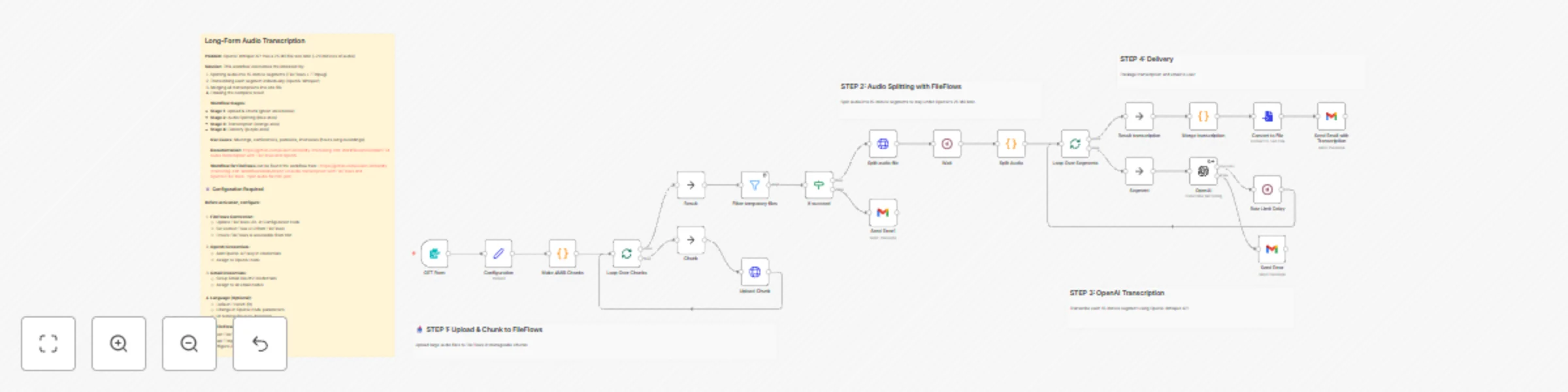
Workflow preview: Transcribe long audio files beyond 25MB limit with FileFlows and OpenAI Whisper
Free advanced

Transcribe long audio files beyond 25MB limit with FileFlows and OpenAI Whisper

## Who's it for This template is designed for content creators, podcasters, businesses, and researchers who need to transcribe long audio recordings that exceed OpenAI Whisper's 25 MB file size limit (~20 minutes of audio). ## How it works This workflow combines n8n, FileFlows, and OpenAI Whisper API to transcribe audio files of any length: 1. User uploads an MP3 file through a web form and provides an email address 2. n8n splits the file into 4 MiB chunks and uploads them to FileFlows 3. FileFlows uses FFmpeg to segment the audio into 15-minute chunks (safely under the 25 MB API limit) 4. Each segment is transcribed using OpenAI's Whisper API (configured for French by default) 5. All transcriptions are merged into a single text file 6. The complete transcription is automatically emailed to the user **Processing time:** Typically 10-15 minutes for a 1-hour audio file. ## Requirements - n8n instance (self-hosted or cloud) - FileFlows with Docker and FFmpeg installed - OpenAI API key (Whisper API access) - Gmail account for email delivery - Network access between n8n and FileFlows ## Setup Complete setup instructions, including FileFlows workflow import, credentials configuration, and storage setup, are provided in the workflow's sticky notes. ## Cost OpenAI Whisper API: $0.006 per minute. A 1-hour recording costs approximately $0.36.

J
Julien DEL RIO
Content Creation
16 Nov 2025
604
0

Workflow preview: Transparent tracking pixel for email open detection
Free intermediate

Transparent tracking pixel for email open detection

## 📌 Description This workflow serves a **1x1 transparent PNG image** via a webhook, which can be embedded in an email to **track when the email is opened**. When the image is loaded by the recipient's email client, the webhook is triggered, optionally capturing a `userId` to identify who opened the email. ## 📂 Workflow Steps 1. **Webhook Trigger** (`Request img`) - **Path:** `/webhook/change-with-your-id` - Triggered by an HTTP request (e.g. when the image is loaded in an email). - Accepts a query parameter `id` to identify the recipient. 2. **Set Base64 Data** (`Create data pix`) - Creates a variable `data` containing a Base64-encoded transparent PNG image (1x1 pixel). 3. **Convert to Binary** (`Create img bin`) - Converts the Base64 `data` string into a binary file. - Sets MIME type to `image/png`. 4. **Respond to Webhook** (`Respond to Webhook`) - Sends the binary image file in the HTTP response. 5. **Logging** (`Do anything to log`) - Placeholder node to log or process the `id` or request metadata. - You can access the `id` using `{{$json["query"]["id"]}}`. - You can also use any parameter you want ## ✉️ How to Use in Emails Embed the image in an HTML email like this: ```html <img src="https://&lt;your-n8n-instance&gt;/webhook/db4880e7-2134-4994-94e5-a4a3aa120440?id=1234" width="1" height="1" alt /> ``` When the email is opened and the image is loaded, the workflow will be triggered. ## 🛠️ Notes - Some email clients block images by default; this may prevent tracking. - You can enhance the workflow to store open events in a database, log the timestamp, IP, or user agent. - Make sure to comply with data privacy and consent regulations (e.g. GDPR).

J
Julien DEL RIO
Social Media
7 May 2025
906
0
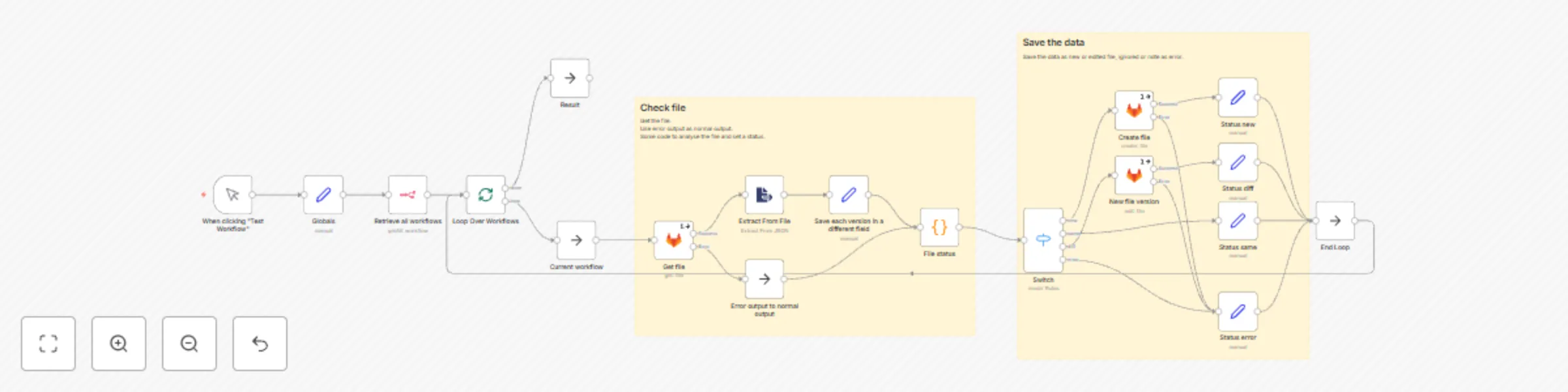
Workflow preview: Save your workflows into a Gitlab repository
Free advanced

Save your workflows into a Gitlab repository

This template is inspired by [Save your workflows into a GitHub repository](https://n8n.io/workflows/817-save-your-workflows-into-a-github-repository/) by [hikerspath](https://n8n.io/creators/hikerspath/) and [Back Up Your n8n Workflows To Github](https://n8n.io/workflows/1534-back-up-your-n8n-workflows-to-github/) by [jon-n8n](https://n8n.io/creators/jon-n8n/). # Basic Retrieve all workflows from an n8n instance and save it on a gitlab project. If the workflow exist, il will only save the changes. # Flow What the workflow does : 1. Sets custom parameters 2. Gets workflows 3. Iterates through each workflow one by one 1. Get the file from Gitlab if exists 2. Compare the files as objects (not as strings) 3. Return a status on the workflow 4. Create, Edit or ignore the file depending on the status 5. Return a list of status for each workflow # Configuration Select a credential in each Gitlab nodes. Edit the data in node "Globals" : - repo.owner : slug of the user or team owning the repo - repo.name : slug of the repository - repo.branch : branch to commit on - repo.path : from root of the repository. Should end with / # Comments Error on gitlab nodes will not stop the run but will list the current workflow as error in the results Some fields are ignored to determined if there is changes : - updatedAt : should be ignored if only ignores fields are changed - globals : it's running information, no need to follow the changes

J
Julien DEL RIO
DevOps
22 Aug 2024
5839
0