J

Jimleuk

100
Workflows

Workflows by Jimleuk

Workflow preview: Process large documents with OCR using SubworkflowAI and Gemini
Free advanced

Process large documents with OCR using SubworkflowAI and Gemini

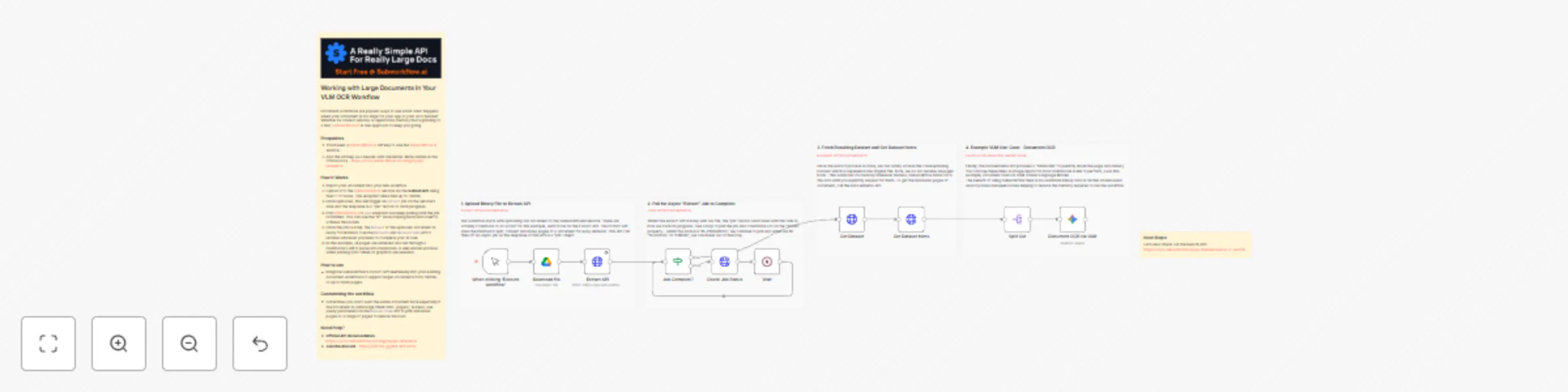
## Working with Large Documents In Your VLM OCR Workflow Document workflows are popular ways to use AI but what happens when your document is too large for your app or your AI to handle? Whether its context window or application memory that's grinding to a halt, [Subworkflow.ai](https://subworkflow.ai?utm=n8n) is one approach to keep you going. > Subworkflow.ai is a third party API service to help AI developers work with documents too large for context windows and runtime memory. ### Prequisites 1. You'll need a Subworkflow.ai API key to use the Subworkflow.ai service. 2. Add the API key as a header auth credential. More details in the official docs [https://docs.subworkflow.ai/category/api-reference](https://docs.subworkflow.ai/category/api-reference) ### How it Works 1. Import your document into your n8n workflow 2. Upload it to the Subworkflow.ai service via the **Extract API** using the HTTP node. This endpoint takes files up to 100mb. 3. Once uploaded, this will trigger an `Extract` job on the service's side and the response is a "job" record to track progress. 4. Poll Subworkflow.ai's `Jobs` endpoint and keep polling until the job is finished. You can use the "IF" node looping back unto itself to achieve this in n8n. 5. Once the job is done, the `Dataset` of the uploaded document is ready for retrieval. Use the `Datasets` and `DatasetItems` API to retrieve whatever you need to complete your AI task. 6. In this example, all pages are retrieved and run through a multimodal LLM to parse into markdown. A well-known process when parsing data tables or graphics are required. ### How to use * Integrate Subworkflow's Extract API seemlessly into your existing document workflows to support larger documents from 100mb+ to up to 5000 pages. ### Customising the workflow * Sometimes you don't want the entire document back especially if the document is quite large (think 500+ pages!), instead, use query parameters on the `DatasetItems` API to pick individual pages or a range of pages to reduce the load. ### Need Help? * **Official API documentation**: [https://docs.subworkflow.ai/category/api-reference](https://docs.subworkflow.ai/category/api-reference) * **Join the discord**: [https://discord.gg/RCHeCPJnYw](RCHeCPJnYw)

J
Jimleuk
Document Extraction
6 Nov 2025
7793
0
Workflow preview: Vision RAG and image embeddings using Cohere Command-A and Embed v4
Free advanced

Vision RAG and image embeddings using Cohere Command-A and Embed v4

### Cohere's new multimodal model releases make building your own Vision RAG agents a breeze. If you're new to Multimodal RAG and for the intent of this template, it means to embed and retrieve only document scans relevant to a query and then have a vision model read those scans to answer. The benefits being (1) the vision model doesn't need to keep all document scans in context (expensive) and (2) ability to query on graphical content such as charts, graphs and tables. ### How it works * Page extracts from a technology report containing graphs and charts are downloaded, converted to base64 and embedded using Cohere's Embed v4 model. * This produces embedding vectors which we will associate with the original page url and store them in our Qdrant vector store collection using the Qdrant community node. * Our Vision RAG agent is split into 2 parts; one regular AI agent for chat and a second Q&A agent powered by Cohere's Command-A-vision model which is required to read contents of images. * When a query requires access to the technology report, the Q&A agent branch is activated. This branch performs a vector search on our image embeddings and returns a list of matching image urls. These urls are then used as input for our vision model along with the user's original query. * The Q&A vision agent can then reply to the user using the "respond to chat" node. * Because both agents share the same memory space, it would be the same conversation to the user. ### How to use * Ensure you have a Cohere account and sufficient credit to avoid rate limit or token usage restrictions. * For embeddings, swap out the page extracts for your own. You may need to split and convert document pages to images if you want to use image embeddings. * For chat, you may want to structure the agent(s) in another way which makes sense for your environment eg. using MCP servers. ### Requirements * Cohere account for Embeddings and LLM * Qdrant for vector store

J
Jimleuk
Document Extraction
4 Aug 2025
1226
0
Workflow preview: Document Q&A system with Voyage-Context-3 embeddings and MongoDB Atlas
Free advanced

Document Q&A system with Voyage-Context-3 embeddings and MongoDB Atlas

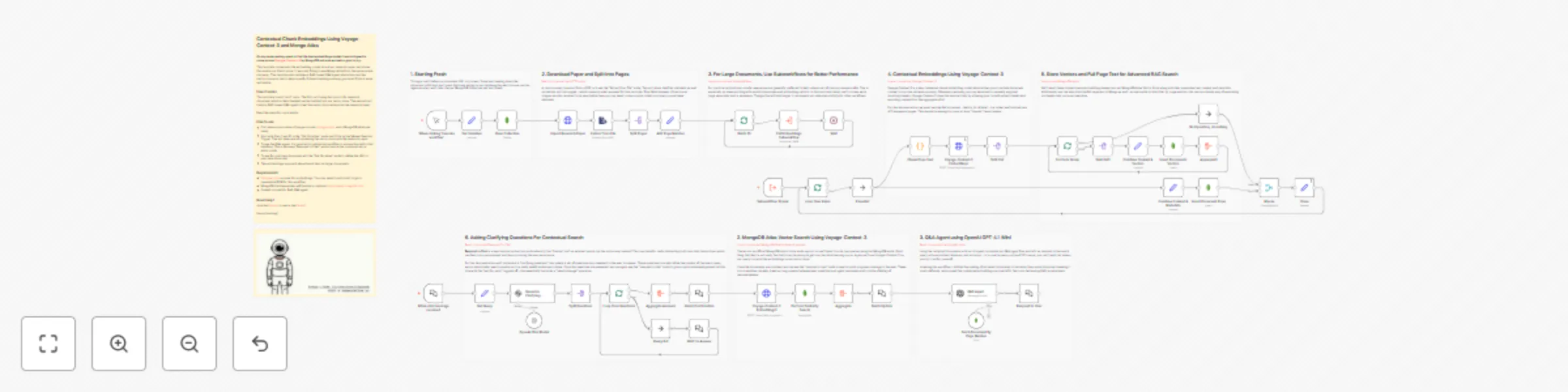
**On my never-ending quest to find the best embeddings model, I was intrigued to come across [Voyage-Context-3](https://blog.voyageai.com/2025/07/23/voyage-context-3/) by MongoDB and was excited to give it a try.** This template implements the embedding model on a Arxiv research paper and stores the results in a Vector store. It was only fitting to use Mongo Atlas from the same parent company. This template also includes a RAG-based Q&A agent which taps into the vector store as a test to helps qualify if the embeddings are any good and if this is even noticeable. ### How it works This template is split into 2 parts. The first part being the import of a research document which is then chunked and embedded into our vector store. The second part builds a RAG-based Q&A agent to test the vector store retrieval on the research paper. Read the steps for more details. ### How to use * First ensure you create a Voyage account [voyageai.com](https://voyageai.com) and a MongoDB database ready. * Start with Step 1 and fill in the "Set Variables" node and Click on the Manual Execute Trigger. This will take care of populating the vector store with the research paper. * To use the Q&A agent, it is required to publish the workflow to access the public chat interface. This is because "Respond to Chat" works best in this mode and not in editor mode. * To use for your own document, edit the "Set Variables" node to define the URL to your own document. * This embeddings approach should work best on larger documents. ### Requirements * [Voyageai.com](https://voyageai.com) account for embeddings. You may need to add credit to get a reasonable RPM for this workflow. * MongoDB database either self-hosted or online at [https://www.mongodb.com](https://www.mongodb.com). * OpenAI account for RAG Q&A agent. ### Customising this workflow * The Voyage embeddings work with any vector store so feel free to swap out to other such as Qdrant or Pinecone if you're not a fan of MongoDB Atlas. * If you're feeling brave, instead of the 3 sequential pages setup I have, why not try the whole document! Fair warning that you may hit memory problems if your instance isn't sufficiently sized - but if it is, go head and share the results!

J
Jimleuk
Engineering
2 Aug 2025
1084
0
Workflow preview: Classify event photos from attendees with Gemma AI, Google Drive & Sheets
Free advanced

Classify event photos from attendees with Gemma AI, Google Drive & Sheets

### There's a clear need for an easier way to manage attendee photos from live events, as current processes for collecting, sharing, and categorizing them are inefficient. n8n can indeed help to solve this challenge by providing the data input interface via its forms and orchestrate AI-powered classification of images using AI nodes. However, in some cases - say you run regular events or with high attendee counts - the volume of photos may result in unsustainably high inference fees (token usage based billing) which could make the project unviable. To work around this, [Featherless.ai](https://featherless.ai/register?referrer=HJUUTA6M) is an AI/LLM inference service which is subscription-based and provides unlimited tokens instead. This means costs are essentially capped for AI usage offering greater control and confidence on AI project budgets. **Check out the final result here:** [https://docs.google.com/spreadsheets/d/1TpXQyhUq6tB8MLJ3maeWwswjut9wERZ8pSk_3kKhc58/edit?usp=sharing](https://docs.google.com/spreadsheets/d/1TpXQyhUq6tB8MLJ3maeWwswjut9wERZ8pSk_3kKhc58/edit?usp=sharing) ### How it works * A form trigger is used share a form interface to guests to upload their photos from their device. * The photos are in one branch, are optimised in size before sending to a vision-capable LLM to classify and categorise against a set list of tags. The model inference service is provided by Featherless and takes advantage of their unlimited token usage subscription plan. * The photos in another branch are copied into Google Drive for later reference. * Once both branches are complete, the classification results and Google Drive link are appended to a Google Sheets table allowing for quick sorting and filtering of all photos. ### How to use * Use this workflow to gain an incredible productivity boost for social media work. When all photos are organised and filter-ready, editors spend a fraction of the time to get community posts ready and delivered. * Sharing the completed Google sheet with attendees helps them to better share memories within their own social circles. ### Requirements * [FeatherLess.ai]((https://featherless.ai/register?referrer=HJUUTA6M)) account for Open Source Multimodal LLMs and unlimited token usage. * Google Drive for file storage * Google Sheet for organising photos into categories ### Customising this workflow * Feel free to refine the form with custom styles to match your branding. * Swap out Google services with equivalents to match your own environment. eg. Sharepoint and Excel.

J
Jimleuk
File Management
28 Jul 2025
1106
0
Workflow preview: Build document RAG system with Kimi-K2, Gemini embeddings and Qdrant
Free advanced

Build document RAG system with Kimi-K2, Gemini embeddings and Qdrant

![screenshot](https://res.cloudinary.com/daglih2g8/image/upload/f_auto,w_auto/v1753700941/n8n-workflows/Screenshot_2025-07-28_at_12.04.01_bnaapr.png) ### Generating contextual summaries is an token-intensive approach for RAG embeddings which can quickly rack up costs if your inference provider charges by token usage. [Featherless.ai](https://featherless.ai/?referrer=HJUUTA6M) is an inference provider with a different pricing model - they charge a flat subscription fee (starting from $10) and allows for unlimited token usage instead. If you're typically spending over $10 - $25 a month, you may find Featherless to be a cheaper and more manageable option for your projects or team. For this template, Featherless's unlimited token usage is well suited for generating contextual summaries at high volumes for a majority of RAG workloads. **LLM**: moonshotai/Kimi-K2-Instruct **Embeddings**: models/gemini-embedding-001 ### How it works 1. A large document is imported into the workflow using the HTTP node and its text extracted via the Extract from file node. For this demonstration, the UK highway code is used an an example. 2. Each page is processed individually and a contextual summary is generated for it. The contextual summary generation involves taking the current page, preceding and following pages together and summarising the contents of the current page. 3. This summary is then converted to embeddings using Gemini-embedding-001 model. Note, we're using a http request to use the Gemini embedding API as at time of writing, n8n does not support the new API's schema. 4. These embeddings are then stored in a Qdrant collection which can then be retrieved via an agent/MCP server or another workflow. ### How to use * Replace the large document import with your own source of documents such as google drive or an internal repo. * Replace the manual trigger if you want the workflow to run as soon as documents become available. If you're using Google Drive, check out my [Push notifications for Google Drive template](https://n8n.io/workflows/6106-monitor-file-changes-with-google-drive-push-notifications/). * Expand and/or tune embedding strategies to suit your data. You may want to additionally embed the content itself and perform multi-stage queries using both. ### Requirements * [Featherless.ai](https://featherless.ai/?referrer=HJUUTA6M) Account and API Key * Gemini Account and API Key for Embeddings * Qdrant Vector store ### Customising this workflow * Sparse Vectors were not included in this template due to scope but should be the next step to getting the most our of contextual retrieval. * Be sure to explore other models on the Featherless.ai platform or host your own custom/finetuned models.

J
Jimleuk
Document Extraction
28 Jul 2025
1619
0
Workflow preview: Monitor file changes with Google Drive push notifications
Free advanced

Monitor file changes with Google Drive push notifications

**Tired of being let down by the Google Drive Trigger? Rather not exhaust system resources by polling every minute? Then this workflow is for you!** Google drive is a great storage option for automation due to its relative simplicity, cheap costs and readily-available integrations. Using Google Drive as a trigger is the next logically step but many n8n users quickly realise the built-in Google Drive trigger just isn't that reliable. Disaster! Typically, the workaround is to poll the Google Drive search API in short intervals but the trade off is wasted server resources during inactivity. The ideal solution is of course, push notifications but they seem quite complicated to implement... or are they? This template demonstrates that setting up **Google Push Notifications for Google Drive File Changes** actually isn't that hard! Using this approach, Google sends a POST request every time something in a drive changes which solves reliability of events and efficiency of resources. ### How it works 1. We begin with registering a **Notification channel (webhook)** with the Google Drive API. 2 key pieces of information is (a) the webhook URL which notifications will be pushed to and (b) because we want to scope to a single location, the driveId. Good to know that you can register as many as you like using http calls but you have to manage them yourself, there's no google dashboard for notification channels! 2. The registration data along with the startPageToken are saved in `workflowStaticData` - This is a convenient persistence which we can use to hold small bits of data between executions. 3. Now, whenever files or folders are created or updated in our target Google Drive, Google will send push notifications to our webhook trigger in this template. 4. Once triggered, we need still need to call Google Drive's `Changes.list` to get the actual change events which were detected. we can do this with the HTTP request node. 5. The Changes API will also return the `nextPageToken` - a marker to establish where next to get the new batch of changes. It's important that we use this token the next time we request from the changes API and so, we'll update the `workflowStaticData` with this updated value. 6. Unfortunately, the `changes.list` API isn't able to filter change events by folder or action and so be sure to do your own set of filtering steps to get the files you want. 7. Finally with the valid change events, optionally fetch the file metadata which gives you more attributes to play with. For example, you may want to know if the change event was triggered by n8n, in which case you'll want to check "ModifiedByMe" value. ### How to use * Start with Step 1 and fill in the "Set Variables" node and Click on the Manual Execute Trigger. This will create a single Google Drive Notification Channel for a specific drive. * Activate the workflow to start recieving events from Google Drive. * To test, perform an action eg. create a file, on the target drive. Watch the webhook calls come pouring in! * Once you have the desired events, finish off this template to do something with the changed files. ### Requirements * Google Drive Credentials. Note this workflow also works on Shared Drives. ### Optimising This Workflow * With bulk actions, you'll notice that Google gradually starts to send increasingly large amounts of push notifications - sometimes numbering in the hundreds! For cloud plan users, this could easily exhaust execution limits if lots of changes are made in the same drive daily. One approach is to implement a throttling mechanism externally to batch events before sending them to n8n. * This throttling mechanism is outside the scope of this template but quite easy to achieve with something like Supabase Edge Functions.

J
Jimleuk
File Management
18 Jul 2025
1110
0
Workflow preview: End of turn detection for smoother AI agent chats with Telegram and Gemini
Free advanced

End of turn detection for smoother AI agent chats with Telegram and Gemini

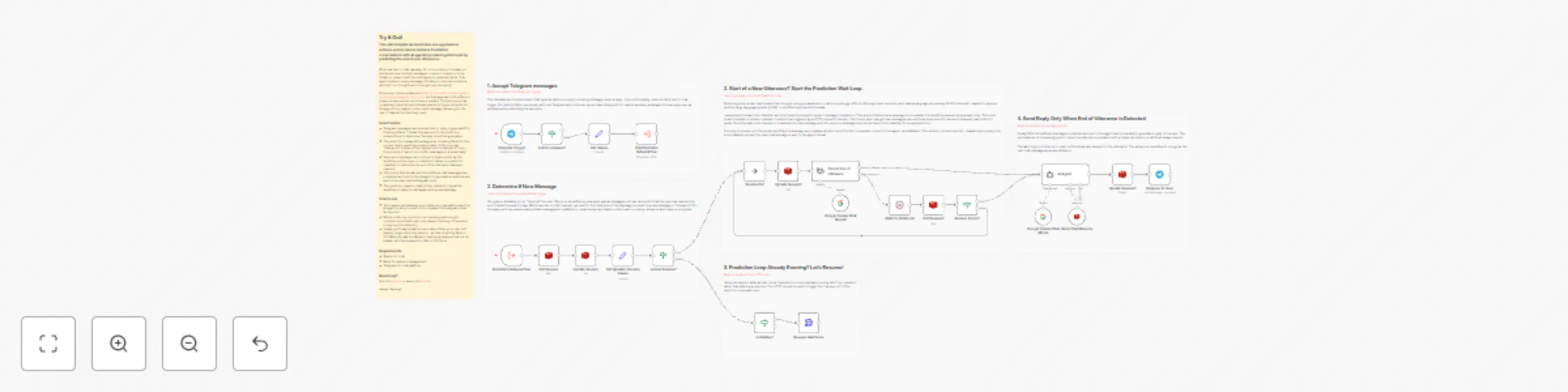
### This n8n template demonstrates one approach to achieve a more natural and less frustration conversations with AI agents by reducing interrupts by predicting the end of user utterances. When we text or chat casually, it's not uncommon to break our sentences over multiple messages or when it comes to voice, break our speech with the odd pause or umms and ahhs. If an agent replies to every message, it's likely to interrupt us before we finish our thoughts and it can get very annoying! Previously, I demonstrated a [simple technique for buffering each incoming message by 5 seconds](https://n8n.io/workflows/2346-enhance-customer-chat-by-buffering-messages-with-twilio-and-redis/) but that approach still suffers in some scenarios when more time is needed. This technique has no arbitrary time limit and instead uses AI to figure out when its the agent's turn based on the user's message, allowing for the user to take all the time they need. ### How it works * Telegram messages are received but no reply is generated for them by default. Instead they are sent to the prediction subworkflow to determine if a reply should be generated. * The prediction subworkflow begins by checking Redis for the current user's prediction session state. If this is a new "utterance", it kicks off the "predict end of utterance" loop - the purpose of which is to buffer messages in a smart way! * New users message can continue to be accepted by the workflow until enough is collected to allow our prediction classifier to determine the end of the utterance has been reached. * The loop is then broken and the buffered chat messages are combined and sent to the AI agent to generate a response and sent to the user via the telegram node. * The prediction session state is then deleted to signal the workflow is ready to start again with a new message. ### How to use * This system sits between your preferred chat platform and the AI agent so all you need to do is replace the telegram nodes as required. * Where LLM-only prediction isn't working well enough, consider more traditional code-based checking of heuristics to improve the detection. * Ideally you'll want a fast but accurate LLM so your user isn't waiting longer than they have to - at time of writing Gemini-2.5-flash-lite was the fastest in testing but keep a look out for smaller and more powerful LLMs in the future. ### Requirements * Gemini for LLM * Redis for session management * Telegram for chat platform

J
Jimleuk
Support Chatbot
18 Jun 2025
1229
0
Workflow preview: Track n8n workflow changes over time with compare dataset & Google Sheets
Free advanced

Track n8n workflow changes over time with compare dataset & Google Sheets

### This n8n template runs daily to track and report on any changes made to workflows on any n8n instance. Useful if a team is working within a single instance and you want to be notified of what workflows have changed since you last visited them. Another use-case might be monitoring your managed instances for clients and being alerted when changes are made without your knowledge. See a sample Gsheet here: [https://docs.google.com/spreadsheets/d/1dOHSfeE0W_qPyEWj5Zz0JBJm8Vrf_cWp-02OBrA_ZYc/edit?usp=sharing](https://docs.google.com/spreadsheets/d/1dOHSfeE0W_qPyEWj5Zz0JBJm8Vrf_cWp-02OBrA_ZYc/edit?usp=sharing) ### How it works * A scheduled trigger is set to run once a day to review all available workflows. * An n8n node imports the workflows as json. * The workflows are brought into a loop where each is first checked to see if it exists in the designated google sheet. * If not, a new entry is created and skipped. * If the workflow has been captured before, then the comparison subworkflow can be executed using the previous and current versions of the workflow json data. * The subworkflow uses the compare dataset tool to calculate the changes to nodes and connections for the given workflow. * The results are then recorded back to the google sheet for review. ### How to use * Start with the n8n node and try to filter by the workflows you're interested in tracking. * Set the scheduled trigger interval to match the frequency to suit how often your workflows are being edited. ### Customising the workflow * Want to get fancy? Add in an AI agent to help determine changes between the previous and current versions of the workflow. Add contextual explanations to reveal the impact of the changes.

J
Jimleuk
Engineering
18 Jun 2025
1289
0
Workflow preview: Compose/Stitch separate images together using n8n & Gemini AI image editing
Free advanced

Compose/Stitch separate images together using n8n & Gemini AI image editing

### This n8n template demonstrates how to use AI to compose or "stitch" separate images together to generate a new image which retains the source assets and consistent style. Use cases are many: Try producing storyboard scenes with consistent characters, marketing material with existing product assets or trying on different articles on fashion! **Good to know** * At time of writing, each image generated will cost $0.039 USD. See Gemini Pricing for updated info. * The model used in this workflow is geo-restricted! If it says model not found, it may not be available in your country or region. ### How it works * We'll import our required assets via our Cloud storage using the HTTP node. * The images are then converted to base64 strings and aggregated so we can use it for our AI model. * Gemini's image generation model is used which takes all 3 images and a prompt that we define. Our prompt instructs the model on how to compose the final image. * Gemini generates a new image but uses the original 3 assets to do so. The consistency to the source images is very high and shows little signs of hallucinations! * Gemini's output is base64 so we use a "Convert to file" node to convert the data to binary. * The final binary image is then uploaded to Google Drive to complete the demonstration. ### How to use * The manual trigger node is used as an example but feel free to replace this with other triggers such as webhook or even a form. * Technically, you should be able to compose even more images but of course, the generation will take longer and cost more. ### Requirements * Gemini account for LLM and Image generation * Google drive for upload ### Customising this workflow * AI Image editing can be used for many use-cases. Try a popular use-case such as virtual try-on for fashion or applying branding on editing image assets.

J
Jimleuk
Content Creation
9 Jun 2025
3810
0
Workflow preview: Build an image restoration service with n8n & Gemini AI image editing
Free advanced

Build an image restoration service with n8n & Gemini AI image editing

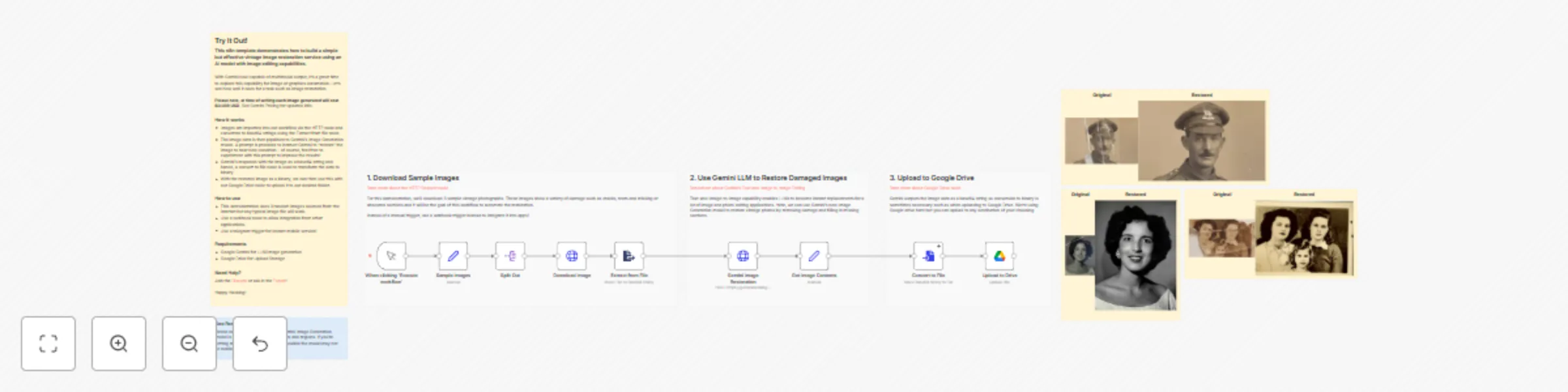
### This n8n template demonstrates how to build a simple but effective vintage image restoration service using an AI model with image editing capabilities. With Gemini now capable of multimodal output, it's a great time to explore this capability for image or graphics automation. Let's see how well it does for a task such as image restoration. **Good to know** * At time of writing, each image generated will cost $0.039 USD. See Gemini Pricing for updated info. * The model used in this workflow is geo-restricted! If it says model not found, it may not be available in your country or region. ### How it works * Images are imported into our workflow via the HTTP node and converted to base64 strings using the Extract from file node. * The image data is then pipelined to Gemini's Image Generation model. A prompt is provided to instruct Gemini to "restore" the image to near new condition - of course, feel free to experiment with this prompt to improve the results! * Gemini's responds with the image as a base64 string and hence, a convert to file node is used to transform the data to binary. * With the restored image as a binary, we can then use this with our Google Drive node to upload it to our desired folder. ### How to use * This demonstration uses 3 random images sourced from the internet but any typical image file will work. * Use a webhook node to allow integration from other applications. * Use a telegram trigger for instant mobile service! ### Requirements * Google Gemini for LLM/Image generation * Google Drive for Upload Storage ### Customising this workflow * AI image editing can be applied to many use-cases not just image restoration. Try using it to add watermarks, branding or modify an existing image for marketing purposes.

J
Jimleuk
Content Creation
9 Jun 2025
2162
0
Workflow preview: Evaluation metric: summarization
Free advanced

Evaluation metric: summarization

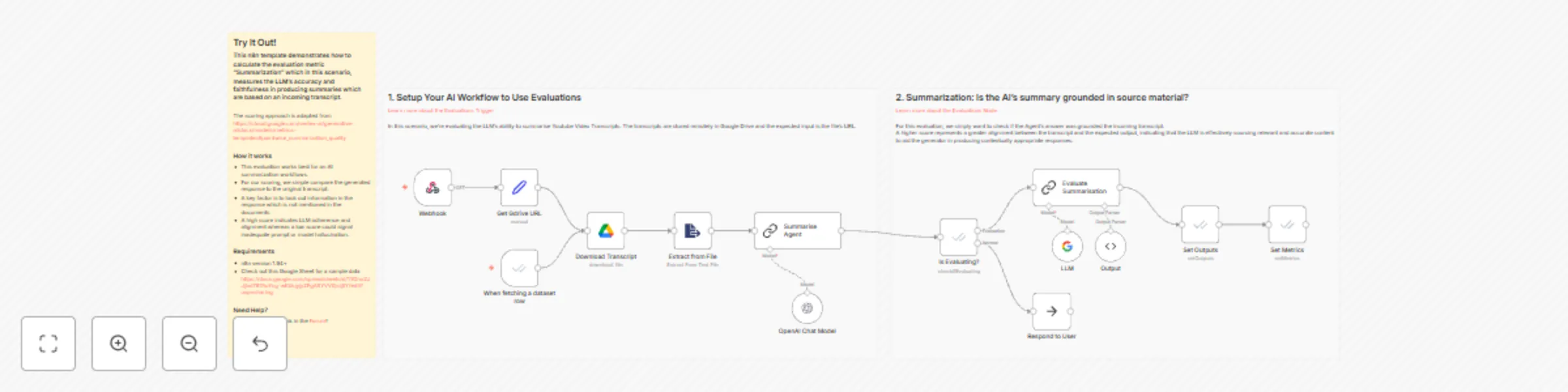
### This n8n template demonstrates how to calculate the evaluation metric "Summarization" which in this scenario, measures the LLM's accuracy and faithfulness in producing summaries which are based on an incoming Youtube transcript. The scoring approach is adapted from [https://cloud.google.com/vertex-ai/generative-ai/docs/models/metrics-templates#pointwise_summarization_quality](https://cloud.google.com/vertex-ai/generative-ai/docs/models/metrics-templates#pointwise_summarization_quality) ### How it works * This evaluation works best for an AI summarization workflows. * For our scoring, we simple compare the generated response to the original transcript. * A key factor is to look out information in the response which is not mentioned in the documents. * A high score indicates LLM adherence and alignment whereas a low score could signal inadequate prompt or model hallucination. ### Requirements * n8n version 1.94+ * Check out this Google Sheet for a sample data [https://docs.google.com/spreadsheets/d/1YOnu2JJjlxd787AuYcg-wKbkjyjyZFgASYVV0jsij5Y/edit?usp=sharing](https://docs.google.com/spreadsheets/d/1YOnu2JJjlxd787AuYcg-wKbkjyjyZFgASYVV0jsij5Y/edit?usp=sharing)

J
Jimleuk
Engineering
27 May 2025
997
0
Workflow preview: Evaluate RAG response accuracy with OpenAI: document groundedness metric
Free advanced

Evaluate RAG response accuracy with OpenAI: document groundedness metric

### This n8n template demonstrates how to calculate the evaluation metric "RAG document groundedness" which in this scenario, measures the ability to provide or reference information included only in retrieved vector store documents. The scoring approach is adapted from [https://cloud.google.com/vertex-ai/generative-ai/docs/models/metrics-templates#pointwise_groundedness](https://cloud.google.com/vertex-ai/generative-ai/docs/models/metrics-templates#pointwise_groundedness) ### How it works * This evaluation works best for an agent that requires document retrieval from a vector store or similar source. * For our scoring, we need to collect the agent's response and the documents retrieved and use an LLM to assess if the former is based off the latter. * A key factor is to look out information in the response which is not mentioned in the documents. * A high score indicates LLM adherence and alignment whereas a low score could signal inadequate prompt or model hallucination. ### Requirements * n8n version 1.94+ * Check out this Google Sheet for a sample data [https://docs.google.com/spreadsheets/d/1YOnu2JJjlxd787AuYcg-wKbkjyjyZFgASYVV0jsij5Y/edit?usp=sharing](https://docs.google.com/spreadsheets/d/1YOnu2JJjlxd787AuYcg-wKbkjyjyZFgASYVV0jsij5Y/edit?usp=sharing)

J
Jimleuk
Engineering
27 May 2025
1484
0
Workflow preview: Evaluate AI agent response relevance using OpenAI and cosine similarity
Free advanced

Evaluate AI agent response relevance using OpenAI and cosine similarity

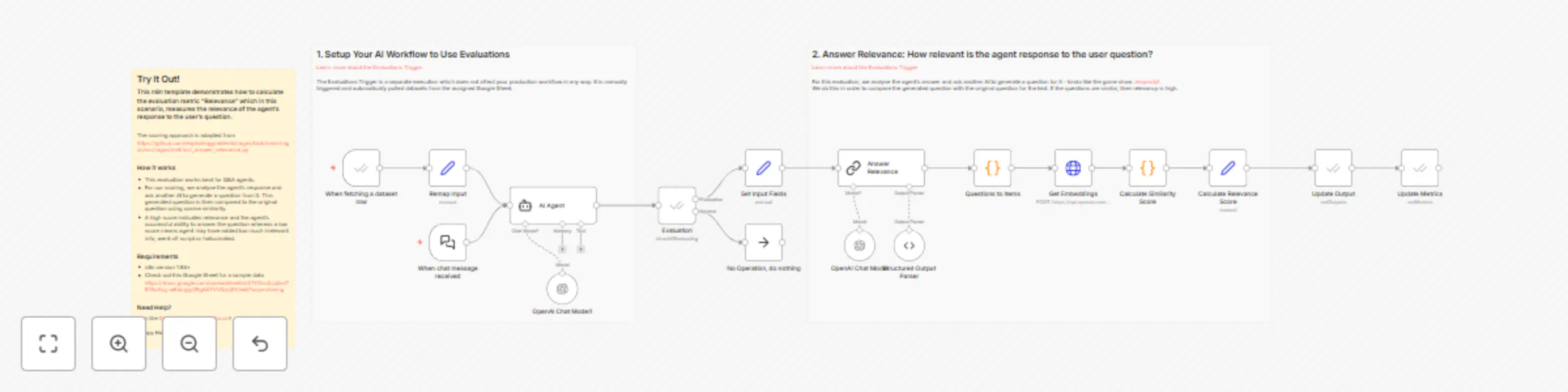
### This n8n template demonstrates how to calculate the evaluation metric "Relevance" which in this scenario, measures the relevance of the agent's response to the user's question. The scoring approach is adapted from the open-source evaluations project [RAGAS](https://docs.ragas.io/) and you can see the source here [https://github.com/explodinggradients/ragas/blob/main/ragas/src/ragas/metrics/_answer_relevance.py](https://github.com/explodinggradients/ragas/blob/main/ragas/src/ragas/metrics/_answer_relevance.py) ### How it works * This evaluation works best for Q&A agents. * For our scoring, we analyse the agent's response and ask another AI to generate a question from it. This generated question is then compared to the original question using cosine similarity. * A high score indicates relevance and the agent's successful ability to answer the question whereas a low score means agent may have added too much irrelevant info, went off script or hallucinated. ### Requirements * n8n version 1.94+ * Check out this Google Sheet for a sample data [https://docs.google.com/spreadsheets/d/1YOnu2JJjlxd787AuYcg-wKbkjyjyZFgASYVV0jsij5Y/edit?usp=sharing](https://docs.google.com/spreadsheets/d/1YOnu2JJjlxd787AuYcg-wKbkjyjyZFgASYVV0jsij5Y/edit?usp=sharing)

J
Jimleuk
Engineering
27 May 2025
1025
0
Workflow preview: Evaluate AI agent response correctness with OpenAI and RAGAS methodology
Free advanced

Evaluate AI agent response correctness with OpenAI and RAGAS methodology

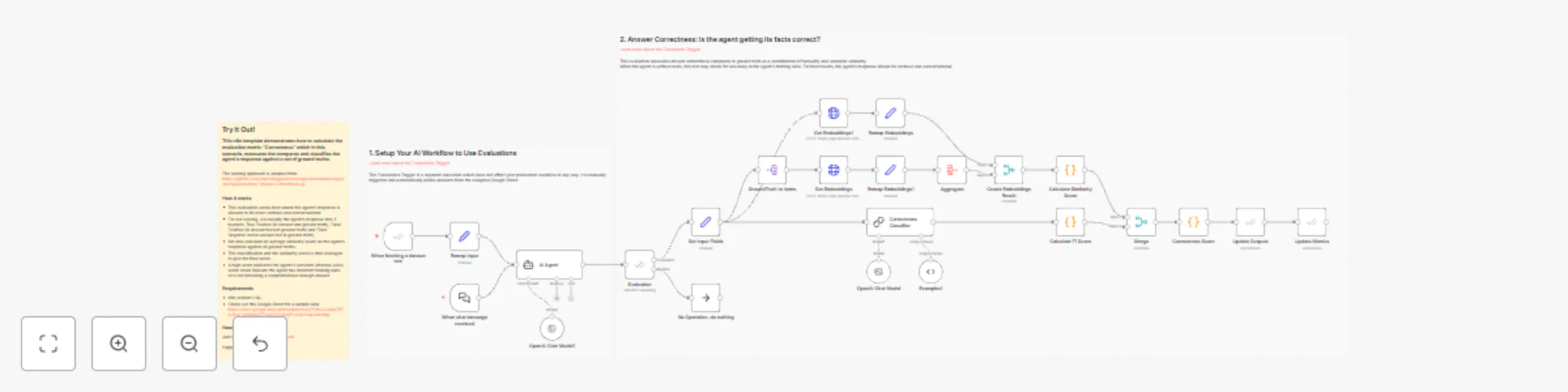
### This n8n template demonstrates how to calculate the evaluation metric "Correctness" which in this scenario, measures the compares and classifies the agent's response against a set of ground truths. The scoring approach is adapted from the open-source evaluations project [RAGAS](https://docs.ragas.io/) and you can see the source here [https://github.com/explodinggradients/ragas/blob/main/ragas/src/ragas/metrics/_answer_correctness.py](https://github.com/explodinggradients/ragas/blob/main/ragas/src/ragas/metrics/_answer_correctness.py) ### How it works * This evaluation works best where the agent's response is allowed to be more verbose and conversational. * For our scoring, we classify the agent's response into 3 buckets: True Positive (in answer and ground truth), False Positive (in answer but not ground truth) and False Negative (not in answer but in ground truth). * We also calculate an average similarity score on the agent's response against all ground truths. * The classification and the similarity score is then averaged to give the final score. * A high score indicates the agent is accurate whereas a low score could indicate the agent has incorrect training data or is not providing a comprehensive enough answer. ### Requirements * n8n version 1.94+ * Check out this Google Sheet for a sample data [https://docs.google.com/spreadsheets/d/1YOnu2JJjlxd787AuYcg-wKbkjyjyZFgASYVV0jsij5Y/edit?usp=sharing](https://docs.google.com/spreadsheets/d/1YOnu2JJjlxd787AuYcg-wKbkjyjyZFgASYVV0jsij5Y/edit?usp=sharing)

J
Jimleuk
Engineering
27 May 2025
1324
0
Workflow preview: Evaluations metric: answer similarity
Free advanced

Evaluations metric: answer similarity

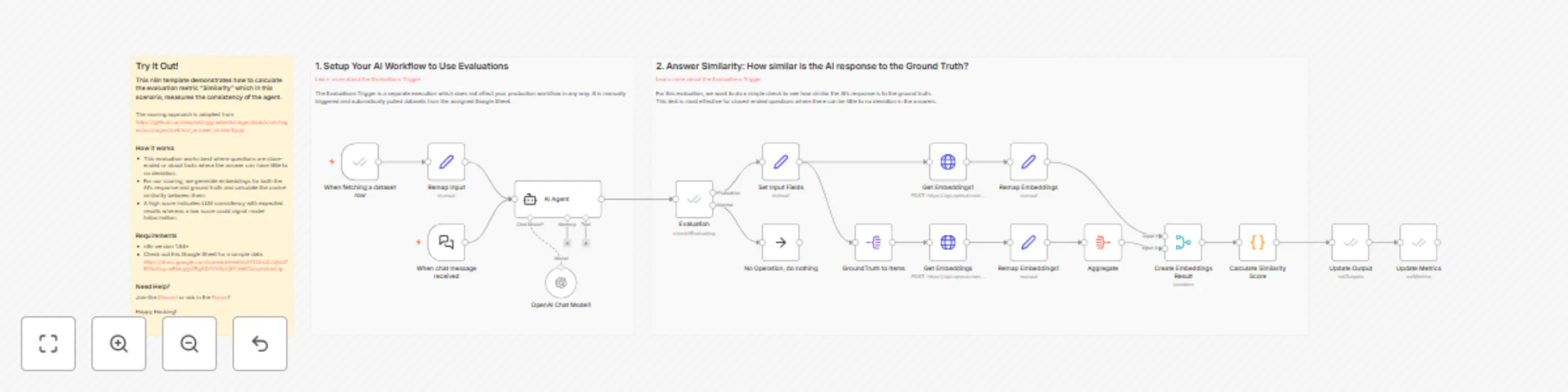
### This n8n template demonstrates how to calculate the evaluation metric "Similarity" which in this scenario, measures the consistency of the agent. The scoring approach is adapted from the open-source evaluations project [RAGAS](https://docs.ragas.io/) and you can see the source here [https://github.com/explodinggradients/ragas/blob/main/ragas/src/ragas/metrics/_answer_similarity.py](https://github.com/explodinggradients/ragas/blob/main/ragas/src/ragas/metrics/_answer_similarity.py) ### How it works * This evaluation works best where questions are close-ended or about facts where the answer can have little to no deviation. * For our scoring, we generate embeddings for both the AI's response and ground truth and calculate the cosine similarity between them. * A high score indicates LLM consistency with expected results whereas a low score could signal model hallucination. ### Requirements * n8n version 1.94+ * Check out this Google Sheet for a sample data [https://docs.google.com/spreadsheets/d/1YOnu2JJjlxd787AuYcg-wKbkjyjyZFgASYVV0jsij5Y/edit?usp=sharing](https://docs.google.com/spreadsheets/d/1YOnu2JJjlxd787AuYcg-wKbkjyjyZFgASYVV0jsij5Y/edit?usp=sharing)

J
Jimleuk
Engineering
27 May 2025
1011
0
Workflow preview: Validate Auth0 JWT tokens using JWKS or signing cert
Free intermediate

Validate Auth0 JWT tokens using JWKS or signing cert

> Note: This template requires a self-hosted community edition of n8n. Does not work on cloud. ## Try It Out ### This n8n template shows how to validate API requests with Auth0 Authorization tokens. Auth0 doesn't work with the standard JWT auth option because: 1) Auth0 tokens use the RS256 algorithm. 2) RS256 JWT credentials in n8n require the user to use private and public keys and not secret phrase. 3) Auth0 does not give you access to your Auth0 instance private keys. The solution is to handle JWT validation after the webhook is received using the code node. ### How it works * There are 2 approaches to validate Auth0 tokens: using your application's JWKS file or using your signing cert. * Both solutions uses the code node to access nodeJS libraries to verify the token. * **JWKS**: the `JWK-RSA` library is used to validate the application's JWKS URI hosted on Auth0 * **Signing Cert**: the application's signing cert is imported into the workflow and used to verify token. * In both cases, when the token is found to be invalid, an error is thrown. However, as we can use error outputs for the code node, the error does not stop the workflow and instead is redirected to a 401 unauthorized webhook response. * When token is validated, the webhook response is forwarded on the success branch and the token decoded payload is attached. ### How to use * Follow the instructions as stated in each scenario's sticky notes. * Modify the Auth0 details with that of your application and Auth0 instance. ### Requirements * Self-hosted community edition of n8n * Ability to install npm packages * Auth0 application and some way to get either the JWK url or signing cert.

J
Jimleuk
Engineering
24 May 2025
1001
0
Workflow preview: OpenAI responses API adapter for LLM and AI agent workflows
Free advanced

OpenAI responses API adapter for LLM and AI agent workflows

### This n8n template demonstrates how to use OpenAI's Responses API with existing LLM and AI Agent nodes. Though I would recommend just waiting for official support, if you're impatient and would like a round-about way to integrate OpenAI's responses API into your existing AI workflows then this template is sure to satisfy! This approach implements a simple API wrapper for the Responses API using n8n's builtin webhooks. When the base url is pointed to these webhooks using a custom OpenAI credential, it's possible to intercept the request and remap for compatibility. ### How it works * An OpenAI subnode is attached to our agent but has a special custom credential where the base_url is changed to point at this template's webhooks. * When executing a query, the agent's request is forwarded to our mini chat completion workflow. * Here, we take the default request and remap the values to use with a HTTP node which is set to query the Responses API. * Once a response is received, we'll need to remap the output for Langchain compatibility. This just means the LLM or Agent node can parse it and respond to the user. * There are two response formats, one for streaming and one for non-streaming responses. ### How to use * You must activate this workflow to be able to use the webhooks. * Create the custom OpenAI credential as instructed. * Go to your existing AI workflows and replace the LLM node with the custom OpenAI credential. You do not need to copy anything else over to the existing template. ### Requirements * OpenAI account for Responses API ### Customising this workflow * Feel free to experiment with other LLMs using this same technique! * Keep up to date with the Responses API announcements and make modifications as required.

J
Jimleuk
Engineering
19 May 2025
3367
0
Workflow preview: Create OpenAI-compatible API using GitHub models for free AI access
Free advanced

Create OpenAI-compatible API using GitHub models for free AI access

### This n8n template shows you how to connect [Github's Free Models](https://docs.github.com/en/github-models) to your existing n8n AI workflows. Whilst it is possible to use HTTP nodes to access Github Models, The aim of this template is to use it with existing n8n LLM nodes - saves the trouble of refactoring! Please note, Github states their model APIs are not intended for production usage! If you need higher rate limits, you'll need to use a paid service. ### How it works * The approach builds a custom OpenAI compatible API around the Github Models API - all done in n8n! * First, we attach an OpenAI subnode to our LLM node and configure a new OpenAI credential. * Within this new OpenAI credential, we change the "Base URL" to point at a n8n webhook we've prepared as part of this template. * Next, we create 2 webhooks which the LLM node will now attempt to connect with: "models" and "chat completion". * The "models" webhook simply calls the Github Model's "list all models" endpoint and remaps the response to be compatible with our LLM node. * The "Chat Completion" webhook does a similar task with Github's Chat Completion endpoint. ### How to use * Once connected, just open chat and ask away! * Any LLM or AI agent node connected with this custom LLM subnode will send requests to the Github Models API. Allowing your to try out a range of SOTA models for free. ### Requirements * Github account and credentials for access to Models. If you've used the Github node previously, you can reuse this credential for this template. ### Customising this workflow * This template is just an example. Use the custom OpenAI credential for your other workflows to test Github models. ### References * [https://docs.github.com/en/github-models/prototyping-with-ai-models](https://docs.github.com/en/github-models/prototyping-with-ai-models) * [https://docs.github.com/en/github-models](https://docs.github.com/en/github-models)

J
Jimleuk
Engineering
19 May 2025
5428
0
Workflow preview: Customer authentication for chat support with OpenAI and Redis session management
Free advanced

Customer authentication for chat support with OpenAI and Redis session management

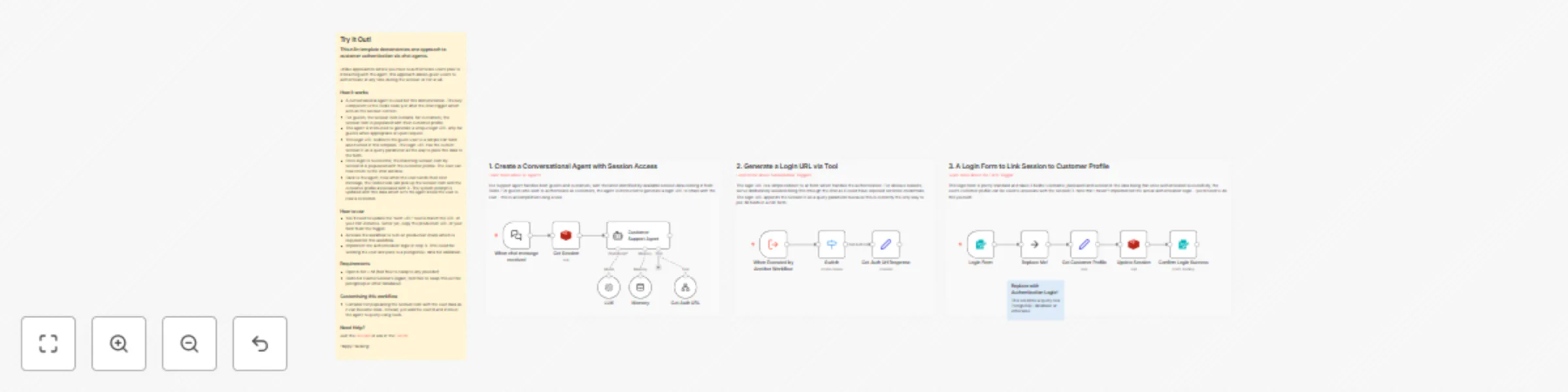
### This n8n template demonstrates one approach to customer authentication via chat agents. Unlike approaches where you have to authenticate users prior to interacting with the agent, this approach allows guest users to authenticate at any time during the session or not at all. **Note about Security**: this template is for illustration purposes only and requires much more work to be ready for production! ### How it works * A conversational agent is used for this demonstration. The key component is the Redis node just after the chat trigger which acts as the session context. * For guests, the session item is blank. for customers, the session item is populated with their customer profile. * The agent is instructed to generate a unique login URL only for guests when appropriate or upon request. * This login URL redirects the guest user to a simple n8n form also hosted in this template. The login URL has the current sessionID as a query parameter as the way to pass this data to the form. * Once login is successful, the matching session item by sessionId is populated with the customer profile. The user can now return to the chat window. * Back to the agent, now when the user sends their next message, the Redis node will pick up the session item and the customer profile associated with it. The system prompt is updated with this data which let's the agent know the user is now a customer. ### How to use * You'll need to update the "auth URL" tool to match the URL of your n8n instance. Better yet, copy the production URL of your form from the trigger. * Activate the workflow to turn on production mode which is required for this workflow. * Implement the authentication logic in step 3. This could be sending the user and pass to a postgreSQL data for validation. ### Requirements * OpenAI for LLM (feel free to swap to any provider) * Redis for Cache/Sessions (again, feel free to swap this out for postgresql or other database) ### Customising this workflow * Consider not populating the session item with the user data as it can become stale. Instead, just add the userId and instruct the agent to query using tools. * Extend the Login URL idea by experimenting with signup URLs or single-use Urls.

J
Jimleuk
Support Chatbot
19 May 2025
1604
0
Workflow preview: Summarise MS Teams channel activity for weekly reports with AI
Free advanced

Summarise MS Teams channel activity for weekly reports with AI

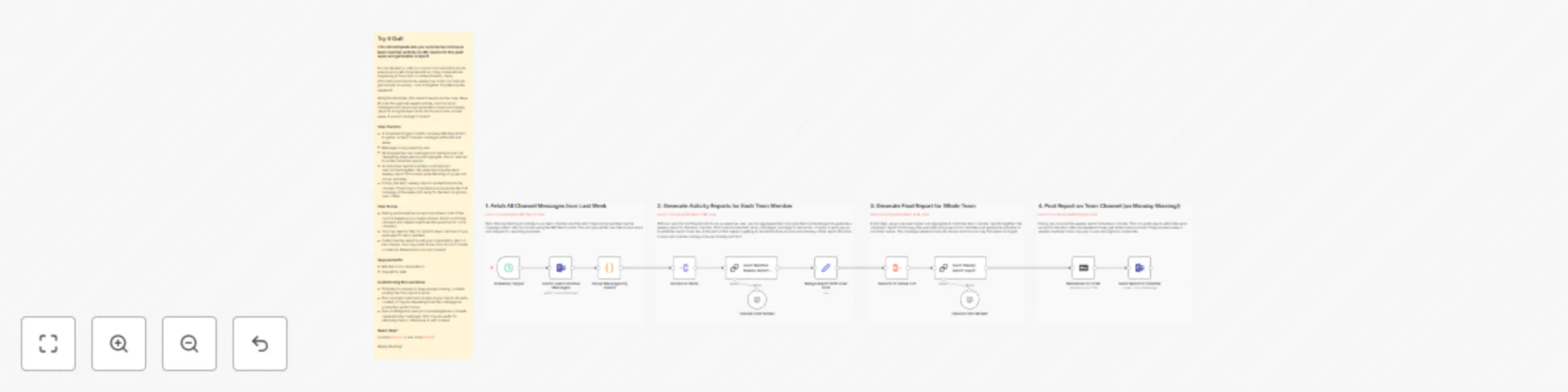
### This n8n template lets you summarize individual team member activity on MS Teams for the past week and generates a report. For remote teams, chat is a crucial communication tool to ensure work gets done but with so many conversations happening at once and in multiple threads, ideas, information and decisions usually live in the moment and get lost just as quickly - and all together forgotten by the weekend! Using this template, this doesn't have to be the case. Have AI crawl through last week's activity, summarize all messages and replies and generate a casual and snappy report to bring the team back into focus for the current week. A project manager's dream! ### How it works * A scheduled trigger is set to run every Monday at 6am to gather all team channel messages within the last week. * Messages are grouped by user. * AI analyses the raw messages and replies to pull out interesting observations and highlights. This is referred to as the individual reports. * All individual reports are then combined and summarized together into what becomes the team weekly report. This allows understanding of group and similar activities. * Finally, the team weekly report is posted back to the channel. The timing is important as it should be the first message of the week and ready for the team to glance over coffee. ### How to use * Ideally works best per project and where most of the comms happens on a single channel. Avoid combining channels and instead duplicate this workflow for more channels. * You may need to filter for specific team members if you want specific team updates. * Customise the report to suit your organisation, team or the channel. You may prefer to be more formal if clients or external stakeholders are also present. ### Requirements * MS Teams for chat platform * OpenAI for LLM ### Customising this workflow * If the teams channel is busy enough already, consider posting the final report to email. * Pull in project metrics to include in your report. As extra context, it may be interesting to tie the messages to production performance. * Use an AI Agent to query for knowledgebase or tickets relevant to the messages. This may be useful for attaching links or references to add context.

J
Jimleuk
Project Management
10 May 2025
8442
0
Workflow preview: Summarise Slack channel activity for weekly reports with AI
Free advanced

Summarise Slack channel activity for weekly reports with AI

### This n8n template lets you summarize team member activity on Slack for the past week and generates a report. For remote teams, chat is a crucial communication tool to ensure work gets done but with so many conversations happening at once and in multiple threads, ideas, information and decisions usually live in the moment and get lost just as quickly - and all together forgotten by the weekend! Using this template, this doesn't have to be the case. Have AI crawl through last week's activity, summarize all threads and generate a casual and snappy report to bring the team back into focus for the current week. A project manager's dream! ### How it works * A scheduled trigger is set to run every Monday at 6am to gather all team channel messages within the last week. * Each message thread are grouped by user and data mined for replies. * Combined, an AI analyses the raw messages to pull out interesting observations and highlights. * The summarized threads of the user are then combined together and passed to another AI agent to generate a higher level overview of their week. These are referred to as the individual reports. * Next, all individual reports are summarized together into a team weekly report. This allows understanding of group and similar activities. * Finally, the team weekly report is posted back to the channel. The timing is important as it should be the first message of the week and ready for the team to glance over coffee. ### How to use * Ideally works best per project and where most of the comms happens on a single channel. Avoid combining channels and instead duplicate this workflow for more channels. * You may need to filter for specific team members if you want specific team updates. * Customise the report to suit your organisation, team or the channel. You may prefer to be more formal if clients or external stakeholders are also present. ### Requirements * Slack for chat platform * Gemini for LLM (or switch for other models) ### Customising this workflow * If the slack channel is busy enough already, consider posting the final report to email. * Pull in project metrics to include in your report. As extra context, it may be interesting to tie the messages to production performance. * Use an AI Agent to query for knowledgebase or tickets relevant to the messages. This may be useful for attaching links or references to add context. * Channel not so busy or way too busy for 1 week? Play with the scheduled trigger and set an interval which works for your team.

J
Jimleuk
Document Extraction
10 May 2025
7929
0
Workflow preview: Generate logos and images with consistent visual styles using Imagen 3.0
Free advanced

Generate logos and images with consistent visual styles using Imagen 3.0

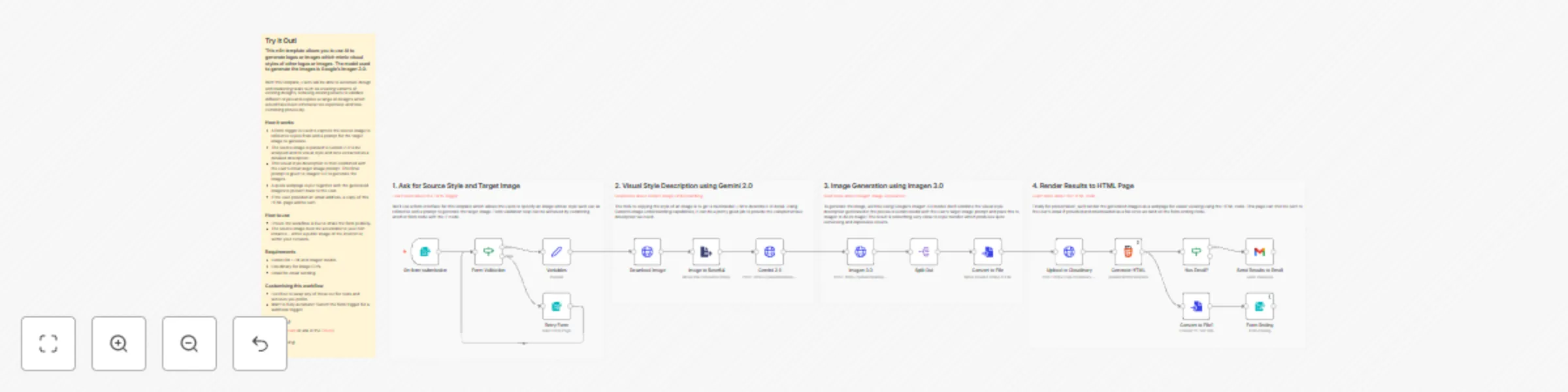
### This n8n template allows you to use AI to generate logos or images which mimic visual styles of other logos or images. The model used to generate the images is Google's Imagen 3.0. With this template, users will be able to automate design and marketing tasks such as creating variants of existing designs, remixing existing assets to validate different styles and explore a range of designs which would have been otherwise too expensive and time-consming previously. ![banner](https://res.cloudinary.com/daglih2g8/image/upload/f_auto,q_auto/v1/n8n-workflows/vu8uyt2w5qheyetpqj7q) ### How it works * A form trigger is used to capture the source image to reference styles from and a prompt for the target image to generate. * The source image is passed to Gemini 2.0 to be analysed and its visual style and tone extracted as a detailed description. * This visual style description is then combined with the user's initial target image prompt. This final prompt is given to Imagen 3.0 to generate the images. * A quick webpage is put together with the generated images to present back to the user. * If the user provided an email address, a copy of this HTML page will be sent. ### How to use * Ensure the workflow is live to share the form publicly. * The source image must be accessible to your n8n instance - either a public image of the internet or within your network. * For best results, select a source image which has strong visual identity as these will allow the LLM to better describe it. * For your prompt, refer to the imagen prompt guide found here: [https://ai.google.dev/gemini-api/docs/image-generation#imagen-prompt-guide](https://ai.google.dev/gemini-api/docs/image-generation#imagen-prompt-guide) ### Requirements * Gemini for LLM and Imagen model. * Cloudinary for image CDN. * Gmail for email sending. ### Customising this workflow * Feel free to swap any of these out for tools and services you prefer. * Want to fully automate? Switch the form trigger for a webhook trigger!

J
Jimleuk
Content Creation
9 May 2025
23173
0
Workflow preview: Automatically create Linear issues from Gmail support request messages
Free intermediate

Automatically create Linear issues from Gmail support request messages

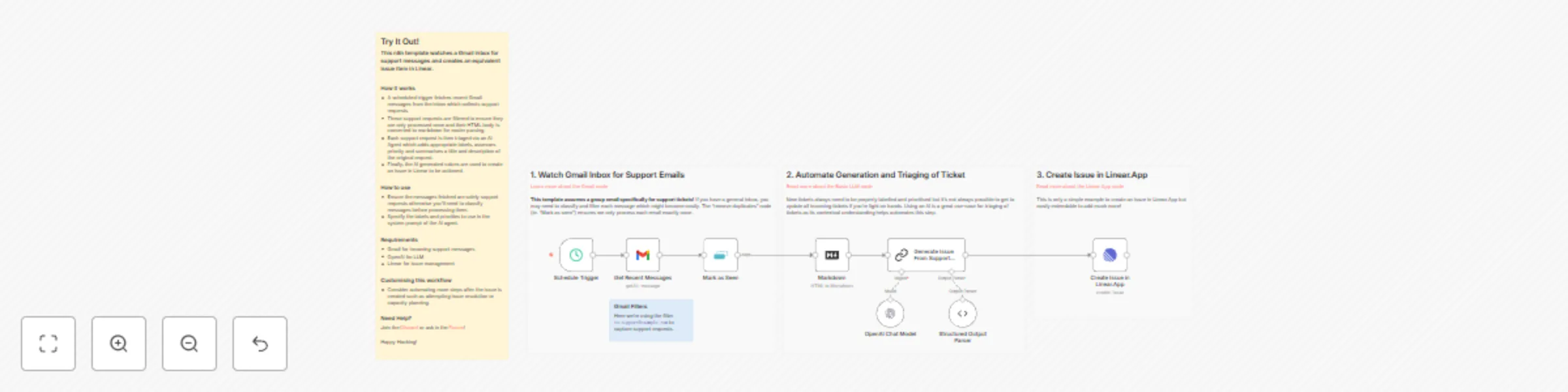
### This n8n template watches a Gmail inbox for support messages and creates an equivalent issue item in Linear. ### How it works * A scheduled trigger fetches recent Gmail messages from the inbox which collects support requests. * These support requests are filtered to ensure they are only processed once and their HTML body is converted to markdown for easier parsing. * Each support request is then triaged via an AI Agent which adds appropriate labels, assesses priority and summarises a title and description of the original request. * Finally, the AI generated values are used to create an issue in Linear to be actioned. ### How to use * Ensure the messages fetched are solely support requests otherwise you'll need to classify messages before processing them. * Specify the labels and priorities to use in the system prompt of the AI agent. ### Requirements * Gmail for incoming support messages * OpenAI for LLM * Linear for issue management ### Customising this workflow * Consider automating more steps after the issue is created such as attempting issue resolution or capacity planning.

J
Jimleuk
Ticket Management
6 May 2025
1064
0
Workflow preview: Automatically create JIRA issues from Outlook email support requests
Free intermediate

Automatically create JIRA issues from Outlook email support requests

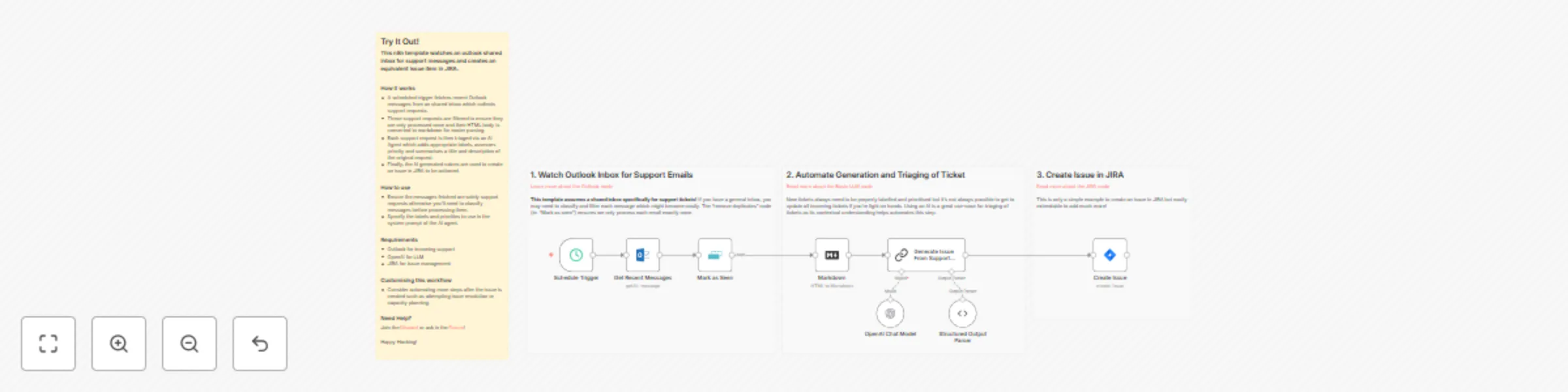
### This n8n template watches an outlook shared inbox for support messages and creates an equivalent issue item in JIRA. ### How it works * A scheduled trigger fetches recent Outlook messages from an shared inbox which collects support requests. * These support requests are filtered to ensure they are only processed once and their HTML body is converted to markdown for easier parsing. * Each support request is then triaged via an AI Agent which adds appropriate labels, assesses priority and summarises a title and description of the original request. * Finally, the AI generated values are used to create an issue in JIRA to be actioned. ### How to use * Ensure the messages fetched are solely support requests otherwise you'll need to classify messages before processing them. * Specify the labels and priorities to use in the system prompt of the AI agent. ### Requirements * Outlook for incoming support * OpenAI for LLM * JIRA for issue management ### Customising this workflow * Consider automating more steps after the issue is created such as attempting issue resolution or capacity planning.

J
Jimleuk
Ticket Management
6 May 2025
3541
0