J

Jeyson Orozco

1
Workflow

Workflows by Jeyson Orozco

Workflow preview: Nightly n8n backup to Google Drive
Free advanced

Nightly n8n backup to Google Drive

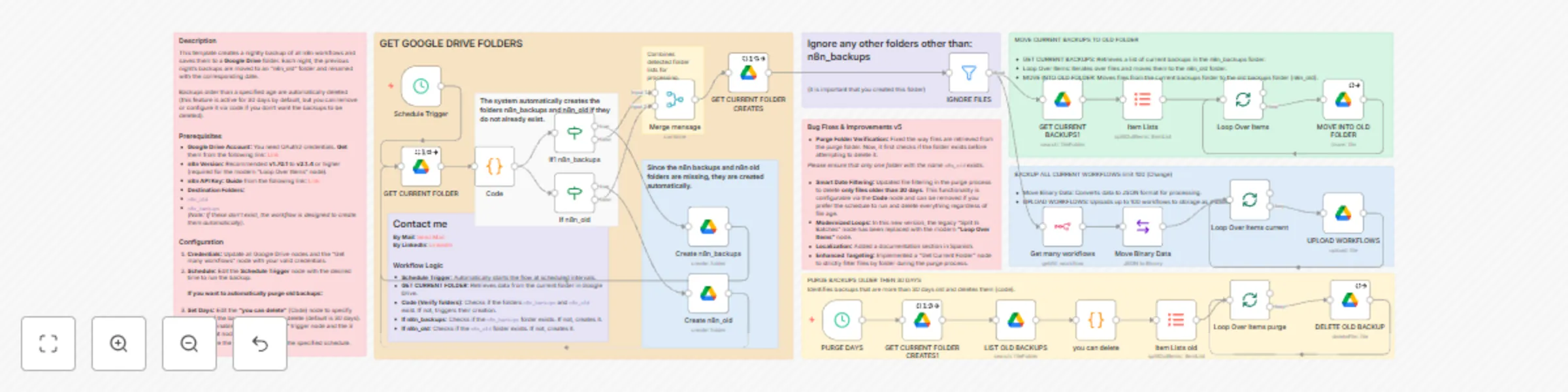
## Description This template creates a nightly backup of all n8n workflows and saves them to a Google Drive folder. Each night, the previous night's backups are moved to an “n8n_old” folder and renamed with the corresponding date. Backups older than a specified age are automatically deleted using a precise code-based verification (this feature is active for 30 days by default, but is fully configurable). ## What's New in v5 * **Modernized Loops:** Replaced the legacy "Split In Batches" node with the newer and more efficient **"Loop Over Items"** node. * **Smart Purge Logic:** Now uses a **Code node** with Javascript (`you can delete`) to accurately calculate file age before deletion, ensuring only files strictly older than 30 days are removed. * **Safety Checks:** Implemented logic to verify if the "n8n_old" folder exists before attempting any purge operations to prevent errors. * **Auto-Healing:** The system now automatically creates the `n8n_backups` and `n8n_old` folders if they are missing. ## Prerequisites * **Google Drive account and credentials:** **Get** from the following link. [Link](https://console.cloud.google.com/apis/credentials/oauthclient/) * **n8n version:** Recommended v1.70.1 up to v2.1.4 or higher (Required for "Loop Over Items" compatibility). * **n8n API Key:** **Guide** from the following link. [Link](https://witmovil.com/where-to-create-the-api-key-in-n8n/) (Required for the "Get many workflows" node). * **Destination folders** (Optional, as the script can now create them, but good to have): * “n8n_old” * “n8n_backups” ## Configuration 1. **Google Drive:** Update all Google Drive nodes with your OAuth2 credentials. 2. **n8n Connection:** Open the "Get many workflows" node (formerly just "n8n") and select your **n8n account** credential (API Key). 3. **Schedule:** Edit the Schedule Trigger node with the desired time to run the backup. **If you want to configure the auto-purge (delete old backups):** 1. The deletion logic is now handled in the **"you can delete"** Code node. You can edit the variable `const THIRTY_DAYS_IN_MS` in the code if you wish to change the 30-day limit. 2. Enable the “PURGE DAYS” trigger and the subsequent nodes to activate this feature. 3. Enable the workflow to run on the specified schedule. ## Last updated December 2025

J
Jeyson Orozco
DevOps
19 Oct 2024
7601
0