Generate AI video captions with ZapCap and Google Drive
## 🎬 Auto Add AI Captions to Videos from Google Drive with ZapCap
### Description
Stop wasting hours on video captioning. Upload your videos to a Google Drive folder, and **ZapCap** automatically generates professional subtitles for you. Download the finished video from your Google Drive and it’s ready to post. Fast, simple, and effortless.
### How It Works
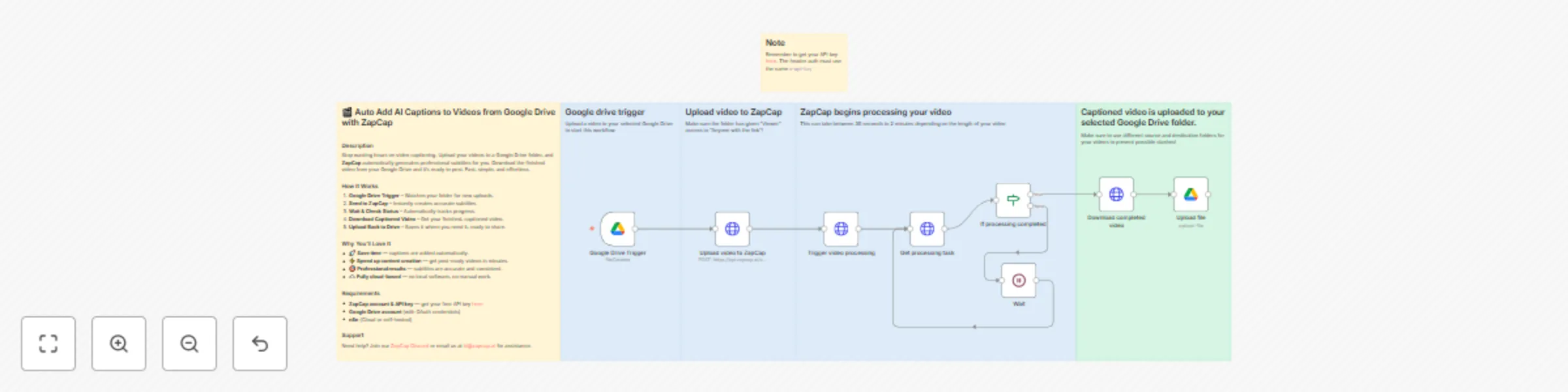
1. **Google Drive Trigger** – Watches your folder for new uploads.
2. **Send to ZapCap** – Instantly creates accurate subtitles.
3. **Wait & Check Status** – Automatically tracks progress.
4. **Download Captioned Video** – Get your finished, captioned video.
5. **Upload Back to Drive** – Saves it where you need it, ready to share.
### Why You’ll Love It
- 🚀 **Save time** — captions are added automatically.
- ⚡ **Speed up content creation** — get post-ready videos in minutes.
- 🎯 **Professional results** — subtitles are accurate and consistent.
- ☁️ **Fully cloud-based** — no local software, no manual work.
### Requirements
- **ZapCap account & API key** — get your free API key [here](https://platform.zapcap.ai/dashboard/api-key)
- **Google Drive account** (with OAuth credentials)
- **n8n** (Cloud or self-hosted)
### Support
Need help? Join our [ZapCap Discord](https://discord.gg/26fYtvjWBx) or email us at [[email protected]](mailto:[email protected]) for assistance.