WebSecScan: AI-powered website security auditor
# WebSecScan: AI-Powered Website Security Auditor
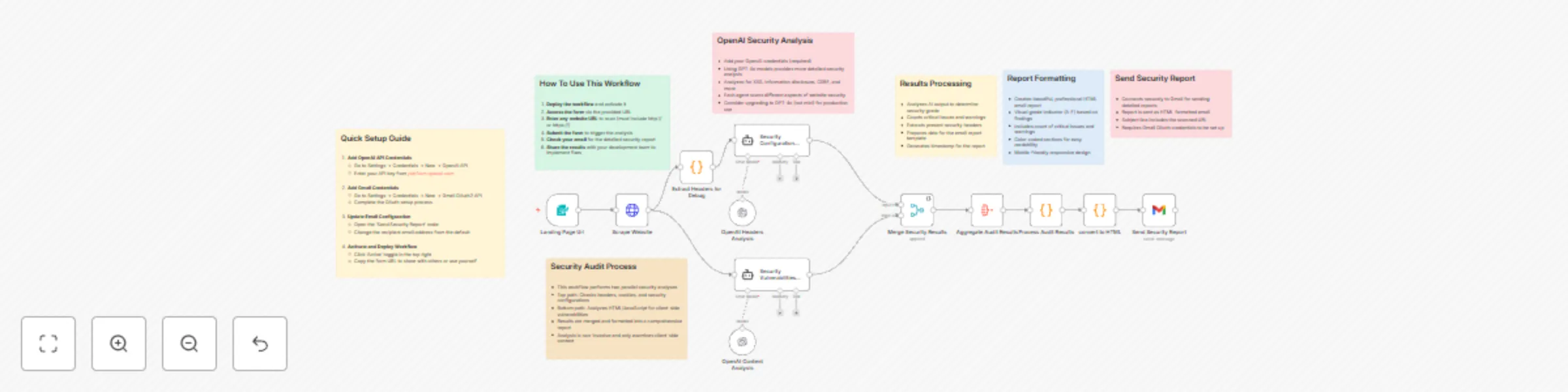
This n8n workflow provides comprehensive website security analysis by leveraging OpenAI's models to detect vulnerabilities, configuration issues, and security misconfigurations. The workflow generates a professional HTML security report delivered directly via Gmail.
## Key Features
- **Dual-Layer Security Analysis:** Performs parallel security audits using specialized OpenAI agents:
- Header Configuration Audit: Analyzes HTTP headers, CORS policies, CSP implementation, and cookie security
- Vulnerability Assessment: Identifies XSS vectors, information disclosure, and client-side weaknesses
- **Detailed Security Grading:** Automatically calculates a security grade (A+ to F) based on findings severity and quantity
- **Professional Report Generation:** Creates a comprehensive HTML report with:
- Security grade visualization
- Color-coded vulnerability categories
- Detailed recommendations with example configuration fixes
- Header presence/absence indicators
- Implementation guidance for remediation
- **Non-Invasive Testing:** Performs analysis without active scanning or exploitation attempts
## Technical Implementation
- **Multi-Agent Architecture:** Utilizes two specialized OpenAI agents with custom prompts tailored for security analysis
- **Advanced Header Analysis:** Detects presence and proper implementation of critical security headers:
- Content-Security-Policy
- Strict-Transport-Security
- X-Content-Type-Options
- X-Frame-Options
- Referrer-Policy
- Permissions-Policy
- **Intelligent Issue Detection:** Uses JavaScript processing to analyze OpenAI outputs and count critical/warning issues
- **Responsive HTML Report:** Dynamically generates a mobile-friendly report with detailed findings and recommendations
## Setup Requirements
### 1. OpenAI API Configuration
1. Create an OpenAI API key at [platform.openai.com](https://platform.openai.com/)
2. In n8n, go to **Settings → Credentials → New → OpenAI API**
3. Enter your API key and save
### 2. Gmail Integration
1. Navigate to **Settings → Credentials → New → Gmail OAuth2 API**
2. Complete the OAuth authentication flow
3. Configure recipient email in the "Send Security Report" node
### 3. Workflow Customization (Optional)
- Modify the form title/description in the Landing Page node
- Upgrade from gpt-4o-mini to gpt-4o for more comprehensive analysis
- Add additional recipients to the email report
## Usage Instructions
1. Activate the workflow and access the form via the generated URL
2. Enter any website URL to analyze (including the http:// or https:// prefix)
3. Receive a detailed security report via email within minutes
4. Share findings with your development team to implement fixes
---
This workflow represents a non-invasive security assessment tool. For production environments, complement with professional penetration testing services.