Perplexity-style iterative research with Gemini and Google Search
# AI Comprehensive Research on User's Query with Gemini and Web Search
## What is this?
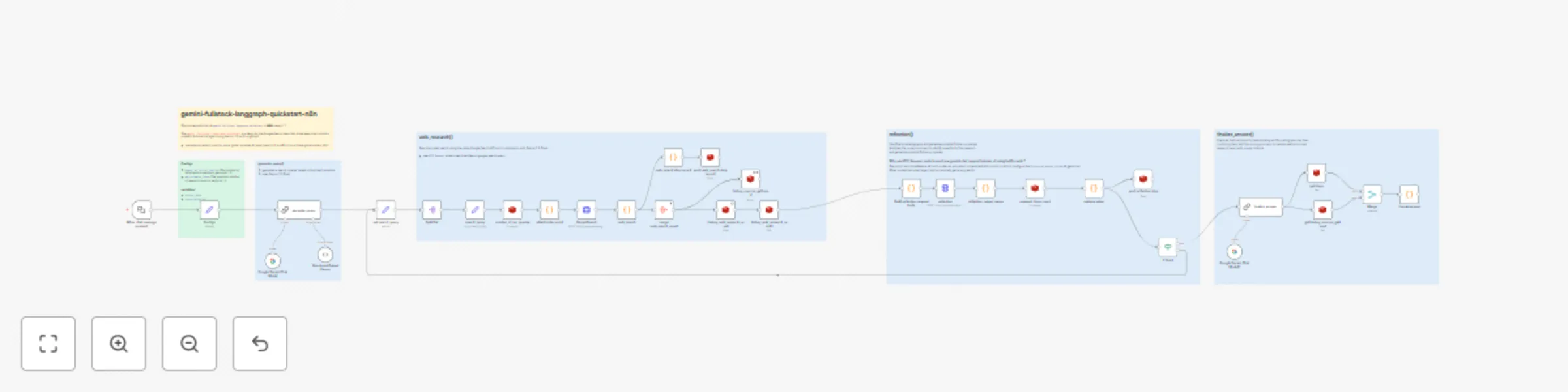
Perform comprehensive research on a user's query by dynamically generating search terms, querying the web using Google Search (by Gemini) , reflecting on the results to identify knowledge gaps, and iteratively refining its search until it can provide a well-supported answer with citations. (like Perplexity)
This workflow is a reproduction of `gemini-fullstack-langgraph-quickstart` in **N8N**.
The [`gemini‑fullstack‑langgraph‑quickstart`](https://github.com/google-gemini/gemini-fullstack-langgraph-quickstart) is a demo by the Google‑Gemini team that showcases how to build a powerful full‑stack AI agent using Gemini and LangGraph
## How It Works
### Generate Query 💬
- generates one or more search queries tasks based on the User's question.
- uses Gemini 2.0 Flash
### Web Research 🌐
- execute web search tasks using the native Google Search API tool in combination with Gemini 2.0 Flash.
### Reflection 📚
- Identifies knowledge gaps and generates potential follow-up queries.
## Setup
1. **Configure API Credentials:**
- Create Google Gemini(PaLM) Api Credential using you own Gemini key
- Connect the credential with three nodes: `Google Gemini Chat Model` and `GeminiSearch` and `reflection`
2. **Configure Redis Source:**
- prepare a Redis service that can be accessed by n8n
- Create Redis Crediential and connect it with all Redis node
## Customize
- Try using different Gemini models.
- Try modifying the parameters `number_of_initial_queries` and `max_research_loops`.
## Why use Redis?
Use Redis as an external storage to maintain global variables (counter, search results, etc.)
This workflow contains a loop process, which need global variables (as `State` in LangGraph).
It is difficult to achieve global variables management without external storage in n8n.