Parse CVs from emails with OCR & GPT for Notion database
It allows you to automate candidate retrieval and onboarding in your HR processes.
## How it works
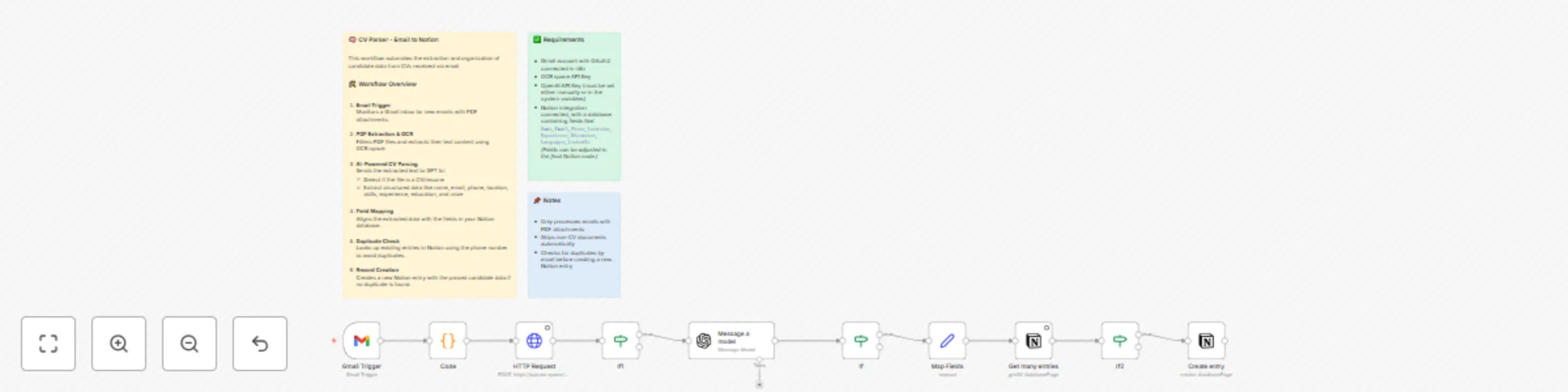
- It monitors a Gmail address for new emails with a PDF attachment
- It expects the PDF to be a candidate’s CV, extracts the text using OCR, and then structures the data using ChatGPT
- Once the data is processed, it connects to Notion and adds (or updates) an entry in the specified database
## How to use
- Configure your Gmail account and provide your ChatGPT API key
- Provide an API key for the OCR service in a variable named OCR_SPACE_API_KEY
- Connect your Notion account
- Once everything is configured, the workflow will monitor your inbox for new emails. Just send an email with a PDF attachment to the configured address
## Requirements
- In addition to Gmail, ChatGPT, and Notion, the system uses a third-party OCR API (OCR SPACE). You’ll need to create an account and obtain an API key
- You must map the fields returned by ChatGPT to the Notion database, or use the same field names we are using
## Customising
It should be easy to replace Notion with PostgreSQL or another database if needed