L

Lenouar

8
Workflows

Workflows by Lenouar

Workflow preview: Automate end-to-end contract signatures with Google Docs, Drive and SignNow
Free advanced

Automate end-to-end contract signatures with Google Docs, Drive and SignNow

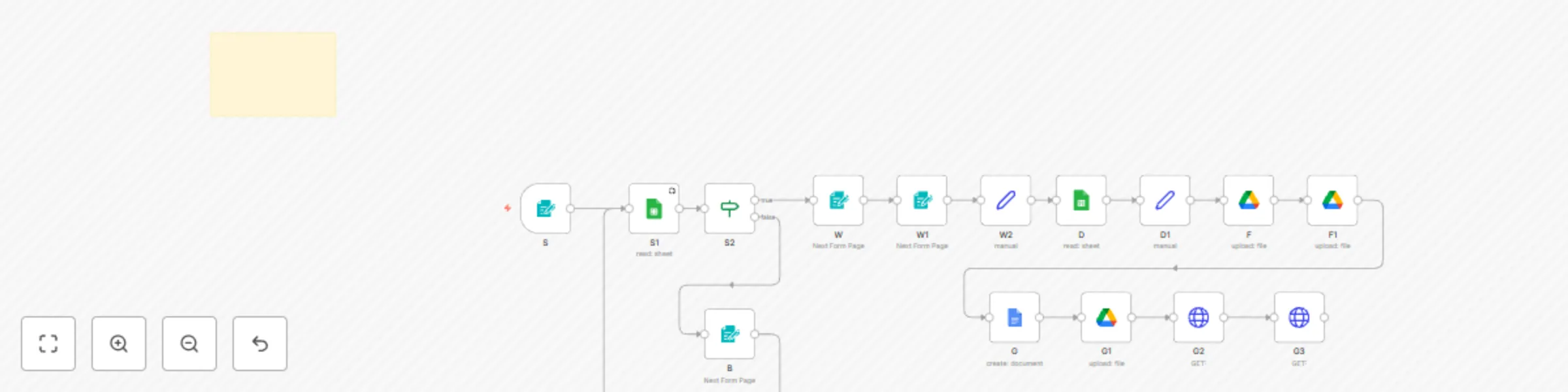
# ✍️ Automate Document Signatures with SignNow (End-to-End Contract Automation) ### Close Contracts on Autopilot — From Onboarding to Signed PDF This workflow turns contract process into a **fully automated, production-ready signing pipeline**. No manual document edits. No chasing signatures. No broken onboarding flows. From the moment a user submits their details, the system **generates, sends, tracks, and delivers a legally signed contract automatically**. --- ### Who This Workflow Is Built For ✅ **Agencies** onboarding new clients at scale ✅ **Training providers & instructors** issuing agreements ✅ **HR teams** handling offers & contractor contracts ✅ **Consultants & service providers** with repeatable contracts ✅ Any business tired of manual contract handling If you send the *same type of contract again and again*, this is built for you. --- ### What This Workflow Does (Business & Technical View) 1. **User fills in your n8n form** 2. **Dynamic contract generation** - Your contract template auto-filled with user form details. - Contract sent to user by email 3. **Digital signature via SignNow** 4. **Post-signature automation** - The final signed PDF is emailed to the signer. - Records are updated in Google Sheets for audit & tracking. Everything happens **without human intervention**. --- ### Why This Template Is Valuable - **Eliminates manual contract preparation** - **Zero follow-up required** for signatures - **Consistent, compliant documents** every time - **Scales infinitely** with no added admin workload - **Audit-friendly** (all signers logged and stored) This workflow replaces hours of admin work with a single automation. --- ### Why Buy This Instead of Building It Yourself - **Save 20–30+ hours** of SignNow API learning and debugging - Avoid common pitfalls: - Missing SignNow tags - Broken callbacks - Incorrect PDF field extraction - Get a **battle-tested flow** already wired across: - Google Docs - Google Drive - Google Sheets - SignNow - Email delivery This is not a toy example — it’s a **real onboarding system** used in production. --- ### Technical Requirements - n8n (self-hosted or cloud) - **SignNow account** with API access - **Google Docs / Drive / Sheets** access - **Email sender** (Gmail, Outlook, or SMTP) - A **public n8n URL** for SignNow webhook callbacks ⚠️ Your Google Docs template must include valid **SignNow field tags** to enable auto-invites and signature capture. --- ### Customization Options - Replace the contract template with **any agreement type** - Add more fields to onboarding forms - Extend to CRM, Slack, or internal approval flows - Customize branding and email messaging --- ### Bottom Line 💡 If contracts are part of your business, this workflow **pays for itself immediately**. One form submission → one signed contract → zero manual steps. This is how modern businesses handle agreements at scale. --- 👉 **By purchasing this template, you receive:** - Full n8n workflow JSON - **Step-by-step setup guidelines** by email - **Basic email support** This is not just automation — it’s **contract operations, done right**.

L
Lenouar
Document Extraction
20 Dec 2025
34
0
Workflow preview: Video speech enhancement with OpenAI Whisper and GPT-4o TTS for multilingual delivery
Free advanced

Video speech enhancement with OpenAI Whisper and GPT-4o TTS for multilingual delivery

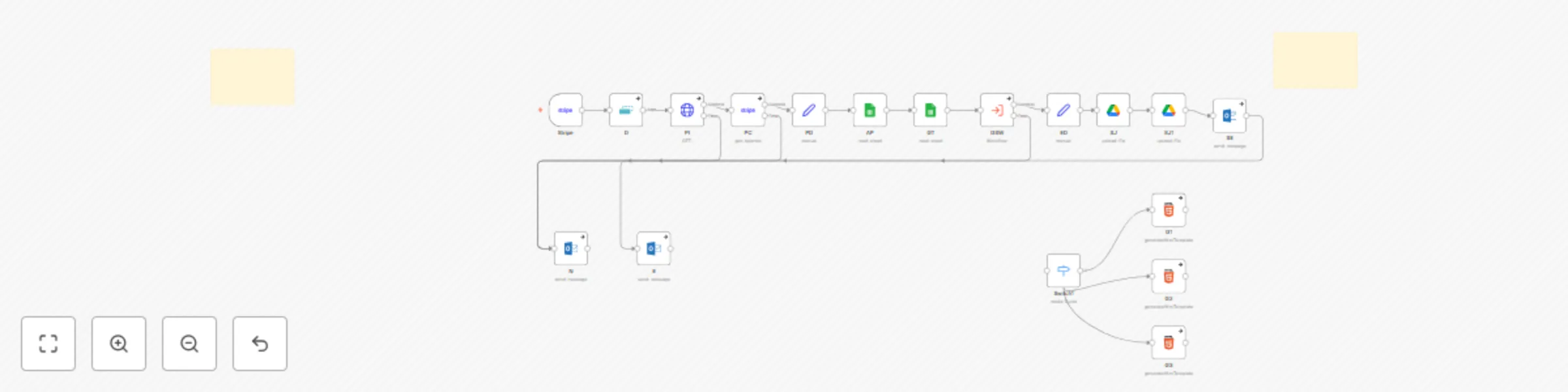
# 🎙️ AI Video Speech Correction & Multilingual Voiceover Generator ### Create Professional Explanation Videos — Without Re-Recording Your Voice This workflow was built to solve a **real, painful creator problem**: you know *what* to explain, but you don’t like how you sound, hesitate while speaking, or don’t feel fluent enough on camera. With this automation, you can **record freely and imperfectly**, and the system will: - transcribe what you said, - **clean and rewrite your speech** into a clear, structured explanation, - generate a **natural AI voiceover**, - perfectly **retime the video** so visuals still match the narration, - and even **output the video in multiple languages**. You focus on explaining. The AI handles clarity, fluency, tone, and delivery. --- ### Who This Is Built For ✅ **Educators & trainers** creating walkthroughs or LMS videos ✅ **Consultants & SaaS founders** recording product explanations ✅ **Content creators** who dislike their recorded voice ✅ **Non-native speakers** who want fluent, professional narration ✅ **Agencies** producing multilingual explainer content at scale If you’ve ever thought *“I know this, I just don’t say it well”* — this is for you. --- ### What This Workflow Does (Technically & Practically) 1. **Upload an MP4 video** via a simple form (Telegram / webhook-based). 2. The system: - Extracts the original audio - Transcribes speech with AI 3. Each spoken segment is: - Matched with an on-screen video frame. - **Rewritten by AI** to remove fillers, hesitations, slang, or unclear phrasing. - Adjusted to match on-screen context and timing. 4. The cleaned script is: - Converted into **high-quality AI voiceover** with precise synchronization. 5. The video is then: - **Retimed scene-by-scene** so visuals align with the new narration. - Reassembled into a clean, professional final video. 6. The output can be: - Generated in **multiple languages** (e.g. EN / AR). - Delivered via **Telegram** and/or uploaded to **Google Drive**. Result: 🎥 A polished explanation video — without re-recording a single sentence. --- ### Why This Workflow Is Extremely Valuable - **No need to re-record** takes because of mistakes or accent issues - **Perfect for tutorials & demos** where clarity matters more than personality - **Multilingual by design** — same video, different languages - **Consistent tone & pacing** across all videos - **Zero manual editing** once deployed This replaces: - multiple retakes, - manual script rewriting, - external voiceover tools, - and timeline guessing in video editors. --- ### Why Buy This Instead of Building It Yourself - **Save 40–60 hours** of R&D - Avoid extremely tricky **audio/video retiming problems** - Get a **production-grade workflow**, not a demo script This is the kind of system most people *try* to build and abandon halfway. --- ### Technical Requirements - n8n (self-hosted strongly recommended) - Server with: - **FFmpeg & FFprobe** - SSH + SFTP access - **OpenAI API key** (Whisper + TTS) - Optional: - Google Drive (for archiving) - Telegram bot (for delivery) ⚠️ Video retiming and audio synthesis are CPU/RAM intensive. Use a server sized for video workloads. --- ### Customization Options - Supported languages (e.g. EN, AR — easily extendable) - AI rewriting style (formal, friendly, instructional) - Voice personality and tone - TTS voice selection per language - Output destinations (Telegram, Drive, S3, etc.) --- ### Bottom Line 💡 This workflow lets you **think out loud**, make mistakes, and still end up with a **studio-quality explanation video**. No mic anxiety. No re-recording. No language barrier. Just explain → AI perfects → video is ready. --- 👉 **By purchasing this template, you receive:** - Full n8n workflow JSON - **Step-by-step setup guidelines** by email - **Basic email support** This is not just automation — it’s **confidence at scale**.

L
Lenouar
Content Creation
20 Dec 2025
28
0
Workflow preview: Automate video voiceover & subtitles with Whisper, OpenAI TTS & FFmpeg
Free advanced

Automate video voiceover & subtitles with Whisper, OpenAI TTS & FFmpeg

# Automate Video Editing with AI ### Who’s it for This workflow is ideal for **content creators, training providers, agencies, and businesses** that need to quickly turn raw videos into **polished, captioned, or narrated content** — without hiring editors or spending hours in manual editing tools. It’s especially valuable for those who want **full freedom of video editing capacity on their own platform** instead of relying on costly SaaS tools with heavy limitations, recurring fees, or watermarks. With this template, you get enterprise-grade AI editing **self-hosted in your n8n**, under your control. Perfect for: - **E-learning & educators** producing accessible multilingual lessons - **Corporate trainers** automating internal tutorials and compliance walkthroughs - **Social media teams** creating captioned, high-engagement clips - **Product teams** generating quick demos and explainer videos --- ### How it works / What it does This template combines **AI transcription, TTS voiceover, and video editing with FFmpeg** into a single automated pipeline: - **Voiceover Mode** - Transcribes video with **OpenAI Whisper** - Cleans text using on-screen frames for accuracy - Generates natural **AI voiceovers (EN/AR)** with OpenAI Speech - Re-times the video to match the narration → synced professional dub - **Subtitle Mode** - Merges multiple video clips with FFmpeg - Transcribes or translates audio to generate **SRT subtitles** - Hardcodes captions directly into the final MP4 (style customizable) ✅ Output: a **ready-to-publish MP4** with AI voiceover or burned-in subtitles. --- ### Requirements - n8n self-hosted or cloud instance - Server with **FFmpeg installed** - **OpenAI API key** (Whisper + Speech) - (Optional) Google Drive credentials for delivery --- ### How to customize the workflow - Swap voices in the **OpenAI Speech** node (change “ash” / “verse” to another). - Add languages by extending the dropdown in the **Upload Video** form. - Change subtitle style (font, margins, background) in the **Apply Subtitle** node. - Route final videos to Slack, Notion, or Dropbox instead of Drive. --- ### Why it matters / Benefits ⚡ **Save hours of manual editing** — no need for Premiere/DaVinci for basic voiceovers and captions. 💰 **Cut production costs** — avoid hiring voice actors and editors for every video. 🌍 **Multilingual content instantly** — create English ↔ Arabic versions without re-recording. 📈 **Boost engagement** — subtitles increase video watch time on social media. 🎨 **Professional results on autopilot** — clean transcripts, natural AI voices, synced visuals. 💡 **SaaS vs Self-Hosted** - **Descript, Kapwing, Synthesia** → $30–100/month per user, limited exports, watermarks on free tiers. - **This workflow** → one-time template + your own server, only pay **OpenAI usage (~$0.006/min for Whisper)**. - You get **unlimited exports, no restrictions, and full data ownership**. --- ### What you win buying this template - A **ready-made AI editing studio** inside n8n. - End-to-end automation: upload → AI → polished video. - Works for **solo creators and agencies** delivering client-ready assets. - Scales with your content: handle 1 video or 100, just drop them in. --- 👉 **By purchasing, you get:** - Full workflow JSON file. - Email delivery with setup **guidelines**. - Access to a **step-by-step walkthrough video**. - **Contact Us** via [email protected].

L
Lenouar
Content Creation
2 Oct 2025
212
0
Workflow preview: Automate digital product sales & delivery with Stripe and Email
Free advanced

Automate digital product sales & delivery with Stripe and Email

# 💳 Automate Digital Product Sales & Delivery with Stripe and Email ### Turn Your Automations into Revenue Sell on n8n using Stripe (Fully Automated Delivery) Stop manually sending files after payment or struggling with clunky checkout flows. Instead of paying **~10% platform fees**, you keep control of your sales, your brand, and your files — while giving buyers a smooth, professional experience. 💡 *Turn Stripe into your own Gumroad alternative — sell and deliver workflows instantly.* This workflow gives you a **ready-made storefront system**: customers pay via Stripe, and your n8n template is **delivered instantly by email with setup guidelines and video instructions**. - **Instant delivery** → No waiting, customers receive their purchase within seconds. - **No manual work** → Payment verification, file delivery, and confirmation emails are all automated. - **Professional experience** → Clean emails with branded HTML, Loom walkthroughs, and receipts. - **Scalable sales** → Sell 1 or 100 templates without adding workload. --- ### Who Benefits Most ✅ **Automation creators**: Sell your n8n templates without coding a shop. ✅ **Freelancers & consultants**: Package your workflows as digital products. ✅ **Agencies**: Offer prebuilt automations to clients on autopilot. ✅ **SaaS builders**: Add a self-serve template store for upsells. “Stop giving 10% of every sale to marketplaces. Keep your profit.” --- ### What It Does for You - Customer pays securely. - Logs the purchase for easy tracking. - Pulls the correct workflow. - Sends a **personalized HTML email** with: - Workflow JSON file attached. - Installation & setup guidelines. - Walkthrough video link. - Support contact details. - Sends you (the seller) an instant purchase notification. --- ### Why This Template Instead of Building It Yourself - **Save 25–40 hours** of coding, testing, and Stripe API integration. - Avoid errors in file delivery, duplicate checkouts, and failed notifications. - Get a **production-ready digital delivery system** you can brand and deploy in minutes. - Customize effortlessly → add more products, change branding, or connect CRM. - Proven flow: already tested (and using ourselves). --- ### Requirements - n8n (self-hosted or cloud). - Active **Stripe account** with API key. - Access for file storage & logging. - An **email account** for delivery. --- ### Bottom Line 💡 If you sell even **one automation template**, this workflow pays for itself. Instead of manually emailing JSON files, every customer gets a **smooth, Amazon-like experience**: they pay → they instantly receive → you scale without lifting a finger. --- 👉 **By purchasing, you get:** - Full workflow JSON file. - Email delivery with setup **guidelines**. - **Contact Us** via [email protected].

L
Lenouar
CRM
29 Sep 2025
156
0
Workflow preview: Streamline document signatures in Telegram with SignNow
Free advanced

Streamline document signatures in Telegram with SignNow

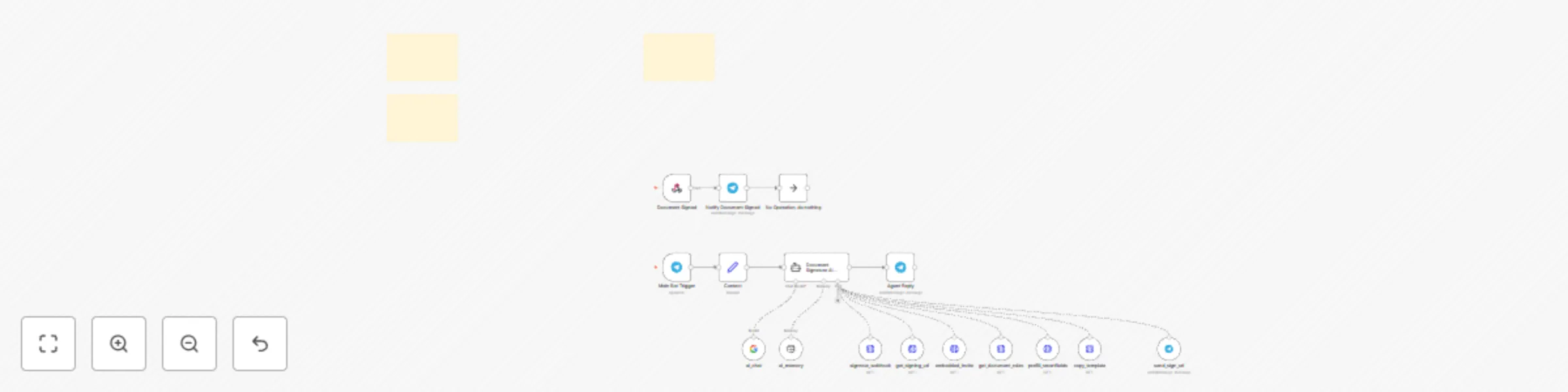
# Digital Signature Agent with SignNow + Telegram ### Solve the #1 Bottleneck in Closing Deals Tired of chasing clients for signed NDAs and contracts? This workflow eliminates the email back-and-forth and lets your clients sign **instantly inside Telegram**. - **Faster deal flow** → Cut signing time from days to minutes. - **No lost opportunities** → Eliminate delays that kill urgency in sales. - **Professional & secure** → Legally binding signatures, fully trackable. - **Hands-off automation** → Bot collects details, generates the signing link, and confirms when done. --- ### Who Benefits Most ✅ **Brokers & consultants**: Collect NDAs instantly before sharing sensitive offers. ✅ **Agencies & freelancers**: Sign contracts with clients on the spot. ✅ **SMEs & startups**: Speed up sales and onboarding with zero admin overhead. ✅ **HR teams**: Seamlessly manage employee forms, waivers, and agreements. --- ### What It Does for You - Triggered by a Telegram chat → no more clunky portals or attachments. - Collects **name, email, and company** in-chat. - Copies your SignNow template (NDA, contract, waiver, or any doc). - Prefills smart fields automatically. - Generates a **one-click signing link**. - Sends it via Telegram as a button (“🖊 Open NDA”). - Tracks completion with SignNow webhook → **you get notified instantly**. --- ### Why This Template Instead of Building It Yourself - **Save 20–30 hours** of research, API testing, and debugging. - Avoid headaches connecting SignNow’s API with Telegram. - Get a **production-ready workflow** you can deploy in minutes. - Customize easily → swap the NDA for any legal doc, add email/CRM integrations, or adjust the bot’s tone. - **Peace of mind**: we’ve already tested it end-to-end (template copy, smart fields, webhook confirmation). --- ### Requirements - n8n (self-hosted or cloud). - Active **SignNow developer account** with API key. - A **Telegram bot** via @BotFather. - HTTPS domain/server for webhook callbacks. --- ### Bottom Line 💡 This workflow pays for itself the first time it helps you close a deal faster. Instead of waiting 48 hours for someone to check email, they **sign within 5 minutes in Telegram**—so you can focus on **closing, not chasing**. --- 👉 **By purchasing, you get:** - Full workflow JSON file. - Email delivery with setup **guidelines**. - Access to a **step-by-step Loom walkthrough video**. - **Contact Us** via [email protected].

L
Lenouar
Content Creation
19 Sep 2025
60
0
Workflow preview: Synchronize Excel or Google Sheets with Postgres (bi-directional)
Free intermediate

Synchronize Excel or Google Sheets with Postgres (bi-directional)

## Synchronize Excel or Google Sheets with Postgres (bi-directional) ### Who’s it for This workflow is perfect for companies that have always managed their operations in Excel or Google Sheets and want to gradually transition to using a database or custom software. It ensures business continuity while modernizing data management. ### How it works / What it does 1. **Trigger options** → Run the sync manually, on schedule, or as part of another workflow. 2. **Get data from Excel** → Reads rows from an Excel or Google Sheet table. 3. **Sanitize data** → Cleans up formats (e.g., converting Excel serial dates into proper date strings). 4. **Upsert into Postgres** → Inserts or updates rows in the database, ensuring no duplicates. - For **auto-mapping** to work, the column names in Excel/Sheets and the DB **must match exactly**. - If you want different names, you can **manually map columns** in the Postgres node. 5. **(Optional)** → Can be extended to push DB updates back to Excel, creating a true **two-way sync**. This way, your team can continue working in Excel/Sheets while data is safely persisted in a database—ideal for scaling into dashboards, SaaS, or ERP systems later. ### How to set up 1. Import the workflow JSON into your n8n instance. 2. Connect your credentials: - **Microsoft Excel / Google Sheets OAuth2** - **Postgres database** 3. Point the Excel node to the right workbook, worksheet, and table. 4. Make sure column names match between the Excel sheet and DB table (or map manually if they differ). 5. Run manually or configure the schedule trigger for automated syncs. ### Requirements - n8n self-hosted or cloud account. - Either Microsoft Excel Online or Google Sheets access. - Postgres database (or replace with MySQL, MariaDB, or any supported DB). ### How to customize the workflow - Replace Excel with **Google Sheets** by swapping the node. - Replace Postgres with **any preferred database** node. - Add validation steps (e.g., check for missing emails, duplicate IDs). - Extend with **reporting workflows** (e.g., sync DB data to BI dashboards). - Use this as a stepping stone to migrate from spreadsheets into software-driven processes.

L
Lenouar
File Management
11 Sep 2025
582
0
Workflow preview: Automated demo scheduling system with Outlook Calendar and Zoom integration
Free advanced

Automated demo scheduling system with Outlook Calendar and Zoom integration

## Live Demo Booking Form with Outlook Calendar and Zoom link ### Who’s it for This workflow is designed for SaaS companies, consultants, or sales teams that regularly run live demos. It helps automate demo scheduling, ensuring clients can only book from available time slots while instantly generating Zoom links and calendar invitations. ### How it works / What it does 1. **Client fills demo request form** → Collects company, contact details, and a preferred date. 2. **Check Outlook calendar availability** → Searches for pre-created “Online Meeting Slot” events. 3. **Time slot selection** → If the date has slots, the client chooses from up to 3 nearest available times. If not, they’re asked to pick another date. 4. **Create Zoom meeting** → Once a date & time are confirmed, a Zoom link is automatically generated. 5. **Update Outlook calendar** → The chosen slot is updated with the client’s details and Zoom link, marked as “Booked Live Demo” so it can’t be double-booked. 6. **Send confirmation** → The client receives a styled confirmation screen, and both parties get the calendar invite. ### How to set up 1. Import the workflow JSON into your n8n instance. 2. Configure the following credentials: - **Microsoft Outlook OAuth2 API** (for calendar access). - **Zoom OAuth2 API** (for automatic meeting creation). 3. Pre-create “Online Meeting Slot” events in your Outlook calendar to define available demo times. 4. Publish the form via n8n’s webhook URL (embed it in your website or share the link). 5. Test by submitting a request to ensure slots update correctly and Zoom links are created. ### Requirements - n8n self-hosted or cloud account. - Microsoft Outlook account with calendar access. - Zoom account with OAuth2 credentials. - Pre-created calendar slots named **“Online Meeting Slot”**. ### How to customize the workflow - **Form fields**: Adjust the client details form to capture additional data (e.g., industry, product interest). - **Email/notification**: Add an Email or Slack node to notify your sales team of new demo bookings. - **Custom branding**: Update the CSS in the form nodes to match your company’s style. - **Capacity rules**: Modify the IF nodes to limit the number of bookings per day or adjust the slot-checking logic.

L
Lenouar
Support Chatbot
10 Sep 2025
368
0
Workflow preview: Automate WhatsApp customer support with voice transcription, FAQ & appointment scheduling
Free advanced

Automate WhatsApp customer support with voice transcription, FAQ & appointment scheduling

## WhatsApp customer service bot (with voice note transcription) handling FAQ, service enquiries and schedule appointments ### Who’s it for This template is designed for businesses that provide customer support and appointment-based services over WhatsApp. It’s ideal for service providers (e.g., clinics, salons, repair shops, consultants) that want to automate FAQs, share service information, handle voice note inquiries, and schedule appointments without manual effort. --- ### How it works / What it does This workflow creates a WhatsApp customer service assistant that: - **Transcribes voice notes** sent by customers into text for further processing. - Answers customer FAQs by looking up a Google Sheet knowledge base. - Provides service information (name, description, price) from a Google Sheet. - Schedules appointments by: - Asking the customer which service they want. - Collecting their preferred day and time. - Checking Google Calendar for available slots. - Offering 3 options and letting the customer choose. - Collecting name, email, and phone number. - Creating the confirmed appointment in Google Calendar. - Sends all customer-facing messages via a WhatsApp integration node. --- ### How to set up 1. **Connect your tools** - Link your Google Sheets for FAQs and Services. - Connect your Google Calendar account. - Configure your WhatsApp integration. - Connect a transcription service (e.g., Whisper, Google Speech-to-Text, or another transcription API). 2. **Prepare your data** - FAQs Google Sheet → must contain columns: `id | question | answer` - Services Google Sheet → must contain columns: `id | service_name | service_description | price` 3. **Adjust the flow** - Update the service names and questions to match your business. - Set the correct time zone in the Google Calendar node. - Update the WhatsApp integration node with your business account. - Configure the transcription node with your chosen API credentials. --- ### Requirements - Google Sheets (for FAQs and Services) - Google Calendar - WhatsApp integration in n8n - Speech-to-Text API (for transcribing voice notes) --- ### How to customize the workflow - **Adding new FAQs**: Update the Google Sheet with new rows. - **Changing services**: Modify the Services Google Sheet to reflect updated offerings or prices. - **Custom messages**: Update the agent_reply node text to reflect your brand tone. - **Advanced logic**: Add routing for voice-note-only customers, VIP handling, or multilingual support. --- ### Notes - This template uses multiple external integrations (Google Sheets, Google Calendar, WhatsApp, Speech-to-Text).

L
Lenouar
Support Chatbot
10 Sep 2025
2132
0