Alysson Neves
Workflows by Alysson Neves
Automate personalized assignment reminders for students with Canvas
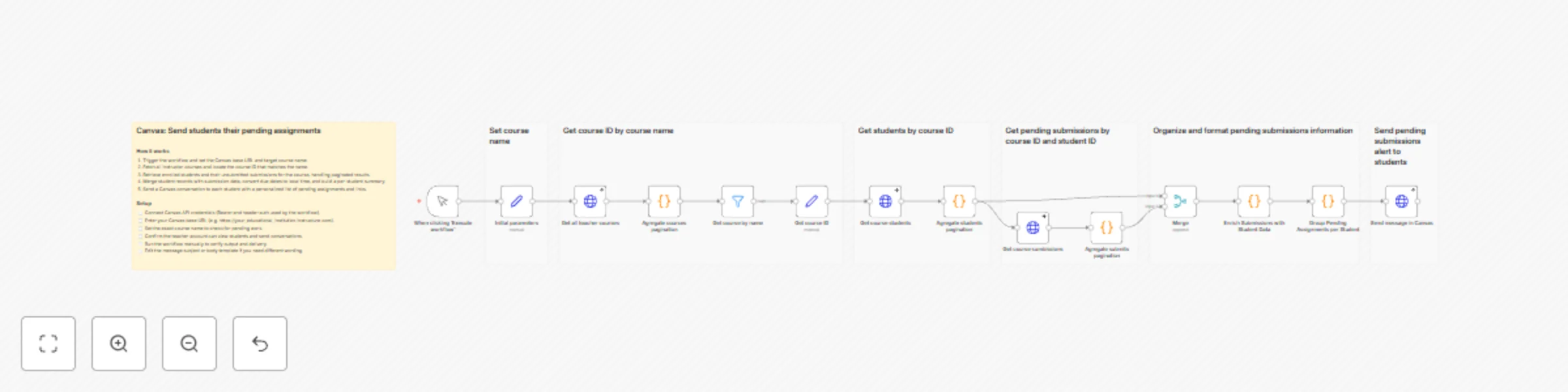
## Canvas: Send students their pending assignments ### How it works 1. Trigger the workflow and set the Canvas base URL and target course name. 2. Fetch all instructor courses and locate the course ID that matches the name. 3. Retrieve enrolled students and their unsubmitted submissions for the course, handling paginated results. 4. Merge student records with submission data, convert due dates to local time, and build a per-student summary. 5. Send a Canvas conversation to each student with a personalized list of pending assignments and links. ### Setup - [ ] Connect Canvas API credentials (Bearer and header auth used by the workflow). - [ ] Enter your Canvas base URL (e.g. https://your_educational_institution.instructure.com). - [ ] Set the exact course name to check for pending work. - [ ] Confirm the teacher account can view students and send conversations. - [ ] Run the workflow manually to verify output and delivery. - [ ] Edit the message subject or body template if you need different wording.
Build an internet search chatbot with Firecrawl API
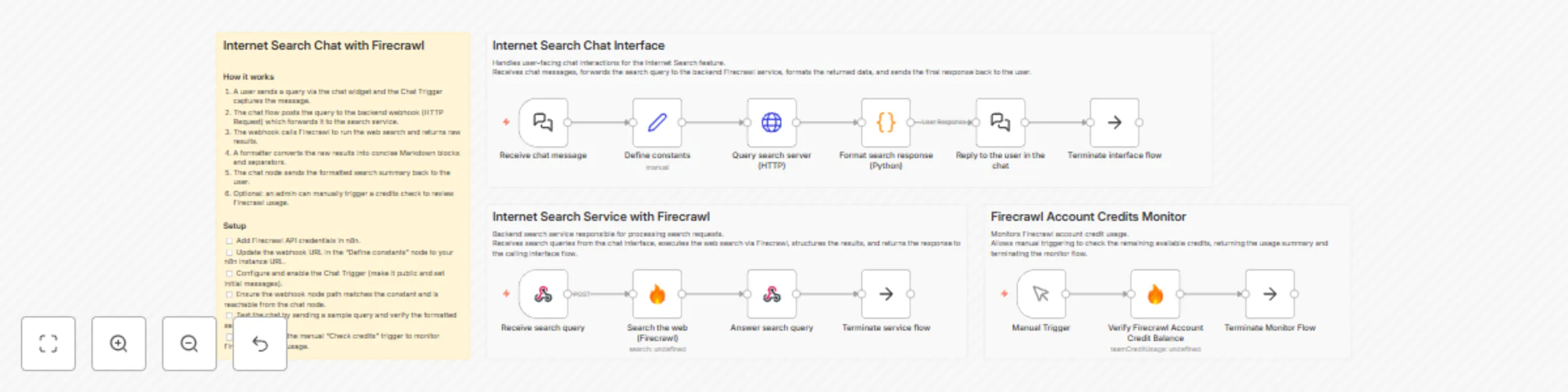
## Internet Search Chat with Firecrawl ### How it works 1. A user sends a query via the chat widget and the Chat Trigger captures the message. 2. The chat flow posts the query to the backend webhook (HTTP Request) which forwards it to the search service. 3. The webhook calls Firecrawl to run the web search and returns raw results. 4. A formatter converts the raw results into concise Markdown blocks and separators. 5. The chat node sends the formatted search summary back to the user. 6. Optional: an admin can manually trigger a credits check to review Firecrawl usage. ### Setup - [ ] Add Firecrawl API credentials in n8n. - [ ] Update the webhook URL in the "Define constants" node to your n8n instance URL. - [ ] Configure and enable the Chat Trigger (make it public and set initial messages). - [ ] Ensure the webhook node path matches the constant and is reachable from the chat node. - [ ] Test the chat by sending a sample query and verify the formatted search results. - [ ] (Optional) Run the manual "Check credits" trigger to monitor Firecrawl account usage.