A

Abdullah

2
Workflows

Workflows by Abdullah

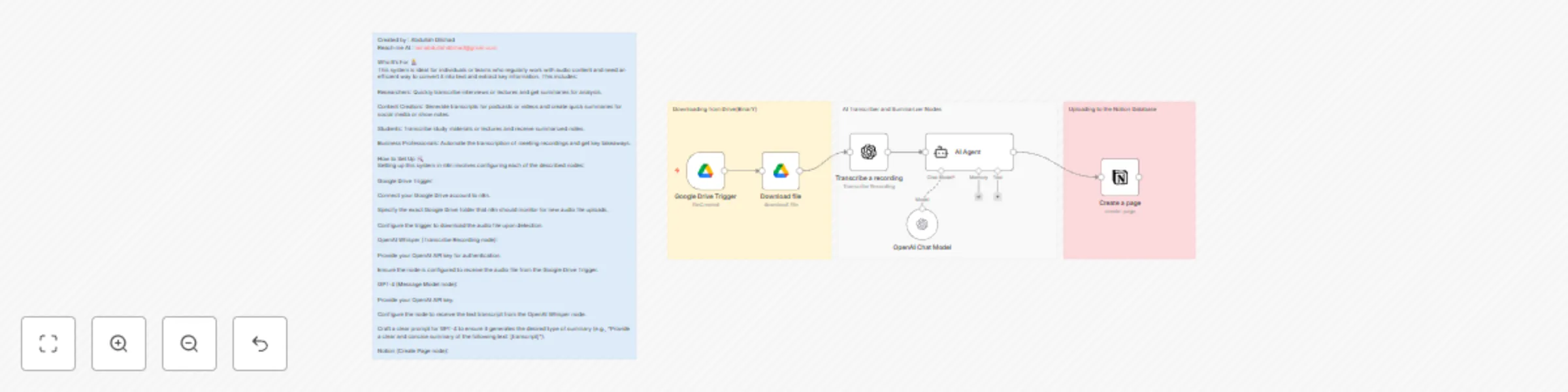
Workflow preview: Transcribe & summarize audio with Whisper and GPT, from Google Drive to Notion
Free intermediate

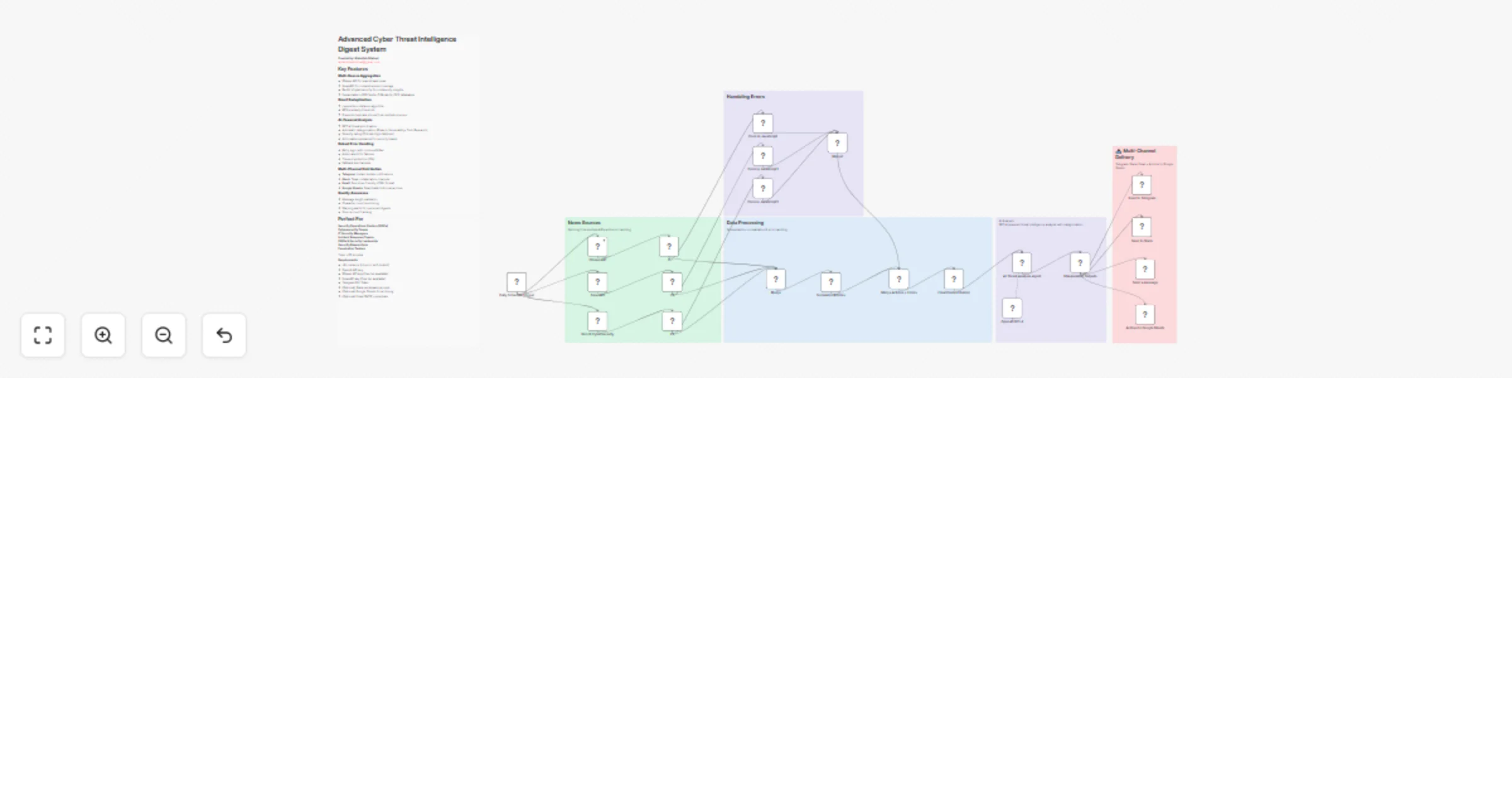
Transcribe & summarize audio with Whisper and GPT, from Google Drive to Notion

*This workflow contains community nodes that are only compatible with the self-hosted version of n8n.* ## Overview This workflow automates the process of transcribing audio files and summarizing them using OpenAI models, with the final output stored neatly in Notion. Whether you're a researcher, content creator, student, or professional, this automation saves time by converting voice recordings into actionable summaries with zero manual effort. Created by: **Abdullah Dilshad** Contact: **[email protected]** ## Who It’s For This template is ideal for: - **Researchers**: Transcribe and summarize interviews, lectures, or research recordings. - **Content Creators**: Convert podcasts or videos into transcripts and social captions/show notes. - **Students**: Automatically turn lectures or study group audio into summarized notes. - **Professionals**: Log meeting notes and summaries directly into your Notion workspace. ## How It Works This four-step workflow performs the following: - **Step 1:** **Trigger: New Audio in Google Drive** Automatically triggers when a new audio file (MP3/WAV) is uploaded to a specified Google Drive folder.The file is then downloaded for processing. - **Step 2: Transcribe Audio with Whisper** The audio file is sent to OpenAI’s Whisper model for high-accuracy transcription. - **Step 3: Summarize Transcript with GPT-4** The transcript is passed to GPT-4, which generates a clean, concise summary. - **Step 4: Store Summary in Notion** A new Notion page is created with the generated summary and optional metadata (file name, upload time, etc.). ## Setup Instructions - **Step 1: Google Drive Trigger** Connect your Google Drive account. Select the folder you want to monitor. This node detects new file uploads and passes the file for download. - **Step 2: Download File** Downloads the new audio file for transcription. Step 3: Transcribe Recording (OpenAI Whisper) Connect your OpenAI API Key. Ensure this node receives the binary audio file. It will return the transcription as plain text. - **Step 3: Transcribe Recording (OpenAI Whisper)** Connect your OpenAI API Key. Ensure this node receives the binary audio file. It will return the transcription as plain text. - **Step 4: Summarize Transcript (GPT-4 via AI Agent)** Use your OpenAI API Key. Configure a summarization prompt like: "Summarize the following transcript in a clear and concise manner:" Connect the output from Whisper into this GPT-4 prompt. - **Step 5: Notion Integration** Connect your Notion account. Choose or create a database to store summaries. Map the GPT output (summary) to a "Text" or "Rich Text" property. Optionally include metadata like filename, file upload date, etc.

A
Abdullah
Document Extraction
18 Jul 2025
2738
0
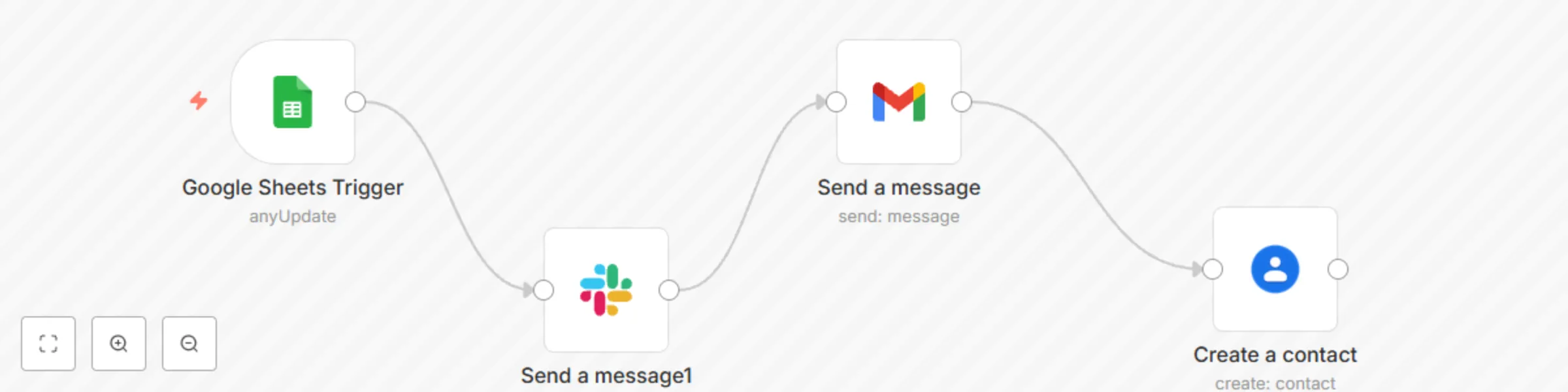
Workflow preview: Automated form response system with Google Sheets, Slack, Gmail & Contacts
Free beginner

Automated form response system with Google Sheets, Slack, Gmail & Contacts

## What it does Automatically respond to Google Form entries submitted via Google Sheets. This workflow notifies your Slack team, sends a personalized Gmail response to the user, and adds the user to Google Contacts — all triggered instantly upon new row addition in your connected Sheet. ## Who's it for Perfect for lead capture forms, client inquiries, or feedback submissions. Trigger: When a new row is added to a connected Google Sheet (usually linked to a Google Form). Slack Notification: Sends a Slack message to your selected channel with the form data. Gmail Message: Sends an automatic email reply to the submitter (using their email from the form). Add Google Contact: Automatically creates a new contact in Google Contacts using the form data. This setup is ideal for automating client communication and internal team alerts without manual input.

A
Abdullah
Lead Nurturing
17 Jul 2025
308
0