George Zargaryan
Workflows by George Zargaryan
Answer real estate questions with AI using PropertyFinder.ae, OpenRouter, and SerpAPI
# AI Real Estate Agent with OpenRouter and SrpAPI to talk with property objects from propertyfinder.ae This n8n template demonstrates a simple AI Agent that can: * Scrape information from a provided `propertyfinder.ae` listing link. * Answer questions about a specific property using the scraped information. * Use **SerpAPI** to find details that are missing from the scraped data. * Answer general real-estate questions using **SerpAPI**. --- ## Use Case This workflow serves as a starting point for building complex AI assistants for real estate or other domains. [See the demo video](https://www.youtube.com/shorts/WqudWmczjVU) --- ## Potential Enhancements * **Expand Knowledge:** Augment the workflow with your own knowledge base using a vector database (RAG approach). * **Add More Sources:** Adapt the scraper to support other real estate websites. * **Optimize Speed:** Add a cache for scraped data to reduce response latency. * **Improve Context Handling:** Implement reliable persistence to track the current listing instead of iterating through conversation history. * **Customize Prompts:** Write more tailored prompts for your specific needs (the current one is for demonstration only). * **Integrate Channels:** Connect the workflow to communication channels like Instagram, Telegram, or WhatsApp. --- ## How It Works 1. The workflow is triggered by a **"When chat message received"** node for simple demonstration. 2. The **`Chat Memory Manager`** node extracts the last 30 messages for the current session. 3. A code node finds the property link, first by checking the most recent user message and then by searching the conversation history. 4. If a link is found, an **`HTTP Request`** node scrapes the HTML content from the listing page. 5. The **`Summarize`** code node parses the HTML, retrieves key information, and passes it to the AI Agent as a temporary knowledge base. 6. The final **`AI Agent`** node answers user queries using the scraped knowledge base and falls back to the **SerpAPI** tool when information is missing. --- ## How to Use * You can test this workflow directly in n8n or integrate it into any social media channel or your website. * The `AI Agent` node is configured to use **OpenRouter**. Add your **OpenRouter** credentials, or replace the node with your preferred LLM provider. * Add your **SerpAPI** key to the `SerpAPI` tool within the AI Agent node. --- ## Requirements * An API key for **OpenRouter** (or credentials for your preferred LLM provider). * A **SerpAPI** key. You can get one from their website; a free plan is available for testing. --- ## Need Help Building Something More? Contact me on: * **Telegram:** @ninesfork * **LinkedIn:** [George Zargaryan](https://www.linkedin.com/in/george-zargaryan-b65290367/) Happy Hacking! 🚀
Build a multichannel customer support AI assistant with Chatwoot & OpenRouter
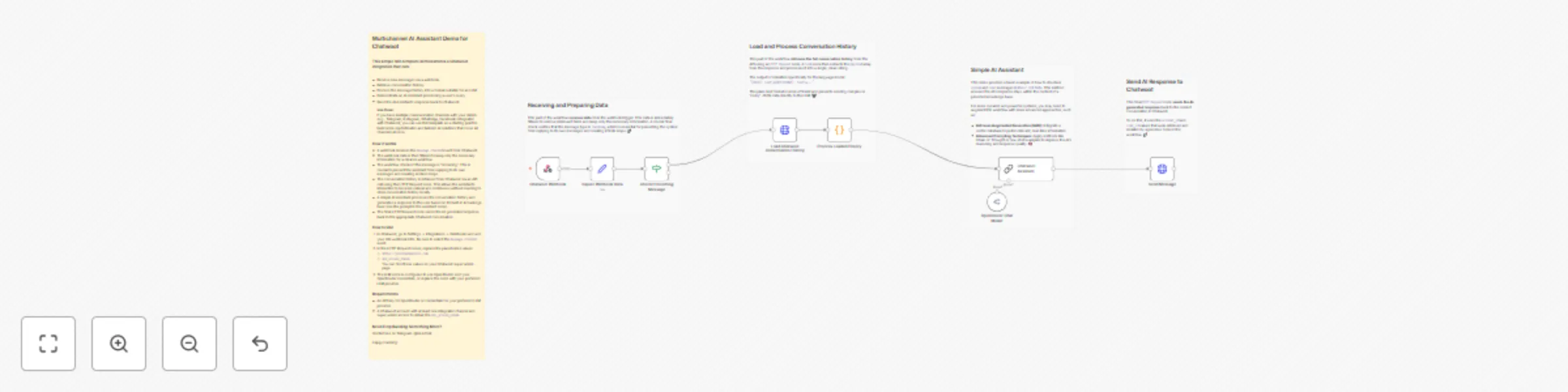
## Multichannel AI Assistant Demo for Chatwoot ### This simple n8n template demonstrates a Chatwoot integration that can: * Receive new messages via a webhook. * Retrieve conversation history. * Process the message history into a format suitable for an LLM. * Demonstrate an AI Assistant processing a user's query. * Send the AI Assistant's response back to Chatwoot. **Use Case:** If you have multiple communication channels with your clients (e.g., Telegram, Instagram, WhatsApp, Facebook) integrated with Chatwoot, you can use this template as a starting point to build more sophisticated and tailored AI solutions that cover all channels at once. ### How it works * A webhook receives the `message created` event from Chatwoot. * The webhook data is then filtered to keep only the necessary information for a cleaner workflow. * The workflow checks if the message is "incoming." This is crucial to prevent the assistant from replying to its own messages and creating endless loops. * The conversation history is retrieved from Chatwoot via an API call using the HTTP Request node. This allows the assistant's interaction to be more natural and continuous without needing to store conversation history locally. * A simple AI Assistant processes the conversation history and generates a response to the user based on its built-in knowledge base (see the prompt in the assistant node). * The final HTTP Request node sends the AI-generated response back to the appropriate Chatwoot conversation. ### How to Use 1. In Chatwoot, go to Settings → Integrations → Webhooks and add your n8n webhook URL. Be sure to select the `message created` event. 2. In the HTTP Request nodes, replace the placeholder values: * `https://yourchatwooturl.com` * `api_access_token` You can find these values on your Chatwoot super admin page. 3. The LLM node is configured to use OpenRouter. Add your OpenRouter credentials, or replace the node with your preferred LLM provider. ### Requirements * An API key for OpenRouter or credentials for your preferred LLM provider. * A Chatwoot account with at least one integrated channel and super admin access to obtain the `api_access_token`. ## Need Help Building Something More? Contact me on: * **Telegram:** @ninesfork * **LinkedIn:** [George Zargaryan](https://www.linkedin.com/in/george-zargaryan-b65290367/) Happy Hacking! 🚀