damo
Workflows by damo
Generate character-consistent AI images with KIE.AI Nano Banana API
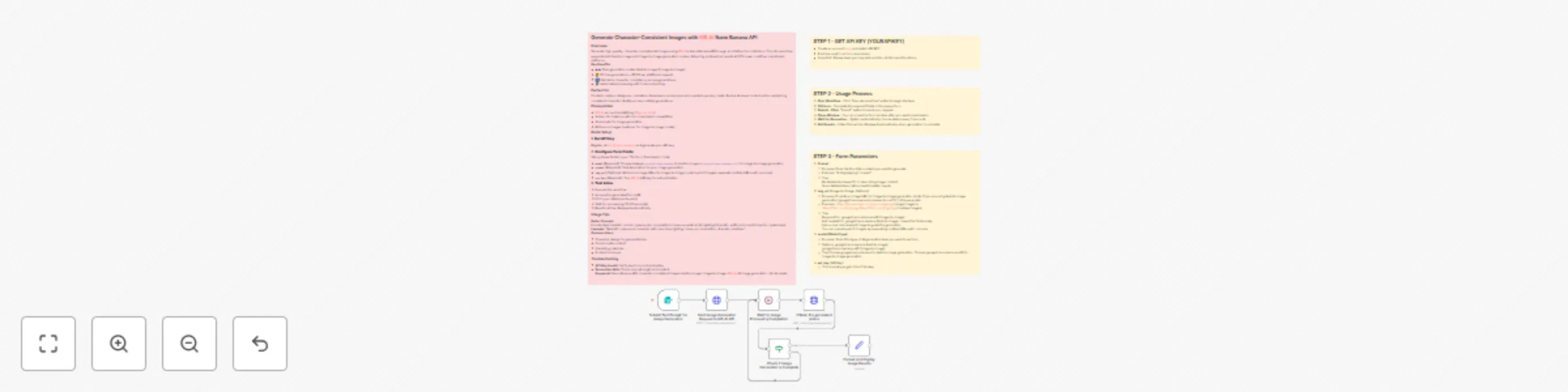
## Generate Character-Consistent Images with KIE.AI Nano Banana API ### Overview Generate high-quality, character-consistent AI images using KIE.AI's Nano Banana API through an intuitive form interface. This n8n workflow supports both text-to-image and image-to-image generation modes, delivering professional results at 50% lower cost than mainstream platforms. **Key Benefits:** - �� Dual generation modes (text-to-image & image-to-image). - 💰 20 free generations + $0.02 per additional request. - 🔄 Maintains character consistency across generations. - ⚡ Automated processing with 5-second polling. ### Perfect for Content creators, designers, marketers, developers, and anyone who needs to quickly create diverse AI visual content while maintaining consistent character identity across multiple generations. ### Prerequisites - KIE.AI account and API key ([Sign up here](https://kie.ai/nano-banana)). - Active n8n instance with form submission capabilities. - AI prompts for image generation. - Reference images (optional, for image-to-image mode). ### Quick Setup #### 1. **Get API Key** Register at [kie.ai/nano-banana](https://kie.ai/nano-banana) and generate your API key. #### 2. **Configure Form Fields** Set up these fields in your "On Form Submission" node: - **`model`** (Required): Choose between `google/nano-banana` for text-to-image or `google/nano-banana-edit` for image-to-image generation. - **`prompt`** (Required): Text description for your image generation. - **`img_url`** (Optional): Reference image URLs for image-to-image mode (up to 5 images, separate multiple URLs with commas). - **`api_key`** (Required): Your KIE.AI API key for authentication. #### 3. **Test & Use** 1. Execute the workflow 2. Access the generated form URL 3. Fill in your details and submit 4. Wait for processing (10-20 seconds) 5. Results will be displayed automatically. ### Usage Tips **Better Prompts:** Include style (realistic, anime, cyberpunk), composition (close-up, wide shot), lighting (dramatic, soft), and mood (cheerful, mysterious). **Example:** "Realistic cyberpunk character with neon blue lighting, close-up composition, dramatic shadows" **Common Uses:** - Character design for games/stories - Social media content - Marketing materials - Product mockups ### Troubleshooting - **API Key Invalid**: Verify key is correct and active. - **Generation Fails**: Check prompt length and content. **Keywords:** Nano Banana API, character-consistent images, text-to-image, image-to-image, KIE.AI, AI image generation, n8n template
Generate AI images & videos with KIE.AI Midjourney API
## Generate AI Images & Videos with KIE.AI Midjourney API ### Overview Generate high-quality AI images and videos using KIE.AI's Midjourney API through an intuitive form interface. This n8n workflow supports three distinct content creation modes, delivering professional results with automated processing and real-time progress monitoring. **Supported Modes:** - **Text-to-Image** (`mj_txt2img`): Generate original images from written descriptions - **Image-to-Image** (`mj_img2img`): Transform or enhance existing images with AI - **Image-to-Video** (`mj_video`): Animate still images into short video clips Users interact only through a simple form interface, requiring no coding skills. After submitting a request, the system automatically calls the KIE.AI API, monitors progress in real-time, and retrieves the final output once ready. ### Perfect for Content creators, designers, marketers, and developers who need to quickly generate diverse AI visual content with automated processing and professional quality results. ### Prerequisites - **KIE.AI Account**: Sign up at [KIE.AI](https://kie.ai) to obtain your free or paid API key. - **n8n Instance**: Active n8n instance (cloud or self-hosted) with HTTP Request and form submission capabilities. - **AI Prompt Knowledge**: Basic understanding of AI prompts for optimal generation results. - **Reference Images** (Optional): Publicly accessible image URLs for image-to-image or image-to-video generation. ### Quick Setup #### 1. **Get API Key** Register at [KIE.AI](https://kie.ai) and generate your API key. Store it securely and never share it publicly. #### 2. **Configure Form Fields** Set up these fields in your "On Form Submission" node: - **`tasktype`** (Required): Select generation mode - `mj_txt2img` for text-to-image generation - `mj_img2img` for image-to-image generation - `mj_video` for image-to-video generation - **`prompt`** (Required): Text description for your content generation - **`imgurl`** (Optional): Image URL array for image-to-image or image-to-video generation - **Important**: Leave empty for text-to-image generation (`mj_txt2img`) - **`api_key`** (Required): Your KIE.AI API key for authentication #### 3. **Test & Use** 1. Click "Execute Workflow" in n8n. 2. Access the generated form URL. 3. Fill in your details and submit. 4. Wait for processing (workflow polls every 10 seconds). 5. Results will be displayed automatically. ### Customization Tips #### Write Detailed Prompts: Include specific details for better results: - **Style**: realistic, anime, cinematic, watercolor, oil painting - **Composition**: close-up, wide shot, portrait, landscape - **Lighting**: dramatic, soft, neon, natural, studio - **Subject Details**: actions, scenes, movements, visual elements #### Example Enhanced Prompt: "Cinematic portrait of a cyberpunk character with neon blue lighting, close-up composition, dramatic shadows, futuristic mood" #### Leverage Multiple Modes: - Start with text-to-image for initial concepts. - Use image-to-image to refine and enhance results. - Apply image-to-video to animate your best images. - Combine modes for complex creative workflows. #### Common Use Cases: - Social media content creation. - Marketing material development. - Product visualization. - Storyboarding and prototyping. - Creative asset generation. ### Troubleshooting - **API Key Invalid**: Verify your key is correct and active. - **Generation Fails**: Check prompt length and content appropriateness. - **Slow Processing**: Video generation can take 2-5 minutes; this is normal. - **Image URL Issues**: Ensure URLs are publicly accessible and properly formatted. **Keywords:** KIE.AI API, AI image generation, AI video generation, text-to-image, image-to-video, automated workflows, n8n template, AI content creation
AI video generator with Google Veo3 API (Veo 3 fast)
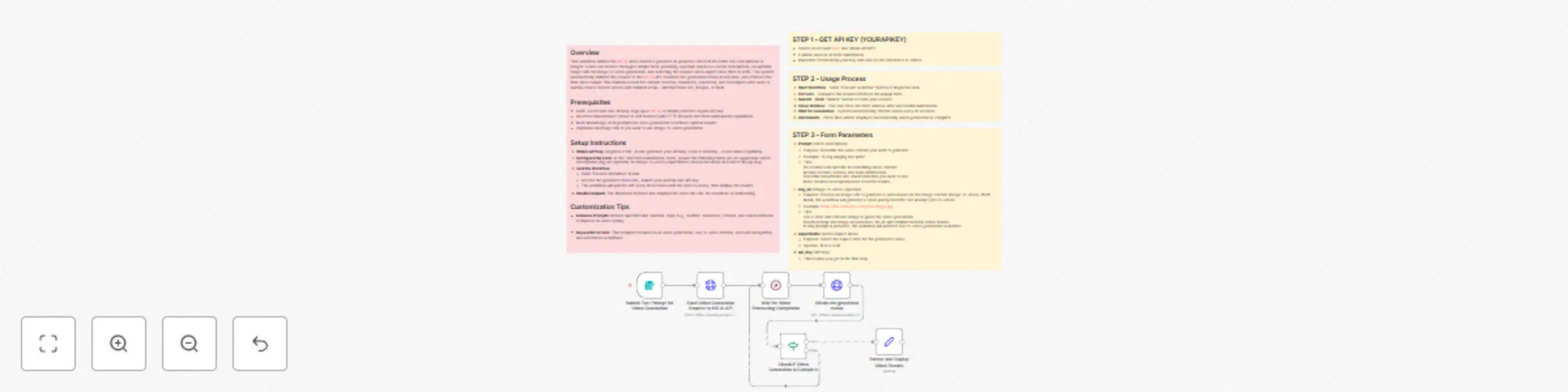
## Overview This workflow leverages the KIE. AI Veo3 model to generate AI videos from simple text descriptions. Users interact via a form interface, inputting a prompt (e.g., a scene description), and the system automatically submits the request to the KIE. AI API, monitors the generation status in real time, and retrieves the final video output. It's ideal for content creators, marketers, or developers exploring text-to-video AI creation, supporting intelligent video generation with minimal setup. ## Prerequisites - A KIE. AI account and API key: Sign up at [KIE.AI](https://kie.ai) to obtain your free or paid API key. - An active n8n instance (cloud or self-hosted) with HTTP Request and form submission capabilities. - Basic knowledge of AI prompts for video generation to achieve optimal results. ## Setup Instructions 1. **Obtain API Key**: Register at KIE. AI and generate your API key. Store it securely—do not share it publicly. 2. **Configure the Form**: In the "On Form Submission" node, ensure fields like "prompt" (for video description) and "api_key" are set up. Example prompt: `"A serene mountain landscape at sunset with birds flying." ` 3. **Test the Workflow**: - Click "Execute Workflow" in n8n. - Access the generated form URL, submit your prompt and API key. - The workflow will poll the API every 10 seconds until the video is ready, then display the results. 4. **Handle Outputs**: The final node formats and displays the video file URL for download or embedding. ## Customization Tips - **Enhance Prompts**: Include specifics like duration, style (e.g., realistic, animated), actions, and visual elements to improve AI video quality. - **Keywords for SEO**: This template focuses on AI video generation, text-to-video models, Veo3 API integration, and automated workflows.