Z

Zakwan

5
Workflows

Workflows by Zakwan

Workflow preview: Create motivational videos with Ollama AI, fal.ai images & ElevenLabs voice
Free advanced

Create motivational videos with Ollama AI, fal.ai images & ElevenLabs voice

🚀 Create professional motivational videos automatically with zero API costs! This n8n workflow transforms simple ideas into captivating short-form videos using entirely free and self-hosted tools: ✨ **What it does:** - Generates motivational scripts using local Ollama AI - Creates stunning black & white images with fal.ai - Produces professional voiceovers with ElevenLabs - Converts images to videos with zoom effects - Automatically adds synchronized audio - Applies beautiful captions with custom styling - Merges everything into final social media-ready videos 🛠 **Tech Stack:** - Ollama (local AI - free) - fal.ai (image generation) - ElevenLabs (voice synthesis) - Self-hosted video processing API - Google Sheets integration 🎯 **Perfect for:** - Social media content creators - Motivational speakers - Fitness influencers - Personal development coaches - Anyone needing regular video content 📱 **Output Format:** - Vertical 9:16 videos - Under 60 seconds - Professional captions - Ready for TikTok, Reels, Shorts

Z
Zakwan
Content Creation
18 Nov 2025
60
0
Workflow preview: Generate fashion model product ads with Gemini AI via OpenRouter
Free intermediate

Generate fashion model product ads with Gemini AI via OpenRouter

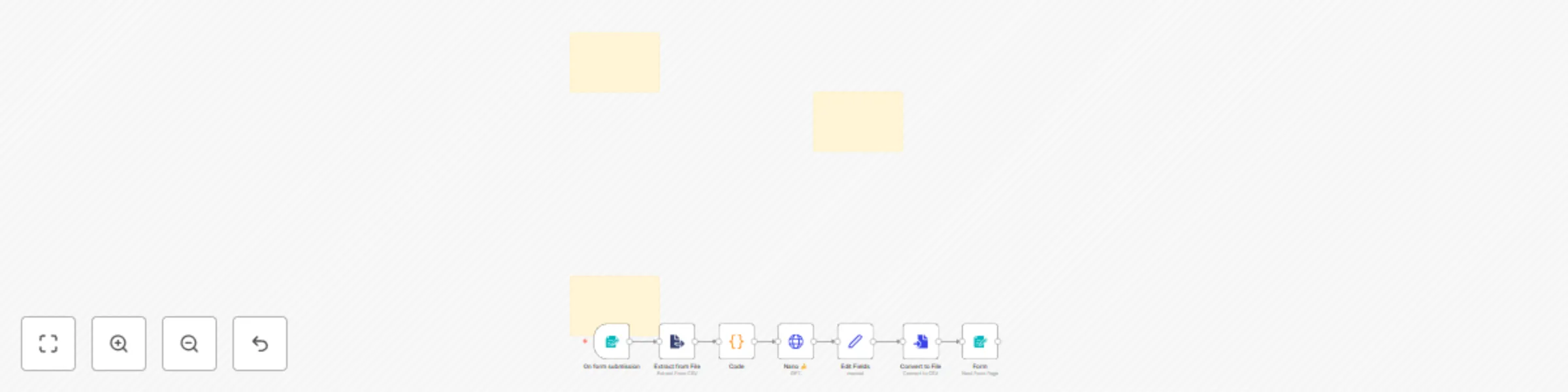
This workflow is a user-friendly tool that automates the creation of high-quality advertising images for products. It takes a simple product image uploaded by a user and uses AI to transform it into a professional, photorealistic advertisement featuring a fashion model actively using the product. The final image is then made available for the user to download. Step-by-Step Breakdown: Here is a breakdown of the automated process: Form Submission: The workflow is triggered by a public form. The user uploads a product image and selects a character model (male or female) from a dropdown menu. Image Processing: The uploaded image file is extracted and prepared for the AI. This includes converting the binary file data into a format that the AI model can understand. AI Image Generation: An HTTP request is sent to a large language model (Google's Gemini via OpenRouter). The request includes a prompt that combines the user's selected character model and the uploaded product image. The AI is instructed to generate a new, photorealistic image of the model using the product. Data Conversion: The AI's output, which is a base64 encoded image string, is then processed. The workflow separates the image data from its metadata. Final Image Delivery: The base64 data is converted back into a binary file, which is then provided to the user for automatic download via a completion form.

Z
Zakwan
Content Creation
3 Sep 2025
496
0
Workflow preview: Generate SEO blog posts from web searches with Mistral AI and Google Drive
Free advanced

Generate SEO blog posts from web searches with Mistral AI and Google Drive

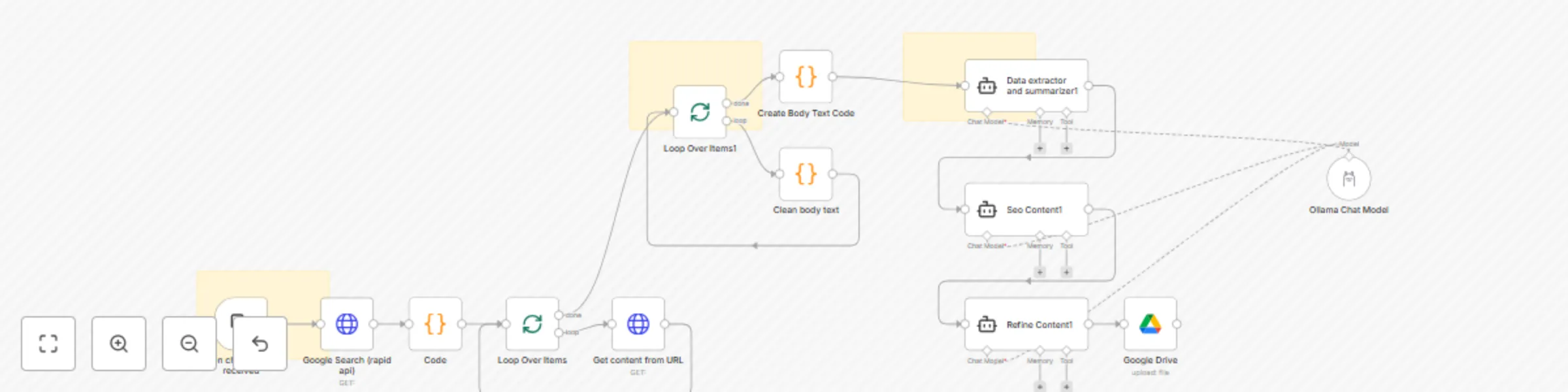
📖 Overview This template automates the process of researching a keyword, scraping top-ranking articles, cleaning their content, and generating a high-quality SEO-optimized blog post. It uses Google Search via RapidAPI, Ollama with Mistral AI, and Google Drive to deliver an end-to-end automated content workflow. Ideal for content creators, SEO specialists, bloggers, and marketers who need to quickly gather and summarize insights from multiple sources to create superior content. ⚙️ Prerequisites Before using this workflow, make sure you have: n8n installed (Desktop, Docker, or Cloud). Ollama installed with the mistral:7b model: ollama pull mistral:7b RapidAPI account (for Google Search API). Google Drive account (with a target folder where articles will be saved). 🔑 Credentials Required RapidAPI (Google Search API) Header authentication with your API key. Example headers: x-rapidapi-key: YOUR_API_KEY x-rapidapi-host: google-search74.p.rapidapi.com Google Drive OAuth2 Allow read/write permissions. Update the folderId with your Drive folder where articles should be stored. Ollama API Base URL: http://localhost:11434 (local n8n) http://host.docker.internal:11434 (inside Docker) Ensure the mistral:7b model is available. 🚀 Setup Instructions Configure RapidAPI Sign up at RapidAPI . Subscribe to the Google Search API. Create an HTTP Header Auth credential in n8n with your API key. Configure Google Drive In n8n, add a Google Drive OAuth2 credential. Select the Drive folder ID where output files should be saved. Configure Ollama Install Ollama locally. Pull the required model (mistral:7b). Create an Ollama API credential in n8n. Run the Workflow Trigger by sending a chat message with your target keyword. The workflow searches Google, extracts the top 3 results, scrapes the articles, cleans the content, and generates a structured blog post. Final output is stored in Google Drive as a .docx file. 🎨 Customization Options Search Engine → Swap out RapidAPI with Bing or SerpAPI. Number of Articles → Change limit: 3 in the Google Search node. Content Cleaning → Modify the regex in the “Clean Body Text” node to capture <div> or <article> tags. AI Model → Replace mistral:7b with llama3, mixtral, or any other Ollama-supported model. Storage → Save output to a different Google Drive folder or export to Notion/Slack. 📌 Workflow Highlights Google Search (RapidAPI) → Fetch top 3 results for your keyword. HTTP Request + Code Nodes → Extract and clean article body text. Mistral AI via Ollama → Summarize, optimize, and refine the content. Google Drive → Save the final blog-ready article automatically.

Z
Zakwan
Content Creation
3 Sep 2025
390
0

Workflow preview: Create blog posts from YouTube videos with Mistral AI & Gemini image generation
Free advanced

Create blog posts from YouTube videos with Mistral AI & Gemini image generation

**Description** This template automates the process of creating blog posts from YouTube videos using Mistral AI for text generation and Gemini for image generation. It provides a seamless workflow that transforms YouTube content into ready-to-publish articles complete with engaging visuals. **⚠️ Disclaimer:** This template can only be used on self-hosted n8n instances. It also relies on community nodes, which must be installed before running the workflow. **Workflow Overview** YouTube Data Extraction – Retrieves video details (title, description, and transcript). Content Summarization – Mistral AI rewrites and structures the transcript into a blog-ready format. Image Generation – Gemini creates relevant, high-quality images to complement the article. Post Assembly – The workflow automatically combines the generated text and visuals into a structured blog post. **Features** Extract video details and transcripts directly from YouTube. Summarize and rewrite content into blog posts using Mistral AI. Generate relevant images with Gemini for engaging visuals. Automatically structure blog posts for publishing. **Requirements** Before using this template, ensure you have: An active self-hosted n8n instance. API keys for OpenRouter (Mistral AI) and Gemini. The required community nodes installed. Access to public or unlisted YouTube videos. **Setup Instructions** Import the template into your self-hosted n8n instance. Configure the API credentials: Add your OpenRouter API key. Add your Gemini API key. Replace placeholder domains or webhook URLs with your own. Run the workflow with a sample YouTube video URL. Review the generated blog post and images. **Customization** Content length: Adjust prompt settings in the Mistral AI node. Tone of voice: Modify prompts for formal, casual, or technical style. Image style: Update Gemini requests to change the look and feel. Publishing: Connect to your CMS (e.g., WordPress, Ghost) for direct publishing. **How YouTube is Involved** The workflow starts with a YouTube video URL, extracts metadata and transcripts, and then transforms this raw content into a complete blog post enriched with AI-generated images. **WorkFlow:** ![image.png](fileId:2328)

Z
Zakwan
Content Creation
3 Sep 2025
201
0

Workflow preview: Fully automate blog creation with GPT & publish to WordPress via Google Sheets
Free advanced

Fully automate blog creation with GPT & publish to WordPress via Google Sheets

Creating high-quality, SEO-friendly blog posts consistently can be time-consuming. This template helps content creators, bloggers, SEO specialists, and agencies fully automate their blogging workflow. By combining AI content generation (GPT), Google Sheets for keyword management, and WordPress for direct publishing, this workflow saves hours of manual work and ensures professional results. ## ⚡ Use Cases Automate content creation for niche blogs. Generate SEO-optimized articles from keyword lists. Keep a consistent publishing schedule without manual effort. Scale content production for agencies or affiliate sites. ## ✅ Pre-requirements Before using this template, you will need: Google Sheets API credentials (for managing topics & keywords). AI API key (e.g., OpenAI, LM Studio, Ollama, or any connected model). WordPress credentials with API access. Basic understanding of n8n workflow editor. ## 🔧 Step-by-Step Setup - Connect Google Sheets: - Add your API credentials.- - Use the sheet to store keywords, titles, and categories. - Integrate AI Model (GPT or others): - Insert your API key into the AI node. - Customize the SEO writing prompt for Rank Math 90+ score. ## Content Processing: The workflow will fetch one keyword at a time. AI will generate a 1200–1500+ word SEO blog post. Output is cleaned into proper HTML. ## Publish to WordPress: Configure the WordPress node with your site credentials. Automatically post as Draft or Published.

Z
Zakwan
Content Creation
29 Aug 2025
784
0