Y

yu-ya

3
Workflows

Workflows by yu-ya
Workflow preview: Schedule and optimize Twitter and LinkedIn posts from Google Sheets with OpenAI GPT-4o-mini
Free advanced

Schedule and optimize Twitter and LinkedIn posts from Google Sheets with OpenAI GPT-4o-mini

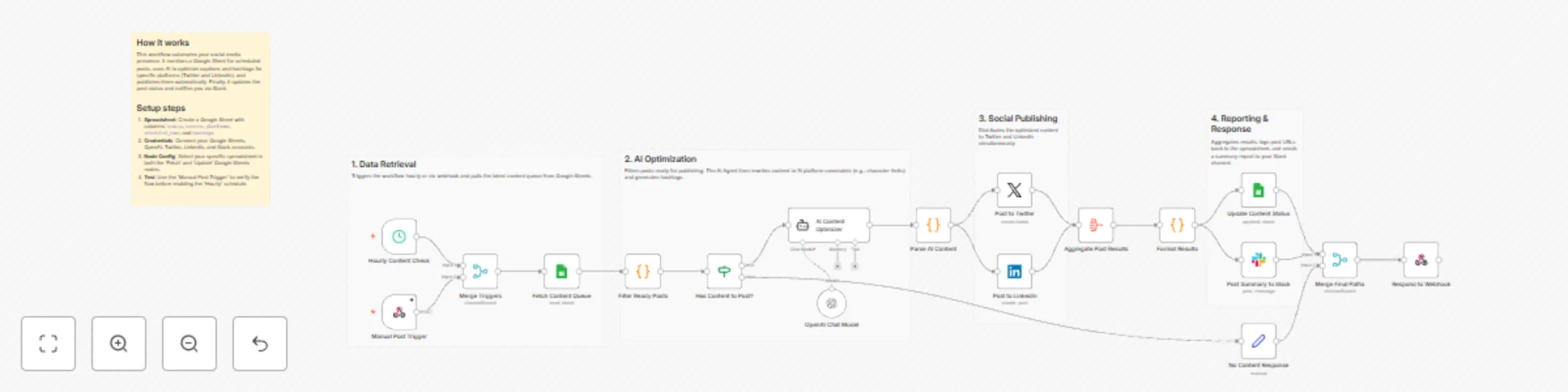
# Schedule and optimize social media posts to Twitter and LinkedIn using AI This workflow automates the entire lifecycle of social media management—from fetching draft content to AI-driven optimization and multi-platform publishing. ## Who’s it for Social media managers, marketing teams, and content creators who use Google Sheets to plan their content but want to leverage AI for better engagement and automate the repetitive task of cross-platform posting. ## How it works The workflow is triggered either hourly or manually via a webhook. It fetches scheduled content from a designated Google Sheet and identifies posts ready for publication. An AI Agent (OpenAI) then analyzes the raw content to generate two optimized versions: a punchy, character-limited post for Twitter and a more professional, detailed version for LinkedIn. After generating relevant hashtags and engagement tips, the workflow publishes the posts simultaneously. Finally, it logs the live URLs back to your spreadsheet and sends a performance summary to a Slack channel for easy tracking. ## How to set up 1. **Google Sheet**: Create a sheet with columns for `status`, `content`, `platforms`, `scheduled_time`, `hashtags`, and `tone`. 2. **Credentials**: Connect your Google Sheets, OpenAI, Twitter (X), LinkedIn, and Slack accounts. 3. **Node Configuration**: Select your specific spreadsheet and worksheet in both the "Fetch Content" and "Update Content" nodes. 4. **Slack**: Specify the channel name or ID in the Slack node to receive notifications. 5. **Activation**: Test with the Manual Webhook, then toggle the workflow to "Active." ## Requirements - **Google Sheets OAuth2** - **OpenAI API Key** (using GPT-4o-mini or higher) - **Twitter (X) OAuth2** - **LinkedIn OAuth2** - **Slack Bot Token** ## How to customize the workflow - **AI Tone**: Modify the "System Message" in the AI Content Optimizer node to match your brand's unique voice. - **Additional Platforms**: Extend the branching logic after the AI Parse node to include platforms like Discord, Facebook, or Mastodon. - **Advanced Scheduling**: Adjust the Filter node's JavaScript code if you use a different date format or status labels in your spreadsheet.

y
yu-ya
Social Media
20 Dec 2025
46
0
Workflow preview: Sync WooCommerce orders and inventory with Google Sheets and Slack
Free advanced

Sync WooCommerce orders and inventory with Google Sheets and Slack

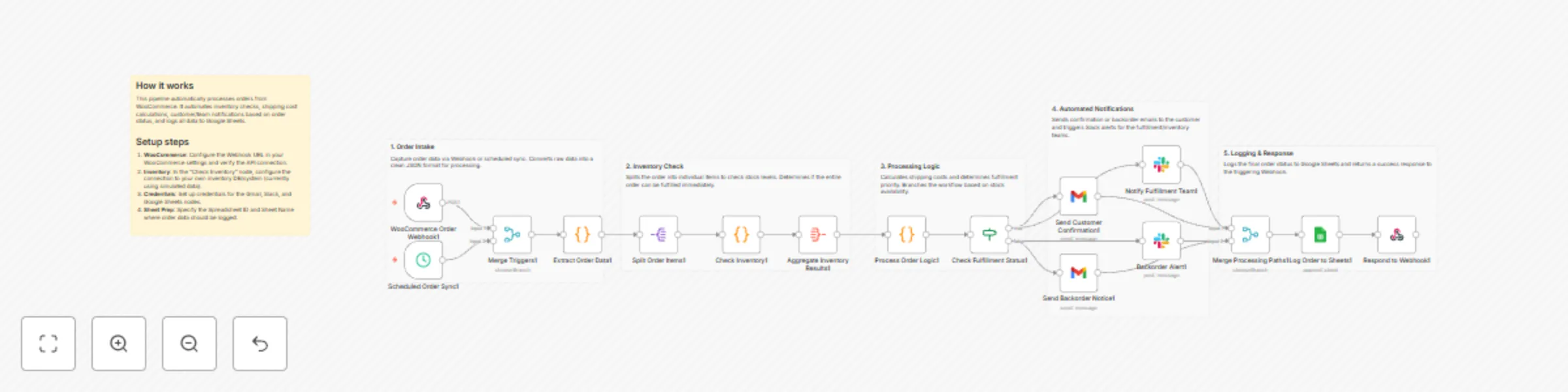
## Automate order fulfillment and inventory sync from WooCommerce to Google Sheets and Slack This workflow provides a robust, end-to-end automated pipeline for managing e-commerce orders. It bridges the gap between your storefront and your fulfillment team by handling inventory validation, multi-channel notifications, and centralized data logging. ## Who’s it for? This template is designed for e-commerce business owners and operations managers using **WooCommerce** who want to eliminate manual order processing. It is ideal for teams that need real-time updates on stock availability and automated communication with both customers and warehouse staff. ## How it works 1. **Order Capture**: The workflow triggers via a WooCommerce Webhook (real-time) or a Schedule Trigger (hourly sync). 2. **Data Extraction**: It parses complex order JSON into a clean, usable format. 3. **Inventory Check**: The system iterates through each line item to verify stock levels. 4. **Fulfillment Logic**: It determines if an order is "Ready" or "Backordered" and calculates estimated shipping priorities. 5. **Multi-Channel Notification**: * **In-Stock**: Sends a confirmation email to the customer and alerts the fulfillment team on Slack. * **Backordered**: Sends a delay notice to the customer and alerts the inventory manager on Slack. 6. **Data Logging**: Every order is appended to a Google Sheet for long-term analytics and tracking. ## Requirements * **WooCommerce**: REST API access and Webhook setup. * **Gmail**: OAuth2 credentials for sending automated emails. * **Slack**: A Bot Token with permissions to post in `#fulfillment` and `#alerts` channels. * **Google Sheets**: A spreadsheet prepared with headers matching the order data. ## How to set up 1. **Credentials**: Connect your WooCommerce, Gmail, Slack, and Google Sheets accounts in the respective nodes. 2. **WooCommerce Webhook**: Copy the Webhook URL from the first node and paste it into your WooCommerce Webhook settings (Topic: Order Created). 3. **Inventory Logic**: The "Check Inventory" node currently uses a simulated Code node. Replace this logic with a lookup to your actual inventory database or ERP system. 4. **Google Sheets**: Open the "Log Order to Sheets" node and select your specific Spreadsheet ID and Sheet Name. ## How to customize * **Shipping Rates**: Modify the "Process Order Logic" node to include your specific carrier rates or integrate a shipping API (like ShipStation). * **Priority Rules**: Adjust the logic to flag "High Value" orders or specific VIP customers for faster processing. * **Messaging**: Customize the Gmail and Slack message templates to match your brand's voice.

y
yu-ya
CRM
20 Dec 2025
18
0
Workflow preview: Review GitHub pull requests and label them using OpenAI GPT-4o-mini and Slack
Free advanced

Review GitHub pull requests and label them using OpenAI GPT-4o-mini and Slack

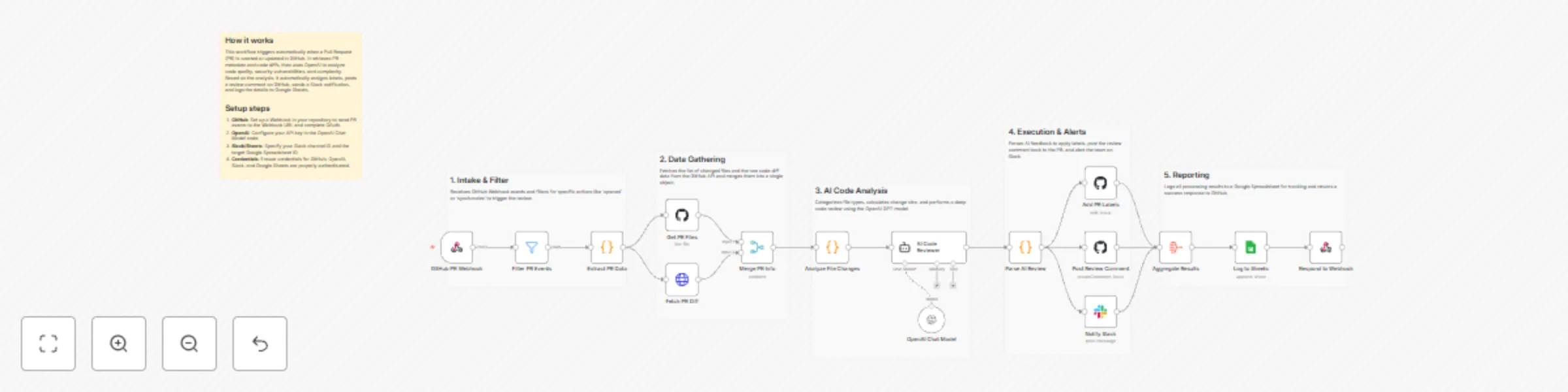
## Automate GitHub pull request reviews and labeling using OpenAI This workflow automates the first line of code review for your development team. By leveraging OpenAI, it analyzes pull request diffs, assigns descriptive labels based on change size and category, posts summary comments back to GitHub, and keeps your team informed via Slack. ## Who’s it for? - **DevOps Engineers** looking to standardize PR triage. - **Team Leads** who want to provide instant feedback to developers. - **Open Source Maintainers** managing high volumes of contributions. - **Development Teams** aiming to reduce manual overhead in code reviews. ## How it works / What it does 1. **Trigger:** The workflow starts via a **GitHub PR Webhook** when a pull request is opened or synchronized. 2. **Data Gathering:** It extracts PR metadata and uses the **GitHub Node** and **HTTP Request Node** to fetch a list of changed files and the raw code diff. 3. **Analysis:** A **Code Node** categorizes the changes (e.g., size labels like `size/S` or `size/L`). 4. **AI Review:** The **AI Agent** (powered by **OpenAI**) analyzes the code diff to generate a quality score, summary, and specific strengths/concerns. 5. **Action:** - The **GitHub Node** updates the PR with relevant labels. - An automated review comment is posted to the PR discussion. - A summary is sent to a **Slack** channel. 6. **Reporting:** All review data is logged into **Google Sheets** for long-term tracking and analytics. ## Requirements - **GitHub Account:** OAuth credentials with repository access. - **OpenAI API Key:** For the Chat Model (recommends GPT-4o-mini or higher). - **Slack Workspace:** A bot token to post to the `#code-reviews` channel. - **Google Sheets:** A spreadsheet with headers matching the PR metadata. ## How to set up 1. **GitHub Webhook:** Configure your GitHub repository to send "Pull request" events to the Webhook URL provided by this workflow. 2. **Credentials:** Authenticate your GitHub, OpenAI, Slack, and Google Sheets accounts in their respective nodes. 3. **Google Sheets:** Select your target Spreadsheet and Sheet name in the "Log to Sheets" node. 4. **Slack:** Ensure the Slack bot is invited to the channel specified in the "Notify Slack" node. ## How to customize - **AI Prompt:** Modify the "System Message" in the **AI Code Reviewer** node to reflect your team's specific coding standards or preferred review tone. - **Labeling Logic:** Edit the "Analyze File Changes" node to add custom labels based on file paths (e.g., `frontend`, `documentation`). - **Review Logic:** Add an **If Node** after the AI analysis to only auto-approve PRs with a quality score higher than 90.

y
yu-ya
AI Summarization
20 Dec 2025
32
0