Y

Yves Junqueira

1
Workflow

Workflows by Yves Junqueira

Workflow preview: Generate AI reports for Meta Ads campaigns with Claude & Pipeboard MCP via Slack
Free intermediate

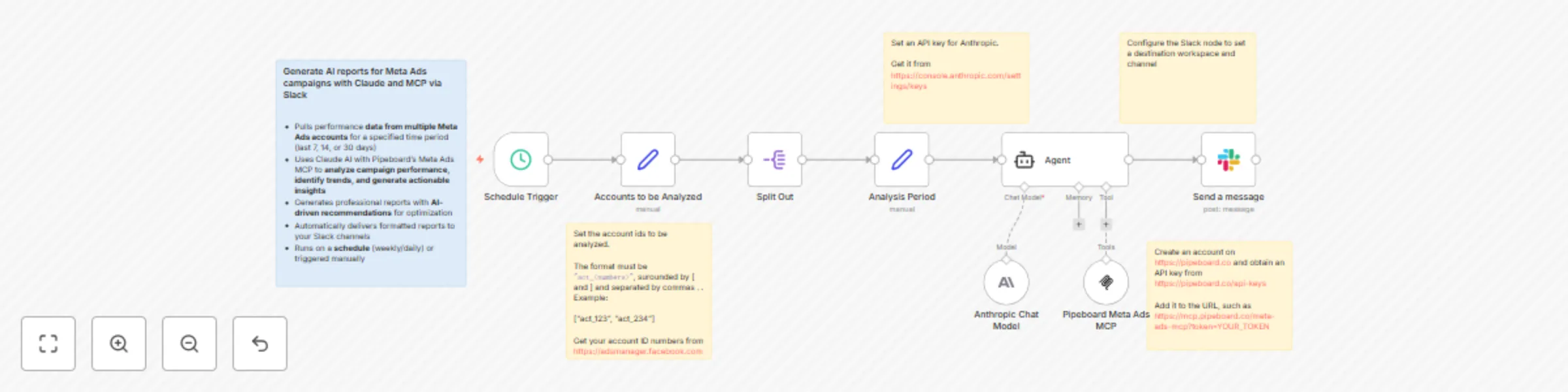
Generate AI reports for Meta Ads campaigns with Claude & Pipeboard MCP via Slack

# Who's it for Digital marketing agencies and Meta Ads managers who need to generate comprehensive performance reports across multiple client accounts automatically. Perfect for agencies handling 5+ Meta Ads accounts who want to save hours on manual reporting while delivering AI-powered insights to their teams. # What it does - Pulls performance data from **multiple Meta Ads accounts** for a specified time period (last 7, 14, or 30 days) - Uses Claude AI with Pipeboard's Meta Ads MCP to **analyze campaign performance, identify trends, and generate actionable insights** - Generates professional **reports with AI-driven recommendations for optimization** - Automatically delivers formatted reports to your **Slack channels** - Runs on a schedule (weekly/daily) or triggered manually # How to set up 1. Set up Claude AI integration (requires Anthropic API key) 1. Configure Pipeboard's Meta Ads MCP connection 1. Connect Slack to n8n via OAuth2 1. Create a list of client account IDs in the workflow configuration 1. Customize your reporting template and Slack delivery settings # Requirements 1. n8n version 1.109.2 or newer. 1. [Claude AI](https://claude.ai) API access (Anthropic) 1. [Pipeboard](https://pipeboard.co) account 1. [Slack](https://slack.com) workspace access # How to customize the workflow - Adjust the date range and metrics to track - Modify the AI prompts for different types of insights - Configure multiple Slack channels for different clients - Set up custom scheduling intervals - Add email delivery as an additional output channel

Y
Yves Junqueira
Market Research
9 Sep 2025
1020
0