Yahor Dubrouski
Workflows by Yahor Dubrouski
AI prompt hub (Notion + ChatGPT): auto-find the right prompt with embeddings
## Overview Build your own **AI Prompt Hub** inside n8n. This template lets ChatGPT automatically **search your saved prompts in Notion using semantic embeddings** from HuggingFace. Each time a user sends a message, the workflow finds the most relevant prompt based on meaning - not keywords. Perfect for developers who maintain dozens of prompts and want ChatGPT to pick the right one automatically. ## Key Features - 🔍 **Semantic Prompt Search** - Finds the best prompt using HuggingFace embeddings - 🧠 **AI Agent Integration** - ChatGPT automatically calls the prompt-search workflow - 📚 **Notion Prompt Database** - Store unlimited prompts with auto-generated embeddings - ⚡ **Automatic Embedding Sync** - Regenerates vectors when prompts change This template is ideal for: - AI automations - Prompt engineering - DevOps and backend engineers who reuse prompts - Teams managing large prompt libraries ## How it works 1. The user sends any message to the ChatGPT interface 2. The n8n AI Agent calls a sub-workflow that performs **semantic search** in Notion 3. HuggingFace converts both the message and saved prompts into vector embeddings 4. The workflow returns the most similar prompt, which ChatGPT can use automatically ## Setup Instructions (15–20 minutes) 1. Import this template into your n8n instance 2. Set credentials for **Notion**, **OpenAI**, and **HuggingFace** 3. Create a Notion database with: - `Prompt` (Text) - `Embeddings` (Text) - `Checksum` (Text) 4. Paste your Notion database ID in: - “Get All Prompts” - “On Page Update” - “On Page Create” - “Get All Prompts for Search” 5. Enable the workflow and open the URL from “When chat message received” to start chatting 6. Type any request - the system will search for a matching prompt automatically ## Documentation & Demo Full documentation and examples: https://github.com/YahorDubrouski/ai-planner/blob/main/documentation/prompt-hub/README.md
Voice-to-task manager with Telegram, GPT-4o & Notion database
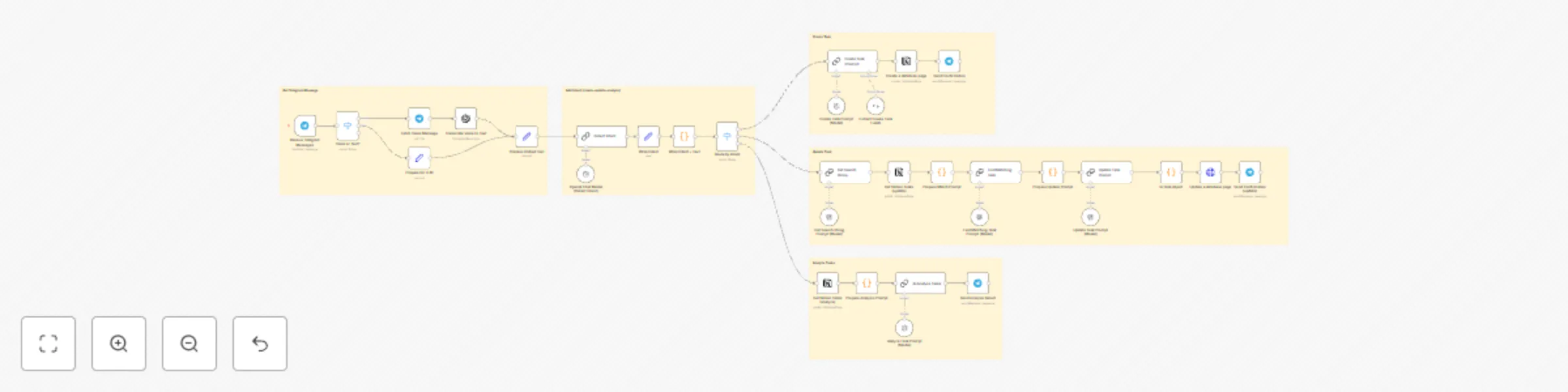
📌 How it works This workflow turns voice or text messages from Telegram into structured tasks in Notion, using AI-powered intent detection and task generation. It supports: - 🆕 Task creation - ✏️ Task updates (like changing priority, title, or deadline) - 🧠 Task analysis (e.g., workload, goal alignment, emotional fatigue) The assistant uses OpenAI to: - Detect intent (create, update, or analyze) - Extract or update task fields (title, priority, due date, etc.) - Auto-format list-style descriptions with bullet points - Detect relevant tags like health, money, sport, etc. ⚙️ Setup steps 1. Clone the [GitHub repo](https://github.com/YahorDubrouski/ai-planner) or import the .json into n8n manually. 2. Configure: - OpenAI credentials - Telegram Bot Token - Notion credentials 3. Use Telegram to send messages like: - “Create a task to call mom tomorrow” - “Update the grocery task to add milk” - “Am I overbooked today?”