V

Vadym Nahornyi

6
Workflows

Workflows by Vadym Nahornyi

Workflow preview: Protect Telegram groups with math CAPTCHA verification and Google Sheets
Free advanced

Protect Telegram groups with math CAPTCHA verification and Google Sheets

## Why this template rocks **🚀 Lightning-fast setup** - Deploy in under 5 minutes **💡 Zero AI costs** - Uses simple math instead of expensive LLM calls **🛡️ 99% spam blocking** - Mathematical CAPTCHAs stop bots instantly **⚡ Ultra-efficient** - Runs on minimal resources, scales to thousands of users **🎯 Plug-and-play** - Just add your bot token and Google Sheet ID ## Who's it for Smart community managers who want **maximum protection with minimum complexity**. Perfect for: - 🎮 Gaming communities (Discord alternatives) - 💼 Professional Telegram groups - 📚 Educational channels with 100+ members - 🌐 Any public group facing spam bot invasions - 💰 Communities wanting to save on AI API costs ## What it does **This isn't another complicated AI bot** - it's a **lean, mean spam-fighting machine** that works smarter, not harder. 🧠 **Simple brilliance**: Instead of expensive AI that can be fooled, we use basic math (1+1=?) that bots consistently fail 🎯 **Instant results**: New member joins → Gets math question → Answers correctly = Welcome! / Wrong answer = Banned 🧹 **Auto-cleanup**: All verification messages disappear automatically - your chat stays pristine 📊 **Smart tracking**: Google Sheets integration tracks everything without bloating your database **The genius is in the simplicity** - real humans solve "7+3=?" in 2 seconds, bots struggle or ignore it completely. ## How it works (the magic behind the simplicity) **Step 1**: 👁️ Bot detects new member instantly **Step 2**: 🎲 Generates random math question (like "4 + 7 = ?") **Step 3**: ❓ Sends personalized challenge mentioning the user **Step 4**: 📝 Stores answer in Google Sheets for verification **Step 5**: ✅ User responds → Bot checks answer → Success = Welcome / Fail = Ban **Step 6**: 🧹 All verification messages auto-delete for clean chat **Why this crushes AI-based solutions:** - ⚡ **Speed**: Math verification takes milliseconds vs AI API calls - 💰 **Cost**: Zero ongoing fees vs expensive LLM tokens - 🎯 **Accuracy**: 99%+ spam detection vs AI false positives - 🛡️ **Reliability**: Simple logic never breaks vs AI model changes ## Requirements (minimal setup, maximum power) - 🤖 **Telegram Bot Token** (free from @BotFather - takes 30 seconds) - 📊 **Google Sheets API** (free tier covers 1000s of verifications) - 👑 **Group Admin Rights** (add bot as admin with ban/delete permissions) - 🔧 **N8N Instance** (self-hosted or cloud - works on any plan) **Total setup time: 5 minutes max** ⏱️ ## How to set up 1. **Configure Bot Credentials**: - Replace `YOUR_TELEGRAM_BOT_TOKEN_HERE` in the "⚙️ Bot Configuration" node with your actual bot token from @BotFather - Ensure your bot has necessary permissions (delete messages, ban users, read messages) 2. **Set up Google Sheets Integration**: - Create a new Google Sheet with three columns: `id`, `answer`, `msg_id` - Replace `YOUR_GOOGLE_SHEET_ID_HERE` with your Google Sheet ID - Configure Google Sheets credentials in N8N with proper service account access - Ensure the sheet is accessible by your service account 3. **Configure Telegram Group**: - Add your bot to the target Telegram group - Promote the bot to administrator with permissions to ban users and delete messages - Test bot permissions by manually invoking admin functions 4. **Customize Welcome Message**: - Edit the welcome message template in the "⚙️ Bot Configuration" node to match your community's tone and style - Include any group rules, links, or specific information new members should know 5. **Activate and Test**: - Enable the workflow in N8N - Test the complete flow by joining the group with a test account - Verify CAPTCHA delivery, answer verification, and both success/failure paths work correctly **💡 Pro tip**: The simple math foundation makes ANY customization easy - no AI complexity to break! ## Why you'll love this template **⚡ Instant impact**: Deploy once, protect forever **💰 Zero ongoing costs**: No AI bills, just pure efficiency **🛡️ Battle-tested**: Stops 99% of spam bots in real communities **🔧 Maintenance-free**: Set it and forget it reliability **📈 Scales infinitely**: From 10 to 10,000 members witho

V
Vadym Nahornyi
Support Chatbot
29 Aug 2025
33
0
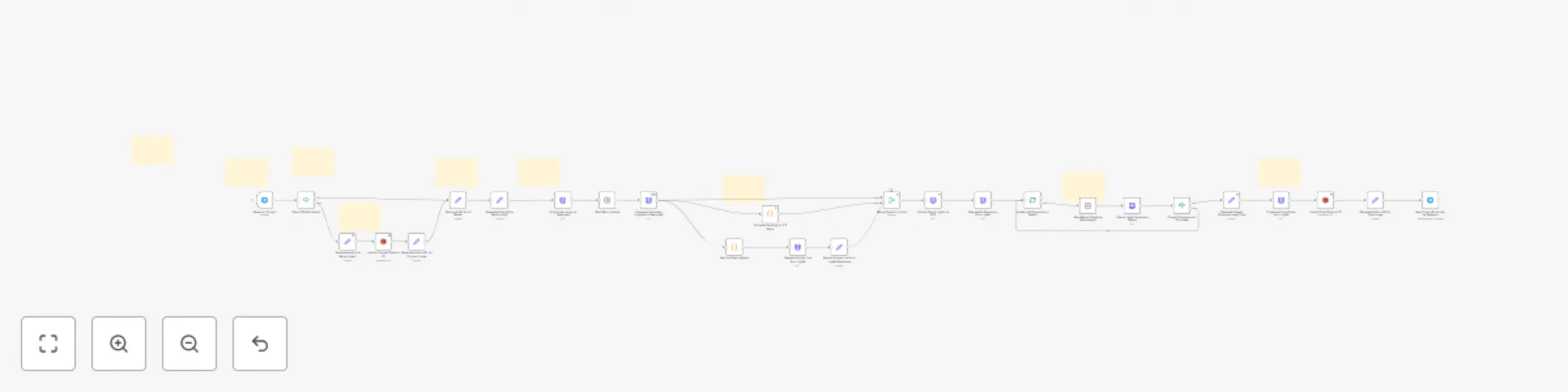
Workflow preview: Enhance & expand Telegram images to 3:2 with CodeFormer & LightX AI
Free advanced

Enhance & expand Telegram images to 3:2 with CodeFormer & LightX AI

## 🚀 Automatically enhance and expand Telegram images with AI This n8n workflow turns your Telegram bot into a powerful AI photo enhancer! Whether users send a **photo or a link**, it processes the image by: 1. 📥 Receiving the input (photo or link) 2. 🧠 Upscaling quality using **Replicate's CodeFormer** 3. 📐 Analyzing image dimensions and calculating paddings to fit the 3:2 ratio 4. 🖼️ Expanding the image contextually with **LightX AI** 5. ☁️ Uploading the result to S3 6. 🔗 Sending back a public URL to the user in Telegram --- ## 👥 Who is it for? - Telegram bot creators - Content creators & photographers - SMM pros looking to quickly polish user images - AI enthusiasts who want plug-and-play image workflows --- ## 🛠️ Setup Requirements - A Telegram bot (via @BotFather) - AWS S3 Bucket (public) - Replicate API key - LightX API key --- ## 🔧 How to customize - Add custom prompts or ratio in JavaScript node - Connect to other AI tools for filters or style transfer - Switch storage destination (e.g. Google Drive or Dropbox) --- ## 💡 Tips - Works great in photo-related communities - Can be used for virtual try-ons, image recovery or thumbnail generation --- ## 🌍 Languages The main sticky note can be localized — feel free to swap it for your audience! ---

V
Vadym Nahornyi
Content Creation
27 Jul 2025
40
0

Workflow preview: Transcribe & translate audio between languages with OpenAI & S3 storage
Free intermediate

Transcribe & translate audio between languages with OpenAI & S3 storage

This workflow automatically transcribes audio files, translates the content between languages, and generates natural-sounding speech from the translated text - all in one seamless process. ## Who's it for Content creators, educators, and businesses needing to make their audio content accessible across language barriers. Perfect for translating podcasts, voice messages, lectures, or any audio content while preserving the spoken format. ## How it works The workflow receives an audio file through a webhook, transcribes it using OpenAI's Whisper, translates and structures the text with GPT-4, generates new audio in the target language, and stores it in S3 for easy access. The entire process takes seconds and returns both the transcribed/translated text and a URL to the translated audio file. ## How to set up 1. **Configure OpenAI credentials** - Add your OpenAI API key for Whisper transcription and GPT-4 translation 2. **Set up AWS S3** - Create a bucket with public read permissions for audio storage 3. **Update configuration** - Replace 'YOUR-BUCKET-NAME' with your actual S3 bucket name 4. **Activate webhook** - Deploy and copy your webhook URL for receiving audio files Send a POST request with: - Binary audio file (as 'audiofile') - Languages parameter (e.g., "English, Spanish") ## Requirements - OpenAI API account with access to Whisper and GPT-4 - AWS account with S3 bucket configured - Basic understanding of webhooks and API requests ## How to customize - **Add language detection** - Automatically detect source language if not specified - **Customize voice settings** - Adjust speech speed, pitch, or select different voices - **Add file validation** - Implement size limits and format checks - **Enhance security** - Add webhook authentication and rate limiting - **Extend functionality** - Add subtitle generation or multiple output formats

V
Vadym Nahornyi
Content Creation
25 Jul 2025
532
0

Workflow preview: Real-time error monitoring with WhatsApp alerts & multi-language setup
Free beginner

Real-time error monitoring with WhatsApp alerts & multi-language setup

> ⚠️ Multi-language WhatsApp Error Notifier **Get instant WhatsApp alerts** when any workflow fails — perfect for mobile-first monitoring and fast incident response. ✅ No coding required ✅ Works with any workflow via *Error Workflow* ✅ Step-by-step setup instructions included in: - 🇬🇧 English - 🇪🇸 Español - 🇩🇪 Deutsch - 🇫🇷 Français - 🇷🇺 Русский --- ## 📦 What This Template Does This template sends real-time WhatsApp notifications when a workflow fails. It uses the **WhatsApp Business Cloud API** to deliver a preformatted error message directly to your phone. The message includes: - Workflow name - Error message - Last executed node Example message: Error on WorkFlow: {{ $json.workflow.name }} Message: {{ $json.execution.error.message }} lastNodeExecuted: {{ $json.execution.lastNodeExecuted }} --- ## ⚙️ Prerequisites Before using this template, make sure you have: - A verified Facebook Business account - Access to WhatsApp Business Cloud API - A sender phone number (registered in Meta) - An access token (used as credentials in n8n) - A pre-approved message template (or be within the 24h session window) [More info from Meta Docs →](https://developers.facebook.com/docs/whatsapp) --- ## 🚀 How to Use 1. Open the template and insert your WhatsApp credentials 2. Enter your target phone number (e.g. your own) in international format 3. Customize the message body if needed 4. **Save the workflow but do not activate it** 5. In any other workflow → open **Settings** → set this as your **Error Workflow** --- ## 🌐 Multi-language Setup Guide Included This template includes full setup instructions with screenshots and message formatting help in: - 🇬🇧 English - 🇪🇸 Español - 🇩🇪 Deutsch - 🇫🇷 Français - 🇷🇺 Русский Choose your language inside the embedded sticky note in the workflow.

V
Vadym Nahornyi
DevOps
24 Jul 2025
195
0

Workflow preview: Workflow error notifications to Slack with multilingual setup guide
Free beginner

Workflow error notifications to Slack with multilingual setup guide

> ⚠️ **Multi-language Slack Error Notifier** **Track errors like a pro** — this prebuilt Slack alert flow notifies you instantly when any workflow fails. ✅ No coding needed ✅ Works with any workflow via *Error Workflow* setting ✅ Step-by-step setup guides in: - 🇬🇧 English - 🇪🇸 Español - 🇩🇪 Deutsch - 🇫🇷 Français - 🇷🇺 Русский Just plug it in, follow the quick setup, and never miss a failure again.

V
Vadym Nahornyi
DevOps
23 Jul 2025
187
0

Workflow preview: Monitor n8n workflow errors with Telegram alerts (multi-language setup)
Free beginner

Monitor n8n workflow errors with Telegram alerts (multi-language setup)

## How it works Automatically sends Telegram notifications when any n8n workflow fails. Includes workflow name, error message, and execution ID in the alert. ## Setup Complete setup instructions included in the workflow's sticky note in **5 languages**: - 🇬🇧 English - 🇪🇸 Español - 🇩🇪 Deutsch - 🇫🇷 Français - 🇷🇺 Русский ## Features - Monitors all workflows 24/7 - Instant Telegram notifications - Zero configuration needed - Just add your bot token and chat ID ## Important ⚠️ Keep this workflow active 24/7 to capture all errors.

V
Vadym Nahornyi
DevOps
14 Jul 2025
2394
0