Automate Gmail responses with GPT and human-in-the-loop verification
## Try It Out!
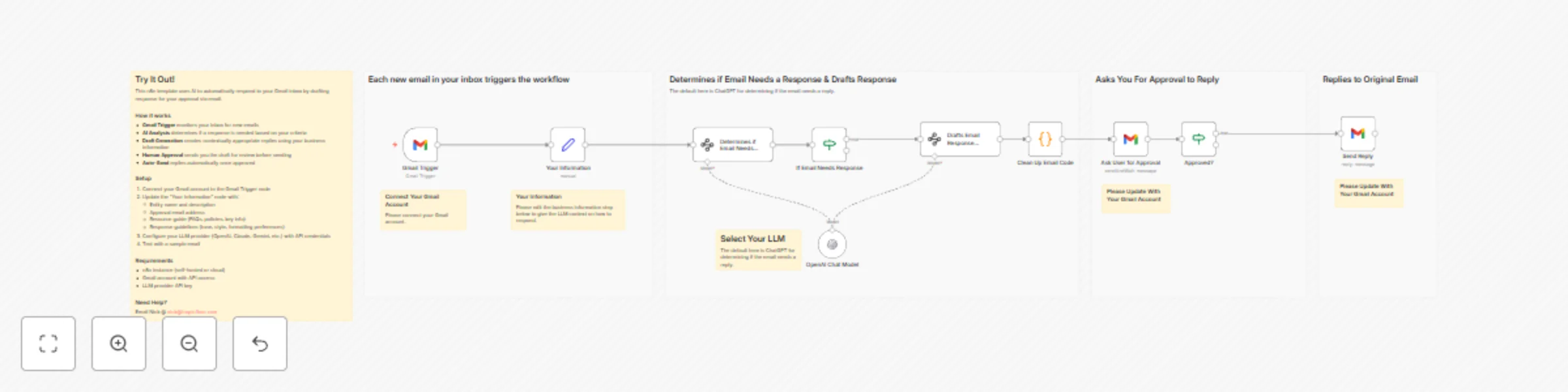
This n8n template uses AI to automatically respond to your Gmail inbox by drafting response for your approval via email.
### How it works
* **Gmail Trigger** monitors your inbox for new emails
* **AI Analysis** determines if a response is needed based on your criteria
* **Draft Generation** creates contextually appropriate replies using your business information
* **Human Approval** sends you the draft for review before sending
* **Auto-Send** replies automatically once approved
### Setup
1. Connect your Gmail account to the Gmail Trigger node
2. Update the "Your Information" node with:
* Entity name and description
* Approval email address
* Resource guide (FAQs, policies, key info)
* Response guidelines (tone, style, formatting preferences)
3. Configure your LLM provider (OpenAI, Claude, Gemini, etc.) with API credentials
4. Test with a sample email
### Requirements
* n8n instance (self-hosted or cloud)
* Gmail account with API access
* LLM provider API key
### Need Help?
Email Nick @ [email protected]