AI-powered document search with Oracle and ONNX embeddings for recruiting
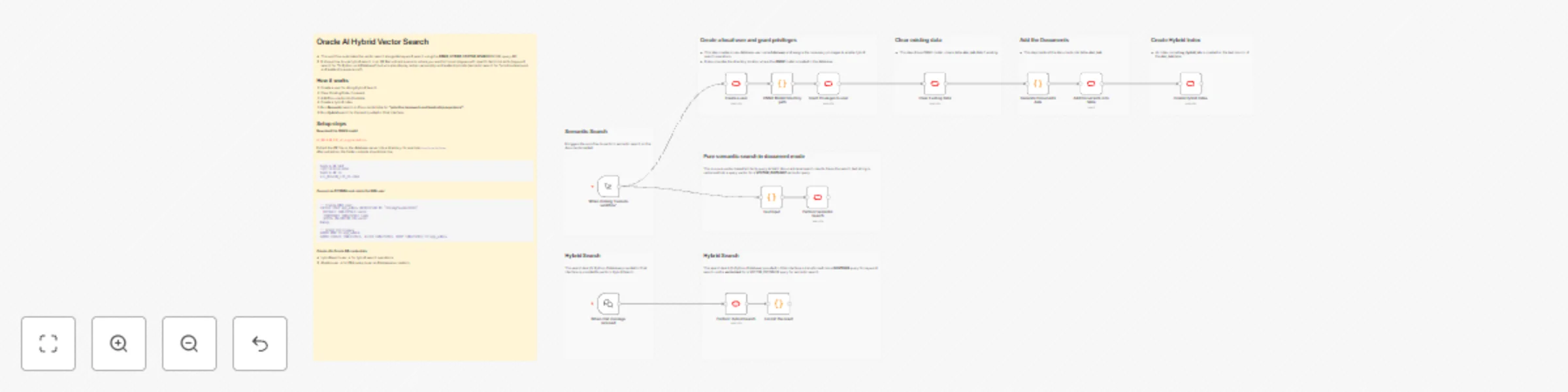
# How it works
1. Create a user for doing Hybrid Search.
2. Clear Existing Data, if present.
3. Add Documents into the table.
4. Create a hybrid index.
5. Run ***Semantic*** search on Documents table for ***"prioritize teamwork and leadership experience"***.
6. Run ***Hybrid*** search for the text inputted in Chat interface.
# Setup Steps
**Download the ONNX model**
[all_MiniLM_L12_v2_augmented.zip](https://adwc4pm.objectstorage.us-ashburn-1.oci.customer-oci.com/p/VBRD9P8ZFWkKvnfhrWxkpPe8K03-JIoM5h_8EJyJcpE80c108fuUjg7R5L5O7mMZ/n/adwc4pm/b/OML-Resources/o/all_MiniLM_L12_v2_augmented.zip)
Extract the ZIP file on the database server into a directory, for example `/opt/oracle/onnx`.
After extraction, the folder contents should look like:
```bash
bash-4.4$ pwd
/opt/oracle/onnx
bash-4.4$ ls
all_MiniLM_L12_v2.onnx
```
**Connect as SYSDBA and create the DBA user**
```sql
-- Create DBA user
CREATE USER app_admin IDENTIFIED BY "StrongPassword123"
DEFAULT TABLESPACE users
TEMPORARY TABLESPACE temp
QUOTA UNLIMITED ON users;
-- Grant privileges
GRANT DBA TO app_admin;
GRANT CREATE TABLESPACE, ALTER TABLESPACE, DROP TABLESPACE TO app_admin;
```
**Create n8n Oracle DB credentials**
- hybridsearchuser → for hybrid search operations
- dbadocuser → for DBA setup (user and tablespace creation)
# Run the workflow
**Click the manual Trigger**
- It displays Pure semantic search results
**Enter search text in Chat interface**
- It displays results for vector and keyword search.
## Note
- The workflow currently creates the hybrid search user, **docuser** with the password visible in plain text inside the n8n Execute SQL node.
- For better security, consider performing the user creation manually outside n8n.
- Oracle **23ai or 26ai** Database has to be used`
# Reference
[Hybrid Search End-End Example](https://docs.oracle.com/en/database/oracle/oracle-database/26/vecse/query-hybrid-vector-indexes-end-end-example.html)